
How Job Seekers Can Use Free ATS Resume Checker Tools Effectively

Sarah Mitchell
February 6, 2026
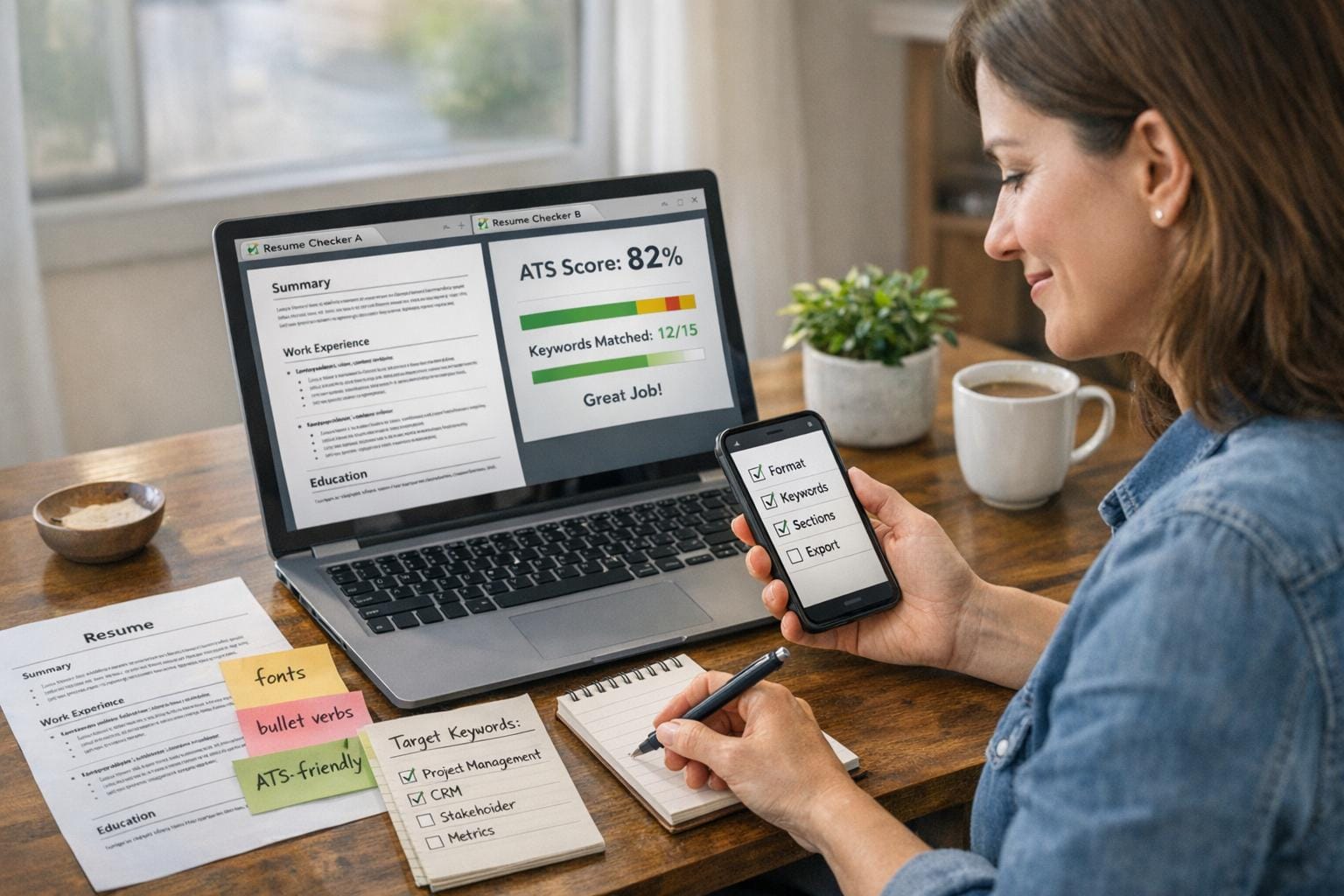
Your resume might look perfect to you, but if it doesn’t pass an Applicant Tracking System (ATS), recruiters may never see it. ATS software filters out up to 75% of resumes, making it crucial to optimize yours. Free ATS tools like Jobscan and Resumeworded help identify formatting issues and keyword gaps, improving your chances of scoring interviews. However, they often fall short in providing actionable solutions or personalized support. Platforms like scale.jobs combine ATS optimization with human expertise, offering tailored, job-ready resumes and even managing applications on your behalf.
Here’s how to use ATS tools effectively:
- Pick the right tool: Choose one that matches your resume to job descriptions and provides detailed feedback. Avoid tools that only offer vague scores.
- Optimize formatting: Stick to a single-column layout, standard fonts, and avoid tables or text boxes.
- Match keywords: Use exact phrases from job descriptions and quantify achievements to boost ATS compatibility.
- Test and refine: Run your resume through multiple ATS checkers to ensure it performs well across systems.
- Avoid common mistakes: Don’t overstuff keywords or compromise readability for ATS scores.
For those struggling with callbacks despite high ATS scores, consider professional services like scale.jobs for end-to-end application management. They handle everything from resume optimization to submitting applications, saving you time while increasing your chances of landing interviews.
Quick Tip: Aim for an ATS score of 80% or higher to triple your chances of getting interview requests. If you’re not seeing results, it might be time to explore expert assistance.
How to Make an ATS-Friendly Resume
Step 1: Choose a Free ATS Resume Checker Tool
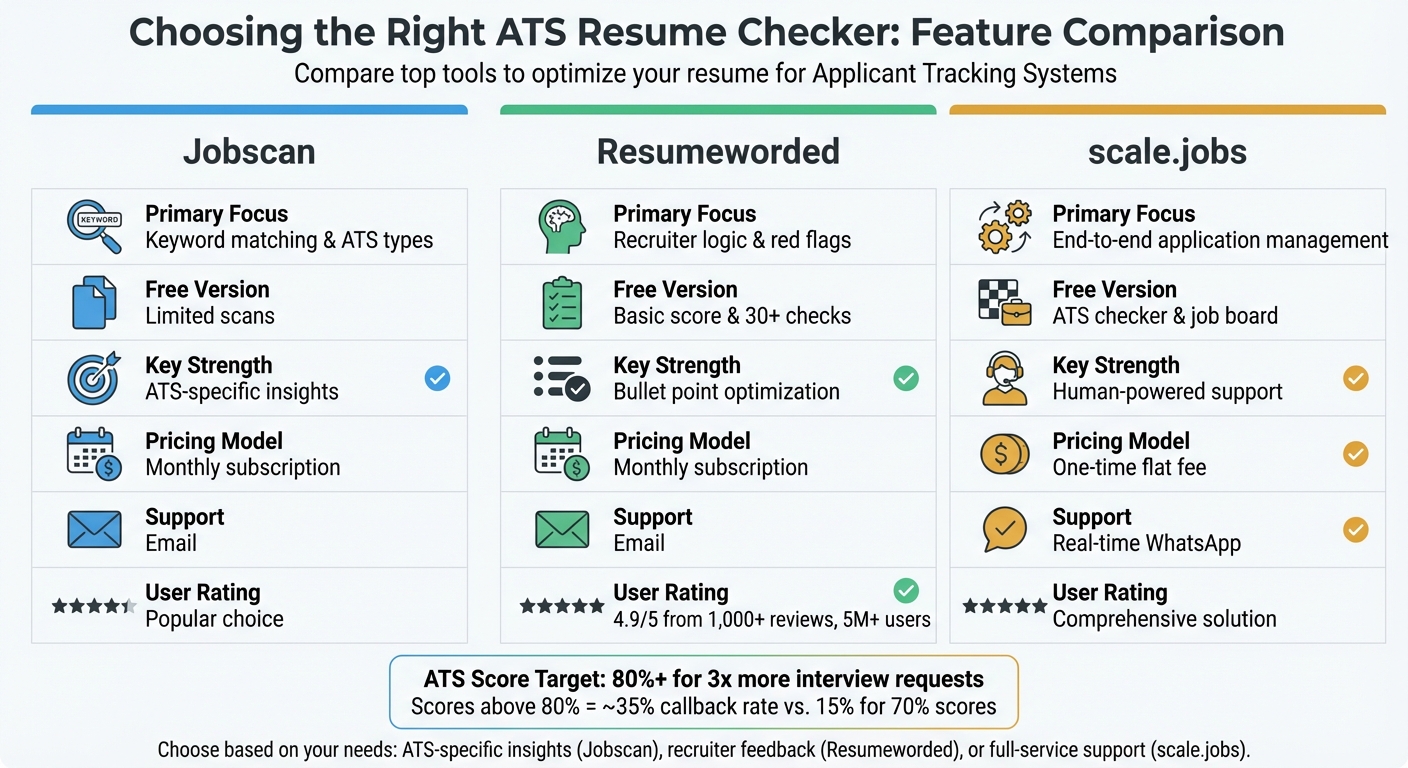
ATS Resume Checker Comparison: Jobscan vs Resumeworded vs scale.jobs
What to Look for in an ATS Resume Checker
When selecting an ATS resume checker, prioritize tools that measure your resume against a specific job description. The best tools extract relevant skills and provide detailed feedback for each section - summary, experience, and skills - rather than offering vague overall ratings.
Pay attention to formatting compatibility. ATS systems often struggle with tables, text boxes, or unusual fonts. Advanced tools can even identify the specific ATS a company uses (like Workday or Taleo) and offer tailored formatting advice to ensure your resume is parsed correctly.
Aim for a score of 80% or higher to improve your chances of getting a callback. Resumes with scores above 80% tend to receive three times more interview requests than those below 60%. However, going beyond 90% might indicate excessive keyword stuffing, which can deter hiring managers.
With these factors in mind, let’s see how Jobscan, Resumeworded, and scale.jobs stack up.
Jobscan vs Resumeworded vs scale.jobs: Which ATS Checker to Use
Here’s a breakdown of the top ATS checkers and what makes each of them effective. The goal is to find a tool that offers actionable feedback and clear formatting guidance.
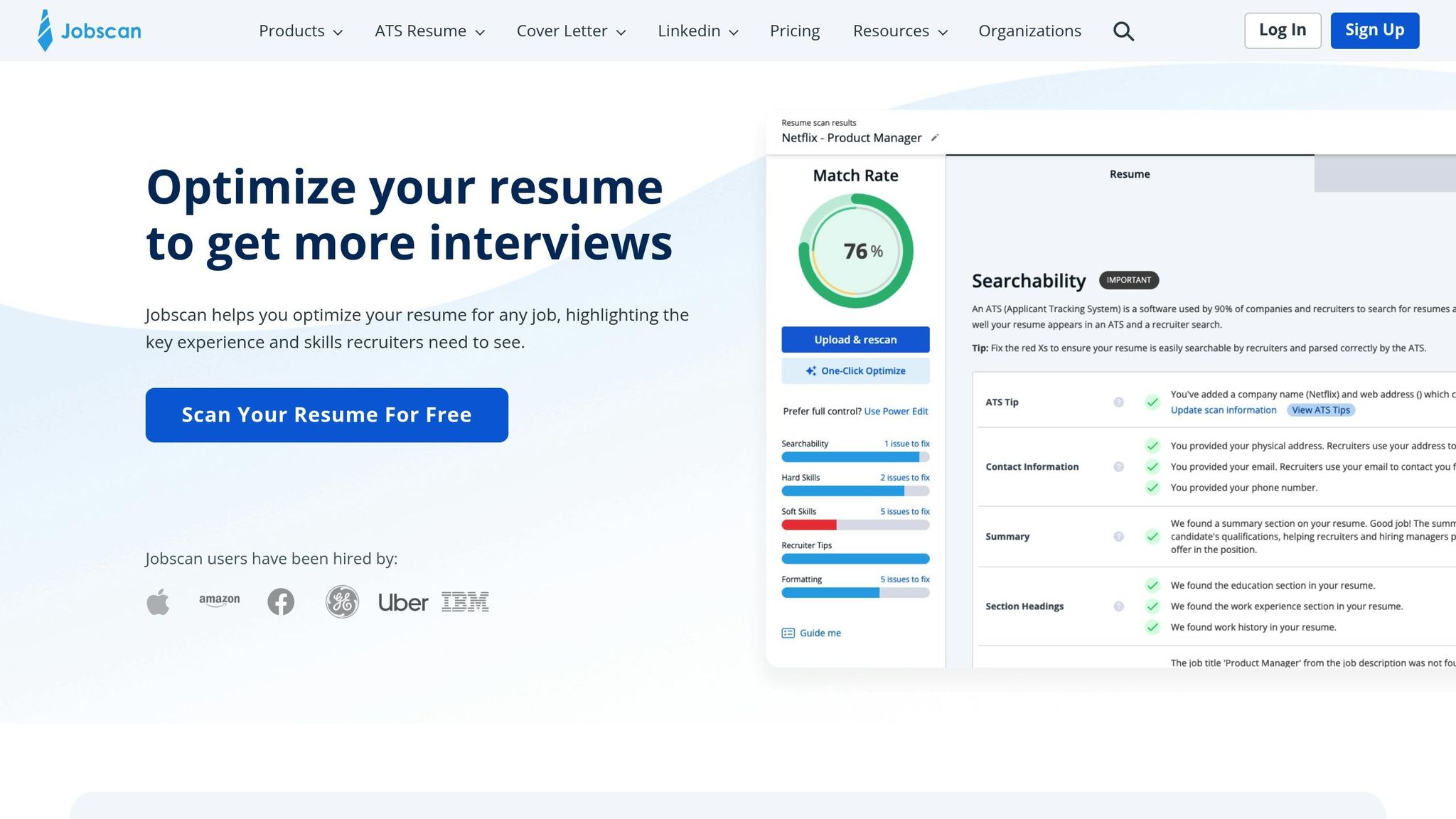
Jobscan is known for its focus on keyword matching and ATS-specific recommendations. Its AI analyzes job postings and identifies the ATS software used by the company, such as Taleo or Lever. Based on this, it provides tailored formatting tips. Jobscan supports chronological and hybrid resume formats, though many candidates now prefer using an AI resume builder for faster optimization but warns against using headers or footers, which can confuse ATS systems. While the free version offers limited scans, full access requires a monthly subscription.
Resumeworded emphasizes recruiter-friendly logic and highlights potential red flags in your resume. It checks for scannable layouts and section titles, ensuring compatibility with ATS systems. Its "Magic Target" feature stands out by helping users rewrite bullet points for specific roles. With over 5 million users globally and a 4.9/5 rating from 1,000+ reviews, Resumeworded is a popular choice. The free version includes basic scans, but advanced features require a Pro subscription.
scale.jobs goes beyond just identifying issues by offering human-powered resume services. This platform combines free ATS checking with professional assistance, where virtual assistants create ATS-optimized resumes and manually submit applications, bypassing automated errors. Features like real-time WhatsApp support, proof-of-work screenshots, and a flat-fee pricing model make it a comprehensive choice for job seekers.
| Feature | Jobscan | Resumeworded | scale.jobs |
|---|---|---|---|
| Primary Focus | Keyword matching & ATS types | Recruiter logic & red flags | End-to-end application management |
| Free Version | Limited scans | Basic score & 30+ checks | ATS checker & job board |
| Key Strength | ATS-specific insights | Bullet point optimization | Human-powered support |
| Pricing Model | Monthly subscription | Monthly subscription | One-time flat fee |
| Support | Real-time WhatsApp |
If you’re targeting specific ATS systems like Lever or Taleo, Jobscan is a solid choice. For recruiter-focused feedback on achievements and career growth, Resumeworded excels. If you want a hands-off approach where experts handle your resume and applications, scale.jobs provides a seamless solution while you focus on interviews and networking.
Step 2: Prepare Your Resume and Job Description
Once you've chosen an ATS checker, the next step is refining your resume to ensure it aligns with ATS requirements.
Format Your Resume for ATS Systems
Keep your resume clean and straightforward with a single-column layout and standard fonts like Arial, Calibri, or Times New Roman. ATS systems scan resumes in a linear fashion - top-to-bottom and left-to-right - so avoid using multi-column formats, tables, text boxes, or graphics. These elements can cause parsing errors, reducing your resume's compatibility with ATS tools.
Save your resume as a .docx file or a text-based PDF. Older ATS systems are generally better at processing Word documents, but if you prefer a PDF, make sure the text is selectable to avoid issues with readability.
Stick to standard section headers such as "Work Experience", "Education", and "Skills." Avoid creative or unconventional titles, as they might confuse the system.
"Most resume formatting looks professional to humans but confuses automated systems. Graphics, tables, unusual fonts, and creative layouts often result in parsing errors that tank your ATS score." - scale.jobs
| Category | ATS-Friendly | ATS-Unfriendly |
|---|---|---|
| Layout | Single-column, simple text | Multi-column, tables, text boxes |
| Fonts | Arial, Calibri, Times New Roman | Decorative or custom fonts |
| Section Titles | Work Experience, Education, Skills | My Journey, Career Highlights |
| File Format | .docx or highlightable PDF | Scanned PDF, JPG, complex exports |
Once the format is ready, the next step is to align your resume content with the job description.
Match Your Resume to the Job Description
Formatting your resume is only part of the equation; tailoring it to the job description is equally important. Start by copying the full job description into a separate document and highlighting key skills, tools, and certifications mentioned in the posting. Use the exact wording from the job description - if it says "project management", avoid rephrasing it as "managed projects." ATS algorithms prioritize exact keyword matches, and even a slight variation can impact your score.
A higher keyword match improves your chances: a 70% match might lead to a 15% callback rate, but boosting it to 80% can increase that rate to roughly 35%.
Include measurable achievements wherever possible. Numbers, percentages, and timeframes not only make your resume more appealing to hiring managers but can also enhance ATS parsing accuracy.
Organize your work experience in reverse chronological order with consistent date formatting (e.g., "January 2023 – March 2025"). ATS systems typically assume your most recent role is listed first, and inconsistent dates might cause errors during parsing.
If you're juggling multiple tailored resumes for different roles, consider using professional resume services to create polished, ATS-optimized versions with expert input.
Step 3: Run the ATS Scan and Read the Results
To begin, upload your resume (in .docx format or a clean PDF) and paste the full job description into the ATS tool. Hit "Scan" and wait for the results to display.
The overall match score is the first thing to review. Aim for a score of 80% or higher, as this significantly boosts your chances of getting callbacks. Research shows that candidates with scores above 80% see up to three times more interview requests compared to those scoring below 60%. For example, candidates scoring around 70% experience callback rates of roughly 15%, while those above 80% enjoy rates closer to 35%.
Next, examine the parsed version of your resume shown by the tool. This reveals how the ATS reads your document. If sections appear jumbled or missing, it’s often due to formatting issues like using tables, text boxes, or unusual headers. For instance, Sarah, a job seeker, raised her score from 45% to 92% by standardizing her headers, incorporating exact keywords like "SEO", and removing decorative elements. This update led to interview invitations within just 48 hours.
"ATS score above 80% dramatically increases your chances of reaching human recruiters." - scale.jobs
If your score consistently falls below 70% despite multiple revisions, it might be time to seek help from professional resume services. These experts can enhance your resume's ATS compatibility while ensuring it appeals to human reviewers.
How to Use Keyword Recommendations
Most ATS tools provide a list of missing keywords from the job description. Prioritize adding hard skills, technical tools, and certifications, as these carry the most weight in ATS scoring. For example, if the job posting specifies "project management", use that precise phrase instead of rephrasing it as "managed projects." ATS systems favor exact matches, and even slight variations can reduce your score.
To stay organized, use a spreadsheet, a virtual job search assistant, or the tool’s keyword tracker to ensure at least 80% of the essential terms from the job description are naturally incorporated into your resume. Adding these keywords can increase your score by 25-35 points, making it one of the most impactful adjustments you can make. Avoid keyword stuffing, though - integrate terms seamlessly into your work experience and skills sections so your resume remains readable for human recruiters.
When addressing soft skills, focus on quantified accomplishments instead of listing generic terms. For instance, instead of writing "team player", describe a specific achievement like "Collaborated with a team of 5 to increase quarterly sales by 30%." This approach satisfies ATS keyword requirements while also appealing to hiring managers.
| ATS Score Range | Status/Likelihood of Review |
|---|---|
| Below 60% | Likely automatic rejection |
| 60-70% | High competition risk; may reach human review |
| 70-80% | Minimum required for most applications |
| 80-85% | Good - Strong advancement to human review |
| 85-95% | Excellent - Highest chance of interviews |
Once your keywords are optimized, move on to addressing formatting issues to further improve your score.
Fix Formatting and Structure Issues
Formatting plays a crucial role in how ATS systems interpret your resume. Use standard fonts like Arial, Calibri, or Times New Roman, along with clear headers such as "Work Experience", "Education", and "Skills." These adjustments alone can improve your score by up to 50 points. Additionally, submitting your resume as a Word document (.docx) or a clean, text-based PDF adds another 10-12 points.
Replace dense paragraphs with scannable bullet points and quantify your achievements using numbers or percentages. For example, instead of saying "Improved sales", write "Increased sales by 30% over two quarters." These changes are quick to implement and can significantly enhance your resume’s readability and ATS compatibility.
Always list your roles in reverse chronological order, starting with your most recent position. Avoid using functional or skills-based formats, as they can confuse the parser and lead to errors in identifying your current role. Stick to a clear, chronological structure with consistent date formatting (e.g., "January 2023 – March 2025") to avoid parsing mistakes.
| Category | Action Item | Impact on ATS Score |
|---|---|---|
| Keywords | Match 80%+ of job description terms naturally | +25-35 points |
| Formatting | Use standard fonts (Arial, Calibri, Times New Roman) | +15-20 points |
| Sections | Include standard headers (Experience, Education, Skills) | +10-15 points |
| File Type | Submit as Word doc or clean PDF | +10-12 points |
| Bullets | Replace paragraphs with scannable bullet points | +8-12 points |
| Achievements | Quantify results with numbers and percentages | +8-10 points |
After making these adjustments, run another ATS scan to confirm that your resume is fully optimized for both parsing accuracy and human readability.
Step 4: Update Your Resume and Test Again
Make Changes Based on ATS Feedback
Using the initial ATS feedback, it's time to fine-tune your resume for better results. Focus on adjustments that can add 25-35 points to your score. Start by weaving in missing keywords directly from the job description. For example, if the job posting emphasizes "project management", use that exact term instead of rephrasing it as "managing projects." ATS systems are designed to prioritize exact keyword matches, and even slight variations can hurt your score.
Switch out creative section headers for standard industry labels. For instance, change "My Journey" to "Professional Experience" or "Career Highlights" to "Work Experience." This small tweak can increase your score by 10-15 points, as ATS systems are programmed to recognize conventional headings. Additionally, replace lengthy paragraphs with concise, bullet-point lists - ideally no more than six per role.
Quantify your achievements wherever possible. Instead of saying, "Improved team efficiency", opt for something like, "Boosted team productivity by 25% in six months through workflow automation." This approach not only satisfies ATS keyword requirements but also provides measurable results that appeal to human recruiters. If your score still falls short of 70% after multiple edits, consider reaching out to a professional resume service that specializes in ATS optimization and crafting resumes for human readers alike.
Lastly, ensure consistency in formatting, particularly with employment dates. Use a standard format like "January 2023 – March 2025" throughout your resume to avoid parsing errors that could misinterpret your work history. Once these refinements are complete, test your resume again to confirm the improvements.
Test with Multiple ATS Checkers
After making these updates, run your revised resume through at least two different ATS tools to validate the changes. Each checker evaluates resumes differently. For instance, Jobscan places heavy emphasis on keyword matches and recommends aiming for a score of 75% or higher, while Resume Worded examines over 30 factors, including the use of quantifiable achievements and potential "red flags", such as listing soft skills without context. Testing with multiple tools ensures your resume is robust enough to perform well across various ATS platforms.
"If it is scanned correctly by our platform, you can be confident it will also be processed correctly by all ATS." - Resume Worded
If one tool shows a significant score improvement but another flags new issues, prioritize edits that address both. For example, if Jobscan suggests adding more mentions of "teamwork" but Resume Worded warns against listing it without context, integrate it into a quantified achievement. For instance, write, "Collaborated with an 8-person cross-functional team to launch a product that generated $500K in first-quarter revenue", instead of merely including "teamwork" in the skills section. After every major edit, retest to ensure that adding keywords hasn't disrupted your formatting or reduced readability.
Step 5: Avoid Common ATS Optimization Mistakes
Keep Your Resume Readable for Hiring Managers
While it's tempting to focus entirely on achieving a high ATS score, doing so can backfire if it makes your resume less appealing to human recruiters. One of the most common pitfalls is keyword stuffing - filling your resume with every term from the job description until it sounds robotic. According to Jobscan, overloading your resume with keywords can make it feel unnatural and unconvincing.
Another mistake is listing vague soft skills, such as "team player" or "strong communication", in your skills section. Instead, demonstrate these abilities through measurable achievements. For instance, replace "Strong communication skills" with a concrete example: "Presented quarterly sales results to C-suite executives, securing approval for a $1.2M budget increase." This approach not only satisfies ATS keyword requirements but also provides real-world evidence that resonates with hiring managers.
Strive for an ATS score between 80% and 90%. This range ensures your resume is optimized for ATS while still using natural, readable language. Research shows that candidates with scores above 80% are three times more likely to receive interview requests compared to those with scores below 60%. Additionally, use standard fonts like Arial, Calibri, or Times New Roman, and save your resume as a .docx file to ensure compatibility with older ATS systems.
If you've made these adjustments but still aren't seeing results, it might be time to explore professional help.
When Free ATS Tools Aren't Enough
Sometimes, even an optimized resume doesn't yield the desired results. Free ATS tools are helpful for identifying missing keywords or formatting issues, but they can't refine your resume's overall narrative or tailor it to resonate with hiring managers in your field. If you've sent out 50 or more applications without securing interviews, it may indicate deeper issues, such as weak achievement statements or job titles that don't align with your target roles.
This is where professional services can make a difference. Expert resume writers combine ATS optimization with strategic storytelling to ensure your resume not only passes the initial filters but also grabs the attention of recruiters. Platforms like Scale.jobs take this a step further by offering human-assisted services. Their team ensures your resume is both ATS-friendly and compelling, while trained assistants handle job applications on your behalf. With features like real-time WhatsApp updates, time-stamped proof-of-work screenshots, and a flat-fee structure starting at $199 for 250 applications, this service can save you time and significantly boost your callback rate. For candidates with ATS scores above 80%, callback rates can improve from a typical 15% to approximately 35%.
If you're struggling to secure interviews, consider leveraging these resources to stand out in a competitive job market.
Conclusion
Free ATS resume checkers can be a great starting point for spotting keyword gaps and resolving formatting issues, often leading to a noticeable improvement in your resume's score. Higher ATS scores are linked to better chances of getting callbacks. However, even the most polished resume won't guarantee interviews if your application strategy isn't up to par.
Issues like submitting generic cover letters, neglecting to tailor applications, or mishandling repetitive forms can undermine your efforts. For instance, if you've sent out more than 50 applications with an ATS score of 80% or higher but still aren't hearing back, the problem might not be your resume - it could be how you're applying.
This is where scale.jobs steps in to bridge the gap. Unlike basic ATS tools, scale.jobs provides:
- Human-powered assistance to manage the entire application process for you
- Customized, ATS-optimized resumes and cover letters tailored to each job posting
- Flat, one-time pricing - no subscription traps or hidden fees
- Dedicated WhatsApp support, complete with proof-of-work screenshots for transparency
- Full accountability, ensuring every application is submitted as promised
With these services, scale.jobs combines the precision of ATS optimization with the reliability of human execution, leading to higher callback rates.
Start by using free ATS tools to refine your resume. But when you're ready for a more thorough, results-driven approach, consider professional resume writing services to elevate your applications. Automated tools help you pass the initial filters, but the right human support can get you one step closer to landing the interview.
FAQs
What’s the best way to choose an ATS resume checker that fits my needs?
Choosing an ATS resume checker comes down to understanding your needs, budget, and the type of support you prefer. Free options like Indeed or Canva are helpful for basic formatting adjustments but often fall short when it comes to advanced features like keyword optimization or detailed feedback. On the other hand, paid tools such as Jobscan or Rezi.ai provide more advanced capabilities, including AI-powered keyword recommendations and ATS compatibility checks, though they typically range from $20 to $50 per month.
For those seeking a more customized and impactful approach, platforms like Scale.jobs offer a unique blend of AI technology and human expertise. With features like personalized guidance, proof-of-work transparency, and a one-time payment option, it’s an excellent choice for job seekers who want to take a more hands-on approach to their applications.
Ultimately, your choice depends on whether you need quick, automated feedback or a more thorough, human-assisted review. While free tools can handle minor tweaks, platforms like Scale.jobs are often better suited for creating a polished, ATS-optimized resume that stands out. If you're preparing to apply for jobs, investing in the right tool can make a significant difference.
What mistakes should I avoid when tailoring my resume for ATS systems?
To make sure your resume clears ATS (Applicant Tracking System) filters, steer clear of these frequent pitfalls:
- Overly complex formatting: Avoid using graphics, tables, or unusual fonts. These can confuse ATS software, potentially leading to missed or misinterpreted information. Stick to simple, clean layouts.
- Lack of relevant keywords: ATS systems scan for specific terms from the job description. If these keywords are missing, your resume might not make it through the initial screening.
- Unconventional section headings: Use standard headings like Work Experience, Skills, and Education. This helps the ATS correctly identify and categorize your information.
- Unsupported file formats: Save your resume in ATS-friendly formats like .docx or plain-text PDFs. This ensures the system can parse your document without errors.
- Excessive keyword usage: While keywords are important, overloading your resume with irrelevant or forced terms can make it harder to read and may even raise red flags.
By sticking to straightforward formatting, incorporating relevant keywords naturally, and using the right file formats, you'll increase your chances of passing ATS filters and catching the attention of hiring managers. For additional help, consider tools like an AI resume builder to ensure your resume meets ATS standards.
When is it better to use professional resume services instead of free ATS tools?
Professional resume services stand out when you need a resume that’s tailored, polished, and designed to pass Applicant Tracking Systems (ATS) with ease. While free tools are helpful for basic layouts and keyword ideas, they often fall short in delivering the level of personalization and strategic finesse that a professional touch provides.
Opt for professional services if you’re targeting highly competitive roles, require customized resumes for various job applications, or simply want the reassurance that your resume meets current hiring standards and ATS compatibility. These services are particularly valuable when free tools haven’t delivered the desired results or if you prefer expert guidance and ongoing support throughout your job search.