
A 90-Day Financial Recovery Plan After Job Loss

Sarah Mitchell
June 16, 2026

If your paycheck just stopped, your first 90 days are about cash, not career theory. I’d focus on three things right away: cut monthly burn, file every benefit this week, and use one job-search system that helps me get interviews without adding more work or more subscriptions.
Here’s the short version:
- Days 1–7: build a bare-bones budget, file unemployment, review health coverage, and pause non-core spending
- Days 8–30: send 20–30 targeted applications per week and track interviews per application
- Days 31–90: drop weak tools fast, narrow role focus, and put money only into what helps me land interviews
If I were comparing tools during a layoff, I’d judge them on four things:
- Time cost
- Cash cost
- Application quality
- Proof of work
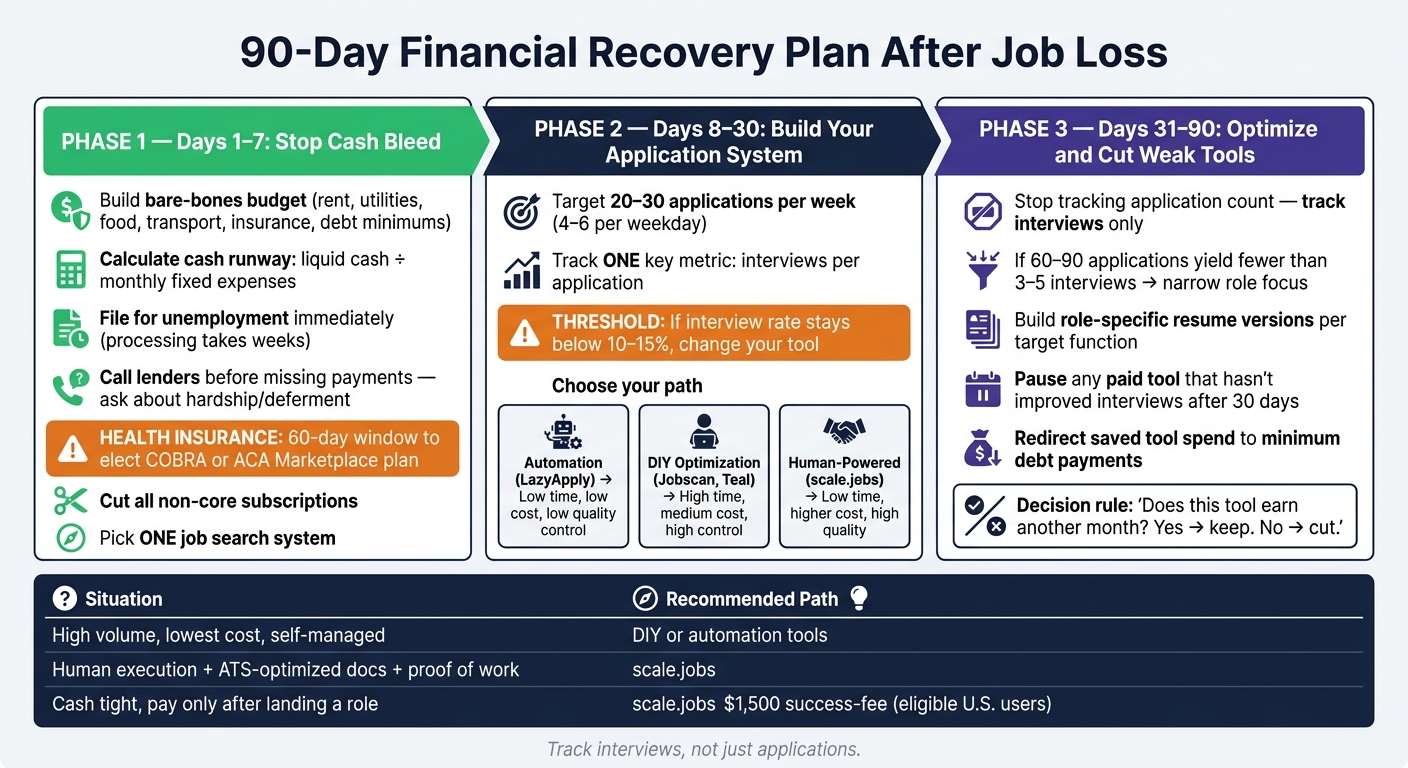
90-Day Financial Recovery Plan After Job Loss
How Do I Budget After a Job Loss?
sbb-itb-564272e
Quick comparison
| Option | Best for | Main trade-off | When I’d switch |
|---|---|---|---|
| LazyApply | High-volume applying | Low control over quality | If volume is high but interviews stay low |
| Find My Profession | Senior or executive job seekers | High price | If cost feels hard to carry after a layoff |
| Jobscan | DIY resume editing | Still manual after scoring | If I’m stuck editing instead of applying |
| scale.jobs | Human-led applications | Higher spend than pure DIY | If I need help with execution and time |
The core idea is simple: a job application service is not just a career pick during unemployment. It’s a budget pick too. If a tool saves a few clicks but does not improve interviews, I would cut it.
What I’d do first
I would treat the first month like a short reset plan:
- Protect cash runway
- Pick one daily job search system
- Track job application responses and interviews, not just applications
- Stop paying for tools that do not move results
That also means I would not test five tools at once. I’d choose one job search platform, use it for 30 days, and check whether it helps me Apply for jobs with better targeting and less friction.
My 90-day playbook
I’d start with a simple weekly checklist:
- List fixed bills: rent, utilities, food, transport, insurance, debt minimums
- File unemployment right away
- Call lenders before missing payments
- Compare COBRA vs. ACA within the 60-day window
- Cut unused subscriptions
- Apply for matched roles only
- Review response rate every 2 weeks
- Switch tools if interview rate stays under roughly 10%–15%
Tool choice matters more than most people think
This is where many people lose time. They bounce between the best job boards, resume tools, trackers, and auto-apply products without one clear system.
I’d keep the setup simple:
- If I want control and can do the work, I’d use DIY tools plus an ai resume builder
- If I want help with execution, I’d compare virtual assistants vs. DIY applications
- If I need hands-on support beyond software, I’d compare a job search virtual assistant with a job search coach
Bottom line
In a layoff, the best tool is the one that helps me get interviews without draining more time or money. I would keep any tool that improves response rate and cut any tool that only adds activity.
That’s the full frame for this 90-day plan: protect cash first, use one system, and switch fast if the process is not working.
2. Days 1–7: Stop Cash Bleed, Secure Benefits, and Pick a Job-Search System You Can Trust
Days 1–7 are about one thing: protecting your runway. Cut spending, file benefits, and choose one system to Apply for jobs without wasting time or cash.
This is not the week to test five tools, keep old subscriptions “just in case,” or spray applications everywhere. You need a simple setup you can stick with for the next 30 days.
Build a 30-day survival budget using only fixed, necessary expenses
Start with bare-minimum spending only:
- Rent
- Utilities
- Food
- Transportation
- Insurance
- Minimum debt payments
Add those numbers together. Then divide your liquid cash plus after-tax severance by that total. That gives you your cash runway.
Here’s the point: once you know how many months you have, your next move gets clearer. You can stop guessing and start making choices that protect time and money.
File for unemployment this week. Even if you received severance, file now. Claims can take weeks to process, and waiting only puts you behind.
Call every lender before you miss a payment. Ask about hardship programs, deferment, or forbearance. That one call can lower your monthly pressure without the damage that comes from missed payments.
Health insurance needs attention now too. You have a 60-day window to elect COBRA or enroll in an ACA Marketplace plan after losing employer coverage. COBRA keeps your current doctors and network, but it’s usually the most expensive choice. ACA Marketplace plans can cost much less if your income dropped enough to qualify for premium tax credits. If a spouse or partner has employer coverage, joining that plan is often the lowest-cost move, and job loss counts as a qualifying life event.
Cut every non-core subscription this week. Use free tiers where you can. Then commit to one job search platform for 30 days. After benefits are in motion, application execution becomes the main thing you can still control.
Choose between automation, DIY optimization, and human-powered job applications
At this stage, most people land in one of three camps: automation, DIY optimization, or human-powered execution.
If your current setup saves time but sends weak applications, switch now. More volume doesn't help if the applications are bad.
If you're comparing tools from the best job boards ecosystem and services like LazyApply, Jobscan, Teal, and scale.jobs, use one workflow for the next 30 days and stick to it.
| Path | Example Tools | Time Cost | Cash Cost | Key Risk |
|---|---|---|---|---|
| Automation | LazyApply, LoopCV | Low | Low–Medium (recurring) | Generic applications, ATS and quality-control concerns, potential account warnings or bans |
| DIY Optimization | Jobscan, Teal, Rezi | High | Low–Medium (recurring) | Hours of manual work per application |
| Human-Powered | scale.jobs, Find My Profession | Low | Higher upfront or success-fee | Higher cost, but execution is handled for you |
Automation tools like LazyApply sell speed. That can sound great when you're stressed. But generic applications often do poorly in ATS filters, and mass-submission behavior can trigger warnings on major job boards. If your main issue is weak application quality, automation just helps you make the same mistake faster.
DIY tools like Jobscan and Teal give you more control. They can help if you want to tune resumes, track roles, and manage your own process. The tradeoff is time. And after a layoff, time isn't the only issue. Mental bandwidth matters too. Spending an hour tweaking every application can wear you down fast.
Human-powered services take the execution off your plate. For people who want a Virtual Assistant for Job Applications or a virtual assistant for job seekers, this path is often the cleanest. scale.jobs lets eligible U.S. citizens and green card holders in white-collar roles with under 10 years of experience test five applications free, then continue with a $1,500 success-fee option. Trained assistants complete each form by hand, tailor your resume to the role’s ATS needs, and send submission screenshots plus WhatsApp updates to confirm each submission.
A simple way to think about it: automation buys volume, DIY buys control, and human-powered help buys back your time.
If you’ve been looking at a job application service because you need help with full time jobs or want to move fast on Part time jobs near me, this is the week to decide. Don’t keep bouncing between tools.
Pick one system now. Track applications, interviews, and responses for 30 days. Don’t add new subscriptions until you have actual data.
3. Days 8–30: Set a Weekly Application System and Compare scale.jobs With the Tools Most People Try First
By Day 8, your unemployment benefits should be moving and your budget should be mapped out. Now shift into a weekly system: aim for 20–30 targeted applications each week, or about 4–6 per weekday.
After two weeks, check one number: interviews per application. If your rate stays under 10%–15%, don’t keep pushing the same process. Change the tool before you lose another week on weak applications, or compare scale.jobs with other automation tools to see why human-led systems convert better.
At this stage, the goal is simple. Pick the option that helps you send better applications without adding cost or slowing you down.
If your interview rate is low, compare tools based on execution quality, not feature lists.
LazyApply vs scale.jobs: Why You Should Switch to Human-Powered Apply
LazyApply can push out a large number of applications with very little daily work once it’s set up. If your main goal is pure volume, that pitch makes sense on paper.
But volume alone doesn’t fix a weak job search. LazyApply leans on resume templates instead of tailoring each resume to the role. When your resume doesn’t match the job description, ATS filters often rank it lower. That means a high number of submissions can still lead to a poor interview rate.
If you’re trying to apply for jobs during a 90-day recovery window, that gap matters.
Why scale.jobs is a better fit for a 90-day recovery:
- Human assistants vet each role before applying, so you’re not wasting application slots on weak matches.
- ATS-optimized resumes are tailored for each posting, not copied from one base template.
- Proof of work via WhatsApp lets you see screenshots of each submission and which resume version was used.
- Real-time changes mean you can ask for keyword shifts through WhatsApp and watch them get updated.
| Aspect | LazyApply | scale.jobs |
|---|---|---|
| Human involvement | Low - automated submissions | High - dedicated assistants per submission |
| Resume customization depth | Template-based | Tailored per posting, ATS-optimized |
| ATS handling | Limited keyword alignment | Human-reviewed formatting and keywords |
| Application execution | Automated bot | Human-powered |
| Transparency & proof of work | Dashboard logs | Real-time WhatsApp screenshots |
| Pricing model | Subscription or lifetime flat fee | Bundles from $199; $1,500 success-fee option |
Who should use LazyApply: Job seekers prioritizing volume over customization.
Who should choose scale.jobs: Job seekers who need tailored submissions and faster interview conversion.
LazyApply vs Scale.jobs: When should you switch?
- You’ve sent 50+ applications through LazyApply and gotten fewer than 5 interview requests.
- You can’t tell which resume version was submitted or which jobs were actually completed.
- You want someone to review fit before applying, not just auto-fill every form.
- You need a Virtual Assistant for Job Applications that saves time without adding a monthly bill.
Is LazyApply worth it?
It can be worth trying if you only care about raw volume. It’s a weaker option if your issue is low interview conversion, poor targeting, or no visibility into what was submitted.
If loose automation isn’t working, the next step is to ask a harder question: is premium done-for-you help worth the price?
Find My Profession vs scale.jobs: Stop Using Premium Done-for-You Until You Read This
Find My Profession offers high-touch support that fits senior candidates well. For executives with big budgets and no short-term money stress, that kind of service can make sense.
The problem is fit. Its pricing and positioning are built for executive-level clients. If you have under 10 years of experience and you’re trying to protect cash after a layoff, that pricing model can put pressure on your budget at the worst time.
For many people searching for full time jobs, the issue isn’t whether help sounds nice. It’s whether the help matches your stage and budget.
Why scale.jobs is a better fit for sub-10-year white-collar professionals:
- Outcome-aligned pricing: the $1,500 success-fee option for eligible U.S. citizens and green card holders ties cost to results.
- Combined human + AI + job board workflow: assistants search and vet roles, AI helps with tailored resumes and cover letters, and job board links speed up execution.
- Real-time WhatsApp transparency: you can see submissions, document versions, and role lists as the work happens.
| Aspect | Find My Profession | scale.jobs |
|---|---|---|
| Human involvement | High - executive-focused specialists | High - dedicated assistants for white-collar roles |
| Resume customization depth | Executive-level positioning | Tailored per posting, ATS-optimized |
| ATS handling | Expert manual optimization | Human-reviewed ATS alignment per role |
| Application execution | Manual, done-for-you | Human-powered |
| Transparency & proof of work | Periodic reports | Real-time WhatsApp screenshots and logs |
| Pricing model | High-premium, typically thousands per engagement | Bundles from $199; $1,500 success-fee option |
Who should use Find My Profession: Senior leaders or executives focused on branded career marketing with large budgets.
Who should choose scale.jobs: White-collar professionals with under 10 years of experience who need lower-cost, results-tied help with full visibility into the work.
Find My Profession vs Scale.jobs: When should you switch?
- The price is hard to absorb during a stretch of lower income.
- You want to see the work in real time and shape it as it happens.
- You’re earlier in your career, where executive-style positioning isn’t the right move.
- You want a job application service built for speed, cost control, and day-to-day visibility.
Is Find My Profession worth it?
It can be worth the spend for executives. For most early- to mid-career white-collar workers in a 90-day recovery plan, it often costs more than the situation allows.
Jobscan vs scale.jobs: Is Jobscan Worth It for a 90-Day Recovery?
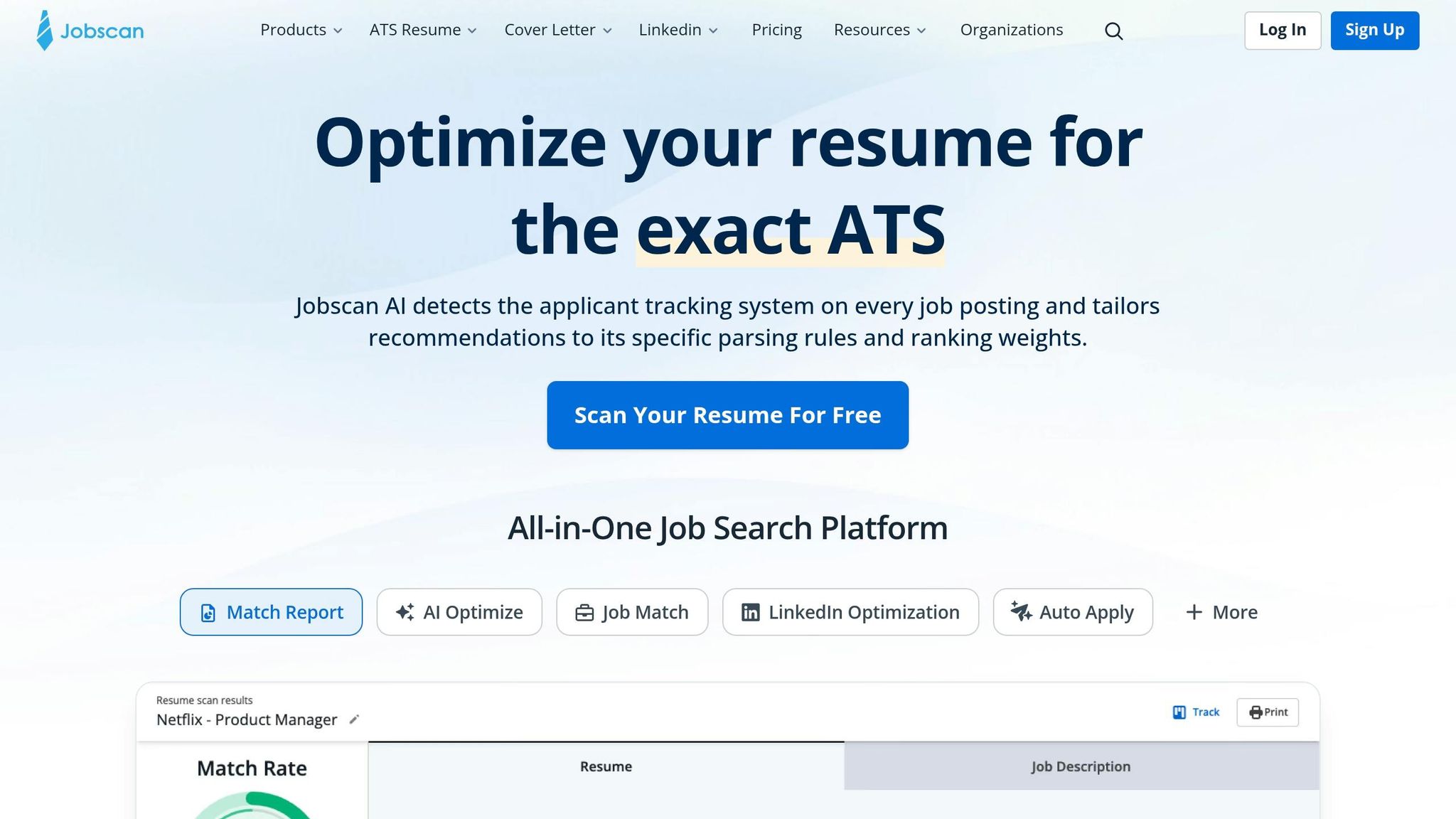
Jobscan is helpful for resume-to-job-description keyword analysis. If you like a DIY process, that’s its main strength.
The catch is simple: Jobscan stops at analysis. It points out what to change, but you still need to edit the resume yourself and manually submit every application. In a tight 90-day window, that can eat up hours you’d be better off spending on networking, recruiter follow-up, or interview prep.
That’s where a job search platform can either lighten your load or add another task to your list.
Why scale.jobs is a better fit when speed and execution matter:
- Optimization and submission happen in one flow: scale.jobs handles ATS-aligned tailoring and then submits the application.
- WhatsApp support for fast edits: ask for keyword changes and see them updated and used right away.
- Proof of work: you can see which resume version went to which role and when it was submitted, not just a match score.
| Aspect | Jobscan | scale.jobs |
|---|---|---|
| Human involvement | None - DIY analysis only | High - dedicated assistants handle execution |
| Resume customization depth | DIY keyword optimization | Tailored per posting, ATS-optimized |
| ATS handling | Keyword scoring and suggestions | Human-reviewed ATS alignment and formatting |
| Application execution | User applies manually | Human-powered |
| Transparency & proof of work | No submission proof; self-tracked | Real-time WhatsApp screenshots and logs |
| Pricing model | Monthly subscription | Bundles from $199; $1,500 success-fee option |
Who should use Jobscan: DIY job seekers who want keyword analysis and manual control.
Who should choose scale.jobs: Job seekers who need interviews faster and don’t have the time or bandwidth to manage several tools.
Jobscan vs Scale.jobs: When should you switch?
- You’re stuck in the DIY edit loop and still filling out every form by hand.
- You already tried automation or ATS scoring tools, but your interview rate is still weak.
- You want a person reviewing each submission, not just a score.
- You need to protect your time and mental energy during a layoff recovery.
- You’d rather pair an ai resume builder with human execution than handle every step yourself.
Is Jobscan worth it?
Yes, if you want resume analysis and like doing the rest on your own. No, if your main problem is execution speed, follow-through, or poor conversion after applying.
4. Days 31–90: Manage Debt Pressure, Turn Applications Into Interviews, and Drop Weak Tools Fast
By Day 31, stop tracking raw application count. Track interviews instead. If interviews are still thin after the first 30 days, stop rewarding activity for its own sake and start fixing execution quality.
What to change if your interview rate is still low after 30 days
If 60–90 matched applications lead to fewer than 3–5 interviews, narrow your focus to the role family that gets the best response.
Build role-specific resume versions for each target function. Update the headline, summary, and top 3–5 bullets so they echo the exact wording used in target job descriptions. This is where tools like an ai resume builder can help with the draft, but the final version still needs a close check. Replace vague bullets with ATS-friendly results, such as "optimized operations workflows to reduce cycle time by 25%."
This is also where a Virtual Assistant for Job Applications can help. A human assistant can apply those resume versions in a steady way across roles and catch misses that auto tools often gloss over, like old experience taking up too much space or skill sets that don't line up with the target function. Without that human check, resume versions often get sent out unevenly, and that cuts into results.
If a paid tool has not improved interviews after 30 days, pause it. Put that money toward minimum debt payments instead. At that point, the next call is simple: does this tool earn another month, or not?
When scale.jobs is the better switch than Simplify, Teal, Rezi, Sonara, or Jobright
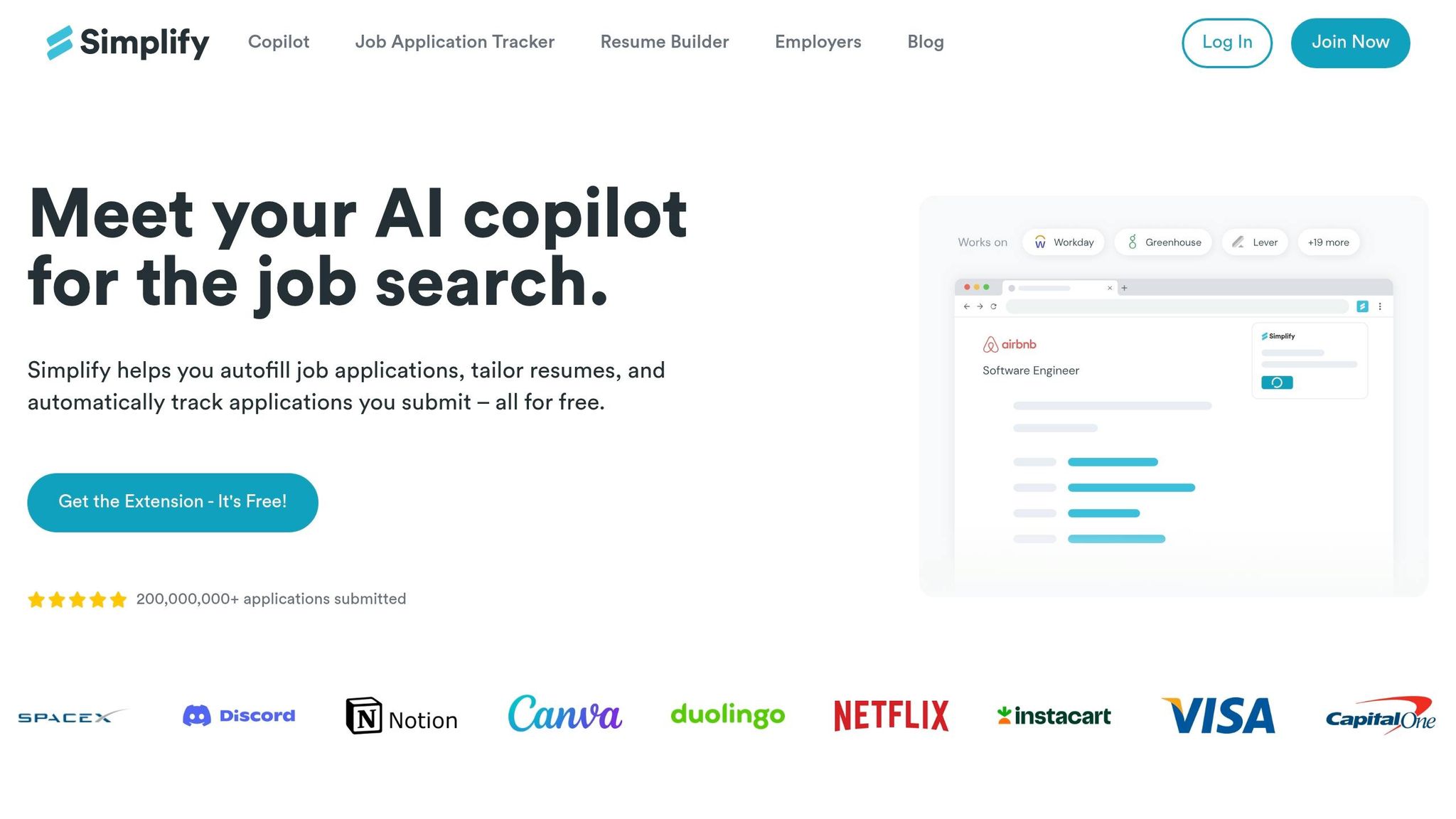
Simplify and Jobright help with autofill and role discovery. Teal helps you track and sort applications. Rezi can draft resumes fast. Sonara automates high-volume applying. Each tool handles one part of the process, but none of them finish the job with human-reviewed submission.
That gap matters. Autofill tools can smooth over details that should stay sharp. Resume tools give you a starting point, not a role-specific document tuned to each posting. Tracking tools record what happened, but they don't change what happens next. Mass-apply tools can send out a lot of applications, but lower match quality often shows up later as almost no recruiter response.
At this stage, feature count doesn't matter much. What matters is whether the tool improves submission quality and gives you proof that the work got done.
The first 5 job applications on scale.jobs are free, and a $1,500 success-fee option is available for U.S. citizens and green card holders in white-collar roles with under 10 years of experience - meaning you pay only after landing a role. Flat-fee bundles starting at $199 are available for human-powered applications on a flat-fee plan. Trained human assistants review each role before applying, tailor the resume and cover letter for each role, handle the submission across any portal, and send real-time WhatsApp updates and screenshots as proof.
| Aspect | Simplify / Teal / Rezi / Sonara / Jobright | scale.jobs |
|---|---|---|
| Human involvement | None to minimal - autofill, AI drafts, or tracking | High - dedicated assistants per submission |
| Resume customization depth | Template-based or single AI draft | Tailored per posting, ATS-optimized |
| ATS handling | Keyword suggestions or autofill | Human-reviewed formatting and keyword alignment |
| Application execution | Automated or user-submitted | Human-powered, any portal |
| Transparency & proof of work | Dashboard logs or none | Real-time WhatsApp screenshots and submission logs |
| Pricing model | Recurring subscription or freemium | Flat-fee bundles; $1,500 success-fee option for eligible U.S. users |
Switch to scale.jobs if…
- You've sent 60–90 reasonably matched applications and got fewer than 3–5 interviews.
- You can't confirm which resume version was submitted to which role or whether a submission went through.
- Your auto-apply settings keep sending you roles that are too broad, too senior, or outside your target pay range.
- You want one workflow with human execution instead of juggling multiple tools for tracking, drafts, and autofill.
- Your runway is under 3–4 months and you need to cut recurring tool spend while improving interview conversion.
If you're at that point, scale.jobs works less like a simple job search platform and more like a done-for-you job application service. For job seekers who are tired of half-helpful software, that difference can matter fast.
People who still want to Apply for jobs on their own may be fine with Simplify, Teal, or Rezi for one part of the process. But if the goal is more interviews - not more dashboard activity - a job search virtual assistant setup usually makes the trade-off much clearer.
5. Conclusion: A 90-Day Reset Plan and the Clearest Cases for Switching to scale.jobs
After the 30-day interview check, one thing matters: is your current tool worth another month of spend?
The reset plan is pretty straightforward. Protect your cash, stick to a consistent weekly application system, and cut any tool that adds more steps but not more interviews. If you're trying to Apply for jobs in a tighter market, that kind of discipline matters more than piling on new software.
scale.jobs gives you the first 5 applications free. Eligible U.S. citizens and green card holders in white-collar roles with under 10 years of experience can also choose the $1,500 success-fee option, which means they pay only after landing a role. For people who want more than a basic job search platform, scale.jobs combines trained human assistants with ATS-optimized resumes, WhatsApp updates, and submission screenshots, so you can see what was done and when.
Decision summary: when to keep your current tool and when to switch
Use this as a simple filter for what stays and what goes.
Keep your current tool if you care most about high-volume applications at the lowest possible cost, can handle every submission yourself, or are targeting roles outside the U.S. This route can still work for people chasing full time jobs across a broad set of listings and who don't mind doing the admin work by hand.
Switch to scale.jobs if you need help with execution, resume tailoring for each role, proof that every application was submitted the right way, and clear costs during a 90-day recovery window. That's often where a Virtual Assistant for Job Applications or a job application service starts to make more sense than another automation tool.
| Situation | Recommended Path |
|---|---|
| Need high volume, lowest cost, and minimal oversight | DIY or subscription-based automation tools |
| Need human execution, ATS-optimized docs, and proof of work | scale.jobs |
| Cash is tight and you want to pay only after landing a role | scale.jobs success-fee model ($1,500 for eligible U.S. users) |
If interview rates are still low after 30 days, that usually tells you something pretty clear: the bottleneck is no longer application volume. It's execution quality. At that stage, better targeting, cleaner submissions, and stronger documents matter more than a tool that only saves a few clicks. For many job seekers, that's the moment to move from automation to a virtual assistant for job seekers.
FAQs
How do I calculate my cash runway after a layoff?
Divide your available liquid savings by your total monthly living expenses. That gives you a simple estimate of how many months you can cover your bills with no income coming in.
If you want to make that runway last longer, take a hard look at repeat job-hunt costs. Monthly tools can chip away at your cash more than you expect. A flat-fee option, such as Scale.jobs, may make expenses easier to plan for. For example, Scale.jobs charges a one-time $199, which can feel easier to manage than recurring fees from a job application service.
When should I switch job-search tools?
Switch when higher callback rates and human oversight matter more than the speed and volume of automated systems.
It also makes sense to switch if your current tool locks you into a recurring subscription, drives a lot of rejections from auto-submitted applications, or falls short on the basics that many job seekers care about: tailored, ATS-friendly applications, clear proof of work, and a one-time flat fee with possible refunds for unused credits.
If you're comparing options before you apply for jobs, this is often the tipping point. A good job application service should help you get in front of the right employers, not just send out a pile of applications. The same goes for any job search platform or Virtual Assistant for Job Applications: you want accuracy, visibility, and support you can check, not a black box.
Is a success-fee job application service worth it?
It comes down to one tradeoff: cost vs. interview odds.
Lower-cost automated tools can help you apply for jobs at scale, but they often lead to weak results. In many cases, callback rates sit around 1%–6% because mass applications can trip ATS spam filters.
Human-led options like Scale.jobs cost more upfront, with a one-time fee starting at $199. But the pitch is different: tailored resumes, manual submissions, and a process built around interview outcomes instead of sheer volume. Reported callback rates land between 22%–47%.
That gap is why a human-led job application service can make sense for people who don’t have much room for error. If you’re applying for mid- to senior-level roles, targeting full time jobs, or dealing with visa timing, better-fit applications often matter more than sending out hundreds of rushed ones.
If you’re comparing a mass-apply job search platform with a human-led service, the simple question is this: do you want the cheapest way to send applications, or the best shot at getting interviews?