
How to Get a Shortlist of Vetted Candidates in Under 24 Hours

Sarah Mitchell
July 30, 2026

If you need a shortlist by tomorrow, the process matters more than volume. In most cases, a usable shortlist in 12–24 hours comes from doing four things at once: locking intake, checking your ATS first, sourcing in parallel, and screening against fixed pass/fail rules.
Here’s the short answer:
- A vetted shortlist is usually 5–12 candidates
- Each person should clear role fit, pay fit, location/time zone, and interview timing
- Old finalists in your ATS are often the fastest starting point
- Auto-apply tools can help on simple portals, but they often miss work behind login-heavy systems
- Human-run workflows tend to give you more control, proof of work, and less cleanup
If I were choosing a setup today, I’d use this rule:
- Need volume on simple ATS forms: automation tools may be enough
- Need keyword help but can do the work yourself: use an optimizer like an ai resume builder or ai cover letter builder
- Need confirmed submissions, updates, and a next-day shortlist: human-assisted execution is often the better fit
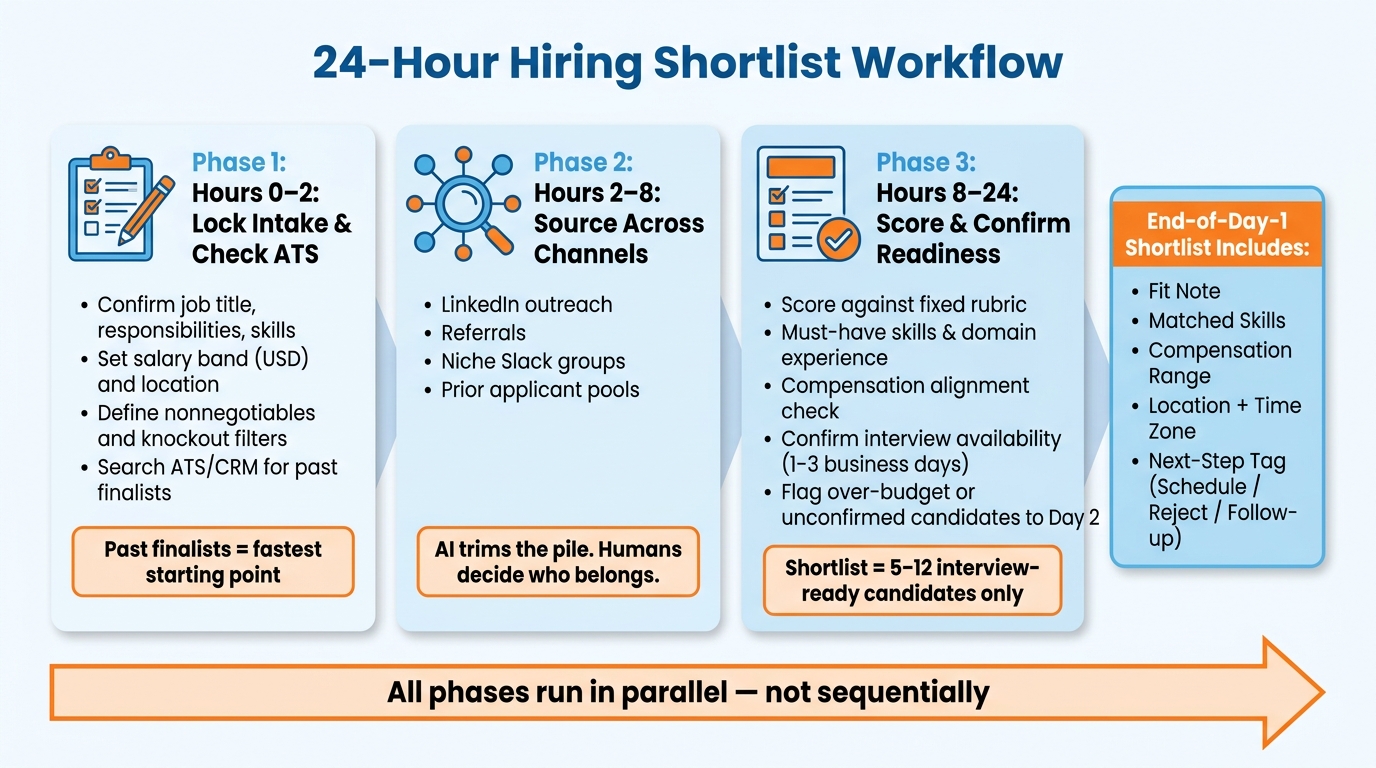
24-Hour Hiring Shortlist Workflow: From Intake to Vetted Candidates
How to Shortlist Candidates for Interviews: Recruit Smarter, Not Harder
Quick comparison
| Option | Best for | Main limit | Usual pace |
|---|---|---|---|
| Internal team only | Teams with time and past pipeline depth | Slows down if intake is loose | Days to weeks |
| ATS optimizer tools | Self-directed applicants or lean teams | You still do the submissions | Same day to several days |
| Auto-apply tools compared | High-volume runs on simple portals | Lower control, thin proof | Fast on basic forms |
| Human-assisted vs. AI execution | Urgent roles needing proof and screening control | Costs more than pure software | 12–24 hours |
Below, I’ll break down the workflow, show where delays happen, and explain when tools like a job application service, a job search platform, or a Virtual Assistant for Job Applications make sense.
1. What a vetted shortlist actually means in a 24-hour hiring window
In a 24-hour hiring window, vetted has a narrow meaning. It means the candidate has already cleared role fit, pay fit, availability, work authorization, time zone, and interview-readiness checks. If those checks haven’t happened, you don’t have a vetted shortlist. You have a candidate list.
That distinction matters. In a rush, it’s easy to confuse “people who look promising” with “people we can move on today.” But those are not the same thing.
What to check before a candidate makes the shortlist
Every candidate needs to clear a set bar before moving ahead. If a check can’t be finished in time, the candidate should not make the shortlist.
Start with resume and LinkedIn review. You’re looking for direct experience in the role’s core responsibilities, not work that only sits nearby. A backend engineer role, for example, needs backend ownership - not just someone who worked on a team that happened to include backend tasks.
Then confirm the basics fast:
- Seniority level
- Location or remote eligibility
- Work authorization status
- Compensation fit against the USD salary band
- Ability to schedule an initial screen within 1–3 business days
- Time zone fit
Managing remote teams across time zones is easy to underrate, but it can derail the process. A strong resume won’t help much if interview scheduling turns into a mess.
What inputs you must provide to avoid delays
Missing intake details slow everything down because the team has to guess. And guessing is where bad shortlists come from.
The minimum handoff at the start should include:
- Job title
- Core responsibilities
- Required tech stack or domain experience
- Salary band in USD
- Location or remote/hybrid setup
- Nonnegotiables
- Interview process steps
- Target start date
If even one of these is vague, screening gets slower and weaker. That’s especially true for salary band, nonnegotiables, and remote setup.
What the deliverable should look like by end of day one
A usable shortlist by the end of day one should include 5–12 candidates. Not 30 names. Not a loose spreadsheet full of maybes. A tight list that a recruiter or hiring manager can act on at once.
Each entry should include a fit note, matched skills, location/time zone, compensation range, and next-step tag.
| Deliverable Component | Purpose |
|---|---|
| Fit Note | Explains why the candidate matches the specific role requirements |
| Matched Skills | Confirms alignment with the required stack or domain experience |
| Compensation Range | Verifies the candidate fits within the defined USD salary band |
| Location + Time Zone | Flags scheduling risk before outreach begins |
| Next-Step Tag | Enables immediate action: "Schedule Screen", "Reject", or "Follow-up" |
Use next-step tags so recruiters can move right away.
With the shortlist defined, the next step is the 24-hour workflow from intake to screening.
2. The 24-hour workflow: from intake to shortlist
The biggest mistake hiring managers make under pressure is handling each step one after another. Intake first, sourcing next, screening last. On paper, that sounds neat. In practice, it eats up the day.
A 24-hour shortlist works better when intake, ATS/CRM search, sourcing, and screening all start at the same time. That parallel setup cuts dead time and keeps the pipeline moving from the minute a request comes in.
If your team needs to move fast, this is the same mindset strong teams use to Apply for jobs at scale: remove waiting, cut back-and-forth, and keep each step tied to a clear decision.
Hours 0 to 2: lock the intake and check your ATS first
Use the first two hours to pin down the must-haves through a short intake form or a quick call. At the same time, search your ATS or CRM for past finalists.
The intake should confirm:
- Title
- Core responsibilities
- Specialized skills
- Budget
- Whether speed or selectivity comes first
- Knockout filters, such as visa sponsorship eligibility
Past finalists are often the fastest path because some of the role fit has already been checked. You’re not starting from zero. You’re starting from a pool of people who already made it far once.
That’s why ATS/CRM search should happen right away, not later. Teams often spend hours hunting for new talent while good options are sitting in their own system.
If your process is messy at this stage, a job search platform or structured job application service model can be a useful reference point. The big idea is simple: clean inputs lead to cleaner shortlists.
Hours 2 to 8: source new candidates across parallel channels
From hour 2 to hour 8, start outbound sourcing across several channels at once. That usually means LinkedIn, referrals, niche Slack groups, and prior applicant pools.
Don’t lean on AI for everything. Use it to filter must-haves, yes. But keep people involved in role fit and communication. A resume may look close on paper and still miss the mark once a human checks whether that experience lines up with the actual work.
The point here is not volume for its own sake. More profiles only help if they turn into a clean review pool that can be scored without a ton of cleanup.
A simple way to think about it:
AI can trim the pile. Humans should decide who belongs in the conversation.
This is where a human-led review model often beats pure automation, much like a job search virtual assistant can help job seekers move faster without sending low-fit applications everywhere.
Hours 8 to 24: score candidates and confirm readiness
By hour 8, you should have one working pool made up of ATS/CRM results and newly sourced candidates. Now score them against a fixed rubric.
That rubric should cover:
- Must-have skills
- Relevant outcomes
- Years of experience in the exact domain
- Compensation alignment
- Immediate interview availability
If someone is over budget or has any unconfirmed must-have, move them to day-two review. Don’t put them on the shortlist yet.
That matters because the shortlist is not a “maybe” pile. It should only include candidates you can act on right away.
Full panel interviews, technical assessments, and reference checks belong on day two. Trying to cram all of that into the first 24 hours slows the part that matters most: getting a tight set of interview-ready people in front of the hiring team.
If you’re using human-assisted sourcing and first-pass screening, reviewers can confirm readiness, flag mismatches, and return a 5–12 candidate shortlist with fit notes, compensation fit, location, and next-step tags before the day ends.
That kind of handoff cuts manual cleanup later. It’s the same reason job seekers often use tools like an ai resume builder or ai cover letter builder: not to replace judgment, but to cut drag before the human review starts.
Once the shortlist is scored, the real question is which workflow gets you there fastest with the least manual cleanup. That workflow is the baseline; the next decision is which tool stack can execute it without adding noise.
sbb-itb-564272e
3. scale.jobs vs competitors: which tools actually help you move faster
Once you have a scoring rubric and a working candidate pool, the next step is simple: which setup gets verified submissions out the door fastest without adding screening noise? The answer usually comes down to execution style.
There are three common paths:
- human-run submission
- self-service optimization
- automation-first volume
If your main goal is to Apply for jobs at scale without losing control, you need to look past flashy dashboard totals. What matters is whether applications were actually submitted, whether they were sent to the right roles, and whether someone can prove the work was done.
LazyApply vs scale.jobs: human-run application submission vs auto-apply volume
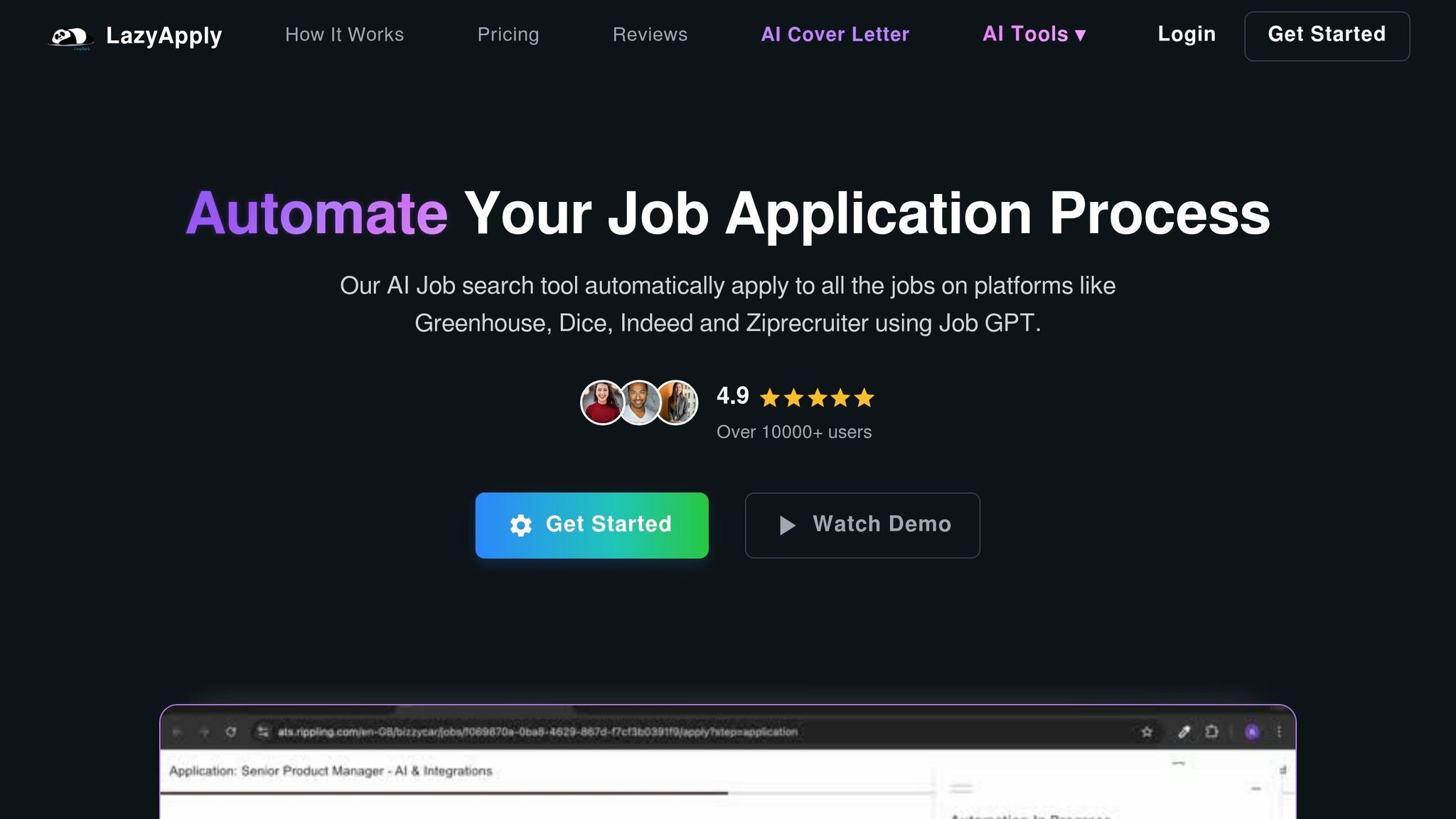
LazyApply can move fast on simple ATS forms. That part is useful. But automation-first tools often struggle with more complex company portals. When that happens, part of your target list never gets touched, and that can create extra cleanup on the hiring side.
scale.jobs takes a different route. It uses trained human assistants to submit applications by hand, with ATS-optimized resumes, dedicated WhatsApp support, and time-stamped proof-of-work screenshots. Pricing starts at $199 for 250 applications, with the first five free.
Compare these tools on verified submissions, not just dashboard counts.
| Feature | LazyApply | scale.jobs |
|---|---|---|
| Human involvement | None | Dedicated human assistants + AI |
| Resume customization | Limited | ATS-optimized, tailored per posting |
| ATS handling | Simple ATS forms only | Manual navigation across complex portals |
| Application execution | Automated bots | Human-submitted by hand |
| Transparency & proof of work | Dashboard only | WhatsApp updates + time-stamped screenshots |
| Pricing model | Subscription | One-time fee |
Who should use LazyApply: Job seekers targeting simple ATS environments like Greenhouse or Lever who want volume over review depth.
Who should choose scale.jobs: Anyone applying to employers that use complex portals, or anyone who wants proof of submission for each role and a flat-fee, human-run workflow.
Switch to scale.jobs if…
- Your auto-filled applications often need manual cleanup
- You want time-stamped proof of submission for each role
- You prefer a one-time fee instead of a recurring subscription
For people using a job application service, this is usually the split: do you want bot-driven volume, or do you want a person making sure each submission goes through?
If you want to optimize before you submit, compare Jobscan next.
Jobscan vs scale.jobs: ATS optimization tool vs human-run application submission
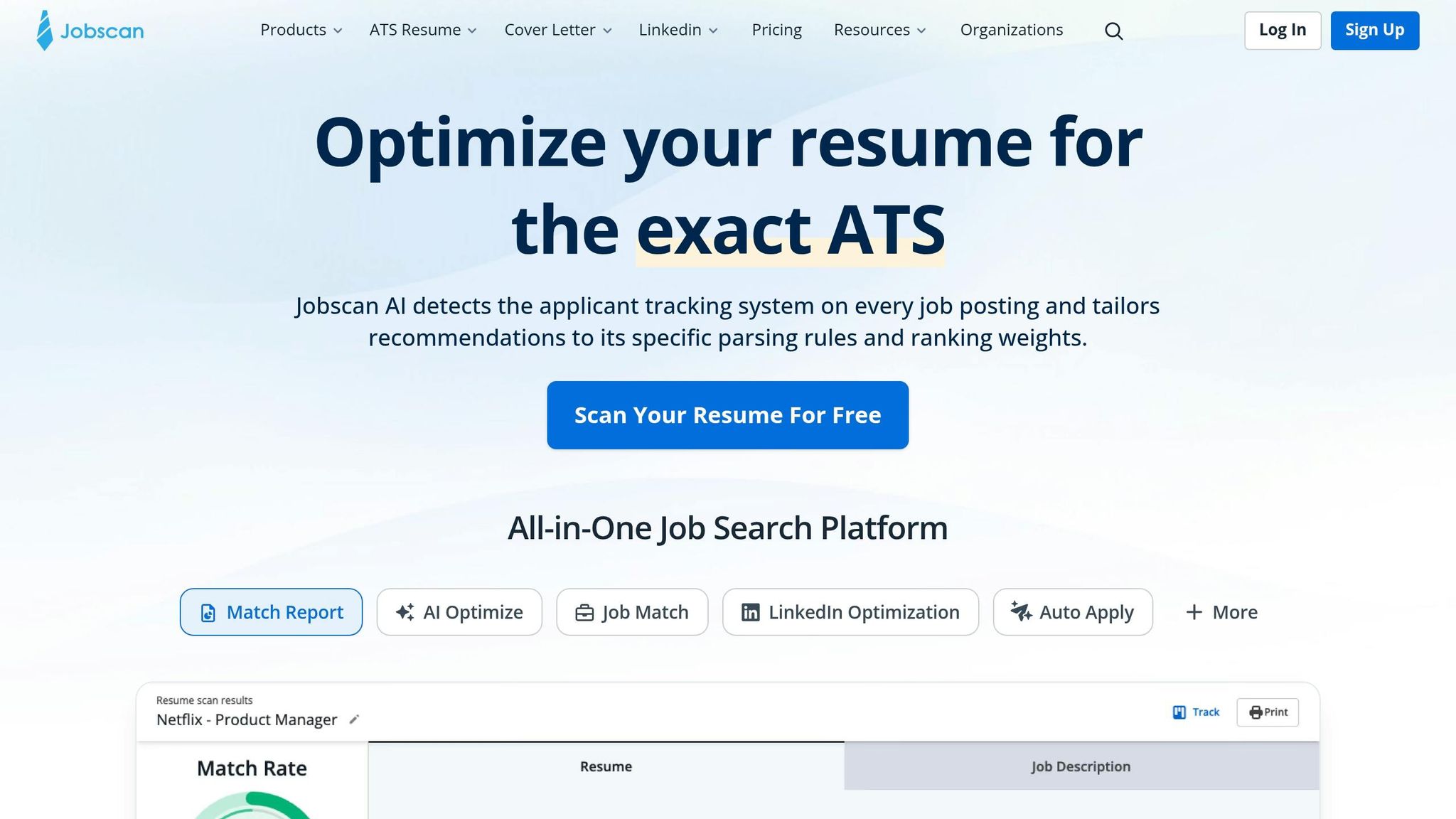
Jobscan does one thing well: it helps self-directed applicants check resume keywords and formatting before they apply. That can help if you like doing your own edits and managing your own pipeline. But it stops at optimization. You still have to submit every application yourself.
scale.jobs handles both ATS-optimized documents and application submission, which cuts down on manual work and lowers the odds that your process stalls after the resume step.
Compare these tools on verified submissions, not just dashboard counts.
| Feature | Jobscan | scale.jobs |
|---|---|---|
| Human involvement | None (self-service) | Dedicated human assistants + AI |
| Resume customization | User edits manually after checks | ATS-optimized, tailored per posting |
| ATS handling | Formatting and keyword checks | Manual navigation across complex portals |
| Application execution | User applies manually | Human assistants apply on your behalf |
| Transparency & proof of work | Score reports | WhatsApp updates + proof-of-work screenshots |
| Pricing model | Subscription | One-time fee |
Who should use Jobscan: Candidates who want to self-apply and use formatting and keyword checks to improve resume alignment before submitting.
Who should choose scale.jobs: Candidates who want a done-for-you workflow, need help with multi-step portal submissions, or want resume support alongside application execution.
Switch to scale.jobs if…
- Application volume is slowing you down despite a ready resume
- You need help with multi-step or enterprise portal submissions
- You want a one-time fee instead of a subscription
This is also where many job seekers split their stack. Some use an ai resume builder or an ai cover letter builder to prep materials, then hit a wall when actual submissions start piling up. Optimization helps, but it doesn’t replace execution.
If automation speed matters more than manual oversight, compare the automation-first tools next.
LoopCV, Simplify, Jobright, and Sonara vs scale.jobs: when automation helps and when it creates noise
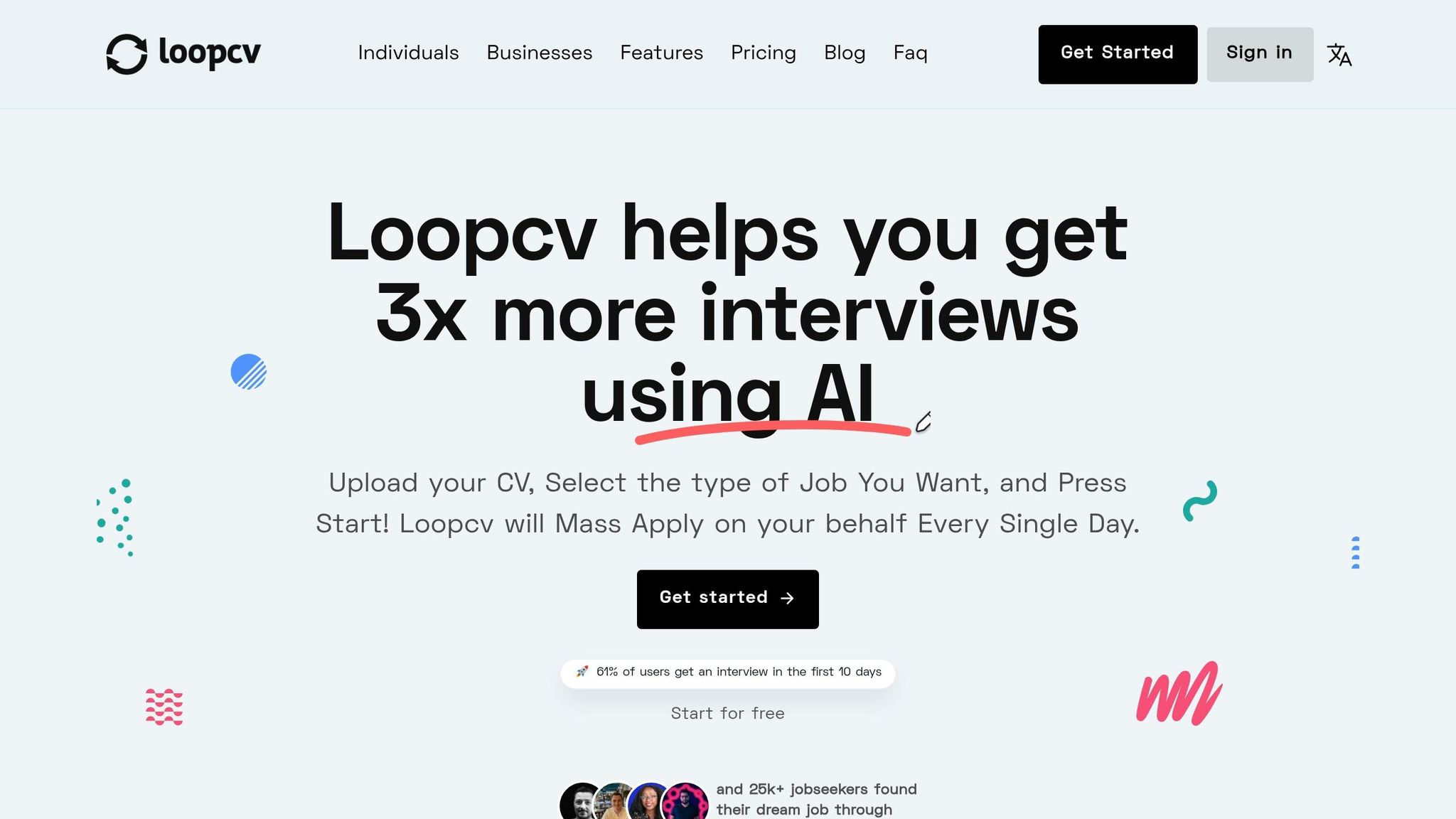
LoopCV, Simplify, Jobright, and Sonara can fit simple ATS setups like Greenhouse or Lever. If your target list leans heavily toward those systems, automation may save time.
The trouble starts when you move beyond basic forms. Bot detection risk goes up, proof of submission tends to be light, and targeting often stays static. In plain English: the tool keeps doing the same thing even when the market is telling you to adjust.
scale.jobs uses human assistants to handle the workflow by hand, with WhatsApp updates, proof-of-work screenshots, and strategy reviews every 15 days. That means fewer weak submissions landing on the hiring side and a cleaner process for applicants who need more than raw volume.
Compare these tools on verified submissions, not just dashboard counts.
| Feature | Automation-first tools (LoopCV, Simplify, Jobright, Sonara) | scale.jobs |
|---|---|---|
| Human involvement | Minimal to none | Dedicated human assistants + AI |
| ATS coverage | Simple ATS forms | Human-assisted handling across complex portals |
| Bot detection risk | Higher | Lower - submissions are manual |
| Transparency & proof of work | Dashboard metrics | WhatsApp updates + proof-of-work screenshots |
| Strategy adjustment | Mostly static | Strategy reviews every 15 days |
| Pricing model | Tool pricing not emphasized here | One-time fee |
Who should use these tools: Job seekers targeting simpler ATS environments who want automation and are comfortable with limited portal coverage.
Who should choose scale.jobs: Candidates applying to mid-size or large employers, candidates with visa-specific role targeting, or candidates who want a cleaner gap between applications sent and applications actually submitted.
Switch to scale.jobs if…
- You are seeing a gap between dashboard counts and actual responses
- You want proof that each application was submitted correctly
- You need human-reviewed targeting that adjusts based on market feedback
This matters even more if you are chasing full time jobs across large employers or trying to sort through the best job boards without wasting time on broken workflows. A tool can say it applied. That doesn't always mean the application made it through.
For many candidates, the better question isn’t “How many clicks did the tool make?” It’s “How many completed submissions do I have proof for?” That’s a much better way to judge any job search platform or support setup.
4. How to use scale.jobs to shorten hiring cycles without losing control
If your 24-hour shortlist keeps getting stuck at submission or screening, scale.jobs can help move things forward fast. It combines human assistants for hands-on execution with software for tracking and ATS-ready documents.
That matters because speed alone isn’t enough. You also need visibility. If applications go out but no one can confirm what was sent, where it was sent, or when it landed, your hiring process starts to drift. scale.jobs is built to keep that from happening.
If you want a tighter workflow for hiring support, it can also help to compare this setup with a broader job application service or a guided job search platform, depending on how much hands-on support you need.
What to send scale.jobs for a same-day kickoff
The faster you send clean inputs, the faster work starts. To avoid back-and-forth that pushes your shortlist past the 24-hour mark, send these items upfront:
- Role scope
- Must-have skills or domain background
- Location and work authorization constraints
- Compensation band in USD
- Target roles and submission order
Once those inputs are locked, the team can begin sourcing and submitting right away.
Think of this as the handoff file. If the brief is tight, execution moves. If the brief is fuzzy, the day disappears in follow-up messages. That’s the difference between a same-day kickoff and a stalled one.
What you can expect back within 24 hours
Once intake is done, the next question is simple: what should you have by day one?
Within a 12–24 hour window, scale.jobs delivers:
- Custom, ATS-ready documents tailored to each posting
- Human-submitted applications across major ATS portals such as Workday, iCIMS, and Taleo
- Proof screenshot for each submission
- Real-time progress updates via a dedicated WhatsApp channel
- Access to an outcome manager for video calls if the role fit needs adjustment
These outputs cut down recruiter cleanup and speed shortlist review by removing the gap between applications sent and applications confirmed.
"Human assistants submit applications across major ATS portals with proof screenshots for each submission."
This kind of process is especially useful when teams need help at the execution layer, not just advice. For example, if you’ve already set your hiring targets and just need more volume with clear tracking, this works differently from a job search coach or a Virtual Assistant for Job Applications, which may fit other use cases better.
scale.jobs now includes the first 5 job applications free
The first 5 applications are free. That gives you a simple way to check turnaround time, oversight, and submission quality before you switch over in full.
Paid packages start at $199 for 250 applications as a one-time flat fee.
For teams or candidates that want to Apply for jobs at volume without losing track of status, this pricing gives you a low-risk test run first. It’s also a useful option if you’ve been comparing support models like a virtual assistant for job seekers and want a more execution-first setup.
Conclusion: choose the workflow that fits your urgency, quality bar, and need for human oversight
After looking at the options above, use this simple filter: the choice comes down to three things - how fast you need candidates, how much quality control you're willing to give up, and who's doing the work.
Pick based on timeline, control, and execution model. Here's the quick breakdown.
Decision Summary
| Your situation | Best fit |
|---|---|
| 2+ months available, established HR capacity | Internal recruiting |
| Need keyword help, will apply manually | Jobscan or similar ATS optimizer |
| High-volume, lower-stakes search, simple portals | LazyApply, LoopCV, or Sonara |
| Need 12–24 hour turnaround, proof of work, human execution | scale.jobs |
If your bar is a confirmed shortlist within 24 hours - with ATS-ready documents, human-submitted applications across portals like Workday and Taleo, and a screenshot for every submission - those tools don't handle the full end-to-end process. That's where scale.jobs comes in.
Before execution starts, lock in role scope, must-have skills, compensation, and location. A tight brief is what makes a same-day shortlist possible, no matter which workflow you choose.
FAQs
How many candidates should a 24-hour shortlist include?
A 24-hour shortlist should usually include 5 to 10 highly qualified, pre-vetted candidates. That gives you a solid set of options without dumping too many profiles on your team at once.
A tighter list also helps protect quality. The vetting process includes human-assisted checks for skills, role fit, and interview readiness. So instead of spending time sorting through a big, messy stack of applicants, you can move straight to interviews with people who already look like a strong match.
What can delay a next-day shortlist?
Delays usually happen when the starting info is thin or incomplete. If you want to keep a 24-hour turnaround on schedule, send the basics early: clear job titles, salary expectations, target locations, and job links.
Common bottlenecks include:
- Missing resumes, or resumes that aren’t tuned for different role types
- Vague or partial job details
- Automation or ATS-related technical issues
- Outside hiring changes, such as freezes or approval delays
This matters more than most job seekers think. A solid handoff at the start gives your team, coach, or job search virtual assistant a clean path to work from. If key details arrive late, even the best job application service can stall.
A simple way to avoid slowdowns is to prep these items before you Apply for jobs:
- Your target role titles
- Pay range in U.S. dollars
- Preferred cities, states, or remote-only filters
- Job links from your chosen best job boards
- Role-specific resumes, if you're targeting more than one lane
If you’re using a Virtual Assistant for Job Applications, think of this like packing for a flight: the smoother the check-in, the faster you get moving.
What should I send at kickoff?
Share your background and target role details at kickoff. The more specific you are, the better your dedicated human assistant can tailor your applications to fit your career goals.
If you want faster turnaround and better-fit matches, send your target companies and job criteria early in the week. That gives your assistant more time to find the right roles, whether you're looking for <a href="/full-time-jobs">full time jobs</a> or using a <a href="/job-search-platform">job search platform</a> alongside a hands-on service.
It also helps them start building ATS-focused documents around your strongest skills and experience. If you're also using tools like an <a href="/ai-resume-builder">ai resume builder</a> or an <a href="/ai-cover-letter-builder">ai cover letter builder</a>, sharing this info early makes the whole process smoother.