
Resume Keywords: How ATS Systems Really Read Your Resume

Sarah Mitchell
March 2, 2026

Applicant Tracking Systems (ATS) are used by over 75% of employers to filter resumes before they reach recruiters. These systems scan resumes for keywords directly pulled from job descriptions, assigning a score based on relevance. Modern ATS platforms now analyze not just the presence of keywords but also their context within your career story, making it critical to tailor resumes for each job application.
Key Takeaways:
- Keyword Context Matters: Simply listing skills like "project management" isn’t enough. Demonstrating measurable results tied to those skills increases your chances of passing ATS filters.
- Formatting Issues Can Hurt: Non-standard file types, graphics, or complex layouts can confuse ATS systems, leading to missed content.
- Avoid Keyword Stuffing: Overloading your resume with repeated keywords can trigger spam filters and reduce readability.
To optimize your resume, tools like Jobscan and Scale.jobs can help. While Jobscan provides keyword gap analysis, Scale.jobs combines AI with human expertise to customize and submit applications on your behalf, saving time and ensuring ATS compatibility. For competitive roles, this hybrid approach is a game-changer.
Quick Comparison of ATS Tools:
| Feature | Jobscan | Scale.jobs |
|---|---|---|
| Optimization Method | Automated scanning | AI + Human expertise |
| Application Submission | Manual (DIY) | Handled for you |
| Pricing | $49.95–$148.95/month | ~$199 one-time fee |
| Proof of Submission | None | Screenshots provided |
By using the right keywords in the correct context and ensuring ATS-friendly formatting, you can significantly improve your job application success rate. For job seekers targeting high-value roles, services like Scale.jobs offer personalized support that goes beyond automated tools.
How to Find the Best ATS Resume Keywords
How ATS Software Reads and Ranks Keywords
Applicant Tracking Systems (ATS) work by quickly breaking down your resume into a structured format, pulling key details from sections like work history, skills, and education. The system then scans this data for specific keywords taken directly from the job description, such as technical skills ("Python", "Salesforce"), soft skills ("cross-functional collaboration"), job titles, certifications, or even industry-specific terms. These matches are scored numerically, which determines whether your application advances or gets filtered out before a recruiter even reviews it. Understanding how ATS operates is essential for tailoring your resume effectively in today's competitive job market.
How ATS Matches Keywords to Job Descriptions
ATS systems don’t just count keywords - they also evaluate their context. For example, if a job description emphasizes "project management", the system favors resumes that showcase measurable achievements tied to that skill. A strong example might be: "Led cross-functional teams to deliver a $2M product launch three weeks ahead of schedule." This contextual analysis helps the ATS identify candidates who demonstrate practical experience rather than just listing skills.
Additionally, ATS systems recognize related keyword clusters, understanding that phrases like "managed projects", "project coordination", and "project management" are connected. However, exact matches still carry weight. Including both the full term ("Search Engine Optimization") and its acronym ("SEO") ensures the ATS captures the keyword, no matter how the job description is worded. The system assigns a score based on keyword frequency, relevance, and how closely your resume aligns with the job's requirements. If your score falls below a set threshold, your application may be automatically rejected. This highlights the importance of balancing keyword inclusion with meaningful context.
Why Resume Format Affects ATS Keyword Detection
Even a well-optimized resume can fail if the ATS cannot interpret it correctly. Graphics, tables, text boxes, and nonstandard file types (like .pages or .png) often confuse the system, preventing it from reading your content. For instance, placing your contact details in a header or footer might cause the ATS to overlook them entirely. Similarly, embedding skills in a two-column layout can disrupt the text's order during parsing.
To avoid these issues, stick to standard file formats like .docx or text-based .pdf files, and use straightforward section headers such as "Work Experience", "Skills", and "Education." Avoid overly creative formatting, such as decorative fonts, images, or charts, which might appeal to a human reviewer but confuse the ATS. These design choices can result in unrecognized content, leaving critical information out of your candidate profile.
Common Mistakes That Hurt Your ATS Score
One of the quickest ways to hurt your ATS score is through keyword stuffing - repeating terms excessively throughout your resume. This tactic not only triggers spam filters but also makes your resume harder to read. Instead, aim to integrate keywords naturally, repeating important ones 2–3 times across sections like your professional summary, core skills, and work experience.
Other common errors include using outdated or irrelevant terminology, relying on generic phrases like "responsible for" instead of action-oriented verbs, and failing to include both the full term and acronym for critical skills. If you’re unsure whether your resume is ATS-friendly, consider seeking help from resume writing services that combine AI tools with human expertise to fine-tune your application.
| ATS Function | Description | Impact on Candidate |
|---|---|---|
| Parsing | Converts resume data into a structured format | Improper formatting can lead to missed content |
| Scoring | Assigns a numerical value based on keyword matches | Determines your visibility to recruiters |
| Filtering | Removes resumes below a certain score | May disqualify qualified candidates without key terms |
| Contextual Search | Analyzes the context around keywords | Rewards candidates who demonstrate skill application |
How to Find the Right Keywords for Your Resume
A well-crafted keyword strategy starts by analyzing the job posting. Job descriptions often outline the skills, certifications, software, and education levels required for the role. Your goal is to extract these terms and weave them effectively into your resume.
Pulling Keywords Directly from Job Postings
Carefully review the job description to identify hard skills (like "Python", "Salesforce", or "HIPAA Compliance"), soft skills (such as "team leadership" or "stakeholder management"), and industry-specific terms. Pay attention to keywords that are repeated - if "data analytics" or "project management" appears multiple times, prioritize them. Use both full terms and acronyms (e.g., "Customer Relationship Management (CRM)") to ensure compatibility with Applicant Tracking Systems (ATS).
Go beyond the job description by exploring LinkedIn profiles of individuals in similar roles. Look for recurring keywords in their experience sections to understand how successful professionals in your field present their skills. This approach not only validates your keyword choices but also ensures alignment with what both ATS systems and recruiters expect.
By systematically extracting and prioritizing these terms, you create a strong foundation for ATS optimization, which we'll explore further in the next section.
Tools for Keyword Research and ATS Testing
To fine-tune your keyword strategy, use tools designed for ATS compatibility:
- Jobscan.co: This tool compares your resume to a specific job description, providing a match rate and highlighting missing skills or certifications. While it offers valuable insights, you’ll need to manually update your resume and handle applications yourself.
- Rezi.ai: This AI-driven platform generates keyword-rich bullet points and ensures ATS-friendly formatting. However, it doesn't offer the human touch needed for deep personalization.
- Scale.jobs: This service combines advanced Natural Language Processing with human expertise, offering a comprehensive solution for job seekers. Unlike tools that simply diagnose gaps, scale.jobs integrates keywords naturally into achievement-driven statements and handles the entire application process. Key features include:
- Human-assisted keyword placement to maintain a natural flow in your resume
- ATS-optimized formatting to prevent parsing errors
- Single-payment structure with support via WhatsApp for real-time guidance
- Proof-of-work transparency, showing how your resume was tailored and where it was submitted
- End-to-end application management, eliminating the manual effort required by other tools
For those seeking more than keyword optimization, resume writing services offer a blend of AI analysis and expert editing to craft a polished, ATS-ready resume.
Adjusting Keywords for Different Jobs and Industries
Every industry has its own set of keywords, and ATS configurations often differ by company size, sector, and job level. Tailor your resume by adapting your keyword clusters to match the specific industry and role. For example, a marketing role at a tech startup might emphasize terms like "growth hacking" or "A/B testing", while a healthcare marketing position might focus on "patient engagement" or "HIPAA-compliant campaigns."
To broaden your appeal, use variations of keywords. Instead of repeating "project management", include alternatives like "managed projects", "project coordination", or "cross-functional project leadership." This approach avoids keyword stuffing while signaling relevance.
Here’s a snapshot of top keywords by industry for 2025/2026:
| Industry | Top Keywords for 2025/2026 |
|---|---|
| Technology | Cloud Computing, DevOps, Python, Cybersecurity, Agile, Data Analytics, AI Integration |
| Marketing | Digital Campaigns, SEO, Paid Social, Brand Strategy, Google Analytics, CRM, Content Creation |
| Healthcare | Telemedicine, Patient Care, HIPAA Compliance, Electronic Health Records, Case Management |
| Finance | Risk Analysis, Financial Modeling, Regulatory Compliance, M&A, Investment Strategy |
| Sales | Pipeline Development, B2B Sales, Account Management, Lead Generation, CRM Platforms |
For optimal results, aim to feature primary keywords 2–3 times throughout your resume: once in your professional summary, once in your core skills section, and once within a quantifiable achievement in your experience section. This balanced approach ensures ATS recognition without making your resume seem overstuffed to human readers.
Next, we’ll dive into how to seamlessly integrate these keywords into your resume for maximum impact.
How to Add Keywords Without Sounding Robotic
Adding keywords to your resume is all about striking the right balance. You want to appeal to both ATS (Applicant Tracking Systems) and hiring managers without making your writing feel forced. Thanks to advances in Natural Language Processing, modern ATS systems can understand context, so cramming "project management" into every sentence won't do you any favors. Instead, focus on strategic placement that feels natural and boosts your ATS match score.
Best Resume Sections for Keyword Placement
Each section of your resume offers unique opportunities to integrate keywords effectively. Here's how to approach each one:
- Professional Summary: Start strong by incorporating high-impact terms that align with the job you're targeting. This section sets the tone for the rest of your resume.
- Core Skills: Use a bulleted list of 8–12 keywords directly from the job description. These can include hard skills, software tools, or certifications that match what employers are looking for.
- Work Experience: Bring keywords to life by embedding them into measurable achievements. For example, instead of saying "Responsible for data analytics", try "Boosted customer retention by 18% through predictive data analytics and segmentation modeling."
- Certifications: List both the full names and acronyms of your credentials (e.g., "Project Management Professional (PMP)") to ensure you're covering all possible search terms.
| Section | Best Keyword Types | Integration Method |
|---|---|---|
| Professional Summary | High-level job titles, core skills | Use concise, targeted sentences matching the role |
| Core Skills | Hard skills, software, credentials | Create a bulleted list pulled directly from the job ad |
| Work Experience | Action verbs, industry terms | Embed keywords into quantifiable achievements |
| Certifications | Formal credentials, acronyms | Include full names and abbreviations for better reach |
Keyword Density: Striking the Right Balance
To avoid keyword stuffing, aim to include primary keywords two to three times throughout your resume. For instance, you might reference a skill in your summary, highlight it in your core skills section, and reinforce it with a related achievement in your work experience. Modern ATS tools are smart enough to recognize synonyms, so there's no need to overuse a single term like "leadership." Instead, phrases like "led cross-functional teams" or "mentored junior staff" can effectively convey the same skill.
If you're unsure whether your keyword usage is balanced, consider using a job application service that combines AI tools with expert editing. This ensures your resume is ATS-friendly while remaining easy to read.
Using Variations and Action Verbs to Broaden Keyword Coverage
To make your resume stand out without sounding repetitive, use variations of key terms. For example, if the job description focuses on "project management", you could say "managed projects" in one bullet and "project coordination" in another. Swap out generic phrases for dynamic action verbs like "spearheaded", "streamlined", or "orchestrated." Even when describing similar tasks, vary your language - use "collaborated" in one instance and "partnered" in another.
Additionally, soft skills like teamwork or adaptability should be woven into your achievements. For instance, instead of listing "collaboration", highlight how you "worked with cross-departmental teams to improve process efficiency by 15%." This approach not only broadens your keyword coverage but also keeps your resume polished and professional.
Jobscan vs scale.jobs: Which ATS Tool Actually Works
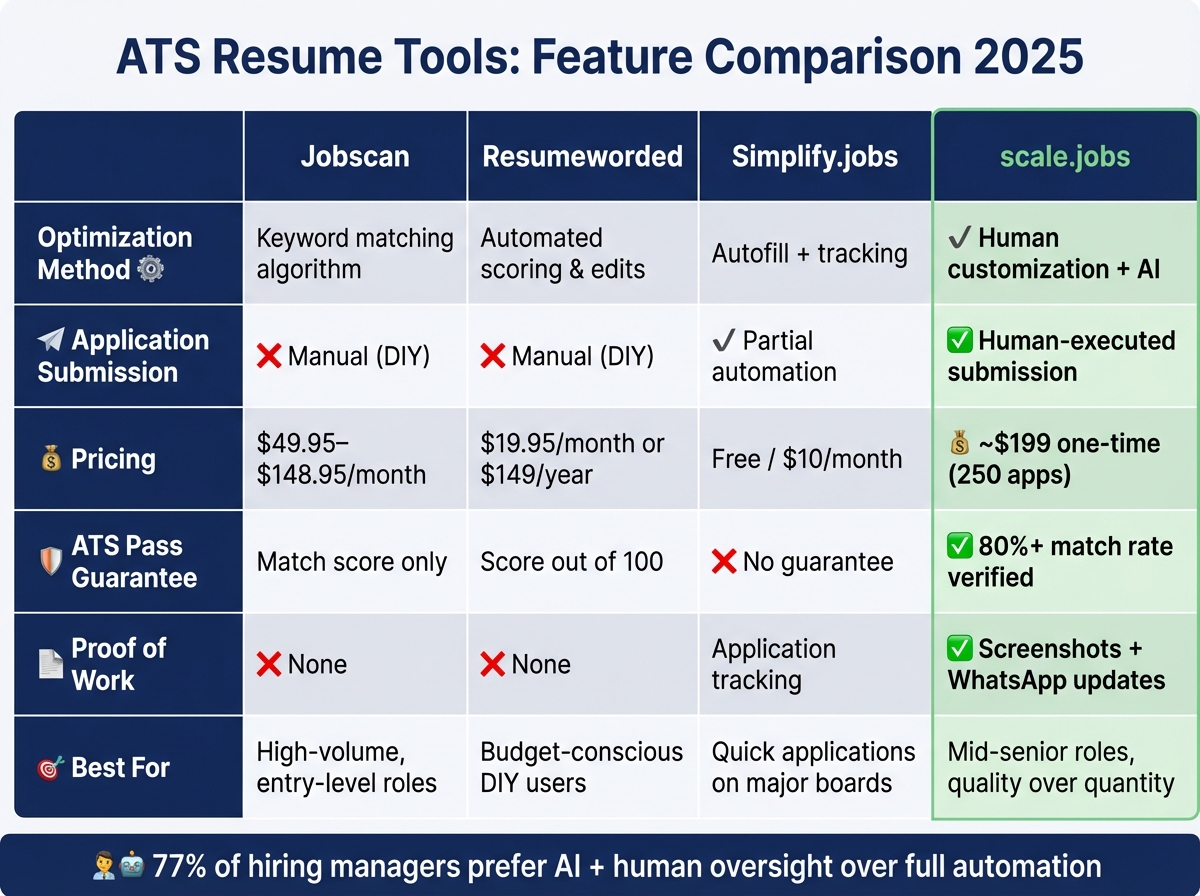
ATS Resume Tools Comparison: Jobscan vs Scale.jobs vs Resumeworded vs Simplify.jobs
Jobscan, Resumeworded, and Simplify.jobs: What They Offer
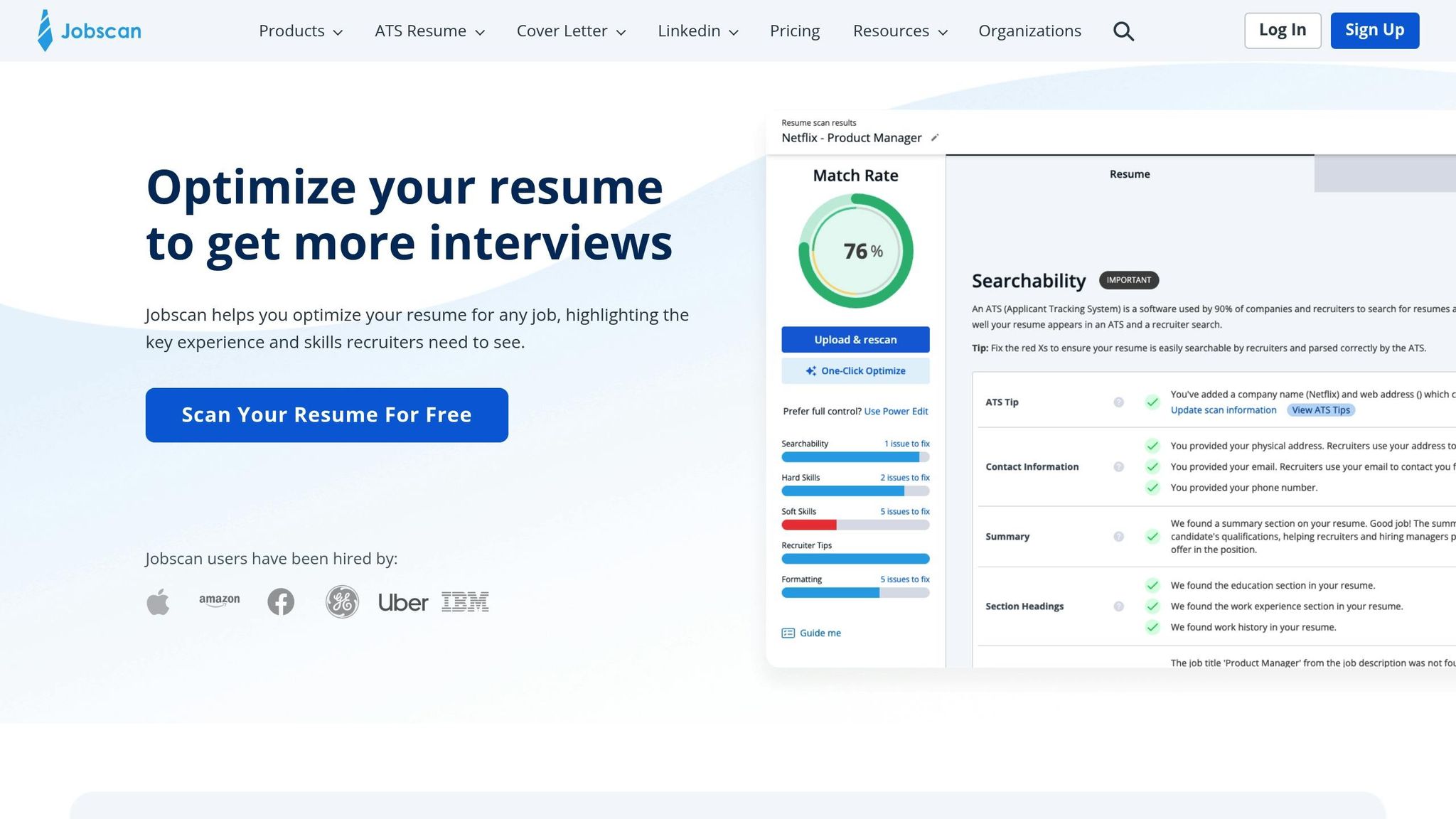
Jobscan is a self-service resume scanner designed to compare your resume against job descriptions, providing a match score based on keyword alignment. Pricing ranges from $49.95 to $148.95 per month for unlimited scans, with premium tiers offering LinkedIn profile optimization. While it’s great for identifying missing keywords quickly, you’re left to make all the suggested changes and handle the application process on your own.
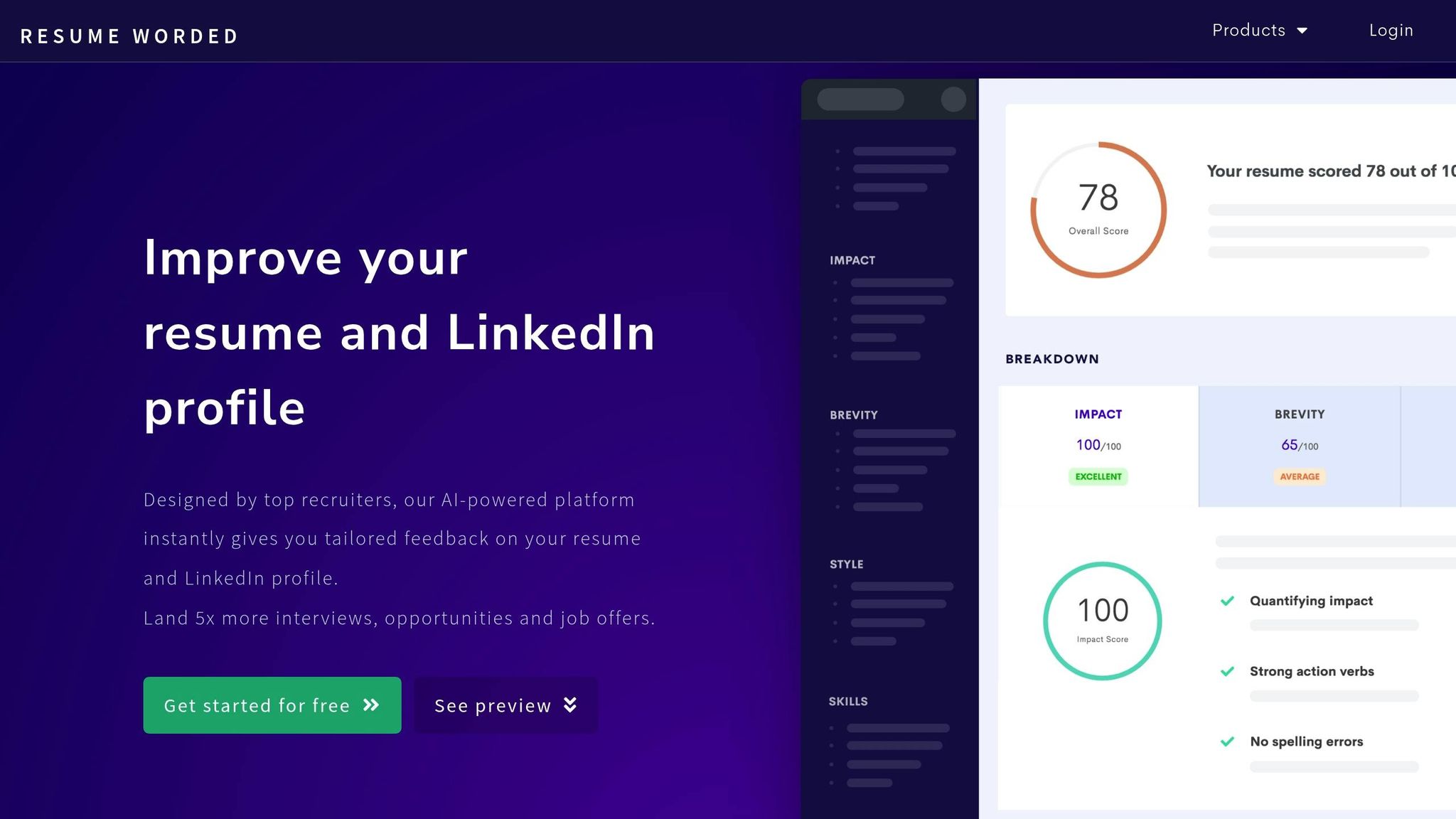
Resumeworded offers automated resume reviews with a score out of 100, highlighting areas for improvement in phrasing and ATS compatibility. At $19.95 per month or $149 annually, it’s a more affordable tool for unlimited reviews. However, it relies entirely on algorithms, which means it might miss industry-specific nuances that only human insight can catch.
Simplify.jobs combines an ATS scanner with job tracking and autofill features via a Chrome extension. While the basic version is free, premium features are available for $10 per month. It’s particularly convenient for one-click applications on major job boards, but its automation can struggle with non-standard portals or complex application forms requiring manual input.
Despite their differences, these tools share a common limitation: they provide analysis and suggestions but leave the hard work - customizing your resume for each job and submitting applications - entirely up to you.
Why scale.jobs Beats Automated ATS Tools
While automated tools like Jobscan, Resumeworded, and Simplify.jobs offer quick checks, scale.jobs takes a completely different approach by combining AI with human expertise. With scale.jobs, dedicated assistants not only optimize your resume but also handle the entire application process, ensuring your documents are tailored and submitted correctly. This approach addresses common ATS challenges, such as parsing errors and lack of context, that automated tools often overlook.
Here’s why scale.jobs stands out:
- Human-powered customization and submission: Unlike Jobscan’s DIY model or Simplify.jobs’ limited automation, scale.jobs assigns real people to customize your resume and manually submit applications.
- One-time flat fee: Instead of paying recurring monthly fees (e.g., $49.95–$148.95 for Jobscan or $19.95/month for Resumeworded), scale.jobs charges a one-time fee (e.g., ~$199 for 250 applications).
- Proof of submission: With scale.jobs, you receive screenshots and WhatsApp updates confirming every application, unlike automated tools that don’t provide verification.
- Human oversight for ATS optimization: Trained assistants catch formatting issues and errors that automated tools can miss, addressing the 75% rejection rate caused by ATS parsing problems.
- Real-time support: Dedicated WhatsApp assistance ensures you have guidance throughout your job search journey.
Instead of relying solely on algorithms, scale.jobs delivers personalized support for every application. Each submission comes with proof that your resume passed the ATS, and real-time updates keep you informed. For example, one software engineer increased their interview rate from 5% to 35% after switching from Jobscan to scale.jobs’ human-tailored service.
The table below compares key features:
| Feature | Jobscan | Resumeworded | Simplify.jobs | scale.jobs |
|---|---|---|---|---|
| Optimization Method | Keyword matching algorithm | Automated scoring & edits | Autofill + tracking | Human customization combined with AI |
| Application Submission | Manual (handled by you) | Manual (handled by you) | Partial automation | Human-executed submission |
| Pricing | $49.95–$148.95/month | $19.95/month or $149/year | Free / $10/month | One-time flat fee (e.g., ~$199 for 250 applications) |
| ATS Pass Guarantee | Match score only | Score out of 100 | No guarantee | 80%+ match rate, verified by proof-of-work |
| Proof of Work | None | None | Application tracking | Screenshots + WhatsApp updates |
| Portal Compatibility | N/A (DIY) | N/A (DIY) | Can falter on non-standard portals | Compatible with any portal via human submission |
The human touch makes all the difference. Assistants at scale.jobs review your resume to fix formatting issues that could confuse ATS systems and ensure compatibility with over 200 ATS platforms. Beyond optimization, they handle the entire application process, including answering employer-specific questions and uploading documents, often within 24 hours. If you’re applying to competitive roles that take 30–45 minutes per application, outsourcing this work can save you over 20 hours a week - time better spent on networking or interview preparation.
Who Should Use Jobscan vs scale.jobs
Jobscan, Resumeworded, or Simplify.jobs might be right for you if:
- You’re applying to a high volume of roles (50+ per week) and need a budget-friendly option.
- You want full control over edits and submissions and have the time to implement changes.
- You’re targeting entry-level positions or straightforward roles where keyword alignment is critical.
- You prefer instant feedback to test multiple resume versions quickly.
scale.jobs is the better choice if you:
- Are applying to a smaller number of high-priority roles (5–20 per week) where quality matters more than quantity.
- Target mid-to-senior-level positions, such as executive or specialized roles, where human insight significantly improves results.
- Need proof that each application was submitted correctly, not just a keyword match score.
- Want to save time for networking or interview preparation instead of manually customizing and submitting resumes.
- Are concerned about automation errors on niche job boards or company-specific portals.
Decision Summary
Automated tools like Jobscan, Resumeworded, and Simplify.jobs are great for those applying to a large number of entry-level roles on a tight budget. They’re ideal for job seekers who have the time to manage every edit and submission themselves.
scale.jobs, on the other hand, is perfect for candidates focusing on fewer, high-value opportunities. Its human-powered approach ensures ATS compatibility, provides proof of submission, and saves you hours of work - all for a one-time fee. If you’re targeting competitive roles or navigating career transitions, this personalized service can deliver better results and free up your time for more strategic job search activities.
For those juggling visa requirements, career shifts, or simply aiming for high-stakes roles, scale.jobs offers a more efficient and reliable solution compared to traditional automated tools.
Decision Summary: Choosing the Right ATS Strategy
Navigating today’s competitive job market requires a well-thought-out approach to Applicant Tracking Systems (ATS). Success often hinges on three main practices: pulling exact keywords from job descriptions, placing them strategically within your resume, and selecting the right tool for your needs. This comparison highlights the benefits of automated tools like Jobscan versus the hybrid approach offered by scale.jobs.
Why scale.jobs Stands Out
- Human-Assisted Customization and Submission: Each application is tailored to the specific job, ensuring precision and relevance.
- One-Time Payment Model: Avoid recurring subscription fees while benefiting from compatibility across 200+ ATS platforms.
- Dedicated WhatsApp Support: Real-time updates, including time-stamped proof of submission, provide transparency and peace of mind.
- Time-Saving: Frees you from the burden of manual submissions, allowing you to focus on networking and interview preparation.
- Proven Results: Combines AI precision with human oversight to deliver results that automated tools alone cannot match.
For those who prefer full control over their submissions, tools like Jobscan or Resumeworded are excellent for identifying keyword gaps. These are ideal for straightforward roles where manual adjustments can be easily managed.
However, for mid-to-senior-level positions or highly competitive roles, scale.jobs offers a more effective solution. Instead of merely identifying missing keywords, their trained assistants customize your resume for each job and manage the entire application process. With pricing options of $199 for 250 applications, $299 for 500, or $399 for 1,000, scale.jobs provides a cost-effective alternative to subscription-based services. Additionally, they offer WhatsApp updates with time-stamped screenshots to confirm every submission.
The Hybrid Model Advantage
As we look toward 2026, the job market is increasingly favoring hybrid solutions. In fact, 77% of hiring managers now prefer a combination of AI and human oversight over full automation. Fully automated systems often fall short in ensuring ATS compatibility, leaving candidates uncertain about whether their applications were submitted correctly. For those targeting high-value roles, managing visa requirements, or making a career switch, services that include human review offer a more reliable path to securing interviews.
When to Choose scale.jobs
- You need verifiable proof that your applications were submitted correctly, not just a keyword match score.
- You’re applying to mid-to-senior-level positions where personalized customization can make a significant impact.
- You prefer a hybrid approach that combines AI efficiency with human expertise.
- You want to save time for networking and interview preparation instead of managing applications manually.
- You’re targeting niche job boards or company-specific portals where automation often falls short.
When to Choose Self-Service Tools
If you value complete control over your resume edits and have the time to manage each submission manually, self-service tools like Jobscan or Resumeworded may be a better fit. However, for roles that demand meticulous, personalized customization, scale.jobs offers a more comprehensive and efficient solution, backed by dedicated support and proof of work for every application.
FAQs
What’s the fastest way to pull the right keywords from a job posting?
To get started quickly, review the job description and pinpoint key terms, skills, and phrases that align with the role's requirements. While tools like Jobscan can assist in identifying these keywords, they might overlook nuances or context. To ensure accuracy, combine the tool's findings with a manual review. This approach is particularly helpful for identifying soft skills and language specific to the company.
How can I prove keywords with results without sounding repetitive?
To show the power of keywords without sounding repetitive, focus on clear, measurable achievements. Share concrete examples, like how optimizing your resume with specific keywords led to a 30% rise in interview invitations. Use data or success stories to back up your claims, and explain how tools like ATS checkers or tailored keyword strategies contributed to these results. By tying methods to real-world outcomes, you make your approach both relatable and actionable.
Which resume formatting choices most often break ATS keyword scanning?
When it comes to ATS (Applicant Tracking System) keyword scanning, complex formatting can be a major roadblock. Elements like multi-column layouts, graphics, text boxes, headers, footers, or decorative designs often confuse the system. As a result, critical information might get overlooked during the automated review process, potentially hurting your chances of moving forward in the hiring process.