
AI vs. Human Recruiters: What Job Seekers Need to Know in 2026

Leela Yanamaddi
June 20, 2026

If you are getting high ATS scores but few interviews, your problem is often not the resume score. It is the apply process. In 2026, many employers use software first and people second. That means you need to know whether you are losing at the screening step or at the recruiter review step.
Here’s the short version:
- AI tools like Jobscan, Teal, and Rezi help with resume checks, writing, and tracking
- Human help is better when you need tailored submissions, portal work, and follow-up
- ATS success does not guarantee recruiter interest
- 88% of employers reject qualified candidates because resumes are not ATS-friendly, so clean formatting still matters
- If you want to Apply for jobs at scale, execution matters as much as wording
The AI Job Search Trap: Why Applying More Gets You Hired Less
sbb-itb-564272e
Quick comparison
| Tool type | Best use | What it does | What it does not do |
|---|---|---|---|
| AI-first tools | Resume edits, keyword checks, tracking | Scores, drafts, pipeline organization | Submit applications for you |
| Human vs. AI support | High-volume or time-heavy searches | Tailoring, manual submissions, follow-up help | Replace interview prep or networking |
My simple take
I would use AI tools when I need resume feedback or faster drafting. I would use human help vs. AI tools when I already know what roles to target, but I do not have time to tailor and submit every application well.
That is the split that matters most in this article.
How to apply better in AI-heavy and human-led hiring workflows
Once you know who sees your application first, you can adjust your resume, follow-up, and submission process to fit that setup.
| Factor | ATS-Heavy Workflow | Human-Led Workflow |
|---|---|---|
| Resume format | Standard headings and simple formatting | Clean layout with short impact summary |
| Keyword placement | Mirror exact phrases from the job description | Natural language that shows judgment, not just matches |
| Follow-up timing | Respond to automated or scheduling links within 1–2 U.S. business days | Reply within one U.S. business day when a recruiter reaches out directly |
| Message tone | Confirmation only | Specific, personal, referencing the role and company |
| Application volume | More applications, same structure | Targeted, fewer applications with stronger positioning |
If you're trying to <a href="/apply-for-jobs">apply for jobs</a> more effectively, this is one of the first things to fix. An ATS-heavy flow rewards clean formatting and consistency. A human-led flow rewards judgment, timing, and a message that sounds like it was written for this role, not blasted out to 50 others.
ATS-friendly resume and keyword strategy that survives parsing
For ATS-heavy roles, the goal is parsing accuracy, not visual polish.
88% of employers reject qualified candidates simply because their resumes aren't ATS-friendly. Use standard section headers like Work Experience, Skills, and Education. Avoid tables, text boxes, headers/footers, and graphics - most parsers skip or scramble that content.
Match the posting's exact wording where it fits naturally. If the role asks for “project management,” don’t swap in a near-match and hope the system figures it out. Some systems do. Some don’t. That small miss can cost you.
If a recruiter is likely to read the resume directly, add short context around results instead of stuffing in extra terms. A strong resume has to work in both cases: machine scan first, human review second. That’s also where tools like an <a href="/ai-resume-builder">ai resume builder</a> can help if you need cleaner structure fast.
Follow-up tactics when outreach is automated vs. recruiter-led
Outreach changes once automation steps in.
When you get an automated email or a scheduling link, treat it like a confirmation step. Reply within 1–2 U.S. business days and keep it short. You don’t need a long pitch here. A clear confirmation is enough.
Direct recruiter contact is different. If a recruiter emails you or messages you on LinkedIn, reply within one U.S. business day and mention something specific: the role title, the team, or one detail from the job description. That small touch shows you paid attention.
Here’s the basic split:
- Automated outreach: confirm, schedule, keep it brief
- Recruiter-led outreach: reply fast, add a personal detail, show fit
Candidates using a <a href="/job-search-coach">job search coach</a> or a <a href="/job-search-virtual-assistant">job search virtual assistant</a> often do better here because the follow-up stays consistent instead of slipping through the cracks.
When human-assisted application support improves your results
If tailoring and submitting applications is eating up hours every week with little response, the bottleneck usually isn’t your background. It’s execution volume and document quality at scale.
That tends to show up when you’re applying across several paths at once - maybe <a href="/full-time-jobs">full time jobs</a> during the week while also looking at contract or side options. At that point, even strong candidates can fall behind on resume edits, submission tracking, and recruiter replies.
scale.jobs helps when you need ATS-ready documents, targeted submissions, and recruiter follow-up handled for you. If you’ve been weighing a <a href="/job-application-service">job application service</a> or a Virtual Assistant for Job Applications vs DIY, this is the point where outside help can make the process less messy and a lot more consistent.
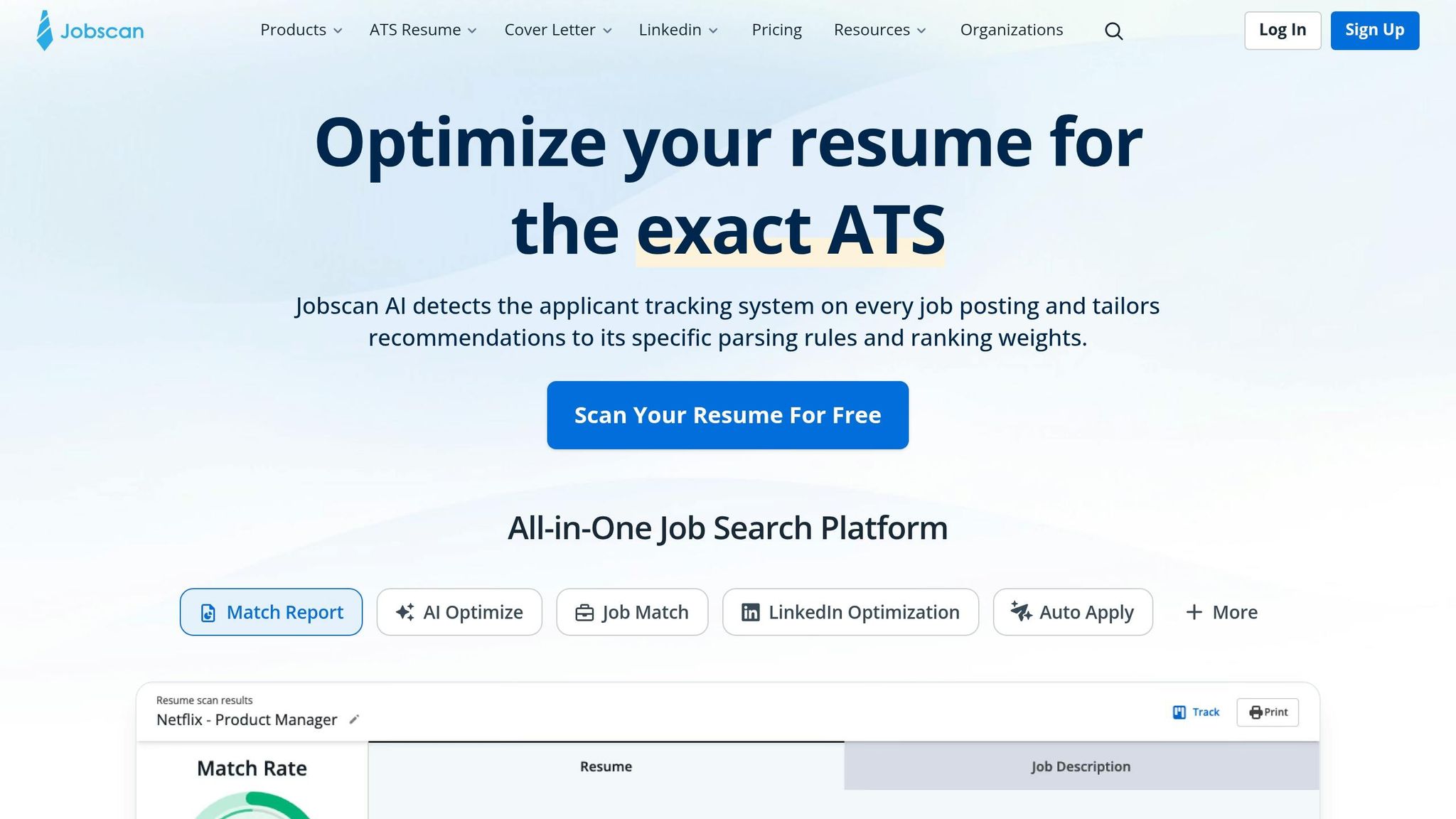
Jobscan vs. scale.jobs: ATS checker or human-powered apply support?
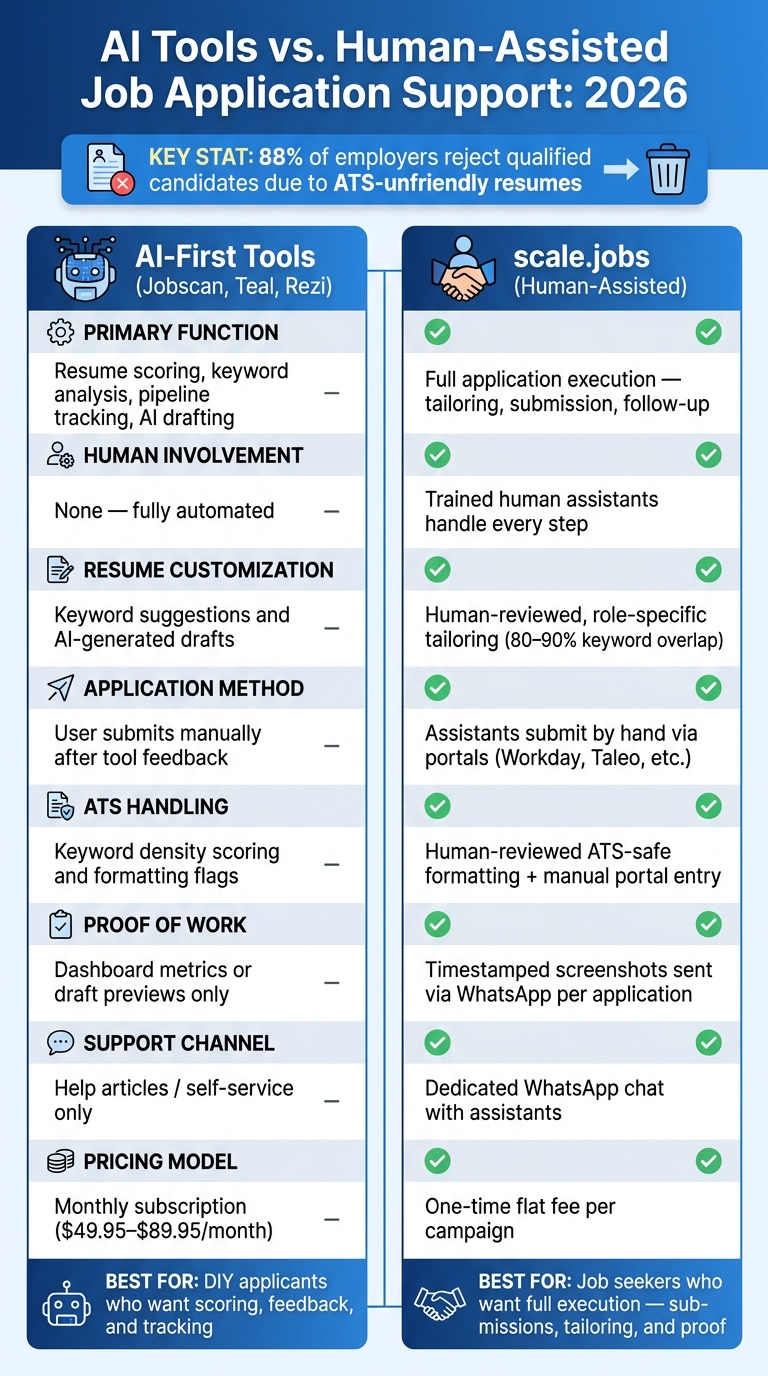
AI Tools vs. Human-Assisted Job Application Services: 2026 Comparison
Jobscan tells you where your resume falls short. scale.jobs goes a step further: it fixes the resume, tailors it to the role, and submits the application for you.
That’s the core difference.
Jobscan is built for ATS review. scale.jobs is built for getting applications out the door, especially when a recruiter or hiring team may look at the full submission, not just a match score. If your resume already looks solid but interview replies are still slow, the issue may not be analysis. It may be execution.
Jobscan stops at diagnosis. scale.jobs handles the actual apply process. For portal-heavy roles on systems like Workday or Taleo, that gap matters a lot. A good score means little if the application never gets completed properly.
Use this side-by-side breakdown to figure out whether you need feedback or full hands-on support.
| Feature | Jobscan | scale.jobs |
|---|---|---|
| Primary function | ATS keyword analysis & scoring | Application management and submission |
| Human involvement | None | Human assistants |
| Resume customization | Human vs. automated keyword suggestions per posting | Human-reviewed customization per role |
| Application method | Manual - user applies | Handled by assistants via manual entry |
| ATS handling | Keyword density & formatting flags | Human-reviewed integration and manual submission to reduce automation-related errors |
| Proof of work | Match score dashboard | Timestamped screenshots sent via WhatsApp |
| Support | Help articles only | Direct WhatsApp chat with assistants |
| Pricing | Monthly subscription ($49.95–$89.95) | One-time flat fee |
Why scale.jobs wins for candidates who need execution, not just scoring
A score is not the same thing as a submitted application.
That’s where scale.jobs stands out. Instead of stopping at feedback, it helps move the whole process forward. For people trying to apply for jobs at volume, that can save hours of repeat work.
Here’s what scale.jobs adds that Jobscan doesn’t:
- Human assistants submit applications by hand across employer portals, including Workday and Taleo.
- Documents are customized per role, so your resume is shaped for the job instead of just tuned for keywords.
- Timestamped screenshots of each submission are sent through WhatsApp, which gives you a record of what was done.
- Dedicated WhatsApp support gives you a direct line for priority roles or questions.
- Flat-fee pricing keeps costs predictable if you want a one-time campaign instead of a monthly tool.
If you’re comparing a scoring tool with a job application service, this is the dividing line: one tells you what to fix, the other helps get the application submitted.
Who should use Jobscan and who should choose scale.jobs
The better pick comes down to one thing: do you want to handle the apply process yourself?
Jobscan fits you if you like writing your own resumes, want to learn how ATS systems read applications, and still have the time to submit everything on your own. It can also work well if you’re early in your search and want feedback before sending out more applications.
scale.jobs fits you if you want help with execution, need more volume, or have a career path that needs human judgment. That includes people changing fields, people with gaps, and people applying across both full time jobs and Part time jobs near me.
It can also make sense if you’ve outgrown DIY tools and want a virtual assistant for job seekers who helps carry the load instead of just pointing at problems.
Switch to scale.jobs if Jobscan scores improve but replies do not
This is usually the clearest sign.
If your score keeps going up but interview replies don’t, the weak spot may be everything that happens after resume analysis. At that point, a job search platform with human support may be more useful than another dashboard.
scale.jobs is a better fit if any of this sounds familiar:
- Your Jobscan match scores are consistently high, but callbacks still aren’t coming in.
- You’re spending too much time tailoring resumes and filling out portal forms by hand.
- You want proof of what was submitted, not just a match score.
- You’d rather pay once for a defined campaign than stay on a monthly subscription.
That’s the moment when “better scoring” stops being the goal and “better follow-through” becomes the real issue.
Teal vs. scale.jobs and Rezi vs. scale.jobs: AI writing and tracking vs. human oversight
Both Teal and Rezi are useful. The bigger question is simple: once ATS screening is done and reply rates are still low, does better tracking or faster drafting move the needle? And if those parts are already handled, who’s taking care of the application itself?
Teal vs. scale.jobs: job tracking software vs. hands-on application support
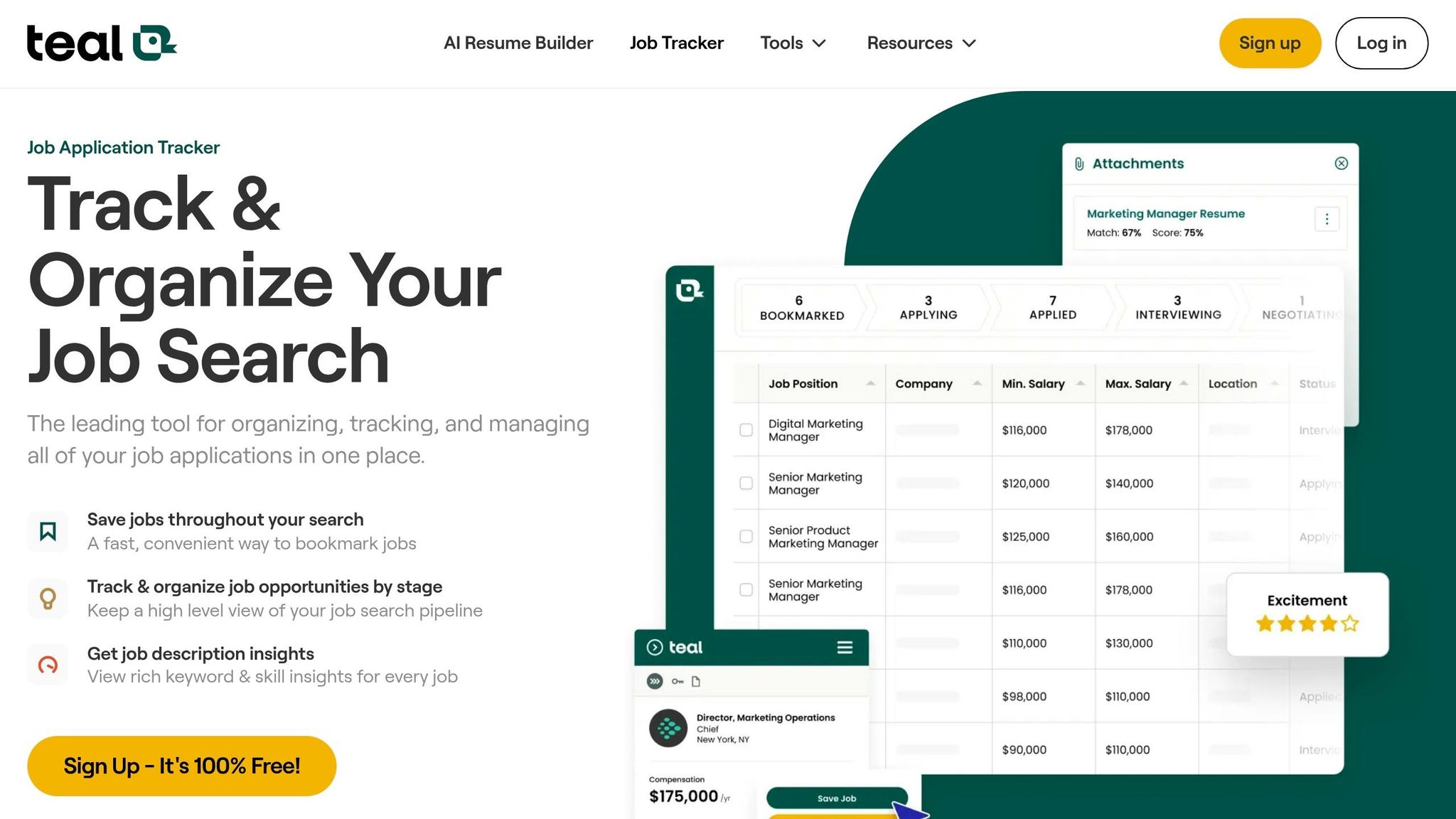
Teal helps you track your pipeline and stay organized during a long search. That matters. A messy search can waste time fast.
But Teal stops at organization. You still have to apply for jobs yourself.
That’s the tradeoff. Tracking can help you manage volume, but it doesn’t change how each submission gets sent or whether a recruiter ends up seeing a polished application. scale.jobs focuses on that execution step. Trained human assistants complete each application by hand, including portal-heavy systems like Workday and Taleo. They also tailor your resume for each role and send timestamped screenshots through WhatsApp, so you can see what was submitted and when.
Why scale.jobs wins over Teal:
- Human assistants submit applications manually, including portal-heavy systems like Workday and Taleo
- Resumes are tailored per role by a human reviewer, not just flagged for keywords
- ATS-safe formatting is applied and checked before submission
- Timestamped WhatsApp screenshots give you proof of every application sent
- A one-time flat fee replaces a monthly subscription
| Feature | Teal | scale.jobs |
|---|---|---|
| Primary function | Job tracking & pipeline management | Application submission & human review |
| Human involvement | None | Trained human assistants |
| Resume customization | AI-assisted suggestions | Human-reviewed, role-specific tailoring |
| Application method | Self-managed | Manual entry by assistants |
| ATS handling | Keyword guidance | Human-reviewed keyword overlap + manual submission |
| Proof of work | Dashboard tracking | Timestamped WhatsApp screenshots |
| Pricing model | Monthly subscription | One-time flat fee |
Who should use Teal: Self-sufficient candidates who like managing their own pipeline, want structure during a long search, and plan to handle every submission on their own.
Who should choose scale.jobs: Candidates whose tracking is already solid but applications still aren’t converting. If you need help with volume so you can focus on interviews and networking, this is where a job application service changes the workflow.
Rezi vs. scale.jobs: fast AI resume generation vs. human-reviewed customization
Fast drafting helps only if the final resume parses cleanly and gets in front of a recruiter. Rezi is good at producing ATS-formatted resumes fast, which can be helpful when you need a clean document in a hurry.
The limit tends to show up in competitive roles. AI-generated resumes can push keyword density too far, which creates ATS risk without making much noise about it. On paper, the draft may look fine. In practice, it can hurt your odds before a human ever reads it.
scale.jobs takes a different route. Human assistants review and adjust each document, aiming for 80–90% keyword overlap instead of stuffing every possible term into the page. They also use ATS-safe, machine-readable layouts. Using a clean, single-column layout ensures your data parses correctly. For complex roles, career pivots, or uneven work histories, that human review helps keep the resume accurate and readable. If you want hands-on document help plus submission support, a resume writing service can cover both sides of the process.
Why scale.jobs wins over Rezi:
- Human reviewers tailor each resume to the role, not just the keyword list
- ATS-safe formatting is checked before submission - no columns, graphics, or tables that can break parsers
- Applications are submitted by human assistants, not left to the candidate after drafting
- Dedicated WhatsApp support gives you a direct line for priority roles
- A one-time flat fee replaces a recurring subscription
| Feature | Rezi | scale.jobs |
|---|---|---|
| Primary function | AI resume generation | Human-reviewed resume + application handling |
| ATS strategy | High keyword density | Strategic 80–90% overlap, manual review |
| Formatting risk | Columns/graphics possible | ATS-safe, machine-readable layouts |
| Application method | Self-service | Manual submission by human assistants |
| Proof of work | No submission proof; draft only | Timestamped screenshots per submission |
| Support | Self-service / knowledge base | Dedicated WhatsApp chat |
| Pricing model | Monthly subscription | One-time flat fee |
Who should use Rezi: Candidates who need a fast, clean draft from an ai resume builder and plan to handle every application on their own.
Who should choose scale.jobs: Candidates who want a human to review the document and submit the application, especially when formatting mistakes or over-optimization could quietly hurt response rates. This setup can make more sense if you’re looking for a Virtual Assistant for Job Applications instead of another self-serve tool.
Know when tracking or drafting is no longer improving replies
Teal and Rezi each do one part of the job well: tracking or drafting. What they don’t do is replace execution.
If your search is organized, your resume is already in decent shape, and replies still aren’t moving, that usually points to a gap in the support model. At that stage, the issue may not be your job search platform or your draft quality. It may be the fact that submission is still manual, repetitive, and fully on you.
That’s the point where tracking tools and drafting tools stop helping as much, and hands-on help starts to matter more.
Decision Summary: pick the right system for your 2026 job search
Who should choose AI-first tools
The choice here is pretty simple.
Use AI-first tools for feedback. Use human-assisted vs. automated job applications to decide which support model fits your execution needs.
AI-first tools make sense if you want resume keyword checks, ATS scores, or a way to track your pipeline, and you’re still fine doing the applications yourself. If you’re already getting steady replies and mainly need a cleaner system to manage your search, a job search platform like Teal can fit that workflow well.
This route is often best for people who still want to apply for jobs on their own and just need better signals on what to fix.
But the picture changes when your main problem is no longer resume tuning. If the hard part is getting applications out the door, then scoring tools only solve part of the problem.
Who should choose scale.jobs
Choose scale.jobs if your resume is already in good shape but replies are still weak, and you want people to handle the submission work for you.
Instead of giving you another score or checklist, scale.jobs uses trained human assistants to submit each application by hand across ATS portals and job boards. They also tailor documents, send timestamped WhatsApp screenshots, and show exactly what was submitted. That matters if you want proof, not just a dashboard.
This setup fits job seekers who need a job application service, a virtual assistant for job seekers, or direct help from a Virtual Assistant for Job Applications. It’s built for people chasing full time jobs or high-volume searches where manual submission work starts to eat up hours.
| Factor | AI-First Tools | scale.jobs |
|---|---|---|
| Best for | DIY applicants who want scoring and tracking | Job seekers who want full application execution |
| Human involvement | None | Trained assistants handle applications by hand |
| ATS handling | Keyword scoring and user-led optimization | Human-reviewed customization and manual entry |
| Proof of work | Dashboard metrics or draft previews | Timestamped screenshots for each application |
| Support | Self-service | Dedicated WhatsApp support |
| Pricing | Monthly subscription | One-time flat fee |
Use this split to match the tool to the part of the funnel that’s slowing you down. If the issue is insight, AI tools can help. If the issue is output, human execution usually matters more.
Next step for job seekers ready to switch
Switch only when your current setup stops turning applications into replies.
If score gains from Jobscan, Teal, or Rezi aren’t leading to more interviews, test scale.jobs with the free first 5 applications. Judge it by submission execution, not resume feedback alone.
That’s the key point. A better score doesn’t always mean a better result. If your bottleneck is volume, follow-through, or accuracy across ATS forms, then a job search virtual assistant can do more than another round of resume tweaks.
FAQs
How can I tell if AI screening or recruiter review is blocking me?
If you keep getting silent rejections, the blocker is usually one of two things: the ATS or a human reviewer.
ATS problems often show up fast. You apply, and the rejection comes almost right away. In many cases, the issue is formatting. Nonstandard layouts, decorative headers, text boxes, columns, or the wrong file type can trip up the system before a recruiter even sees your resume. If that sounds familiar, clean up the format and make sure your resume uses clear, job-specific keywords. Tools like an ai resume builder can help you keep the structure simple and readable.
Human review is a different story. If your application gets through but still goes nowhere, it may feel too generic, too stuffed with keywords, or out of sync with your LinkedIn profile. Recruiters notice that stuff. A resume can check the boxes and still feel flat. That’s where better tailoring matters. Your resume and cover letter should sound like they were written for this role, not copied across 50 openings. If you need help there, a job application service or job search coach can help tighten your message.
Here’s a simple way to read the signal:
- Immediate rejection or parsing issues: fix ATS format, file type, and keywords
- No feedback after review: check for generic language and LinkedIn mismatch
- Feedback but no interviews: improve personalization, examples, and story
If you're trying to Apply for jobs at scale, this distinction matters. The fix for ATS problems is different from the fix for weak human review. And if you want more hands-on support, a Virtual Assistant for Job Applications can help keep each submission cleaner and more aligned.
What resume changes help with both ATS scans and human readers?
Balance ATS fit with plain, specific results. Use keywords from the job description in a natural way throughout your achievements. A good target is 80%–90% overlap on core terms, but don’t copy the posting line by line.
Keep the format simple. Stick to standard section headers, and swap vague claims for measurable impact. Shape your experience around what the employer needs so both ATS tools and human reviewers can spot your fit fast.
Here’s the practical way to do it:
- Use the same job titles, skills, and tools the employer uses when they match your background
- Add numbers, scope, and outcomes to each bullet
- Cut generic lines like “responsible for” or “worked on”
- Put the most relevant experience near the top
If you want help tightening your resume before you Apply for jobs, tools like an ai resume builder can speed up keyword matching without making the resume sound stiff. And if you’re sending a lot of applications, a job application service or Virtual Assistant for Job Applications can help keep each version aligned to the role.
When should I use human application support instead of AI tools?
Use human application support for high-stakes searches like career pivots, executive roles, or visa sponsorship needs. AI helps with speed and volume, but it often misses context, story, and the small adjustments that matter.
Pick human-assisted support like Scale.jobs when your resume has to reflect your background in a precise way, your applications include tricky forms, or you need deeper customization to cut ATS rejection risk.