
From Job Post to First Interview in 24 Hours: Step-by-Step Playbook

Sarah Mitchell
July 23, 2026

If I want a shot at a recruiter reply in 24 hours, I don’t start by applying. I start by cutting bad-fit roles, tailoring one strong application, and following up fast.
Most applicants waste time on jobs they should skip. A tighter path is simple:
- Hours 0–3: screen the role for fit, deal-breakers, and recruiter visibility
- Hours 3–8: tailor my resume, cover letter, and intro note to the job post
- Hours 8–16: use the best submission path for that portal
- Hours 16–24: log the application and send one clean follow-up
That matters because timing affects visibility. LinkedIn data has long shown that early applicants often get more attention, and many hiring teams review fresh submissions first. If I want to Apply for jobs without burning hours, I need a workflow that cuts weak-fit roles fast.
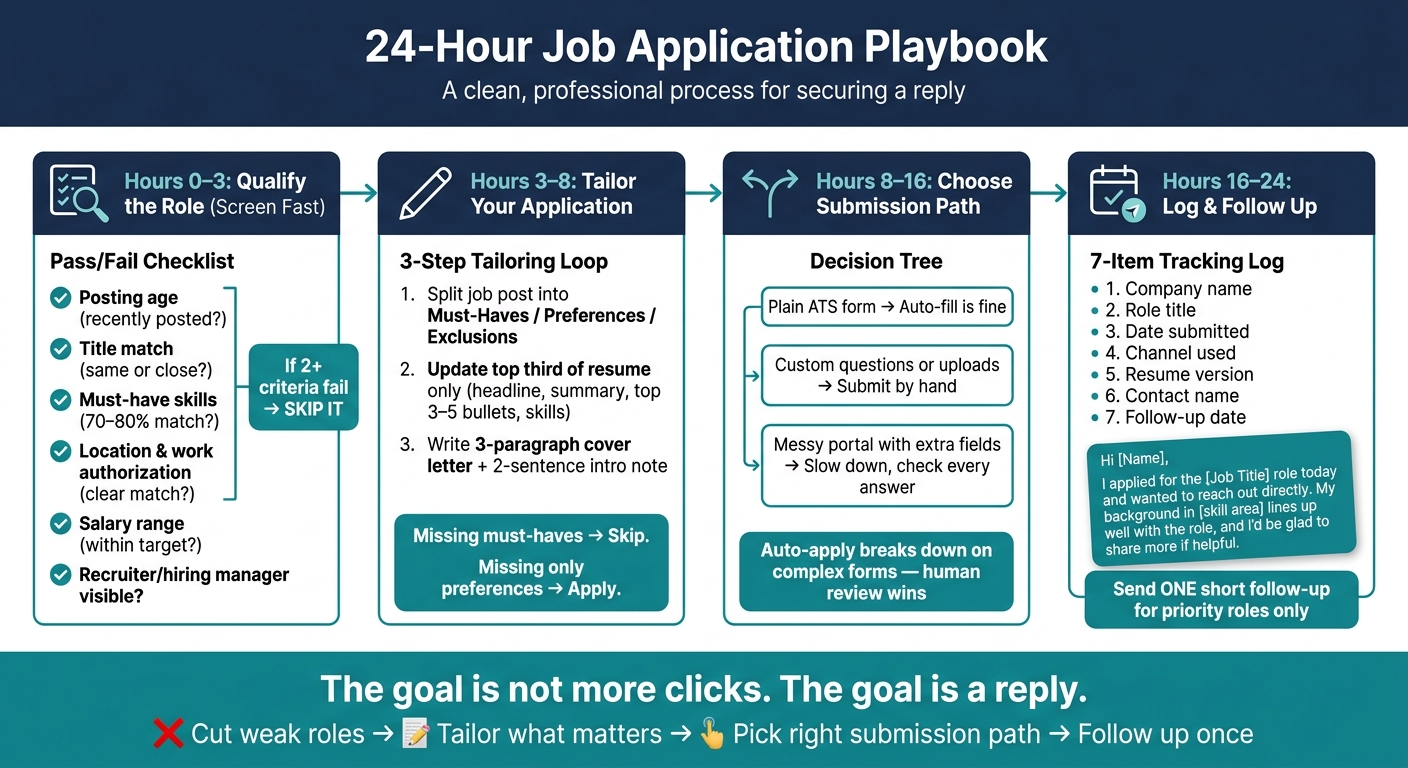
24-Hour Job Application Playbook: From Job Post to First Interview
Be the First to Apply for Any Job (This LinkedIn Trick Works!)
What I’d do first
Before I edit a single bullet, I’d check:
- posting age
- title match
- must-have skills
- location and work authorization
- salary range
- recruiter or hiring manager visibility
If two or more of those miss, I move on.
Quick comparison
| Option | Best use | Main limit |
|---|---|---|
| Jobscan / Rezi / Resume.io | Fast keyword edits and draft help | I still submit everything myself |
| TealHQ / other tracking tools | Job tracking and pipeline notes | No done-for-me submission |
| Auto-apply tools like LazyApply | Plain ATS forms at high volume | Weak control on custom fields |
| scale.jobs | Human-tailored docs plus hand-submitted applications | Better for focused applications than mass volume |
My 24-hour playbook
1. I qualify the role before I touch my resume
This is the step most people skip.
I don’t want an easy application. I want a role with a fair shot at an interview. So I score the post on fit, not convenience.
My pass/fail checklist:
- same title or close title match
- at least 70%–80% of must-have skills
- clear U.S. work eligibility match
- pay range close to target, if listed
- posted in the last few days
- recruiter or manager I can identify
If the role fails, I skip it.
If I’m using a job search platform or a job application service, this is the filter I’d want before any work starts.
2. I pull keywords in under 30 minutes
Once a role passes the screen, I split the job post into:
- must-haves
- nice-to-haves
- hard exclusions
Then I run the post through an ai resume builder or keyword tool to spot missing terms.
I’m not trying to stuff keywords. I’m checking one thing: can I match the core ask in plain language?
A simple rule I use:
- Missing must-haves? Skip.
- Missing only preferences? Apply.
3. I tailor only the top third of my resume
I don’t rewrite the whole document.
I update the parts recruiters scan first:
- headline
- summary
- top 3–5 bullets in recent roles
- skills section
That usually gets most of the value in less time.
Example:
If the job post asks for “cross-functional project management,” “stakeholder updates,” and “SQL,” I revise my top bullets to show those exact areas if I’ve done them.
Then I use an ai cover letter builder or write a short note:
- paragraph 1: role + fit
- paragraph 2: 2–3 matched results
- paragraph 3: short close
My intro note stays at two sentences.
4. I pick the submission path based on form complexity
Not every portal needs the same method.
I use this split:
- Plain ATS form: basic auto-fill is fine
- Custom questions or uploads: submit by hand
- Messy portal with extra fields: slow down and check every answer
This is where many auto-apply tools break down. They save time on simple forms, but the error rate goes up once the form gets more involved.
If I’m dealing with custom answers, a Virtual Assistant for Job Applications or virtual assistant for job seekers can save a lot of back-and-forth.
5. LazyApply vs Scale.jobs
If I had to make the choice fast, I’d look at the portal first.
LazyApply fits simple, repeatable ATS forms.
Scale.jobs fits applications that need human review, tailored files, and clean submission records.
That’s the core difference.
Use auto-apply when:
- the form is standard
- there are no custom questions
- the resume upload behaves well
- speed matters more than review
Use Scale.jobs when:
- the role is high fit
- the form includes custom questions
- I need tailored documents
- I want screenshots and updates
6. Is ResumeSpice worth it?
Yes, if I only need a polished resume.
If my problem is document quality, ResumeSpice can help.
If my problem is getting role-by-role applications out within a day, it is a different need. In that case, I’d look at submission support, not just writing support.
That’s the split between resume-writing help and a full job search virtual assistant setup.
sbb-itb-564272e
7. Jobscan vs Scale.jobs
This one is simple.
Jobscan helps me edit.
Scale.jobs helps me edit and submit.
If I want control and don’t mind doing the work, Jobscan is enough.
If I’m behind on applications or losing time to portals, handoff makes more sense.
8. TealHQ vs Scale.jobs
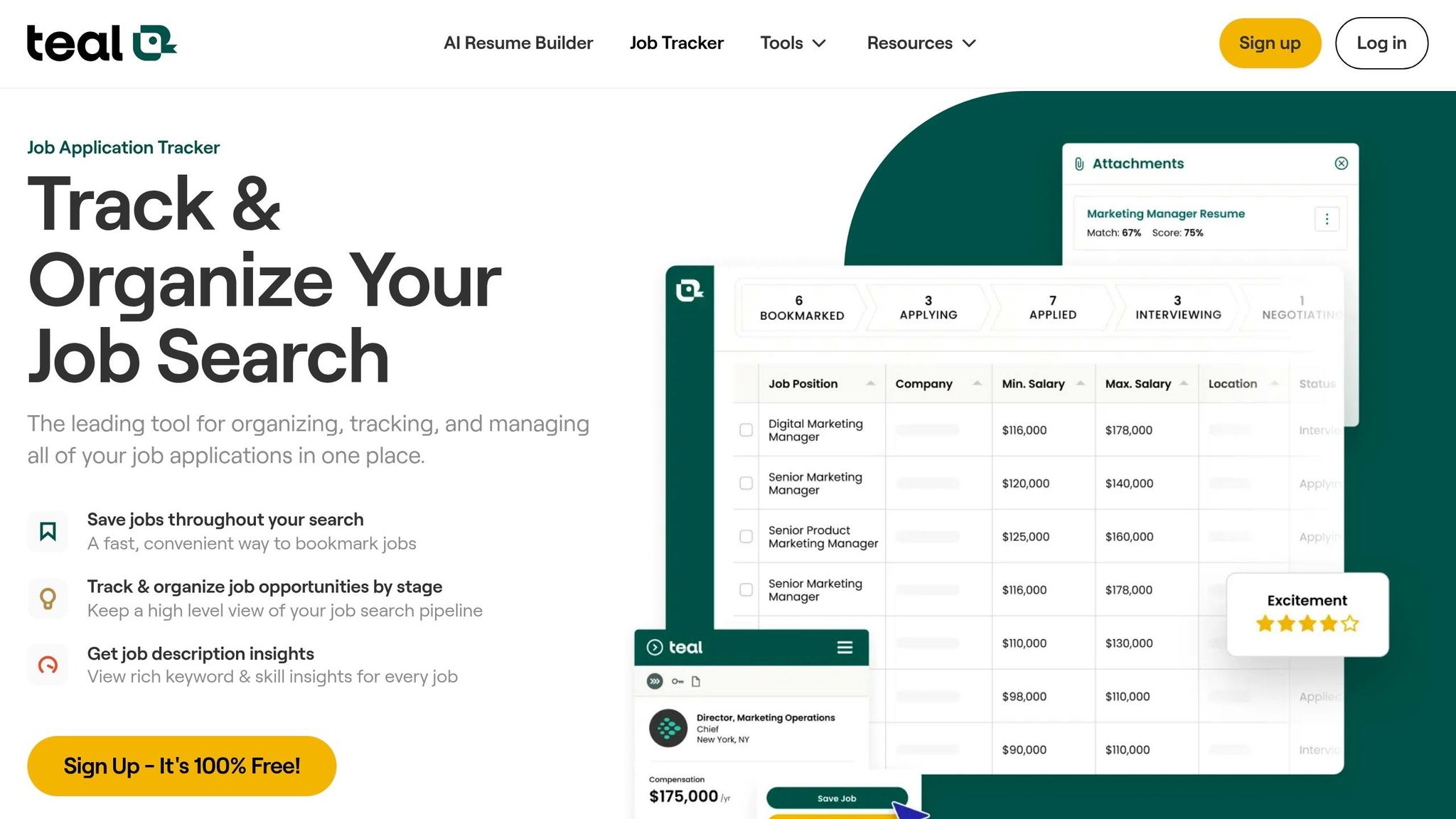
TealHQ is for tracking.
Scale.jobs is for execution.
If I already have a clean system and just need better notes, TealHQ works.
If my issue is that I keep planning applications but not finishing them, execution is the gap.
9. My follow-up rule for the last 8 hours
After I submit, I log:
- company
- title
- date
- channel
- resume version
- contact name
- follow-up date
Then I send one short follow-up for priority roles.
Example:
Hi [Name], I applied for the [Job Title] role today and wanted to reach out directly. My background in [skill area] lines up well with the role, and I’d be glad to share more if helpful.
Short. Direct. No long pitch.
FAQ
How fast should I apply after a job is posted?
I try to apply within 24 hours for strong-fit roles. Earlier is often better, especially on busy best job boards where listings can draw hundreds of applicants fast.
Should I apply if I match only some of the job description?
Yes, if I meet most must-haves. A common rule is 70%+ of core requirements. If I’m missing the main asks, I skip it.
Are auto-apply tools worth it?
They can be, but mostly for plain forms. Once the application asks for custom answers, manual review usually leads to fewer mistakes.
Can I use this process for full-time and part-time roles?
Yes. The same filter works for full time jobs and even searches like Part time jobs near me. The only thing I change is my scorecard for pay, schedule, and location.
Do I need a coach for this?
Not always. But if I keep applying with no replies, a job search coach can help me spot weak positioning, title mismatch, or poor targeting.
Final takeaway
If I want interviews faster, I don’t send more applications by default. I send better-fit applications sooner.
The 24-hour playbook is:
- cut weak-fit roles fast
- tailor only what matters most
- choose the right submission method
- follow up once and track everything
That’s the part many job seekers miss. The goal is not more clicks. The goal is a reply.
Hours 0–3: Decide Fast Whether a Role Is Worth Your Time
Start with a hard screen. Before you touch your resume, check each new posting for deal-breakers and move on fast if the fit isn’t there.
This first pass should cover the basics: posting age, title fit, must-have skills, location, work authorization, and salary. If any of those show a clear mismatch, skip it. No debate. No “maybe I can make this work.” That kind of role eats up time and usually goes nowhere.
If you use automation or a job application service, build this as a simple pass/fail filter before any tailoring starts. The goal is to protect your time, not just fill a pipeline.
Also check LinkedIn for a recruiter or hiring manager tied to the role. A visible contact gives you two things: a better sign that the posting is active and a direct person to follow up with later. If there’s no clear contact, the role drops down the list.
This matters even more if you’re trying to Apply for jobs in a tight 24-hour window. Use this screen before spending one of your five free scale.jobs applications. Save those shots for roles that have a real chance of turning into a reply.
Pull Must-Have Keywords and Deal-Breakers From a Job Description in Under 30 Minutes
Once a role clears the first screen, spend the next 20 to 30 minutes breaking the job description into three buckets:
- must-haves
- preferences
- exclusions
Paste the posting into an ATS keyword tool, an ai resume builder, or a structured prompt workflow. You’re not trying to do deep analysis here. You’re trying to answer one plain question: Can I match the core ask, or not?
Skip roles where you’re missing core requirements. Keep roles where you miss only preference-level items.
That distinction saves a lot of wasted effort. Plenty of people chase jobs just because the form is easy to submit. That’s backwards. A role should earn your time first, then get your application.
If you’re using a job search virtual assistant or a Virtual Assistant for Job Applications, this is one of the best steps to hand off. It’s repeatable, fast, and easy to score the same way every time.
Score Jobs by Interview Likelihood, Not by How Easy They Are to Apply To
Don’t rank roles by convenience. Rank them by odds of getting an interview.
Score each job using age, title match, skills, eligibility, salary, and recruiter visibility.
| Signal | Stronger fit | Weaker fit |
|---|---|---|
| Posting age | Recently posted | Older posting |
| Title match | Same title or close adjacent | Distant from your background |
| Required skills | Most must-haves present | Missing key requirements |
| Location and work authorization | Clear match | Mismatch or unclear eligibility |
| Salary in USD | Within your target range | Outside your target range |
| Recruiter visibility | Visible recruiter or hiring manager | No clear contact |
Send only the top matches to tailoring. Skip the rest.
This is where a lot of job seekers get stuck. They spend energy on roles that are fast to submit instead of roles that fit their background. If you’re using a job search platform or working with a job search coach, this scoring step helps keep your pipeline clean.
For people juggling full time jobs searches, contract work, or even looking for Part time jobs near me, the rule stays the same: high-fit roles first.
Only the highest-scoring roles should move to resume tailoring next.
Hours 3–8: Tailor Your Resume, Cover Letter, and Intro Note for This Specific Role
Once a role clears your score, use Hours 3–8 to turn it into a matched resume, cover letter, and intro note. Start with the highest-scoring role from Hours 0–3, and use that posting as the source for every keyword, phrase, and bullet point.
This is the part where a decent application turns into one that feels made for the role. If you're trying to apply for jobs at speed, don't rewrite from scratch each time. Pull from one strong base, then tighten it around the posting.
A 20-Minute Tailoring Loop Using Jobscan, Rezi, Resume.io, or scale.jobs
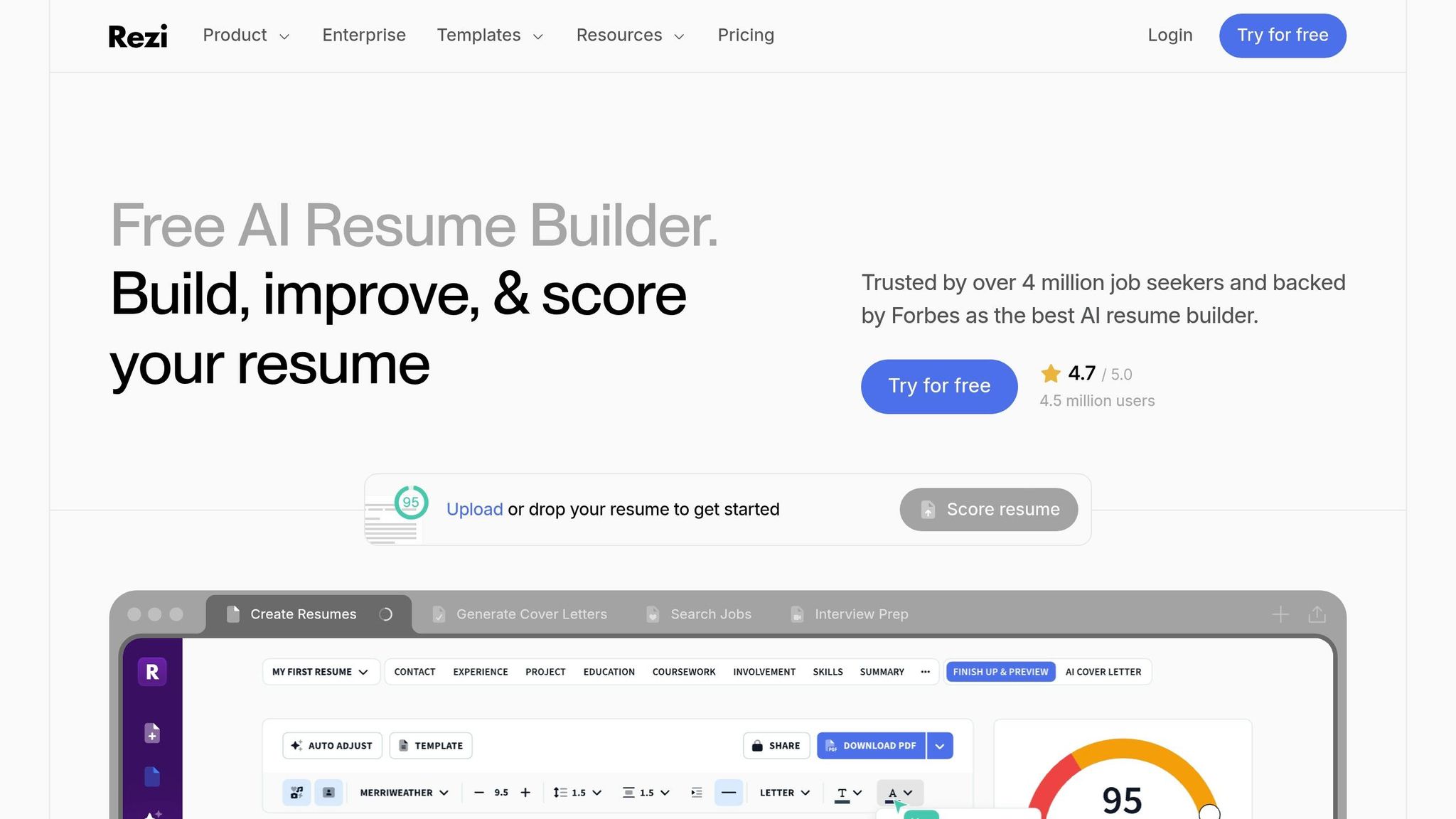
Open your master resume and the job description side by side. Run the posting through Jobscan, Rezi, Resume.io, or Scale.jobs. Then add missing keywords to your summary and your top resume bullets. After that, draft a three-paragraph cover letter and a two-sentence intro note that uses the posting's main terms without copying them word for word.
Here’s the simple loop:
- Run the job description through your tool of choice
- Spot missing keywords and skills
- Update your summary and top bullets first
- Draft a short cover letter tied to the role
- Write a brief intro note for email or application fields
Jobscan is the clearest fit if you want a match score before you submit. Rezi and Resume.io work better for fast, template-based drafting. If that still feels like too much back-and-forth, scale.jobs adds human review and submission help when DIY drafting isn't enough for same-day application work.
This matters most when you're juggling several full time jobs or trying to move fast on a role that could close soon.
scale.jobs vs. Resume-Writing Services: When to Switch to Human-Assisted Customization
The real choice comes down to speed and handoff. Do you want to edit it yourself with tools, pay a writer for a polished file, or hand off the whole application process?
Traditional resume-writing services, including ResumeSpice and similar providers, make sense for people who want a polished resume and can wait through a document-first process. They are not built for same-day submission.
scale.jobs works at a different pace.
- 24-hour turnaround for a custom resume and cover letter tied to the posting
- Human assistants who refine the draft and handle the application workflow
- ATS-optimized formatting with human review
- Flat-fee pricing starting at $199 for 250 applications
- Proof-of-work transparency through time-stamped screenshots and live WhatsApp updates
If you can finish the draft yourself, stick with DIY tools. If you want the draft reviewed and submitted in one workflow, move to scale.jobs.
ResumeSpice vs Scale.jobs
These two options solve different problems, and that’s where people often get stuck.
ResumeSpice is mostly for document writing. You pay for a polished resume, and sometimes a cover letter, then you take it from there. That setup works well if you want a cleaner file before starting your job search platform routine.
Scale.jobs is more hands-on. It’s built for role-by-role tailoring and human-assisted submission. So if your issue isn't “I need a better resume,” but “I need help getting applications out today,” the fit is different.
| Feature | DIY AI Tools (Jobscan, Rezi, Resume.io) | Traditional Resume-Writing Services | scale.jobs |
|---|---|---|---|
| Human involvement | None | Professional writers | Human assistants + AI |
| Resume customization depth | Keyword matching and template-based drafting | Document-first customization | Per-role tailoring for each application |
| ATS handling | Match-score or template dependent | Expertly formatted | Human-reviewed, ATS-optimized |
| Application execution method | You submit manually | You submit manually | Human-assisted submission |
| Transparency and proof of work | None | Delivered document | Screenshots + WhatsApp updates |
| Pricing model | $0–$40/month | One-time project fee | Flat-fee bundles starting at $199 |
Who should use ResumeSpice or similar resume-writing services: Candidates who want a professionally written resume and cover letter, are not in a same-day rush, and prefer a document-first process where the final deliverable is a polished file.
Who should choose scale.jobs: Job seekers who need role-specific documents and submission support within a 24-hour window, especially when applying to multiple roles and wanting human oversight at every step.
Is ResumeSpice Worth It?
Yes, if your main goal is getting a polished resume from a writer and you’re fine handling submissions on your own.
If you need same-day help, per-role edits, or support from a Virtual Assistant for Job Applications, ResumeSpice may feel too slow. That’s the split: one gives you documents, the other helps move the whole application forward.
For job seekers who want more than writing help, a job search virtual assistant can save hours that usually disappear into editing, formatting, and re-entering the same details over and over.
Hours 8–16: Pick the Right Submission Channel and Skip Low-Quality Auto-Apply
By hour 8, your documents should be ready to go. Now the job is simple: pick the submission path that gets applications out cleanly, fast, and without silly mistakes.
Use standard auto-fill for basic portals. If the form has custom questions, extra uploads, or role-specific fields, switch to human-assisted submission. That one choice can save you from broken formatting, missed fields, and messy records later.
If you're trying to apply for jobs at scale, this is the point where speed and accuracy start pulling in opposite directions. For easy ATS forms, automation can work fine. For anything more involved, human review usually wins.
LazyApply vs. scale.jobs: High Volume in 24 Hours vs. High Precision in 24 Hours
LazyApply makes sense if your goal is fast auto-fill on standard forms. It moves through simple portals with very little hands-on work, which is useful when you want broad reach in a short window.
scale.jobs goes the other way. Trained human VAs submit each application by hand, add tailored cover letters, send live WhatsApp updates, and share time-stamped proof-of-work screenshots.
The difference is pretty clear in practice.
Use LazyApply for a plain ATS form with no custom questions. Use scale.jobs when the portal asks for custom answers, uploads, or anything that needs careful handling.
Here’s where scale.jobs stands out:
- A person checks the submission before it goes out
- Custom questions and required fields get human review
- WhatsApp updates and time-stamped screenshots show what was submitted
- Works across ATS portals, company career pages, and job boards
| Feature | LazyApply | scale.jobs |
|---|---|---|
| Human involvement | Automation-led | Human assistants per application |
| Resume customization depth | Light customization | Per-role tailoring |
| ATS handling | Auto-fill only; no document-level review | Human-reviewed, ATS-optimized docs |
| Application execution method | Software fills forms automatically | Hand-submitted by trained VAs |
| Transparency and proof of work | Limited tracking | WhatsApp updates + screenshots |
| Pricing model | Varies by plan | One-time payment instead of a monthly subscription |
Who should use LazyApply: Job seekers who want a fast, automation-first workflow and are comfortable with less manual review on each submission.
Who should choose scale.jobs: Candidates who want each application checked, tailored, and tracked by a human team - especially when the role includes custom questions or the portal needs care.
If you’ve been comparing a job application service with browser-based auto-fill tools, this is the split: one is built for volume, the other is built for clean execution.
If the role needs custom answers or careful portal handling, move from automation to human submission.
LoopCV, Simplify.jobs, Sonara, Jobright, Massive, and EarnBetter: Who They Fit and When scale.jobs Is the Better Choice
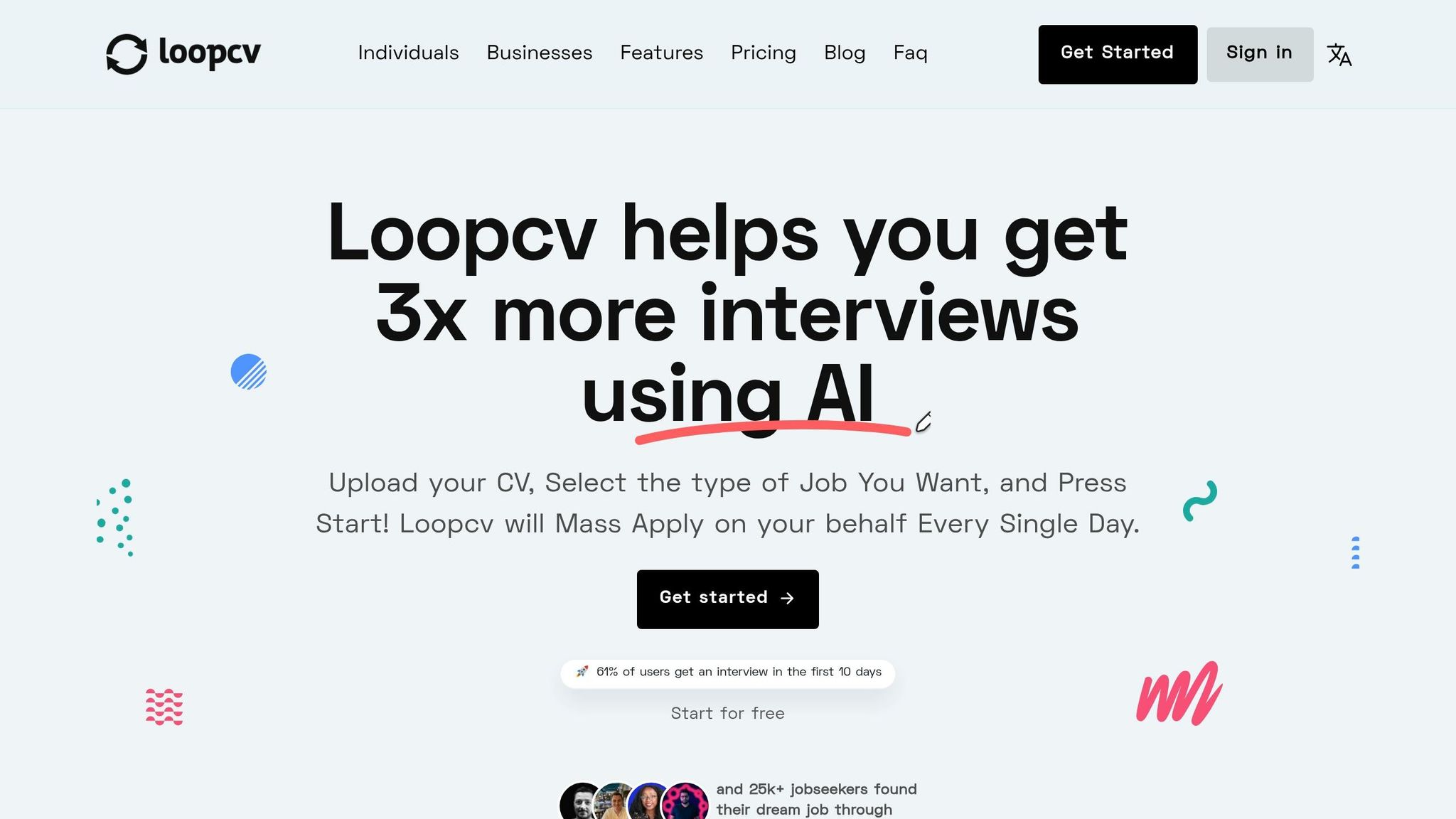
LoopCV, Simplify.jobs, Sonara, Jobright, Massive, and EarnBetter are a fit for people who want guided matching or auto-fill for standard applications. That can work well for shortlist building and basic outreach.
The tradeoff shows up when the application gets more involved. Once a posting asks for role-specific answers, portal-by-portal handling, or a visible record of what was sent, a human-assisted setup gives you more control.
| Submission type | Genuine strength | Where scale.jobs differs |
|---|---|---|
| Best for standard forms and quick submission | Faster submission workflows | Human submission, ATS-optimized docs, and proof-of-work tracking |
| Best for discovery and shortlist building | Guided matching and job alerts | Human submission, ATS-optimized docs, and proof-of-work tracking |
| Best for templates and light editing | Quick setup and formatting | Human submission, ATS-optimized docs, and proof-of-work tracking |
Who should use these tools: Job seekers who want speed and guided auto-fill for standard applications, or who are still testing which roles get traction.
Who should choose scale.jobs: Job seekers who want tailored documents, human submission, and a clear record of each application.
This is where a job search platform and a hands-on submission team serve different purposes. One helps you find openings. The other helps you send stronger applications.
If you're using best job boards or company career pages for outreach, keep a simple log after every submission: company, role, date, and contact. That makes follow-up much easier in the next step.
For people juggling many applications at once, a virtual assistant for job seekers can help keep that process tidy without losing track of where each application stands.
Hours 16–24: Follow Up, Log Every Submission, and Decide Whether to Switch Tools
Use these 8 hours to log each submission, send one role-specific follow-up for priority roles, and note any reply, view, or screening request. At this point, the job is simple: follow up cleanly and pick the right tool stack. This is not the moment for more tailoring.
Log every submission as soon as you send it. Track the company name, role title, channel used, resume version, keywords used, and follow-up date. If you use scale.jobs, the dashboard, WhatsApp updates, and time-stamped proof-of-work screenshots already handle most of that tracking.
If the role is still active, ask one plain question: do your current tools help you move faster, or do they just help you stay organized?
Jobscan vs. scale.jobs and TealHQ vs. scale.jobs: DIY Keyword Optimization vs. Done-for-You Execution
Jobscan works well if you want keyword guidance and plan to edit your own resume before you apply for jobs. TealHQ works well if you want one clean place to manage roles, notes, and application stages.
That said, both tools stop before execution. They help you prep and organize, but you still have to tailor each submission and send it yourself. That’s the split. scale.jobs handles the full loop: ATS-ready documents, human submission, WhatsApp updates, and proof-of-work screenshots.
Here’s how scale.jobs differs:
- vs. Jobscan: Jobscan shows keyword gaps; scale.jobs turns that into tailored documents and submits the application
- vs. TealHQ: TealHQ helps you track applications; scale.jobs tracks them and handles the submission work
- Dedicated WhatsApp support keeps updates in one place instead of making you bounce between tools
- Human review cuts down on portal-field, attachment, and custom-question mistakes
| Feature | Jobscan | TealHQ | Simplify.jobs | scale.jobs |
|---|---|---|---|---|
| Human involvement | None | None | Limited | Human assistant support |
| Resume customization depth | Keyword-focused | Minimal | Limited | Per-role tailoring by humans |
| ATS handling | Keyword checks | Basic tracking | Basic automation | Human-reviewed, ATS-optimized docs |
| Application execution method | DIY | DIY | Self-serve automation | Hand-submitted by trained VAs |
| Transparency and proof of work | Reports | Tracking dashboard | Limited | WhatsApp updates + screenshots |
| Pricing model | Varies | Varies | Varies | One-time flat fee |
Who should use Jobscan or TealHQ: Job seekers who want to stay in full control and only need help with keyword checks or tracking.
Who should choose scale.jobs: Candidates who want keyword work, document tailoring, submission, and tracking handled by a human team in one workflow. If you’ve been looking for a job application service instead of another tracking tool, this is where the gap shows up.
Switch to scale.jobs If… and Final Decision Summary
Use the criteria below to decide whether to keep your current stack or move to scale.jobs for the next round.
Switch to scale.jobs if any of these sound familiar:
- You’ve been using auto-apply tools for a while and still aren’t getting recruiter responses
- Your target roles include custom questions, uploads, or portal-specific fields that automation often gets wrong
- You’re applying at volume and losing track of which resume version went where
- You want a full log of every submission without building your own system
- Applications are eating into time you should spend on networking or interview prep
Use Jobscan or TealHQ for DIY keyword checks and tracking. Switch to scale.jobs when you want tailored documents, human submission, and proof of work in one flow. For job seekers who need a virtual assistant for job seekers or a full job search platform, that shift can save hours fast.