
Job Search Funnel: How to Track & Optimize Your Applications

Sarah Mitchell
July 2, 2026

If you do not know where your job search is failing, sending more applications will not fix it. I look at five numbers first: sourced-to-applied, applied-to-response, response-to-interview, interview-to-offer, and offer-to-accept.
Here’s the short version:
- If your response rate is low after 50 to 100 applications, the issue is often resume fit, ATS fit, or poor targeting.
- If you get responses but few interviews, the issue is often follow-up, screening answers, or positioning.
- If you are buried in forms, the issue is often execution, not effort.
- Teal helps with tracking, Simplify.jobs helps with form fill, LazyApply helps with volume, and scale.jobs is closer to a human-led job application service.
A simple tracker with date, company, role, source, ATS, stage, and next action is enough to spot the leak. From there, I would choose the tool based on the broken step, not the longest feature list.
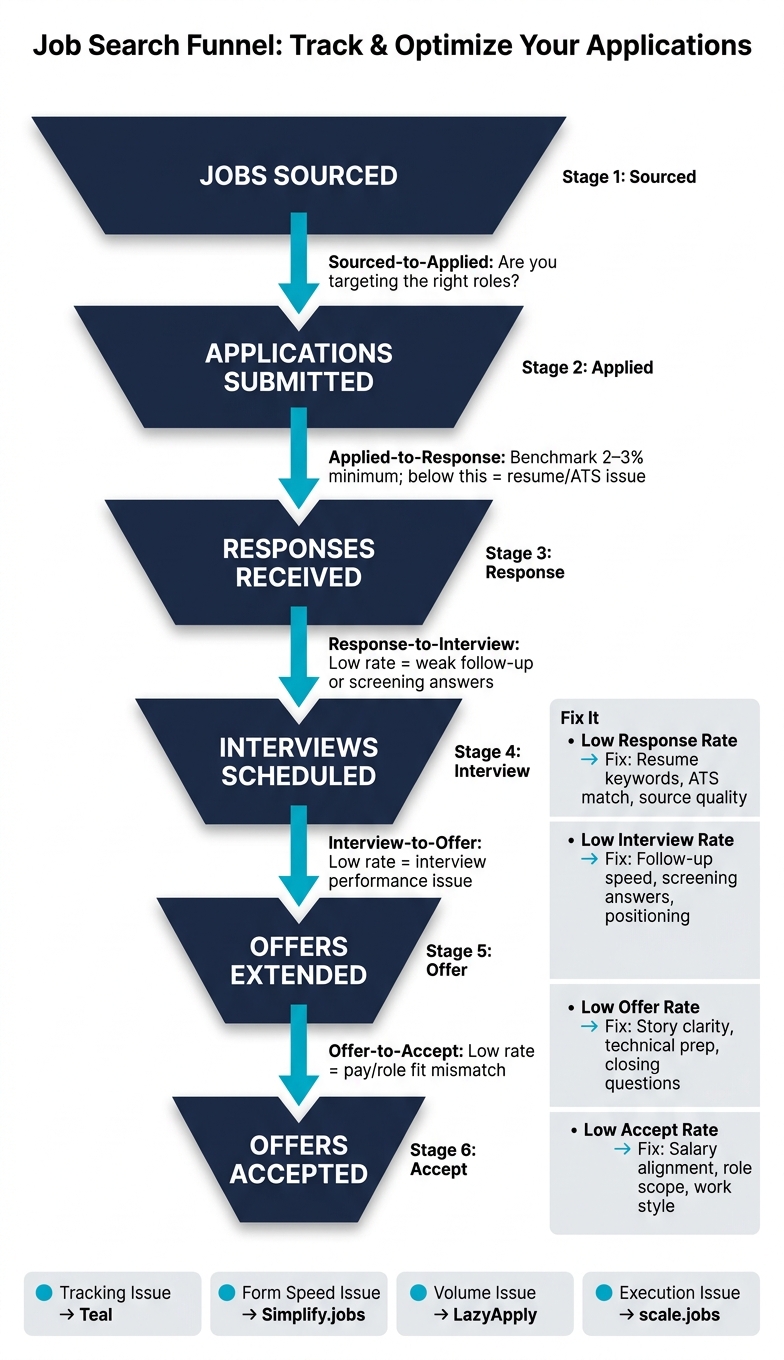
Job Search Funnel: 5 Conversion Rates That Reveal Where You're Losing Opportunities
How to Track Your Job Applications (Job Application Tracker)
sbb-itb-564272e
Quick comparison
| Tool | Best use | Main trade-off |
|---|---|---|
| Teal | Tracking and staying organized | You still do the work |
| Simplify.jobs | Faster manual applications | Final submit still depends on you |
| LazyApply | High-volume sending | Less control over quality |
| scale.jobs | Human-led submissions and proof of work | Better fit when execution is the issue |
What I would do first
- Track 2 to 3 weeks of applications.
- Calculate your conversion rates.
- Find the lowest stage-to-stage number.
- Match the fix to that bottleneck.
- Switch tools only if the data says your current setup is failing.
If you want a clean way to judge whether Teal, Simplify.jobs, or LazyApply is worth it, this is the right frame: which part of the funnel does it fix, and which part does it ignore?
My take in plain English
Most job seekers do not need more dashboards. They need a clear answer to one question: What is stopping interviews? Once I know that, I can decide whether I need a tracker, autofill, a job search platform, or more hands-on help like a Virtual Assistant for Job Applications.
A simple playbook to track the right numbers
I would keep the setup small so it does not turn into a second job.
Use these fields:
- Date applied
- Company
- Role
- Source
- ATS type
- Current stage
- Next action date
- Notes
Then I would review the list every 2 to 3 days and ask:
- Which source gives me the most replies?
- Which ATS seems to slow me down?
- Which roles get recruiter replies?
- Where are follow-ups getting missed?
This matters more than hunting across more best job boards if my current applications are not moving.
How I would read the funnel
1. Low sourced-to-applied rate
This usually means I am saving too many jobs that are not a fit.
What I would fix:
- Tighten title filters
- Narrow salary range
- Drop weak-fit roles
- Focus on fewer sources
If I am applying to both full time jobs and Part time jobs near me, I would track them as separate lanes. Mixing them can hide what is working.
2. Low applied-to-response rate
This is often the biggest red flag.
If I send 100 applications and get only 2 to 3 replies, I would look at:
- Resume keywords
- ATS match
- Job source quality
- Role fit
- Submission quality
This is where tools like an ai resume builder can help if the base resume is weak. If I want more hands-on help, I would look at a human-led service instead of just adding more volume.
3. Low response-to-interview rate
If recruiters reply but screens do not turn into interviews, I would check:
- Screening answers
- Follow-up speed
- Scheduling delays
- Email response quality
This is the stage where a job search coach can help if I need help with pitch or prep. If I keep missing replies because I am busy, I might need support closer to a virtual assistant for job seekers.
4. Low interview-to-offer rate
At this point, the issue is usually interview performance, not applications.
I would focus on:
- Story clarity
- Role fit
- Technical prep
- Closing questions
- Salary alignment
5. Low offer-to-accept rate
This usually points to mismatch, not job-search tooling.
I would review:
- Pay expectations
- Location
- Work style
- Team fit
- Scope of role
X vs Scale.jobs: where each tool fits
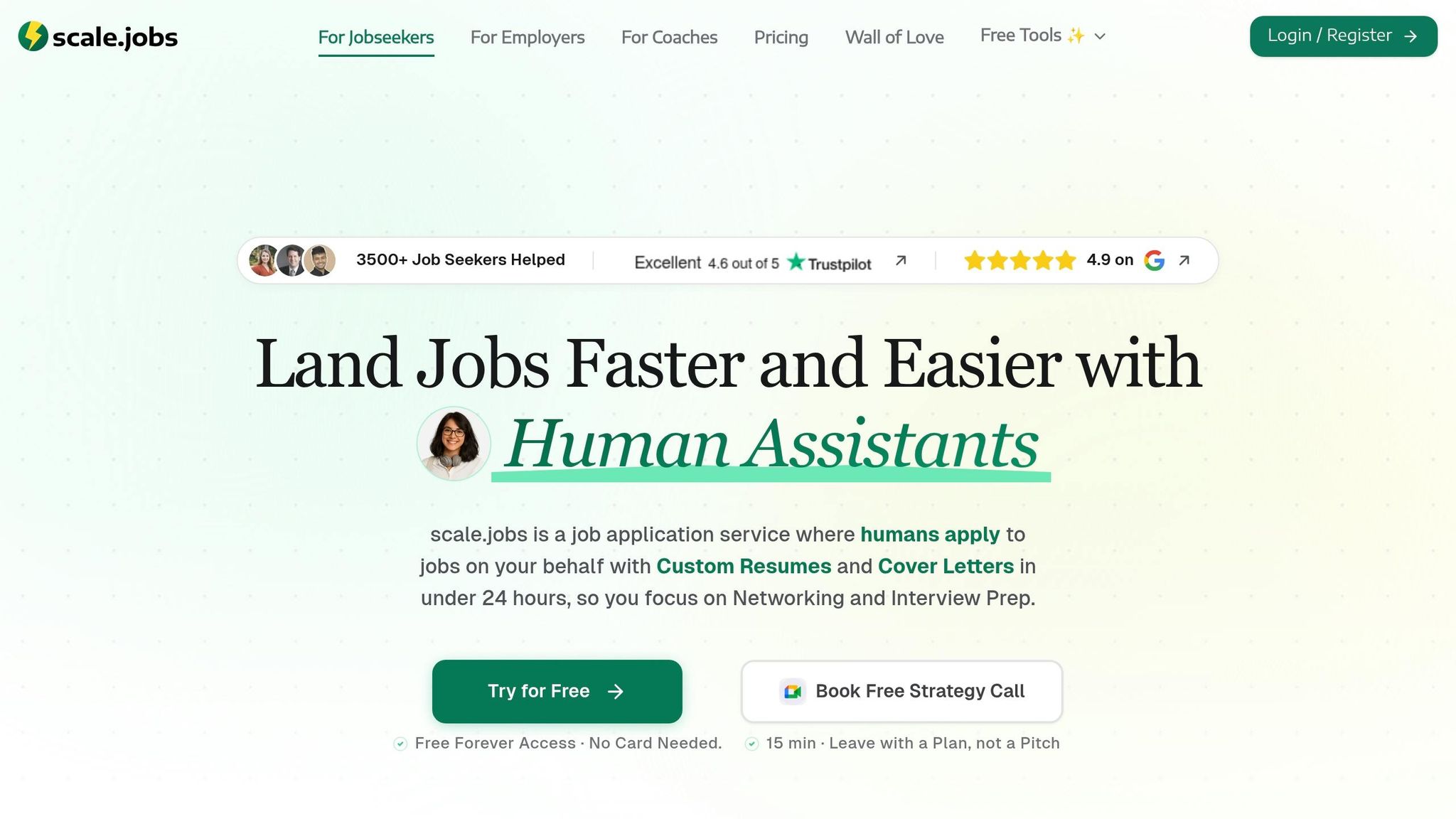
Teal vs Scale.jobs
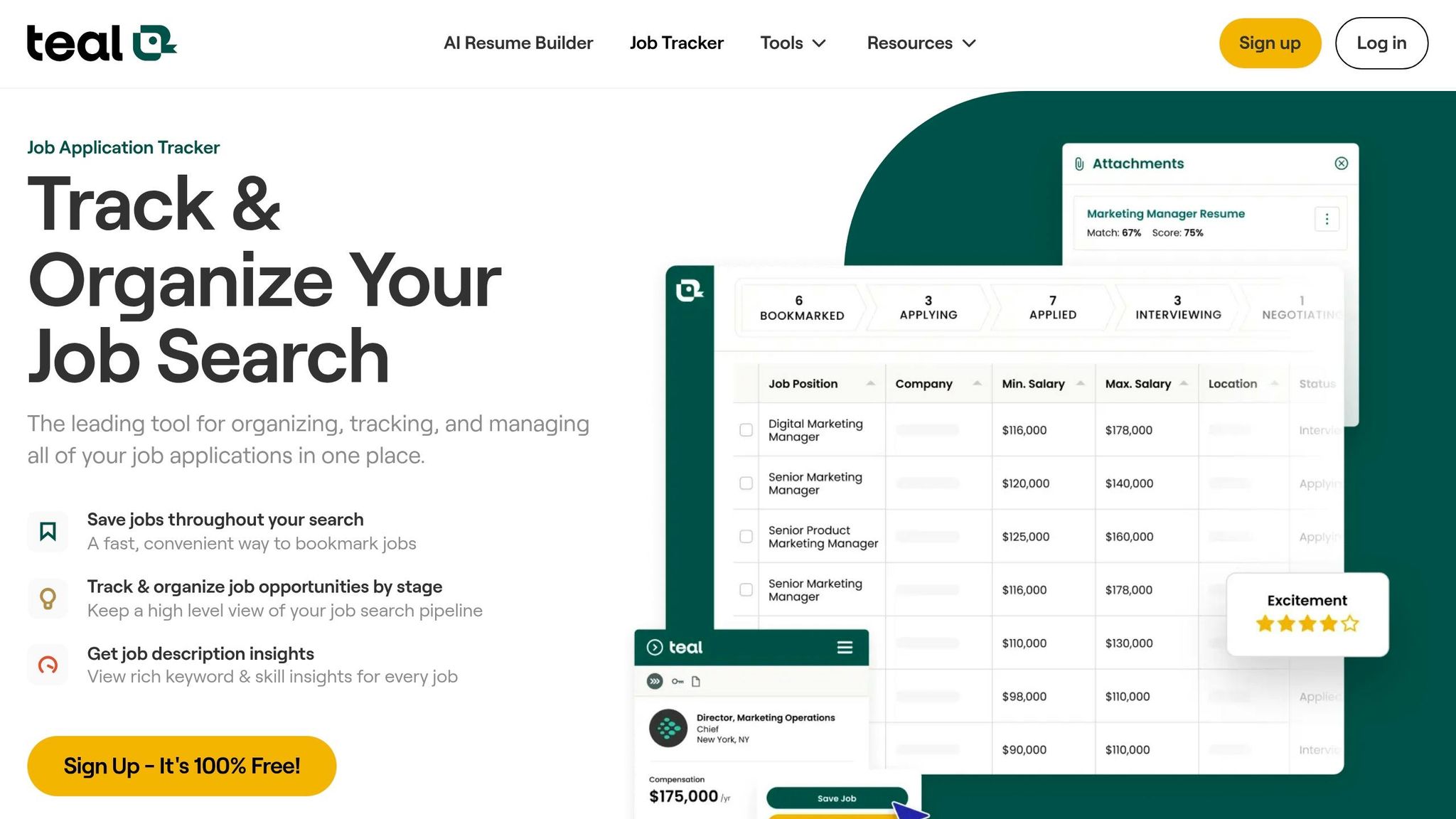
If I need tracking, Teal makes sense.
If I need someone to help with actual submission work, scale.jobs makes more sense.
Use Teal if:
- I like running my own system
- I want a tracker first
- I can keep up with follow-ups and applications
Use scale.jobs if:
- I am falling behind on forms
- I want proof of what was submitted
- I need help across ATS-heavy portals
Simplify.jobs vs Scale.jobs
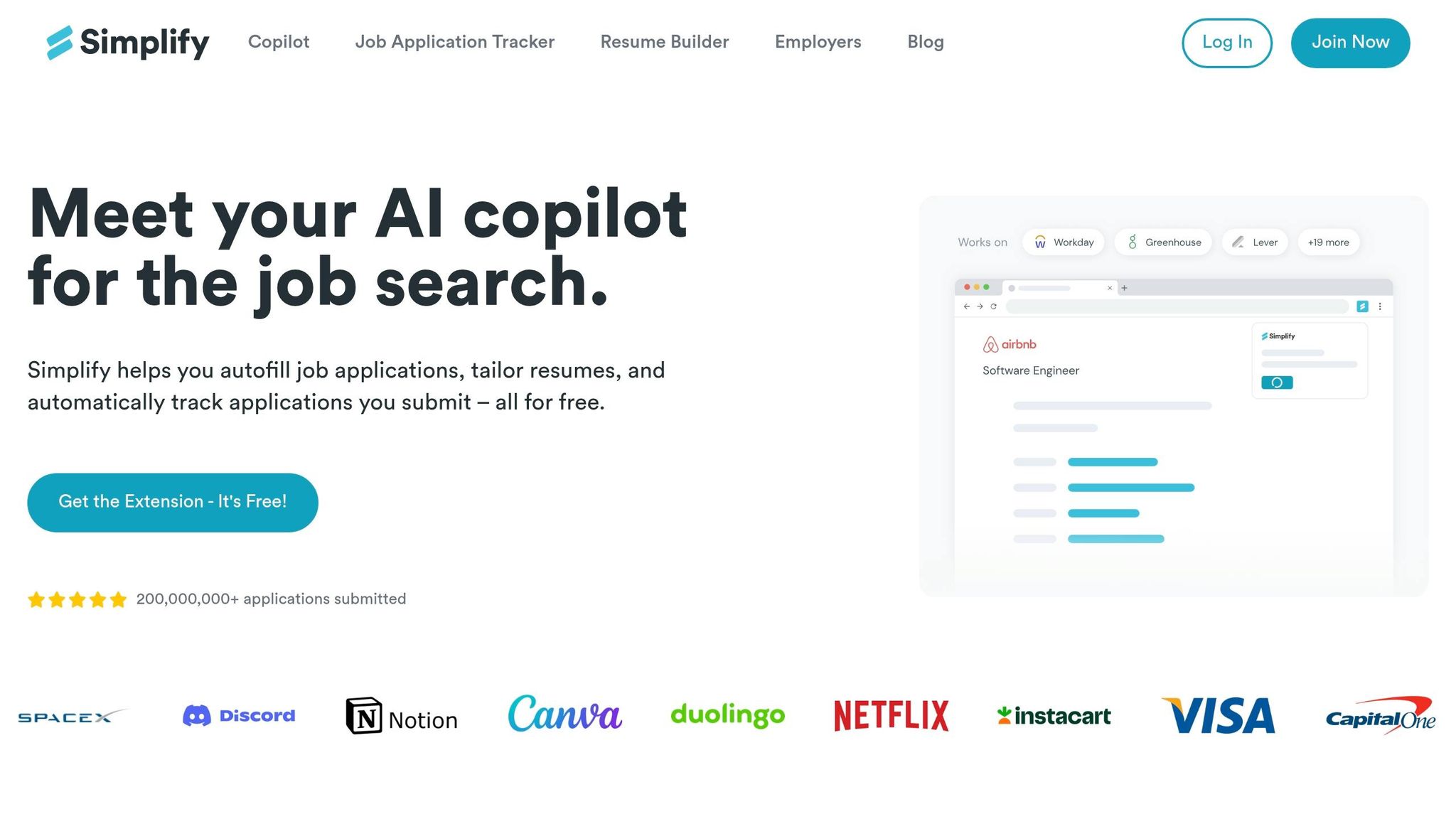
If I want form fill speed, Simplify.jobs is the closer match.
If my issue is bad submissions or low response rates, scale.jobs is the better fit.
Use Simplify.jobs if:
- I am okay doing the final review and submit
- Most forms are simple
- I want a lighter workflow
Use scale.jobs if:
- Complex ATS forms slow me down
- I want role-by-role tailoring
- I want human review on each submission
LazyApply vs Scale.jobs
This comes down to volume versus control.
Use LazyApply if:
- My top goal is sending more applications
- I accept lower oversight
- I want less manual work
Use scale.jobs if:
- My data shows volume is not the issue
- I want cleaner submissions
- I want screenshots and proof of work
Is X Worth It?
Is Teal worth it?
Yes, if my main problem is disorganization.
No, if I already know what to apply to and just cannot keep up with execution.
Is Simplify.jobs worth it?
Yes, if I am slowed down by repeated form fields.
No, if my response rate is poor and I need better targeting or tighter resumes.
Is LazyApply worth it?
Yes, if I want volume and I know the trade-off.
No, if my main problem is low replies from generic submissions.
A simple workflow I would use each week
Here is the weekly loop I would follow:
- Source 20 to 30 roles from 2 to 3 channels
- Filter for fit
- Tailor resume and, if needed, use an ai cover letter builder
- Submit
- Log stage and next action
- Review replies every 48 hours
- Recalculate conversion rates at the end of the week
That is enough to show whether I need better tracking, more help, or a different setup to Apply for jobs with less waste.
FAQ
What is a good job application response rate?
For many job seekers, 2% to 3% is a weak baseline. If I am below that after a fair sample, I would look at targeting, ATS fit, and resume quality first.
How many applications should I track before making changes?
I would want at least 50 applications, and 100 is better, before making a big call. Small samples can mislead.
Should I use a spreadsheet or a tool?
If I have fewer than 15 to 20 active applications, a spreadsheet or Notion board is enough. Above that, I would think about a tool or a managed service.
When should I use a job search virtual assistant?
I would look at a job search virtual assistant when follow-ups, scheduling, and application admin start eating time I need for interviews and networking.
What if I need both tracking and execution?
Then I would choose a setup that covers both. That could mean a tracker plus a human-led service, or a managed path closer to a job search virtual assistant.
Final takeaway
I would not judge my search by raw application count. I would judge it by conversion rates.
If tracking is the issue, use Teal.
If form fill is the issue, use Simplify.jobs.
If volume is the issue, LazyApply may help.
If execution, follow-through, and ATS-heavy submissions are the issue, scale.jobs is the closer fit.
That is the clean way to decide what to change next.
1. Define a job search funnel you can actually measure
Set up a funnel with six stages: jobs sourced, applications submitted, responses received, interviews scheduled, offers extended, and offers accepted.
This matters because a single status column won't tell you where things are going off the rails. You need to see the full path. Also, count every employer reply, including rejections. A rejection still tells you the application was seen, and that helps you measure total response volume.
Those numbers make the next move a lot easier. They show whether you need better tracking, faster autofill, or hands-on help from a job application service or virtual assistant for job seekers.
Once the stages are clear, log them in a format you can update without turning it into a second job.
Here's a basic tracker:
| Date Applied | Company | Position | ATS Source | Target Salary (USD) | Current Stage | Next Action |
|---|---|---|---|---|---|---|
| 07/02/2026 | TechCorp Inc. | Senior Software Engineer | Greenhouse | $145,000 | Interview | Prep for tech round |
| 06/28/2026 | DataInc | Data Analyst | Workday | $95,000 | Applied | Follow up 07/05/2026 |
| 06/25/2026 | CloudNet | Product Manager | $120,000 | Response | Schedule recruiter screen |
Source, stage, and next action are the three fields that turn this from a list into something you can use. The ATS source field, in particular, does a lot of work. Response rates often change by channel, so source mix matters more than people think. If most of your roles come from a low-response source, the issue may not be your resume at all. It may be where you're finding jobs.
That kind of pattern is easy to miss when you Apply for jobs across too many channels without a clean tracker.
With those fields in place, conversion rates show where applications stall.
Use five conversion rates to find where your funnel is leaking
Each stage-to-stage rate gives you a clue.
- Sourced-to-applied shows whether your targeting is tight or all over the place.
- Applied-to-response is often the number to watch most closely. If it's low, the problem is usually your resume, targeting, or source mix. Tools like an ai resume builder can help if your materials need work.
- Response-to-interview shows how strong your first pitch and follow-up are.
- Interview-to-offer tracks interview performance.
- Offer-to-accept shows whether pay and role fit line up.
You don't need a fancy system to calculate any of this. A basic Google Sheets formula that divides responses by applications gives you one of the clearest signals in your funnel.
Think of it like checking for leaks in a pipe. If water isn't making it to the end, you don't replace the whole system first. You find the exact spot where it's escaping.
Why auto-apply tools often hide the real bottleneck
Auto-apply tools like LazyApply and LoopCV help with volume, but they can also make it harder to spot what's broken. More submissions sound good on paper. But if those applications aren't well targeted, you're just moving faster in the wrong direction.
Simplify.jobs focuses on browser autofill to speed up manual applications. scale.jobs adds human execution when you want tracking plus hands-on apply help. That's a key difference.
If your main issue is getting applications out the door, a job search virtual assistant or Virtual Assistant for Job Applications may be a better fit than another auto-apply tool. If your problem starts earlier, such as weak sourcing from best job boards or poor-fit roles, then volume alone won't fix much.
This is also where “X vs Scale.jobs” becomes a useful lens. You're not just comparing features. You're comparing where each tool helps in the funnel. And that leads to the bigger question behind “Is X Worth It?”: does it solve the bottleneck you actually have, or just make one part of the process move faster?
Use the funnel to decide whether you need clearer tracking, faster submissions, or human-assisted execution. From here, the next call is whether a spreadsheet, a Notion board, or a tool-led workflow gives you the cleanest view.
2. Build a tracker that matches how you apply and follow up
Best DIY setup: spreadsheet or Notion board with stage, next action, and ATS source
A spreadsheet or Notion board works well when you’re managing fewer than 15–20 active applications. At that size, you can still keep things clean without turning tracking into a second job. The key is simple: only track fields that help you follow up and move the application forward. Use the funnel data from section 1 to judge how much manual tracking you can keep up with.
The fields that matter most are Company, Role/Position, Source (LinkedIn, Referral, Google Jobs, etc.), ATS Type (Workday, Greenhouse, Lever, iCIMS), Date Applied, Current Stage, Next Action Date, and Notes.
If you use Notion, a Kanban board with columns for Saved → Applied → Screening → Interviewing → Offer → Rejected gives you a simple drag-and-drop view. It’s fast to update, and you can spot bottlenecks at a glance. In Google Sheets, conditional formatting can highlight rows when the Next Action Date has passed, which makes overdue follow-ups hard to miss.
Once you get past 20 active applications, manual tracking starts to drag. Follow-ups slip. Notes get messy. The next-action queue piles up. At that point, it usually makes sense to move to a dedicated job search platform or a managed job application service. If execution is already backing up, compare tools based on who is doing the work, not just what the dashboard looks like.
Tool comparison: Teal, Simplify.jobs, LoopCV, LazyApply, and scale.jobs
These tools separate themselves by workflow ownership. Teal works well for people who want to run their own system. Simplify.jobs helps speed up manual submissions. LazyApply leans toward volume, often at the cost of customization.
scale.jobs takes a different route. Instead of bots or autofill shortcuts, trained human assistants submit forms by hand across Workday, Greenhouse, Lever, iCIMS, and other portals.
That difference matters more than a long feature list. If you’re trying to Apply for jobs at scale, the real question is: Are you tracking the work, or is someone also doing the work for you?
| Feature | Teal | Simplify.jobs | LazyApply | scale.jobs |
|---|---|---|---|---|
| Human Involvement | Low (user-led) | Moderate (user-triggered) | Minimal (bot-driven) | High (trained assistants) |
| Resume Customization | Manual/template-based | AI-generated (limited) | Generic templates | AI + human-tailored per posting |
| ATS Handling | Resume builder | Basic keyword matching | Generic/limited | Expert optimization |
| Application Execution | DIY | Browser autofill | Automated bulk | Trained assistants submit forms by hand |
| Transparency & Proof of Work | Dashboard | Dashboard | Limited logs | WhatsApp + time-stamped screenshots |
| Pricing Model | $29/month | Free tier + subscription | Subscription | One-time flat fee |
Teal and Simplify.jobs are both strong picks for self-directed job seekers who want better organization and a cleaner workflow. The gap shows up when ATS forms get messy, application volume hits the 20–50+ range, or you need proof that submissions actually went through the right way.
If you’re comparing the best job boards and tools at the same time, this is where many people get stuck: the board helps you find roles, but it doesn’t always help you finish the application process well.
Where scale.jobs fits if you want tracking plus execution
scale.jobs includes a job applications tracker, and the first 5 applications are free. That gives you enough room to test the human-assisted workflow and the proof-of-work process before paying for a plan.
The Human Assistant plans start at $199 for 250 applications and go up to $399 for 1,000 applications. These are one-time flat fees, not monthly subscriptions. Assistants handle the actual submissions by hand, which helps avoid bot flags and autofill issues on complex Workday or iCIMS portals. Every completed application includes a time-stamped screenshot sent through WhatsApp, so you can see what was submitted and when.
You can think of it this way: Teal and Simplify.jobs help you stay organized, while scale.jobs acts more like a Virtual Assistant for Job Applications or a virtual assistant for job seekers. That’s a different kind of help. It’s less about keeping a list and more about getting the forms done correctly.
For people applying to a mix of full time jobs and Part time jobs near me, that split matters. A tracker tells you what needs to happen next. Execution makes sure it actually happens.
Teal and Simplify.jobs leave submission on your plate. scale.jobs handles submission and logs proof. That gives you cleaner data when you’re trying to figure out whether the issue is low response rate, weak interview performance, or missed follow-ups.
3. Use your funnel data to fix the exact conversion problem
Once you have source, stage, and next-action data, use that funnel to find the one conversion rate that’s breaking down.
Start with the tracker from the previous section and isolate the weakest stage. That weak spot tells you what to fix next:
- A low response rate usually points to a resume or ATS issue
- Plenty of responses but few interviews usually points to positioning or follow-up timing
- High volume with little movement usually means weak submission quality
This part matters because each failure point needs a different fix. If you use the wrong tool, you can end up doing more work without changing the number that’s actually holding you back.
Low response rate: Jobscan vs scale.jobs for ATS-heavy postings
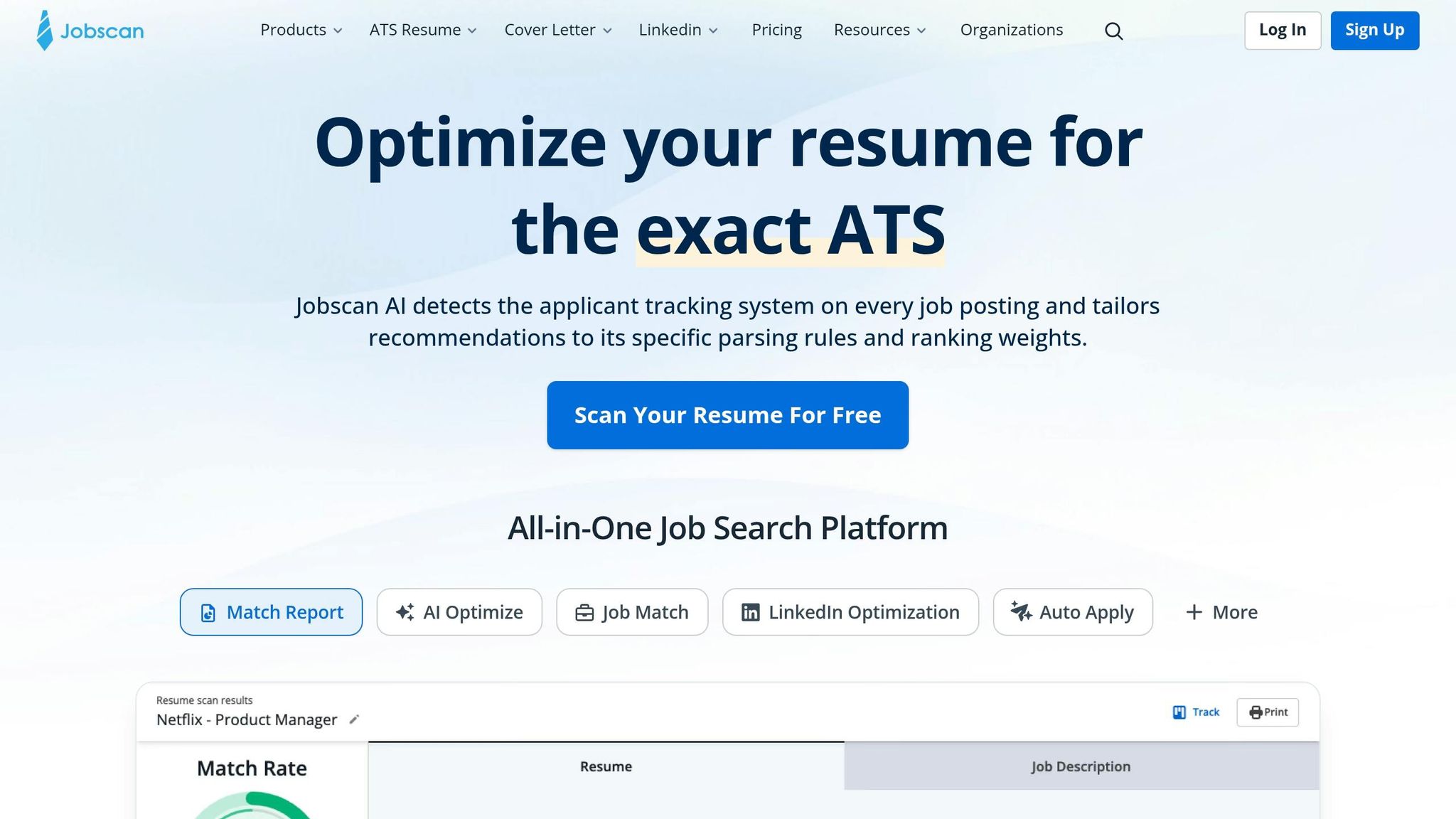
If your response rate is low, the most likely issue is ATS compatibility. An ATS-unfriendly resume can cut your chances even when you’re a strong fit on paper.
Jobscan is useful for this. It compares your resume against a job post, points out missing keywords, and shows where your match is falling short. Tools like Resumeworded and Resume.io give similar feedback at the document level. If you’re a self-directed job seeker who wants to tune your own resume before you apply for jobs, Jobscan is a good place to start.
Its main limit is simple: it tells you what to fix, but not how to move faster after that. It won’t submit applications for you, it won’t adjust your resume for each role at scale, and it won’t handle the ATS form itself. scale.jobs does all three. Human assistants build an ATS-friendly base resume, then adjust it for each role before submitting the form by hand. scale.jobs reports 12–18% response rates, compared with the 2–3% baseline often seen with generic bulk submissions.
| Jobscan | scale.jobs | |
|---|---|---|
| ATS keyword scoring | ✓ | ✓ (AI-assisted) |
| Resume tailored per posting | Manual | AI + human-adapted |
| Application submission | You do it | Human assistant |
| Proof of submission | None | WhatsApp + screenshots |
| Best for | DIY resume audits | Human-run application submission |
Who should use Jobscan: Job seekers who want to self-edit and submit their own applications with better keyword alignment. It can also pair well with an ai resume builder if your base resume needs work before tuning it to job posts.
Who should choose scale.jobs: Job seekers running a high-volume search who need ATS-tuned documents and accurate form submissions without doing it all by hand. If that sounds like you, this is closer to a job application service or even a Virtual Assistant for Job Applications than a resume checker.
If responses look healthy but interviews aren’t happening, the bottleneck has moved past the resume.
Plenty of responses but weak interview conversion: fix positioning and follow-up
If responses are coming in but interviews stall, coaching tools can help with prep. But if the issue is screening answers, follow-up timing, or missed recruiter messages, the problem sits closer to execution.
Interview Kickstart, Wonsulting, and Ramped focus on coaching and interview prep. They’re worth a look if you need mock interviews or guided practice. What they don’t fix is the application layer itself, especially the written answers to screening questions and the timing of your follow-ups.
That’s where scale.jobs supports this stage. It includes an AI Interview Questions Predictor and AI-written answers for screening questions. And if a recruiter follows up while you’re tied up in meetings or just away from your inbox, a dedicated assistant can flag it through WhatsApp so you don’t miss the window. For some people, that kind of support feels less like software and more like a job search virtual assistant or a virtual assistant for job seekers.
A lot of job seekers think, “I’m getting replies, so my process is fine.” Not always. Sometimes the leak starts after the reply, in slow follow-up, weak screening responses, or missed scheduling messages.
If the issue is throughput, then it makes sense to compare automation with human-checked execution.
LazyApply vs scale.jobs for ATS forms
LazyApply does have clear strengths. It cuts down the time spent on repetitive form fields, and it can push out a lot of applications fast.
But your funnel data will tell you whether that speed is helping. If generic bulk submissions keep response rates low, then the issue usually isn’t volume. It’s submission quality.
scale.jobs uses human assistants to fill out every form by hand. Each submission comes with a time-stamped screenshot sent through WhatsApp, so you can confirm the application went through the right way. Pricing is a one-time flat fee: $199 for 250 applications, $299 for 500, or $399 for 1,000.
Who should use LazyApply: Job seekers applying at high volume who care most about speed and cutting down repetitive form entry. This may appeal to people searching across the best job boards, especially when they want to move through listings fast.
Who should choose scale.jobs: Job seekers whose funnel data shows high volume but low response rates, and who want human-checked submissions plus ATS-tuned documents. If you’re targeting a mix of full time jobs and competitive openings, that extra review can matter more than raw speed.
4. Compare the top switch options by workflow, oversight, and pricing
When your funnel data points to a weak spot, the next step is simple: match that weak spot to the tool built to fix it. If the problem is speed, tracking, or submission quality, start there instead of changing everything at once.
Simplify.jobs vs scale.jobs
If submission speed is the issue, start here. Use Simplify.jobs when your applications are ready to go and you mainly want faster form completion.
Simplify.jobs strength: Its browser extension speeds up form filling, and its lightweight dashboard helps track where you’ve applied.
Simplify.jobs limit: You still handle the final submission, so results depend on the quality of your saved profile and how well autofill works. Proof is also thin beyond dashboard logs.
Why scale.jobs wins:
- Human assistants submit each form by hand, not through stored autofill
- Resumes are AI + human-tailored per posting, not pulled from a generic profile
- Every submission includes a WhatsApp update with a time-stamped screenshot
- ATS-heavy forms get expert handling, not basic keyword matching
- A one-time flat fee replaces an ongoing subscription
Who should use Simplify.jobs: Job seekers who want faster manual submissions and a lightweight tracker for routine applications.
Who should choose scale.jobs: Job seekers whose funnel shows low response rates and who need human oversight on each submission, not just faster autofill.
Teal vs scale.jobs
If the problem is admin overhead, tracking matters more than autofill. Use Teal when your main issue is managing the search, not sending more applications.
Teal strength: Teal is built for organization and AI-assisted search management. Its resume builder and application tracker help keep a self-directed job search platform organized.
Teal limit: Execution still sits with you. Tailoring documents, submitting applications, and following up all eat into the same time you need for networking and interview prep.
Why scale.jobs wins:
- Human assistants handle submission work so you can focus on interviews and networking
- Proof-of-work screenshots via WhatsApp replace self-managed logs
- Resumes are tailored per posting by AI + human review, not user-led templates
- ATS forms are completed by hand, which cuts submission errors on complex portals
- A one-time flat fee instead of a recurring monthly subscription
Who should use Teal: Job seekers who want a hands-on system and prefer to manage their own search with strong organizational tools.
Who should choose scale.jobs: Job seekers whose admin overhead is growing and who want to move execution off their plate fully.
LazyApply vs scale.jobs
If volume is high but results are thin, compare bot-led bulk submission with human-led manual execution. Use LazyApply when you want volume first and can live with less oversight.
LazyApply strength: Bot-driven bulk submission sends out a high number of applications with very little effort.
LazyApply limit: Bulk speed comes with less control. When forms need role-specific changes, automated submission can’t adjust well, and it’s harder to verify what actually went through.
Why scale.jobs wins:
- Every application is submitted by hand, not by a bot
- Role-specific resume tailoring happens before each submission
- WhatsApp updates with time-stamped screenshots confirm each completed application
- Human review catches ATS form issues that automated tools often miss
- A one-time flat fee instead of a recurring subscription
Who should use LazyApply: Job seekers whose main goal is maximum volume with minimal involvement and who care less about submission quality for each role.
Who should choose scale.jobs: Job seekers whose funnel shows high volume but low response rates, and who want human-checked submissions with clear proof of work.
The table below narrows the switch decision to the things that matter most.
| Feature | scale.jobs | Simplify.jobs | Teal | LazyApply |
|---|---|---|---|---|
| Human involvement | High (trained assistants) | Moderate (user submits manually) | Minimal (user-managed) | Minimal (bot-driven) |
| Resume customization | AI + human-tailored per posting | Stored profile + autofill | AI-assisted, user-led | Generic templates |
| ATS handling | Expert-led + AI/NLP tailoring | Basic keyword matching | Built-in optimization tools | Limited/generic |
| Application execution | Human-led manual submission | Browser autofill | User submits manually | Automated bulk submission |
| Proof of work | WhatsApp + time-stamped screenshots | Basic dashboard | Self-managed logs | Limited logs |
| Pricing model | One-time flat fee | Free + subscription tiers | Free tier; $29/month for Teal+ | Subscription |
If you’re trying to Apply for jobs with less admin drag, this side-by-side view helps. It’s also useful if you’re weighing a job application service against tools that only speed up part of the process. For people who want more direct help, a Virtual Assistant for Job Applications can make more sense than another dashboard. And if your bottleneck starts at the document stage, pairing this with an ai resume builder can tighten the top of the funnel before submissions even begin.
5. Decision summary: when to switch to scale.jobs based on your funnel
Decision Summary: choose the tool that matches your bottleneck
Pick the tool based on the weakest part of your funnel, not the longest feature list. That sounds simple, but it saves a lot of wasted time.
| Your Bottleneck | Best Tool Match | Why |
|---|---|---|
| Need faster form completion | Simplify.jobs | Speeds up routine submissions at the application stage |
| Need better search organization | Teal ($29/month) | Kanban tracking and AI-assisted writing at the sourcing stage |
| Need ATS/document checks and execution | scale.jobs | ATS-aware tailoring plus managed submissions |
| Need execution + quality + proof | scale.jobs | Human-led submissions, tailored resumes, WhatsApp confirmation |
If this table points you toward scale.jobs, the next step is pretty clear: check whether your funnel has a steady response, follow-up, or execution problem.
Switch to scale.jobs if your data shows these 4 conditions
Your numbers should drive this call, not gut feel. A switch makes sense when these patterns keep showing up:
- Your response rate stays near 2%–3% after a meaningful sample of applications. If you’ve sent enough applications and still barely hear back, the issue may not be effort. It may be weak ATS fit, poor targeting, or resumes that aren’t lined up well enough with the role. That’s where a service like scale.jobs can help if you want more than a basic job application service.
- You miss follow-ups or recruiter replies because you cannot check and act fast enough. This is a common breakdown point. You may be doing the hard part of trying to Apply for jobs every day, but if replies sit untouched for too long, momentum dies. A managed setup can help when execution is the problem, not effort.
- You need proof of work to justify the spend. scale.jobs sends time-stamped screenshots via WhatsApp for every completed application. That matters more than people think. If you’re paying for help, you want to see what got done, when it got done, and how often. It’s one thing to promise support. It’s another to show the receipts.
- You want a one-time flat fee instead of another monthly subscription. The first 5 applications are free so you can test the workflow before you commit. That setup can feel easier to justify, especially if you’re already paying for tools like an ai resume builder or an ai cover letter builder and don’t want one more recurring bill.
A simple way to think about it:
- Use Teal if your main issue is tracking
- Use Simplify.jobs if your main issue is speed
- Use scale.jobs if your main issue is execution, follow-through, and document fit
For many people, the problem isn’t finding more best job boards. It’s handling the work that comes after the search.
Conclusion: track conversion rates, not raw volume
At this stage, the choice comes down to workflow fit: self-managed tracking, faster autofill, or human-led execution. If response rates stay low or interviews stall, the problem is usually targeting, ATS fit, or follow-up, not just volume alone.
That’s why your funnel matters more than your raw application count. If you’re already sending a decent number of applications but still not moving forward, a job search platform that adds execution support can make more sense than another tool that only helps you organize the same stuck process.