
I Saw People Switched From Auto-Apply to Human Help: Here's Why

Sarah Mitchell
August 19, 2026

My takeaway is simple: sending more applications does not fix weak applications In this market, people are moving from auto-apply tools to human help because they want more interview callbacks, fewer form errors, and clear proof of what was sent.
Here’s what stood out to me right away:
- Auto-apply tools can send a lot of applications, but generic resumes and missed ATS fields hurt callback rates.
- Human-reviewed help works better when roles have custom questions, visa sponsorship fields, salary questions, or messy ATS forms.
- Tools like LazyApply, LoopCV, Sonara, Simplify, Jobscan, TealHQ, Rezi, and Find My Profession each help in different parts of the process.
- If your goal is to Apply for jobs with better accuracy, the last step matters as much as resume prep.
If you only want one answer, it’s this: auto-apply fits simple, repeatable roles; human help fits higher-stakes applications where errors cost interviews.
Quick comparison
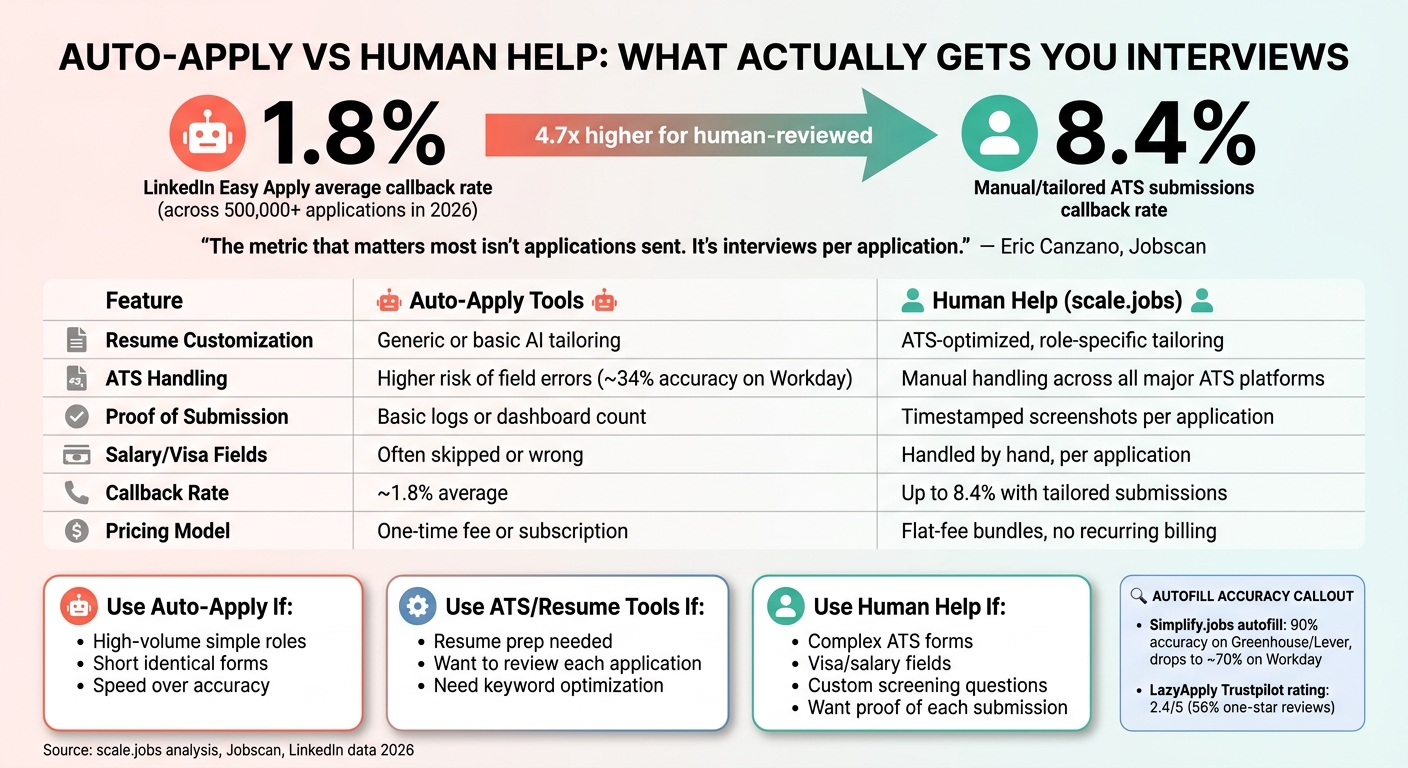
Auto-Apply Tools vs Human Help: Callback Rates & Key Differences
| Tool type | Best for | Main limit | Best choice when |
|---|---|---|---|
| Auto-apply tools | High-volume, similar roles | Low control, common form errors | You want volume over precision |
| Resume/ATS tools | Resume prep, autofill, tracking | You still submit yourself | You want help before applying |
| Human application help | Custom applications and cleaner submissions | Higher upfront cost | You want better-fit submissions and proof |
sbb-itb-564272e
What I’d do first
If I were deciding today, I’d use this 3-step check:
- Look at callback rate, not application count
- Check whether ATS forms in your target roles are simple or messy
- Pick the tool based on submission risk, not convenience
That’s the core reason many candidates now compare automated job applications with a job application service or a job search virtual assistant instead of chasing volume alone.
Why people switch from bots to human help
I keep seeing the same pattern: people start with automation because it looks fast and low-cost, often using auto-apply tools. Then they notice one of these problems:
- too many applications with too few replies
- forms marked “done” without clear proof
- wrong answers in screening fields
- resumes sent to jobs that do not match well
That’s when human support starts to make more sense. A Virtual Assistant for Job Applications can handle the form, check the job fit, and track what was sent.
My short verdict on the tools in this article
LazyApply vs Scale.jobs
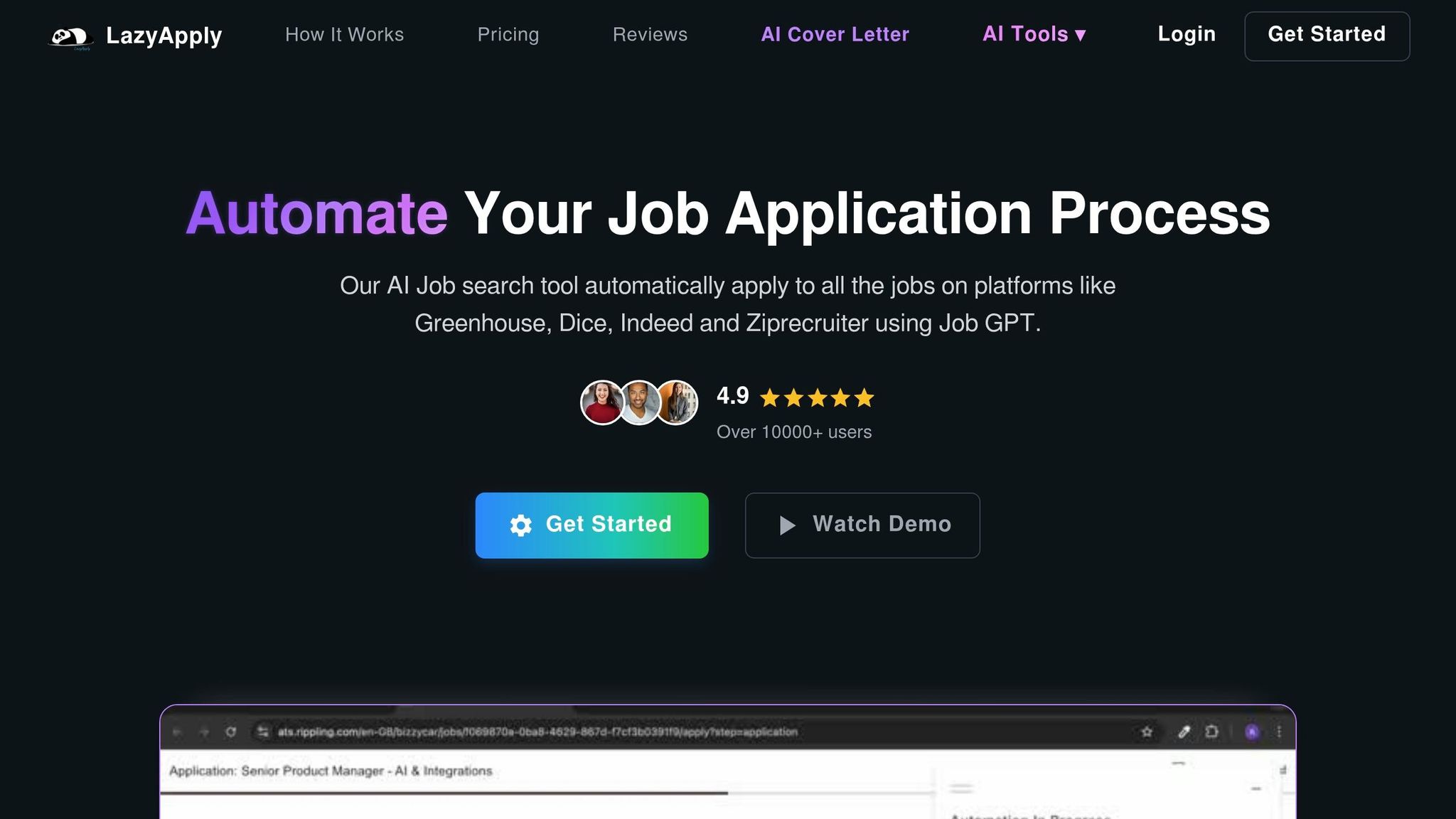
If I wanted raw volume, I’d look at LazyApply. If I cared more about cleaner submissions, I’d lean toward Scale.jobs. This is mostly a speed vs control decision.
Is LazyApply worth it?
Yes, for simple applications in bulk. No, if your target jobs have custom ATS steps or you need close tracking.
LoopCV and Sonara vs Scale.jobs
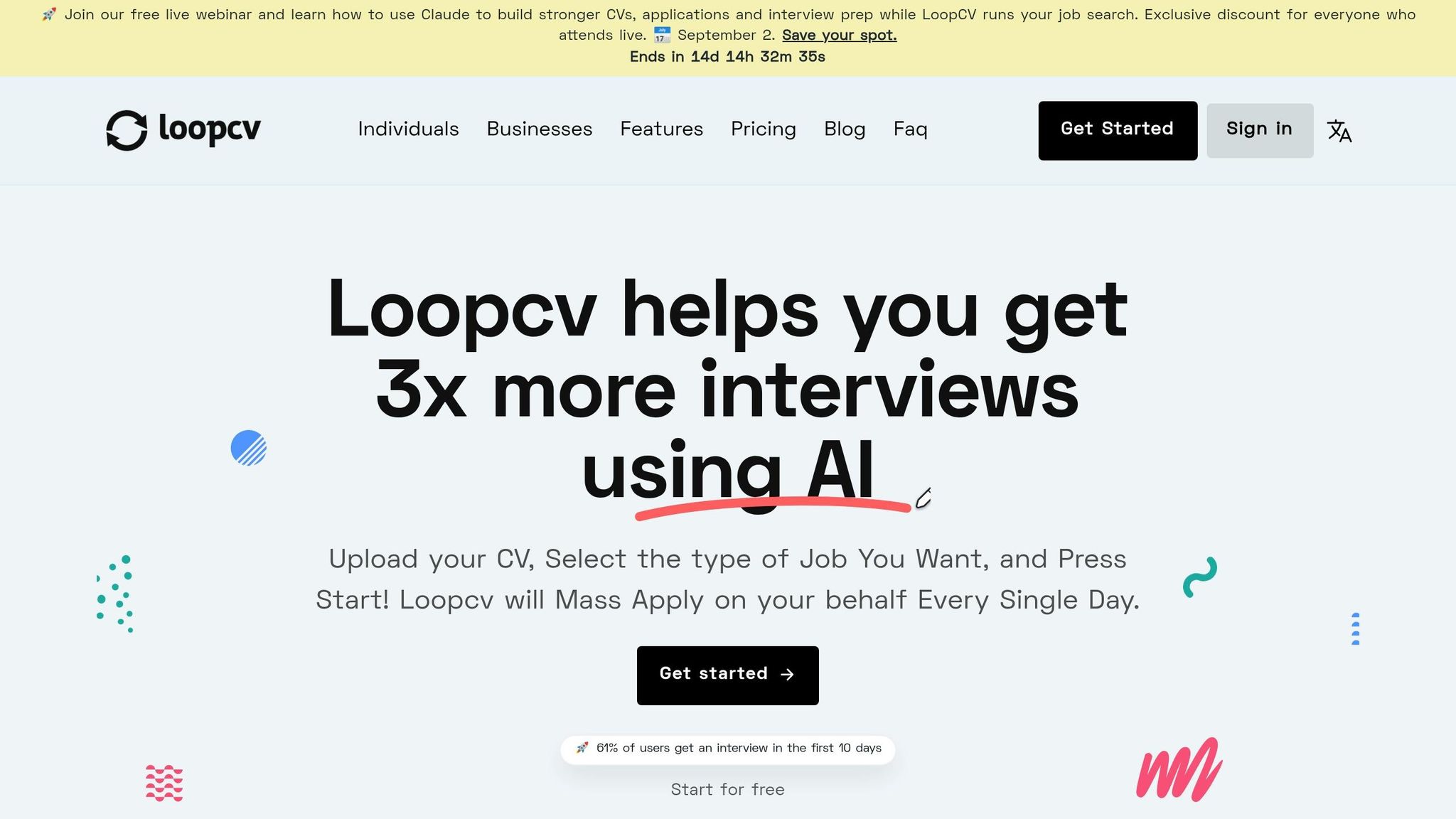
LoopCV and Sonara make sense when your search is broad and the forms look alike. But once screening questions and custom fields show up, the risk goes up.
Simplify, Jobright, TealHQ, Jobscan, and Rezi vs Scale.jobs
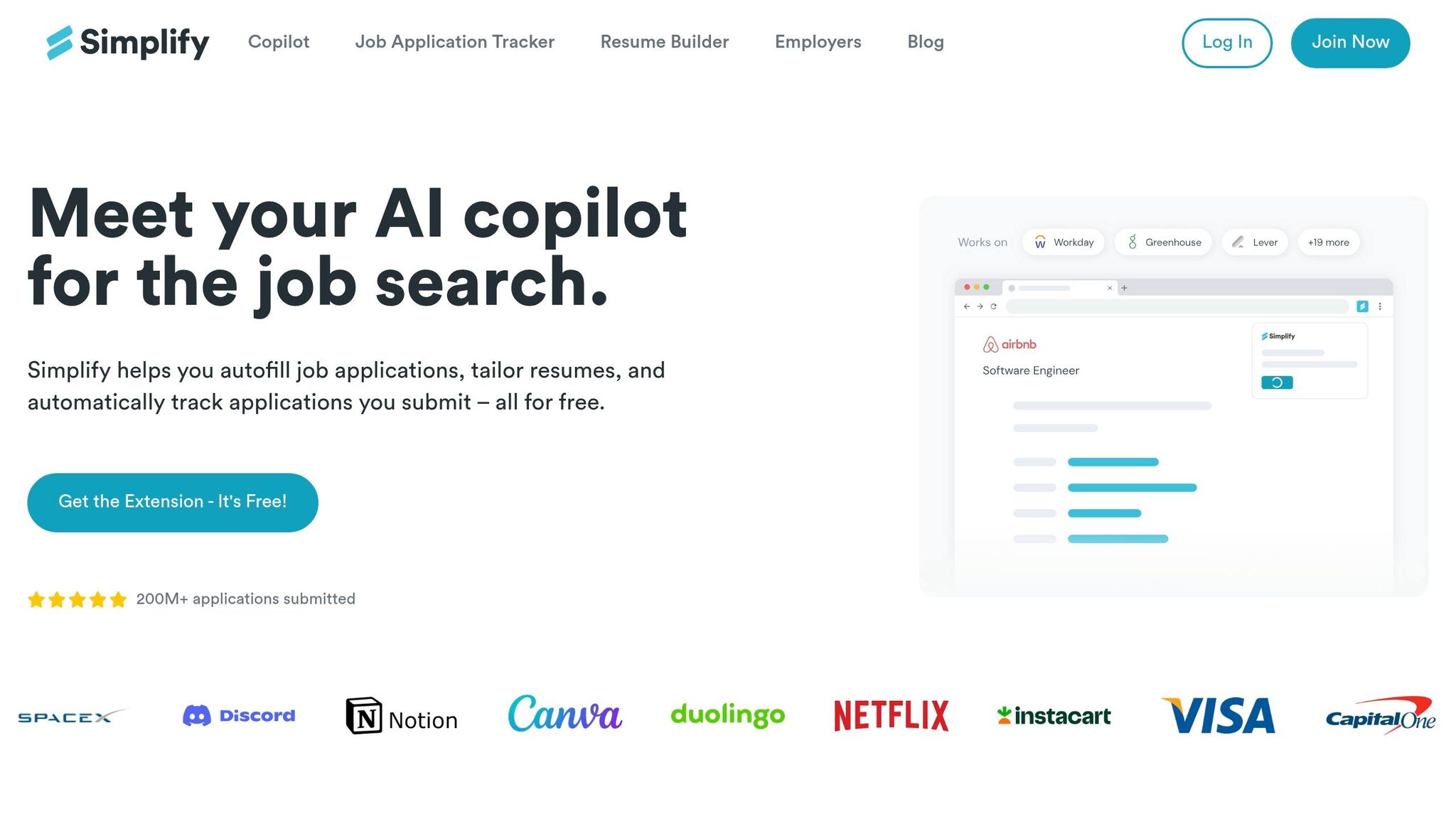
I see these more as prep tools than finish-line tools. They help with resume work, tracking, and autofill. They do not replace careful submission.
If I were using them, I’d pair them with either my own review process or a virtual assistant for job seekers.
Find My Profession vs Scale.jobs
Find My Profession helps most when the resume itself is the main issue. But if you also want someone to submit the applications, it stops short.
A simple decision playbook
Here’s the fastest way I’d sort this out:
Use auto-apply tools if:
- you’re applying to basic, repeatable roles
- forms are short
- you care more about output than accuracy
Use software tools if:
- you want help with resumes, human-crafted vs automated keywords, and tracking
- you still want to review each application yourself
- you want support from an ai resume builder or ai cover letter builder before submitting
Use human help if:
- your roles have custom questions
- you need visa or salary fields handled carefully
- you want proof of each submission
- you’re targeting higher-stakes full time jobs or even local searches like Part time jobs near me
FAQ-style answers
Why are auto-apply tools getting weaker results now?
Because job competition is up, and recruiters filter harder. A generic resume plus a weak ATS submission now fails more often than before.
Is human application help only for senior roles?
No. I think it also fits career changers, who need to highlight transferable skills, international candidates, and anyone dealing with ATS-heavy employers.
Are autofill tools enough on their own?
Sometimes, yes. But only if you still review each application carefully on the job search platform you use.
Should I pay for a resume service first?
If your resume is poor, yes, start there. If your resume is fine but execution is the problem, application help will matter more.
Bottom line
I’d switch from auto-apply to human help when each application has to be right, not just sent. That’s the main reason people are making the move now.
If your search is simple, use automation. If your search is harder, custom, or high-stakes, human help gives you more control, cleaner submissions, and a better way to track what’s working.
Why auto-apply tools fall short when you need actual interview callbacks
Low response rates from generic resumes and broad job targeting
The main issue with auto-apply tools is fit, not speed. They can send a lot of applications fast, but speed doesn't help much when the same resume goes to roles that don't match. That's where callback rates start to fall apart.
The numbers make this pretty clear. LinkedIn Easy Apply averaged a 1.8% callback rate across 500,000+ applications in 2026. Direct ATS applications that were manually submitted and tailored reached 8.4%. That's a big gap, and it explains why people comparing LazyApply, LoopCV, or Sonara with Scale.jobs start to care less about volume and more about what was actually sent.
If you're trying to Apply for jobs and get interviews, this matters. A low callback rate usually points to mismatched applications, not a need to send even more.
"The metric that matters most isn't applications sent. It's interviews per application." - Eric Canzano, Jobscan
Silent failures, skipped fields, and no proof of what was submitted
Low response rates are only one part of the mess. A lot of automation-first tools run into silent failures. They may mark a task as done in the dashboard, while the actual application was never finished the right way.
This tends to happen on multi-step forms. Required fields get skipped. Dropdowns get read the wrong way. Extra questions don't map cleanly. And when that happens, candidates often have no clear proof of what was submitted.
Some fields can make or break an application:
- Salary expectations
- Sponsorship requirements
- EEO fields
Leave one blank, or answer it the wrong way, and the ATS may reject the application before a recruiter ever sees it. That's one reason a job application service with human review can help more than a pure automation tool. At Scale.jobs, human assistants check these details before the application goes out. That's a very different setup from automation-first products.
If you've used a job search platform before, you've probably seen this firsthand: the dashboard says "applied", but you still have no clue whether the form was complete, accurate, or even submitted the way the employer wanted.
When auto-apply still makes sense
Auto-apply tools aren't useless. They can work fine in a narrow lane.
If you're applying at high volume to similar entry-level roles with nearly identical requirements, tools like LazyApply or LoopCV can save time. In that case, resume changes are small, ATS forms are usually simpler, and the downside of a missed field is lower.
That use case often comes up for people chasing full time jobs or basic admin, support, or operations roles in bulk. But outside that lane, human review is usually the better choice, especially if you're aiming for better-fit roles and want more than a dashboard full of submissions.
For job seekers who need closer support, a Virtual Assistant for Job Applications can catch the small errors that automation tends to miss.
LazyApply vs scale.jobs: why users switch from automation to human-powered apply
Is LazyApply worth it? Strengths, reviews, and where it fits
LazyApply makes the tradeoff pretty obvious: more speed, less control.
It runs in your browser and submits applications on its own. The one-time fee is also appealing if you want a low-cost way to apply for jobs at scale. For simple, repetitive roles with similar forms, that can work. If the questions barely change, volume can make up for weak tailoring.
But the weak spots show up fast. Reviews mention field errors, CAPTCHA failures, and trouble getting refunds. LazyApply has a 2.4/5 Trustpilot rating, with 56% of users leaving 1-star reviews [1].
That kind of speed loses some punch when ATS fields, screening questions, and role-level tailoring decide whether your application even gets looked at. If you're going after roles that need more care, a job application service with human review tends to do better.
Why scale.jobs gets better results for candidates who care about response quality
scale.jobs takes a different route. Instead of browser automation, trained human assistants fill out each application by hand. That sounds slower on paper, but in practice it solves the stuff that often breaks automated tools.
Here’s where that difference shows up:
- Human assistants submit every application by hand, which cuts down silent failures on tough ATS platforms like Workday, where basic automation accuracy can fall to around 34% [2]
- Salary expectations, visa sponsorship questions, and custom screening answers are handled by a person, not a script
- ATS-optimized documents are tailored per role, instead of being reused from one base resume
- Dedicated WhatsApp support gives you live updates and a direct line to your assistant
- Timestamped proof-of-work screenshots show what was submitted and when
If you're using a job search virtual assistant, this is the part that matters most: not just sending more applications, but sending the right applications cleanly.
Here's the workflow difference in plain terms.
| Feature | LazyApply | scale.jobs |
|---|---|---|
| Human involvement | None - fully automated | Human review and manual submission |
| Resume customization depth | Generic or basic AI tailoring | ATS-optimized, role-specific tailoring |
| ATS handling | Higher risk of field errors on complex ATS forms | Manual handling across major ATS platforms |
| Application execution method | Browser automation tool | Manual submission in live browsers |
| Transparency and proof of work | Basic logs | Timestamped screenshots and application dashboard |
| Pricing model | One-time fee | Flat-fee bundles, no recurring billing |
This is also why some job seekers move from tools to support-led options. A Virtual Assistant for Job Applications can deal with odd screening logic, dropdown errors, and messy employer portals in a way automation often can't.
Who should use LazyApply, who should choose scale.jobs, and when to switch
LazyApply fits people chasing simple, repetitive roles at high volume, where speed matters more than tailoring. That can include some entry-level listings, bulk outreach for full time jobs, or fast-moving searches where the forms all look about the same.
scale.jobs fits people targeting roles with multi-step ATS forms, visa or work authorization fields, or custom screening questions where one wrong answer can quietly end the process. It’s a stronger fit if you want hands-on help from a virtual assistant for job seekers, not just a browser tool running in the background.
The switch usually makes sense when submission accuracy matters more than raw volume.
Switch to scale.jobs if:
- Your target roles involve complex ATS forms, visa sponsorship fields, or custom screening questions
- You are seeing silent failures, skipped fields, or form errors on platforms like Workday or Greenhouse
- You need accurate handling of salary expectations or work authorization status
- You want timestamped proof of each submission, not just a log count
- You prefer flat-fee, one-time pricing over a recurring subscription
LoopCV and Sonara vs scale.jobs: auto-apply engines compared to human oversight
LoopCV and Sonara are built for volume. They run subscription-based auto-apply workflows that can help when your goal is to send a lot of applications fast.
The tradeoff is accuracy.
When a tool applies on its own, it can miss screening questions, skip required fields, or send broad applications that don’t line up well with the role. That kind of mistake often doesn’t trigger an alert. It just lowers your odds of getting a reply.
scale.jobs takes a different route. Instead of stopping at automation, it adds human review and manual execution. Human assistants check each role before applying, submit in live browsers, and handle salary expectations, sponsorship status, and custom screening fields by hand. That helps cut the quiet errors that auto-submit tools can miss and keeps each application cleaner.
| Feature | LoopCV / Sonara | scale.jobs |
|---|---|---|
| Human involvement | None - fully automated | Human assistant reviews and submits each application |
| Resume customization depth | Generic or profile-based | Human-reviewed, role-specific tailoring |
| ATS handling | Higher risk of skipped or mismatched fields | Manual handling across complex ATS platforms |
| Application execution method | Automated discovery and submission | Manual submission in live browsers |
| Transparency and proof of work | Basic logs | Timestamped screenshots per application |
| Pricing model | Subscription ($24.90–$24.99/month) | Flat-fee bundles, no recurring billing |
Why scale.jobs fits better
- Human review before each submission improves role fit and cuts missed fields
- Salary expectations, sponsorship status, and screening questions are handled by human virtual assistants
- Timestamped proof of work shows what was submitted and when
If you want a high-volume job application service, the key question is simple: do you want speed only, or do you want someone checking the details too?
Who should use LoopCV or Sonara: Use them for standardized roles where volume matters more than tailoring.
Who should choose scale.jobs: Choose it when screening questions, sponsorship fields, or proof of submission matter.
That difference stands out even more when you compare auto-apply tools with autofill and ATS products used during the prep stage of the Apply for jobs process.
Simplify.jobs, Jobright, TealHQ, Jobscan, and Rezi vs scale.jobs: useful software, but limited execution
This group of tools is strong at prep and organization.
Simplify has 1 million+ Chrome installs and a 4.9/5 rating, which shows how well it works as an autofill helper. Jobscan has 2 million+ users and more than 12 years of ATS keyword data behind it. Teal works well for job tracking and resume organization. Rezi handles AI-driven resume drafting. Jobright offers a free tier.
That’s the good part.
The shared limit across all five is the same: they help you get ready, but you still have to hit submit. Simplify reports 90% autofill accuracy on Greenhouse and Lever, but that drops to around 70% on Workday. If you’ve ever filled out a messy Workday form, you already know why that matters. A missed field, wrong dropdown pick, or skipped screening answer can sink an application.
scale.jobs steps in where these tools stop. A human assistant handles the actual submission, including the parts autofill tools often miss, like custom screening questions and decision fields tied to salary expectations and sponsorship.
| Feature | Optimization Software (Teal, Jobscan, Rezi) | Autofill Tools (Simplify, Jobright) | scale.jobs |
|---|---|---|---|
| Human involvement | None | None (user clicks submit) | Human assistant submits each application |
| Resume customization depth | AI keyword suggestions | Profile data mapping | Human-reviewed, role-specific tailoring |
| ATS handling | Keyword matching only | Basic field mapping; ~70% on Workday | Manual handling across complex ATS platforms |
| Application execution | User does it | User does it | Human VA does it |
| Transparency and proof of work | Not applicable | Not applicable | Timestamped screenshots |
| Pricing model | Free to $29.99/month | Free to $29.99/month | Flat-fee bundles from $199, no recurring billing |
Why scale.jobs fits better
- It executes the application instead of leaving the last step to you
- Human review catches custom fields and document mismatches on complex ATS forms
- Timestamped screenshots show what was actually submitted
These tools can still be useful. An ai resume builder or ai cover letter builder can help you move faster at the prep stage. But prep is not submission. That’s the line many job seekers run into, especially when juggling dozens of roles across more than one job search platform.
Find My Profession vs scale.jobs: document experts vs full application support
Find My Profession makes sense when the main issue is the resume itself.
If your document needs work and you want a polished resume written by a pro, it can be a solid place to start. But the limit is scope. You receive the finished resume, then you still do the application work on your own.
scale.jobs starts where that kind of service stops. Rather than ending with document delivery, it uses ATS-optimized resume versions tailored to each role, dedicated WhatsApp support, and timestamped proof for every application submitted. For senior-level searches, executive roles, or career changes, that fuller support is often the reason people switch.
You can think of it this way: Find My Profession helps you look ready on paper. scale.jobs helps move the application across the finish line.
Why scale.jobs fits better
- It goes beyond document delivery into actual submission
- ATS-optimized resume variations are tailored per role
- You get hands-on support and proof of work instead of just a file
For job seekers who want more direct help, that can feel closer to working with a job search virtual assistant than comparing online resume writing services to find the right fit.
Who should use Find My Profession: Use it if your resume quality is the main issue and you mainly want a professionally written document.
Who should choose scale.jobs: Choose it if you need the resume customized per role, the applications submitted for you, and clear visibility into what was applied to.
Decision summary: when paying for human help is worth it
Which tool fits which situation
Use a simple rule here: pick based on callback quality, not application count.
Stick with automation tools like LazyApply, LoopCV, or Sonara when you're targeting high-volume roles with simple, repeatable forms. If speed is the main goal, these tools can do the job.
Use a document or ATS tool like Simplify.jobs, Teal, or Jobscan when you want more control over each submission and mostly need help with form fill or keyword matching. This setup works well for lower-volume searches where you still want to apply for jobs yourself.
Move to scale.jobs when each application carries more weight. That's often the case for mid-to-senior roles, career shifts, or visa-linked searches where forms get messy and mistakes can cost you.
| Situation | Best fit |
|---|---|
| High-volume, standardized roles | Auto-apply bots |
| Resume optimization, keyword tuning | Jobscan, Teal, Simplify |
| Full application support, senior/specialized roles | scale.jobs |
| Career change or visa-dependent search | scale.jobs |
Next steps for candidates ready to switch
If you want to try human help without going all in, start small.
A smart way to test scale.jobs is the Free Trial Plan: first 5 applications free. Then track interview requests per application, not total submissions. That's the number that tells you if the process is working.
Review the timestamped screenshots for every submission. Check that the job title, target level, and resume version match what you meant to send. That quick review can show where your current job application service is falling short.
Switch when submission accuracy matters more than volume. Switch to scale.jobs if:
- Your target roles include complex ATS forms, visa sponsorship fields, or custom screening questions
- You're seeing silent failures, skipped fields, or form errors on platforms like Workday or Greenhouse
- You need careful handling of salary expectations or work authorization status
- You want timestamped proof for each submission, not just a total in a dashboard
If you're also deciding whether to pay for a polished resume before scaling up your search, scale.jobs offers resume writing and full application support packages that pair document work with actual submissions. That matters. A polished resume doesn't help much if no one is there to use it well.
For job seekers who want both document help and hands-on execution, this sits somewhere between an ai resume builder, an ai cover letter builder, and a full Virtual Assistant for Job Applications. The difference is that you get human review, ATS-tuned documents, flat-fee pricing, WhatsApp support, and proof the work was done.