
How to Write a Cover Letter Using AI (Without Sounding Like a Bot)

Sarah Mitchell
June 19, 2026
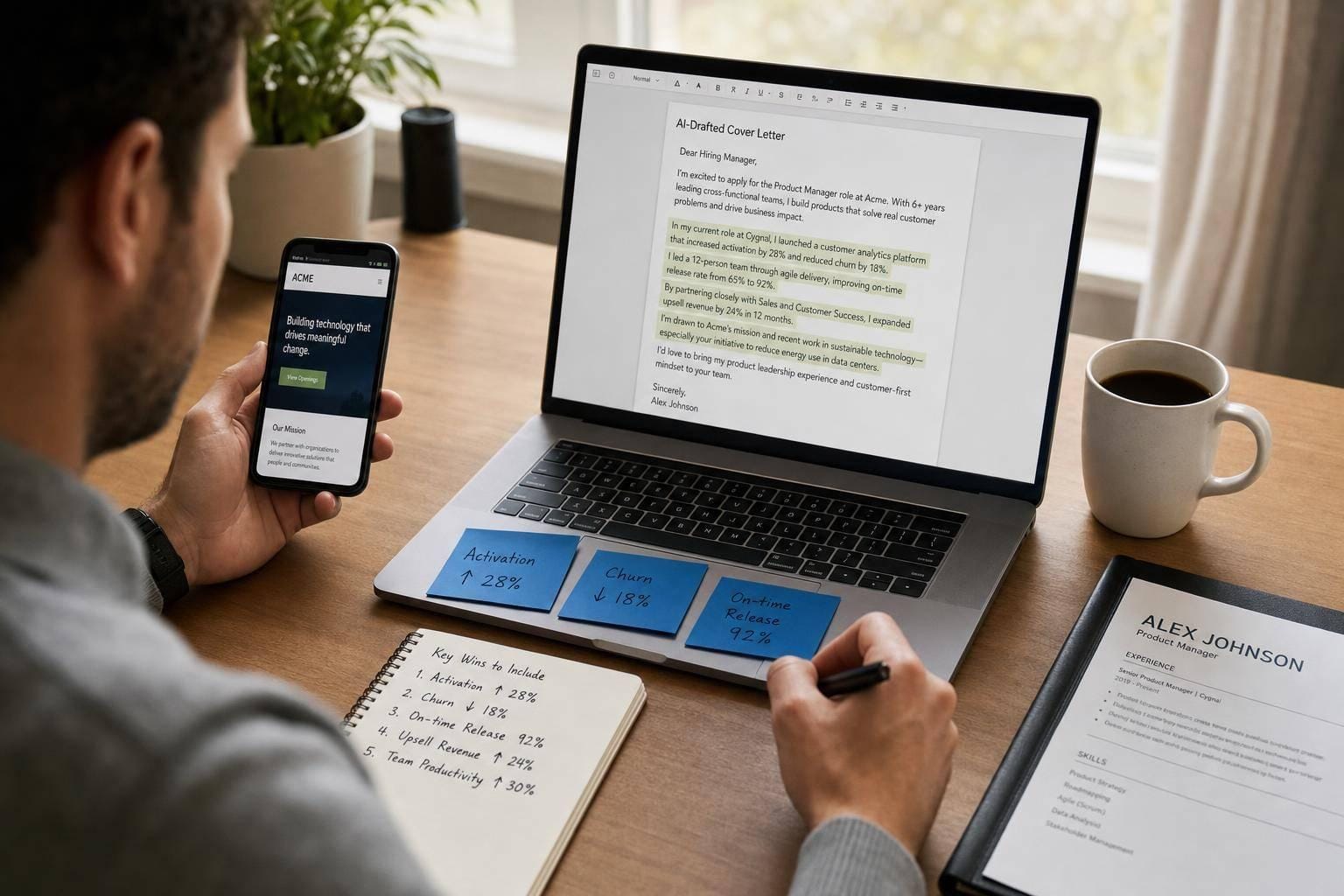
Yes, I use AI for cover letters - but I never send the first draft. That’s the whole point. AI is good at structure, keyword matching, and getting words on the page. It fails when the letter needs proof, company detail, and a voice that sounds like a person.
If you want better results, here’s the short version:
- Paste in the full job post and your full resume
- Add 3 to 5 measured wins
- Give AI one reason the role fits your next move
- Tell it what to avoid: filler, made-up facts, and stale phrases
- Edit the draft so each paragraph points to the job
A weak AI letter can look polished and still get ignored, often due to common cover letter mistakes. In my view, the gap is usually not the tool - it’s the input and the edit.
Writing a Cover Letter with ChatGPT (that doesn’t look like it was written by AI) - Prompts Included
sbb-itb-564272e
What I’d do first
If I were writing a cover letter with AI today, I’d use this simple workflow:
- Decode the job description to pull the top 3 needs
- Match each one to proof from my background
- Ask AI for a draft under 350 words
- Cut generic lines and add one company detail not listed in the job ad
- Check every number, title, and name before sending
If I also needed help with resumes, I’d pair that with an ai resume builder. If I wanted help after the draft stage, I’d look at a job application service instead of relying on auto-submit tools alone.
Quick comparison
| Tool type | Best use | Main issue |
|---|---|---|
| AI drafting tools | First draft and keyword fit | Can sound flat or made up |
| Resume scoring tools | ATS checks and keyword match | You still have to write and submit |
| Auto-apply tools | High-volume sending | Weak control over quality |
| Human-led help | Draft review and manual applying | Costs more than DIY |
The playbook I’d use
AI should help you start, not finish. I’d use it to organize facts, then I’d rewrite the draft so it sounds tied to one role, one company, and one person: me.
My simple workflow for AI cover letters
I keep this process tight because most cover letters do not need more words. They need more proof.
Step 1: Gather the right inputs
Before I prompt anything, I collect:
- The full job description
- My full resume
- My LinkedIn profile
- 3 to 5 measured results
- One short reason I want this role now
That input set does most of the work. Without it, AI fills space with lines that could fit almost any applicant.
If you’re building drafts often, an ai cover letter builder can help keep things in one place.
Step 2: Tell AI what to do - and what not to do
I don’t ask for “a strong cover letter.” That’s too loose.
I ask for:
- The top job needs pulled from the posting
- Resume proof matched to those needs
- A short opening tied to the company
- A draft under 350 words
- No made-up facts
I also add rules like:
- Do not invent tools, projects, or metrics
- Do not use phrases like “results-driven” or “proven track record”
- Do not start every sentence with “I”
That one move cuts a lot of the bot-like tone.
Step 3: Replace claims with proof
This is where most letters get better fast.
Instead of writing:
I am a strong fit for this role.
I’d write:
I built retention reporting that helped move day-7 retention by 14% in my last role.
Instead of:
I am excited to join your team.
I’d write:
Your move into SMB lending lines up with the work I’ve done for the past two years.
Same idea, less fluff.
What I’d check before sending
I use a short checklist:
- Cut stale phrases
- Check every number
- Break long paragraphs
- Add one company detail from outside the job post
- Confirm the company name, role title, and sign-off
Reading it out loud helps. If a sentence sounds like office filler, I cut it.
If you want outside help at this stage, a job search coach or a virtual assistant for job seekers can help catch mistakes.
Is AI enough on its own?
Sometimes. But not always.
If you’re applying to a few roles and have time to edit, AI can be enough for drafting. If you’re applying across many portals, the writing may not be the main problem anymore. The work shifts to job search automation for forms, uploads, screening questions, and tracking.
That’s where a job search platform or a Virtual Assistant for Job Applications starts to matter more.
LazyApply vs Scale.jobs
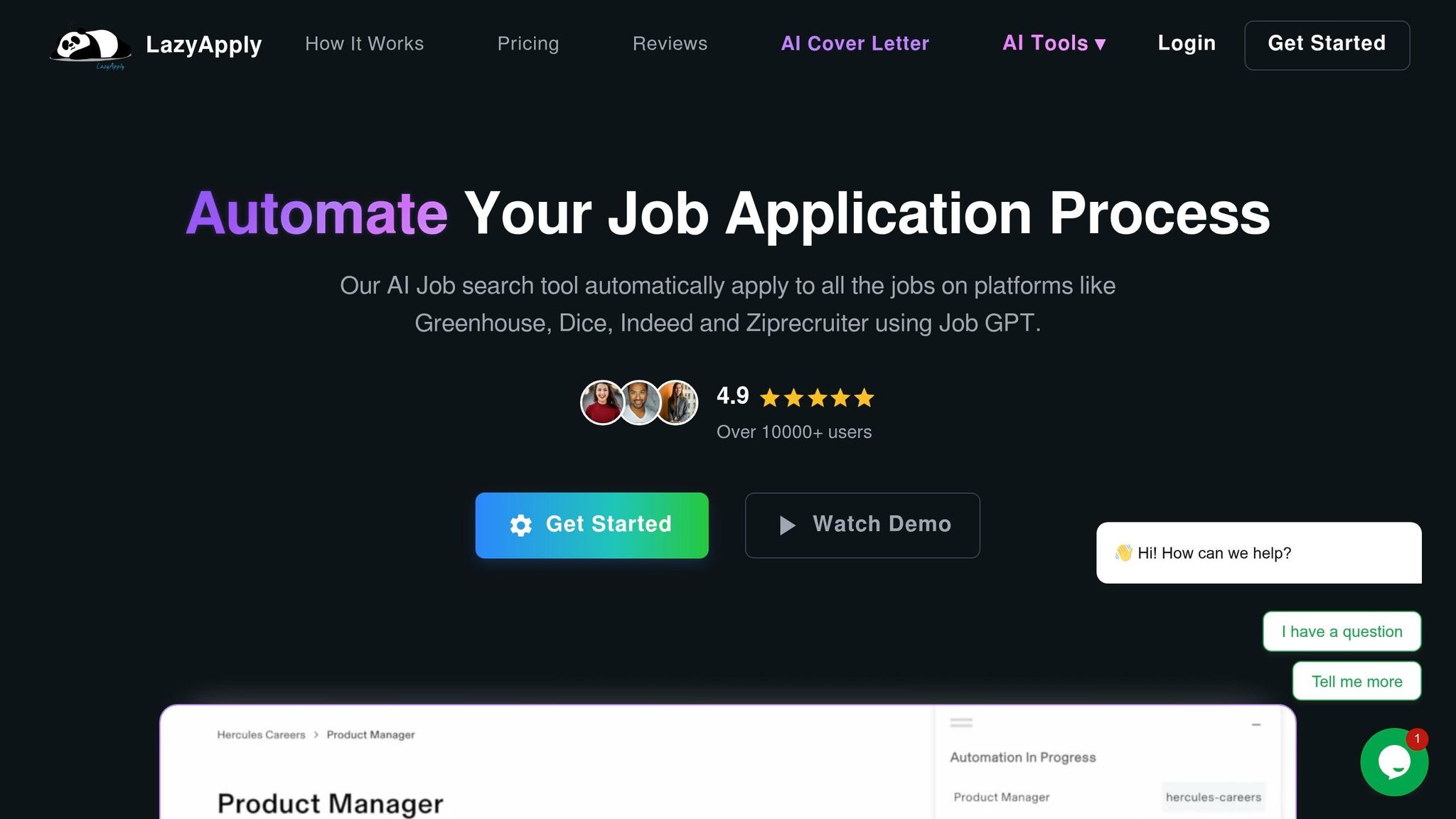
If the goal is pure volume, LazyApply can make sense. It’s built to send a lot of applications fast.
Where I’d be careful is quality control. Job application automation tools can repeat the same wording, miss portal issues, or send weak drafts at scale. That can hurt more than it helps for roles with more competition.
Scale.jobs takes the opposite route: people handle each submission by hand. That matters if you want cleaner execution, screenshots, and less risk of sloppy sends.
Is LazyApply worth it?
It can be, if volume is your whole plan.
I’d look at it for:
- Entry-level roles
- High-turnover hiring
- Cases where speed matters more than tailoring
I would not lean on it if I were targeting harder-to-win roles where each application needs close attention.
Teal or Jobscan vs Scale.jobs
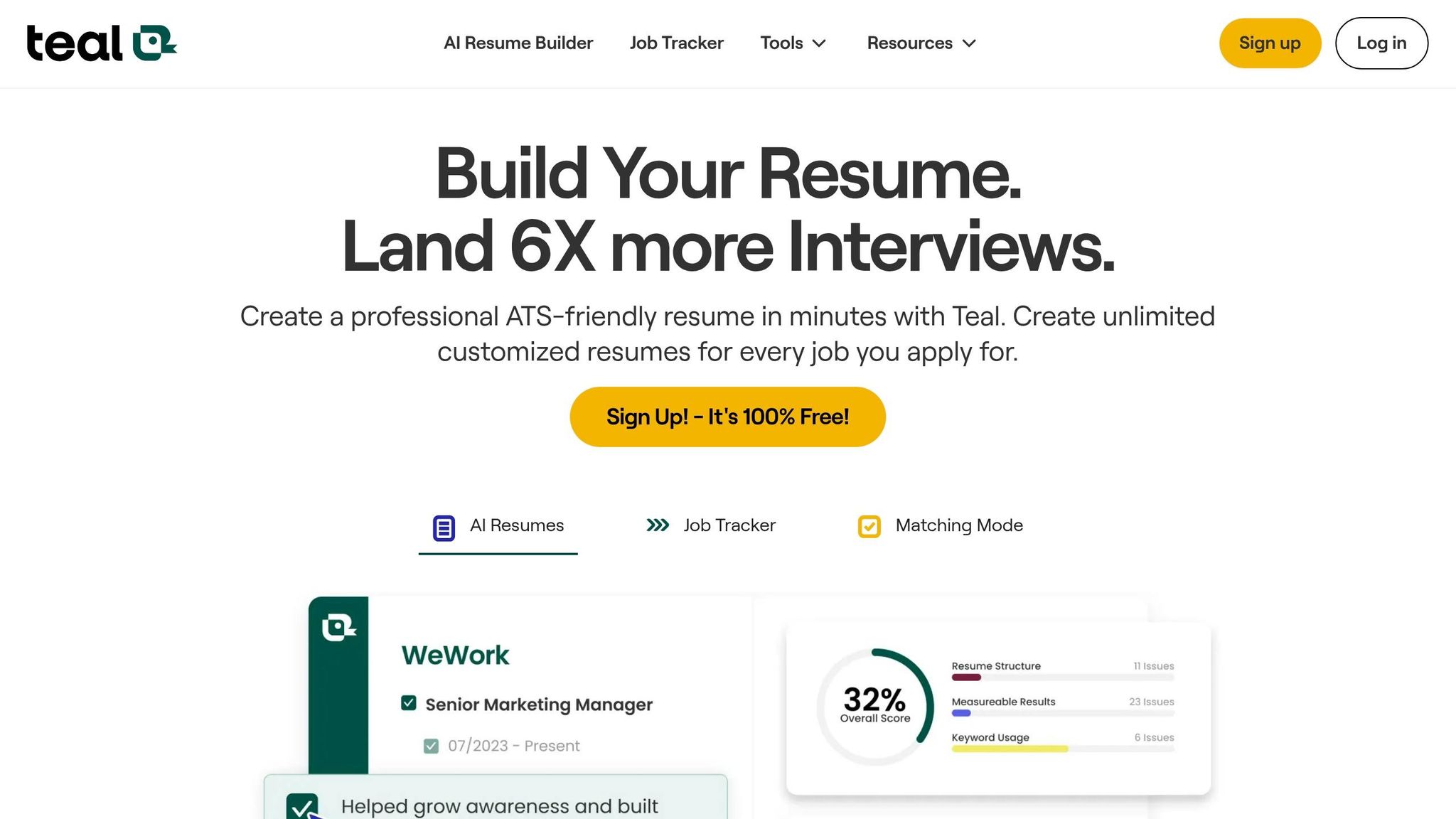
Teal and Jobscan are more useful for document checks than submission. They help with keyword fit, scoring, and tracking.
That’s useful - but you still do the applying yourself.
So the split is simple:
- Use Teal or Jobscan if you want help with fit and tracking
- Use Scale.jobs if you want help with drafting and applying
If you’re trying to Apply for jobs while working full-time, that difference can matter a lot.
Is Teal or Jobscan worth it?
Yes, if you want document feedback and can handle the rest yourself.
I’d use them when I need:
- Resume keyword checks
- Match scoring
- Search tracking
I would not expect them to solve the admin side of the process.
FAQ-style answers
Can recruiters tell if a cover letter was written by AI?
Often, yes. Common signs include flat openings, repeated phrases, and claims with no proof. The fix is simple: add measured results and one company-specific detail.
How long should an AI cover letter be?
I’d keep it between 250 and 350 words. That’s long enough to show fit and short enough to hold attention.
What should I give AI before asking for a cover letter?
At minimum:
- Full job post
- Full resume
- 3 to 5 results with numbers
- Company name
- Job title
- One reason the role fits your next step
Should I use the same cover letter for every job?
No. Even a small edit helps. I’d change the opening, proof points, and company detail every time.
What if I’m applying to many jobs each week?
Then I’d split the work. Use AI for draft speed, and use human help for the admin side if needed. That can mean a job application service, or even using the free AI job search tools to narrow where I spend time.
My bottom line
AI is good at starting. People are better at finishing.
I’d use AI to get past the blank page, pull keywords, and shape the draft. Then I’d edit hard so the letter sounds human, shows proof, and fits the role.
If your problem is writing, use AI well.
If your problem is volume and follow-through, get job application assistance with the rest.
That’s how I’d keep a cover letter from sounding like a bot - and how I’d give it a better shot of getting read.
Build an AI cover letter workflow that stays specific to each job
Start with five inputs: the job posting, your resume, your LinkedIn profile, 3–5 quantified wins, and one reason this role fits your direction. Without those, an AI draft tends to slide into filler.
If you want a clean system for this, pair your draft process with an ai cover letter builder and keep your source material in one place. That makes it much easier to stay consistent from one application to the next.
Use AI for structure and extraction, not for invented details
AI helps most in two areas: pulling the top requirements from a job description and arranging your material into a clear intro-body-close format. It can spot which keywords in the posting line up with your resume and suggest ATS-friendly phrasing. That part saves time.
Where it falls apart? Context. It does not know your career the way you do. If you leave out a metric, it may make one up. If you skip a recent company detail, it may default to vague language that could fit almost any employer.
The rule is simple: verify every metric and every company detail before you send the letter.
A good way to think about it: AI is a strong organizer, not a mind reader. Use it to sort and shape your material, not to fill in blanks. If you also use an ai resume builder, make sure the resume and cover letter tell the same story.
The exact inputs that produce better AI drafts
Once your workflow is set, the next step is giving the model the right material. In most cases, the gap between a generic draft and one you can use comes down to the limits you set at the start.
A strong prompt should include the full job ad text, your full resume pasted in, the company name and target title, your real metrics, and one sentence on why this role makes sense for you right now.
For example, you might include metrics like reduced customer churn by 18%, managed a portfolio of 3,200 customers, or identified $50,000 in annual savings through process changes. Those details give the draft something solid to work with.
Just as important, tell the AI what not to do. Add rules such as "do not invent experience", "do not use phrases like 'passionate professional' or 'proven track record,'" and "maximum 350 words." Those limits remove a lot of the obvious AI tone before you even open the first draft.
The model matters less than how tightly you constrain the prompt.
| Input | Why It Matters |
|---|---|
| Full job description | Keyword extraction and requirement mapping |
| Full resume pasted in | Grounds the draft in your real experience |
| 3–5 quantified achievements | Gives the AI real evidence instead of filler |
| Company-specific detail | Creates specificity a recruiter will notice |
| Hard constraints | Prevents hallucinations and AI-sounding phrases |
If you're using a broader job application service or working with a job search coach, this same input set still applies. Better inputs lead to better drafts, whether you're doing it yourself or getting help.
Where scale.jobs fits if you want drafting plus application execution
If you're comfortable writing and editing, this workflow works well as a DIY setup. You draft with AI, tighten the language, check the facts, and submit on your own.
But sometimes the hard part isn't the writing. It's the grind after that: filling out portals, answering screening questions, uploading the right files, and tracking what went where. That's where scale.jobs fits. It handles that execution layer so steps don't get missed or sent with errors.
For many job seekers, that's the actual bottleneck. You may know how to Apply for jobs, but doing it over and over across dozens of listings is a different problem. If that sounds familiar, a Virtual Assistant for Job Applications or a virtual assistant for job seekers can take over the admin side while you stay focused on targeting the right roles.
If you're comparing tools, the next section breaks down LazyApply, Sonara.ai, Teal, and Jobscan against this workflow.
How to prompt AI and edit the draft so it sounds like a real applicant
A prompt format that gets role-specific, ATS-friendly resumes and cover letters
Once you have the right inputs, the next step is simple: make the model use them. If you don't, it drifts into bland copy.
Most weak drafts come from weak prompts. To get a role-specific first pass, feed the model the job post, your resume, and your notes from company research. Then tell it exactly what to produce: the top job requirements, proof from your resume mapped to those requirements, a 3-line opening tied to a recent company event, and a draft capped at 350 words with no invented details.
One line helps a lot here: a professional introduction focused on the employer's needs, not a resume recap.
Then add hard constraints. For example:
Do not start sentences with "I." Avoid words like "passionate", "leverage", and "spearheaded." Do not make up metrics, tools, or projects.
That kind of prompt cleans up a lot of the robotic tone before you even start editing. If you're using a tool like an ai cover letter builder, these rules still matter. The tool can speed things up, but the prompt sets the direction.
If you're sending a high volume of applications, this works well with a tighter job application service flow too: research first, prompt second, edit last.
Bot-like lines vs. specific lines: side-by-side examples
Use the first draft as raw material. Then replace vague claims with proof.
The opening line is usually where AI gives itself away. Recruiters notice it fast. The fix is not just deleting stiff phrases. The fix is swapping them for lines tied to work you've actually done.
| Bot-Like Line | Specific Replacement |
|---|---|
| "I am a results-oriented professional with a proven track record." | "I managed a 50-table pipeline processing 2M+ rows/day, cutting failure rates from 8% to 0.5%." |
| "I am excited to apply my passion for excellence to your team." | "Your recent move into SMB lending is the exact problem space I've spent two years solving at [Previous Company]." |
| "I believe I would be a great fit for this role." | "I've built the retention reporting your product team currently needs, moving day-7 retention by 14% in my last role." |
The pattern stays the same: trade the broad claim for a measured result tied to a real setting.
This is also where your resume matters. If your base resume is weak, even a decent prompt won't save the letter. A clean ai resume builder can help you tighten the source material before you start writing.
A short checklist to run before you send the cover letter
After the rewrite, do one fast quality pass before sending.
You can use AI for a second edit, but the last review should be yours or done by someone who knows the field. That's the safest way to catch awkward wording, made-up claims, or details that don't match the role. If you want outside help, a job search coach or a virtual assistant for job seekers can be useful for that final check.
Use this checklist:
- Remove clichés, then read it aloud to catch stiff phrasing: delete "thrilled to apply", "hit the ground running", "team player", and "results-driven", then listen for anything that sounds like ad copy instead of how you talk
- Verify every number, title, and company detail in the final draft: if the letter says you reduced costs by 22%, make sure that number matches your past work
- Shorten long paragraphs: if a paragraph runs more than three sentences, break it up
- Add one company detail that is not in the job ad: a recent product launch, a news item, or a line from the company's engineering blog
- Check name, company, role, and sign-off: make sure each specific reference is correct and the close sounds professional
If you're trying to Apply for jobs at scale, this last review step is the part people skip most often. That's usually where sloppy mistakes slip in.
Is LazyApply, Teal, Jobscan, or Sonara.ai worth it? Reviews and why some users switch to scale.jobs
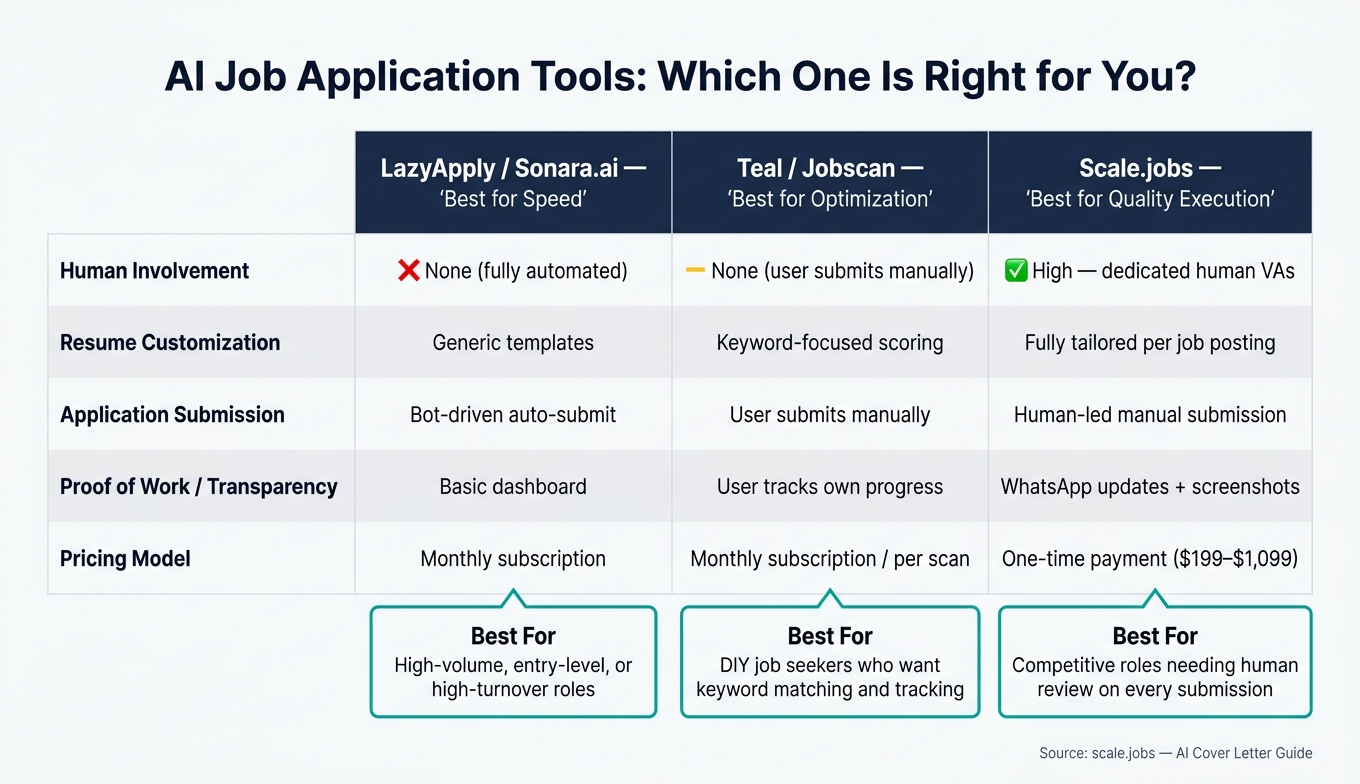
AI Cover Letter Tools Compared: LazyApply vs Teal vs Jobscan vs Scale.jobs
Once your draft looks good, the next step is simple: can your tool help you submit applications cleanly and correctly? That’s where these platforms start to split apart.
LazyApply and Sonara.ai vs scale.jobs: high-volume automation vs human-powered applying
LazyApply and Sonara.ai are built for speed. If you’re chasing entry-level, high-turnover, or other roles where volume is the main play, that speed can help.
The catch is quality control. Both tools depend on automated submissions, and that can lead to portal issues or extra manual-review risk. Recruiters are also getting better at spotting AI patterns in resumes and cover letters, especially when they see the same recycled wording again and again.
scale.jobs goes another way. Instead of bots auto-submitting, human assistants handle each application by hand. They work through niche portals, deal with odd screening questions, and attach documents matched to the job description. If you want more than an auto-submit tool, that hands-on setup matters. It’s closer to a job application service than a browser extension.
Why scale.jobs wins here:
- Human assistants submit each application by hand instead of relying on automated scripts.
- Niche portals and unusual screening questions get handled by a person, not a script.
- Every submission includes screenshots and WhatsApp updates so you know exactly what went out.
Best for LazyApply or Sonara.ai: Job seekers going after high-volume, entry-level, or high-turnover roles where speed matters more than deep tailoring.
Best for scale.jobs: People aiming for competitive roles who want human review on every submission and prefer a one-time payment over a monthly subscription.
If you only need help drafting faster, these tools can work. If you also want someone to help you Apply for jobs without managing each portal yourself, the next comparison matters more.
Teal and Jobscan vs scale.jobs: optimization tools vs end-to-end execution
Teal and Jobscan are built for optimization. They help with keyword matching, resume scoring, and tracking. What they don’t do is submit the applications for you.
That’s fine if you have the time. It becomes a bottleneck when you’re applying at scale while working full-time, interviewing, or trying to move fast on a deadline. This is the key split: resume optimization help vs actual application execution.
scale.jobs covers the whole loop: ATS-tailored resumes and cover letters, human review, and manual submission, plus WhatsApp support, live updates, and time-stamped screenshots. If you’re comparing document help too, their resume writing services combine written materials with hands-on apply support. For job seekers who need more than an ai resume builder, that can save a lot of back-and-forth.
Best for Teal or Jobscan: Applicants who want to run their own search but need help with keyword matching, resume scoring, and tracking.
Best for scale.jobs: Job seekers who want drafting, tailoring, and submission handled without juggling every step on their own. It can feel a lot like having a Virtual Assistant for Job Applications in your corner.
The choice comes down to one thing: how much of the process do you want to keep on your plate?
| Feature | LazyApply / Sonara.ai | Teal / Jobscan | scale.jobs |
|---|---|---|---|
| Human involvement | None (automated) | Platform does not submit; user submits manually | High (dedicated human VAs) |
| Resume customization depth | Generic templates | Keyword-focused scoring | Fully tailored per job posting |
| ATS handling | Higher submission friction risk | Manual keyword optimization | Human-reviewed, ATS-friendly docs |
| Application execution method | Bot-driven auto-submit | User submits manually | Human-led manual submission |
| Transparency and proof of work | Basic dashboard | User tracks own progress | WhatsApp updates + screenshots |
| Pricing model | Monthly subscription | Monthly subscription / per-scan | One-time payment ($199–$1,099) |
Decision summary: when to stay with a competitor and when to switch to scale.jobs
If volume is your whole strategy, staying with LazyApply or Sonara.ai can make sense. If you want to stay in full control and only need better scoring or tracking, Teal or Jobscan may be enough.
Switch to scale.jobs if:
- You want a human submitting every application, not an automated script
- Your target roles are competitive enough that generic submissions can hurt your odds
- You’d rather pay once - $199 for 250 apps, $299 for 500 apps, or $399 for 1,000 apps - instead of paying monthly no matter what gets done
- You want screenshots and WhatsApp confirmation, not just a dashboard
- You’re dealing with complex portals, government applications, or screening questions that automated tools often struggle to finish correctly
For many job seekers, that’s the real fork in the road. Do you want software that helps you prep, or do you want a team that helps you finish the job? If you’re comparing tools across the best job boards, chasing full time jobs or even searching for Part time jobs near me, execution tends to be the part that slips first.
Conclusion: Use AI for speed, keep humans in charge of quality
AI helps with speed, but only when you edit for detail. A draft can appear in seconds. The part that still matters most is what happens next: who reviews it before you send it.
Generic openers and company-blind copy weaken an AI draft fast. That’s the problem. Hiring teams can spot a bland letter almost at once, and a letter that could go to any employer usually doesn’t help you move forward.
This is why the final application step still needs a person in charge. Tools can help in different ways. An ai cover letter builder can shape a first draft. An ai resume builder can tighten your resume for ATS scans. A job application service can save time on submissions. But none of that removes the need for human review.
If you want one workflow instead of juggling separate tools, Scale.jobs is the closer fit. It brings together ATS-tuned documents, human assistants, WhatsApp support, and one-time pricing. That setup makes sense for people who want drafting help plus hands-on follow-through, not just another standalone job search platform.
Use AI for draft speed. Then put a human in charge of the final pass so the letter sounds personal, specific, and ready to send.