
How many jobs should you apply to per day? The data-backed answer

Sarah Mitchell
August 11, 2026
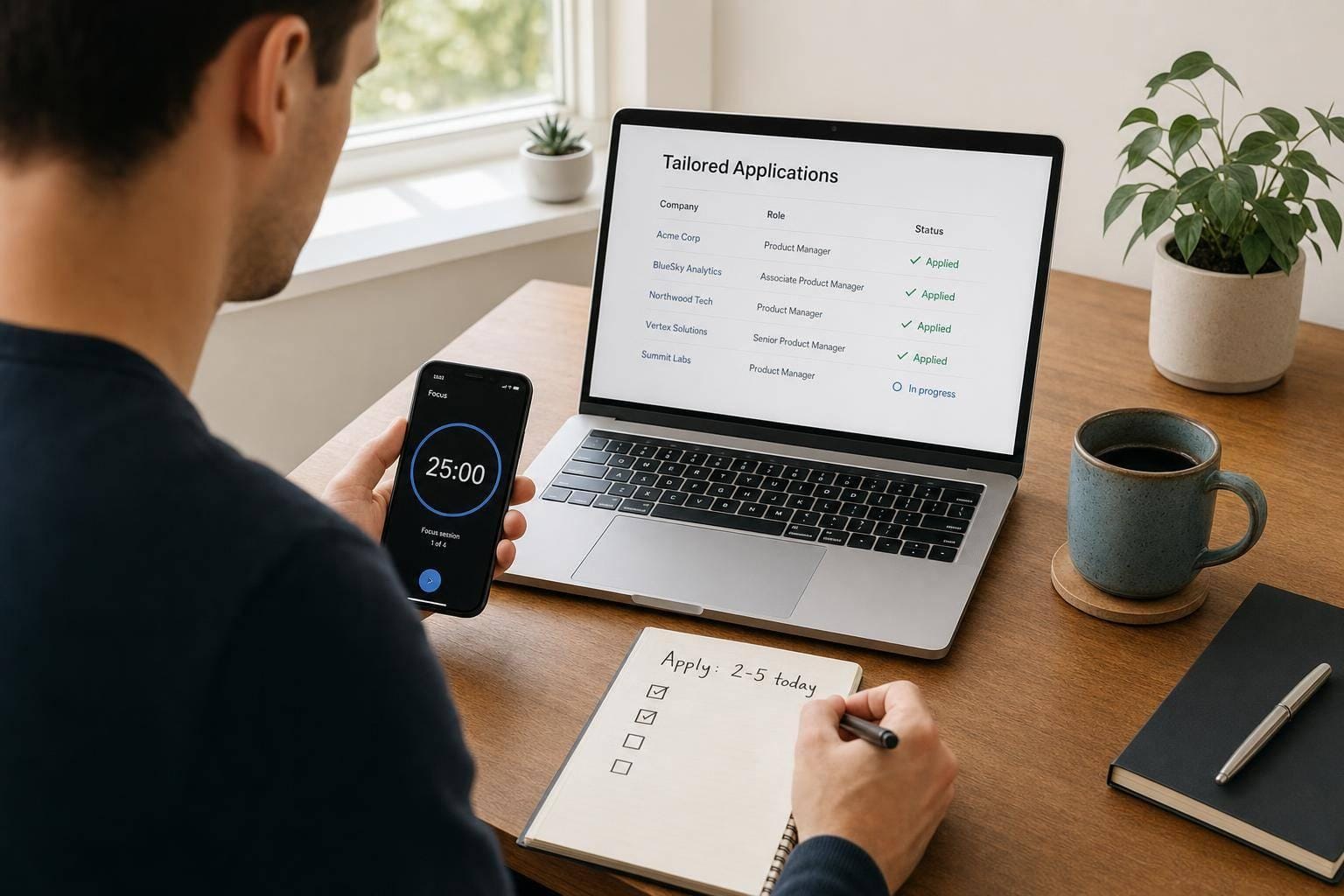
Most people should aim for 2–5 tailored applications a day, not a huge daily count. If you are using fast-apply tools and getting few replies, the issue is often fit, not effort.
Here’s the short version:
- Unemployed: about 3–5 per day
- Employed: about 1–2 per day
- Recent grads: about 3–5 per day
- Career changers: about 1–3 per day
- Senior or executive roles: about 1–3 per week
A few numbers matter most:
- Tailored applications often get 10%–30% callback rates
- One-click applications often get 2%–5%
- If your callback rate is under 5%, send fewer low-fit applications and fix targeting first
If I had to give one rule, it would be this: apply at the highest pace you can keep up without hurting fit. That usually means a mix of deep-tailored, standard, and a few quick-apply roles.
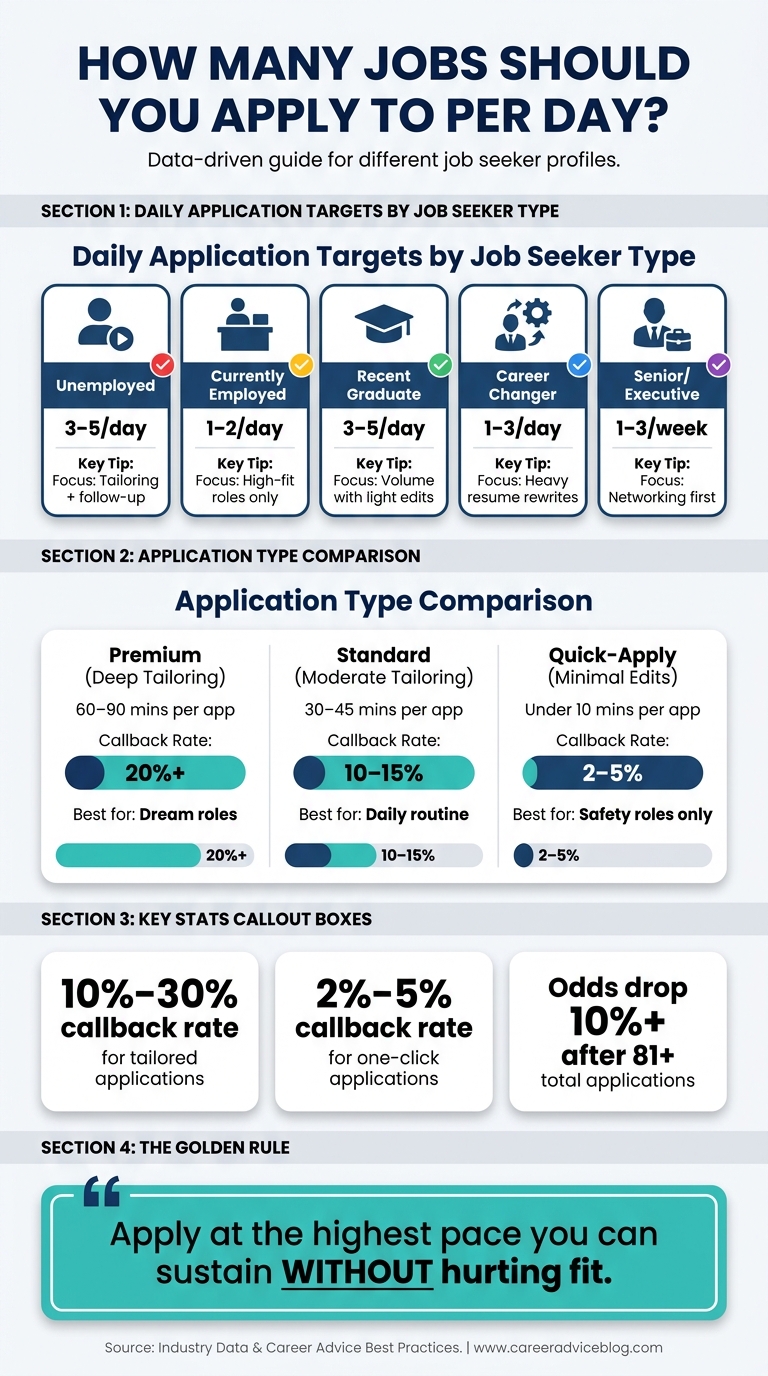
How Many Jobs Should You Apply to Per Day? By Job Seeker Type
My quick take
I would not set a hard daily quota and force it.
I would use this simple playbook:
- Pick only roles where you match at least 70% of the job
- Do 1 deep-tailored application
- Do 1–2 standard applications
- Add 1–2 quick applies only for backup roles
- Track every submission and follow up
If you want help with volume without doing all the admin yourself, this is where an ai resume builder, an ai cover letter builder, or a job application service can fit.
sbb-itb-564272e
What I’d keep from this article
The article’s main point is simple: more applications do not always mean more interviews.
What matters more is:
- fit
- tailoring your resume
- ATS-ready formatting
- follow-up
- a pace you can keep up for weeks
That is also why many people stop relying only on bots and start using a job search platform or a job search virtual assistant when their process gets too heavy.
My simple rule by search type
If you are chasing broad full time jobs, you can use a bit more volume.
If you are switching fields, targeting narrow roles, or trying for senior positions, I would slow down and spend more time per application.
And if you are mostly using quick-apply tools, I’d treat them as support tools, not the whole plan.
Quick comparison
| Search type | Good daily pace | Best focus |
|---|---|---|
| Unemployed | 3–5 | Tailoring + follow-up (using a tracking system) |
| Employed | 1–2 | High-fit roles only |
| Recent graduate | 3–5 | Volume with light edits |
| Career changer | 1–3 | Heavy resume rewrites |
| Senior/executive | 1–3 per week | Networking first |
FAQ-style answers
Is applying to 20 jobs a day too much?
Usually, yes. If you cannot remember what you sent, quality is slipping.
Is 5 job applications a day enough?
Yes, for many people. 5 strong applications can beat 20 weak ones.
### Should I use Easy Apply tools vs human assistants?
Yes, but only for backup roles or close-fit openings. For harder searches, use them with a better process, a job search coach, or a Virtual Assistant for Job Applications.
What if I need more help with admin?
That is where a virtual assistant for job seekers or a done-for-you apply setup can help.
Bottom line: I’d focus less on hitting a big number and more on sending a small batch of high-fit applications every day.
Daily application targets by job-search stage
Benchmarks for employed, unemployed, early-career, and senior candidates
Use this table as a baseline, not a rigid quota. The point isn't to blast out as many applications as possible. It's to pick a pace you can keep up without cutting corners on tailoring and follow-up.
| Job Seeker Profile | Daily Target | Weekly Target | Best use of time |
|---|---|---|---|
| Unemployed | 3–5 | 15–25 | Full-time commitment; maintain tailoring and networking |
| Currently Employed | 1–2 | 5–10 | Selective; focus only on clear career upgrades |
| Recent Graduate | 3–5 | 15–20 | Entry-level volume balanced with basic tailoring |
| Career Changer | 1–3 | 5–10 | Heavy customization to translate transferable skills |
| Senior/Executive | 0–1 every 2–3 days | 1–3 | Networking-heavy; each application is a full application cycle |
A few patterns stand out.
If you're unemployed, you likely have more time to apply for jobs, but that doesn't mean every role deserves the same effort. If you're employed, a smaller number often works better because you're aiming for clear upside, not just any move. Recent grads can lean a bit more on volume, though even then, some tailoring still matters. Career changers usually need more time per application, since they have to connect past work to a new lane. And for senior candidates, each submission tends to look less like a quick form fill and more like a full campaign.
Why competitive roles call for fewer daily applications
For top-tier tech, consulting, or senior-level roles, fewer applications often lead to better results. That's because each one usually needs deeper work across your resume, cover letter, and outreach plan.
A rushed application might check the boxes, but a targeted one shows fit. For product and strategy roles, one strong application can beat 15 weak ones. That's not hype. It's just how hiring works when the bar is high and the pool is crowded.
This is where tools and support can help, but only if they improve fit instead of turning your search into spam. A good job application service or job search coach should help you choose better roles, tailor faster, and stay organized, not just send more applications.
If your application looks like it could have gone to 50 other companies, hiring teams can usually tell.
When higher daily volume makes sense
Higher volume can work when the role is broad enough that speed doesn't wipe out fit. Think broad ops roles, internships, and searches where the same core resume works across many postings with only light edits.
Even then, there's a limit. Candidates who submitted 21–80 total applications had roughly a 30.89% chance of receiving an offer, while those who sent more than 81 saw their odds drop by more than 10%. That's a pretty clear sign that more isn't always better.
A simple gut check helps here: if you can't remember the roles or companies you applied to this week, you're probably in low-fit volume mode.
For many job seekers, the better play is to use a steady system:
- Pick roles that match your level and goals
- Tailor enough to show fit
- Track applications and follow-ups
- Keep your pace repeatable week after week
If you need help keeping that system moving, a job search virtual assistant or Virtual Assistant for Job Applications can take some of the admin work off your plate so you can spend more time on stronger applications.
Use your stage, role competitiveness, and tailoring time to land on a number you can stick with for weeks, whether you're chasing full time jobs or narrower, high-stakes roles.
Quality versus quantity: setting the right application volume
Tailored applications versus one-click applications
Tailored applications tend to get a 10%–30% callback rate. Single-click applications usually fall in the 2%–5% range.
That gap matters.
A tailored application means you adjust your resume for the job posting so it lines up better with the role, the keywords, and the ATS format. A one-click application sends the same resume again and again with little to no editing.
Tools like LinkedIn Easy Apply or LazyApply can still help, but mostly for safety roles where your background already matches well. They’re far less useful for competitive roles where hiring teams expect a tighter fit. If you're trying to apply for jobs with a better shot at hearing back, tailoring still does the heavy lifting.
A simple framework for setting your daily number based on interview odds
Use fit as your guide.
If a role matches your background well, it makes sense to stay on the lower end of your daily range and spend more time tailoring. If the fit is looser, you may need a higher number, but only if the quality stays intact.
The sweet spot is simple: set your daily target at the fastest pace you can still tailor well and keep up over time.
A good reality check is your callback rate. Getting about 1 interview for every 10–15 tailored applications is a solid sign. If your callback rate drops below 5%, the answer usually isn’t more volume. It’s better targeting, stronger resume keywords, and cleaner ATS formatting. That’s where tools like an ai resume builder or a job search coach can help more than sending another batch of rushed applications.
More applications can feel productive. More interviews are what count.
What a strong daily application mix looks like in practice
The goal isn’t just to send more applications. It’s to build a mix you can repeat without burning out.
A steady daily mix often looks like this:
- 1 deeply tailored application
- 1–2 standard applications
- 1–2 single-click submissions
Here’s how that breaks down:
| Application Type | Time per App | Callback Rate | Best For |
|---|---|---|---|
| Premium (deep tailoring) | 60–90 mins | 20%+ | Dream roles, top-tier companies |
| Standard (moderate tailoring) | 30–45 mins | 10%–15% | Good-fit roles, daily routine |
| Quick-Apply (minimal edits) | Under 10 mins | 2%–5% | High-volume safety roles only |
The pattern is pretty clear. Quick-apply has a place, but it shouldn’t take over your process.
If most of your day is spent firing off low-edit applications, you may stay busy without moving much closer to interviews. That’s why many job seekers use a job application service or a Virtual Assistant for Job Applications to keep quality high while cutting down on admin work.
This is also where the right job search platform can make a difference. The best setup helps you protect time for deep tailoring instead of losing hours to copy-paste tasks.
A daily workflow you can actually keep up for weeks
A repeatable daily routine for applications, tracking, and follow-up
Once you set a daily target, the hard part is sticking with it without wearing yourself out. The goal isn't to sprint. It's to keep moving at a pace you can hold for weeks. For most people, 2–5 tailored applications per day is a solid range for a search that stretches across several months.
That kind of rhythm works best when the process stays simple and repeatable. Start with the roles that fit you best. Use one focused morning block to apply for jobs, then batch any one-click submissions in that same session so you don't keep switching gears. After that, log every submission in a spreadsheet with the date, company, role, portal, and follow-up date. Small habit, big payoff.
Here's what that daily flow can look like:
- Review high-fit openings first
- Submit tailored applications during one morning block
- Batch faster one-click applications in the same session
- Track each application right away
- Set a follow-up date before you move on
If you're using a job search platform, this gets even easier because your tracking, applications, and notes stay in one place instead of being scattered across tabs and docs.
How to keep application quality high without spending 20-plus hours a week on admin
Most job seekers don't get stuck on writing. They get stuck on admin. Form-filling, account creation, and the same screening questions over and over can eat up hours before you notice it.
A master screening document helps cut that drag fast. Keep your standard answers in one place so you're not rewriting the same work every day. Think of it as your own shortcut file: work authorization, salary range, start date, location preference, and common eligibility questions. When the same prompts show up again, you're ready.
This is also where support can make a big difference. Scale.jobs handles submission work with human assistants, ATS-ready documents, WhatsApp updates, and proof-of-work visibility. That means you can spend more time on networking, interview preparation, and company research instead of getting buried in forms. If you've looked into a job application service or a Virtual Assistant for Job Applications, that's the problem they're trying to solve.
You can also pair that setup with an ai resume builder or ai cover letter builder to keep your materials tight without turning each application into a full writing project.
The workflow has to be repeatable every day.
That line matters. If your system feels heavy on day three, it probably won't last through week six.
If admin is still slowing you down, the next section looks at tools that handle execution in different ways.
scale.jobs versus top competitors: which tool gives you better interview odds
If your target is 8–15 applications a day, the main issue isn't just volume. It's whether you can keep quality high while moving at that pace. When your daily output is fixed, the better tool is the one that keeps targeting, ATS handling, and proof of submission intact. That part matters because how you apply affects interview odds.
LazyApply vs. scale.jobs: why human-assisted apply can work better
LazyApply makes sense if your top goal is speed. Its browser automation helps you send more applications in less time, which can help when you're chasing high-volume roles and already have a resume that fits a tight job category.
The catch is personalization. Targeted applications can reach a 10% to 15% interview callback rate, while high-volume, low-tailoring applications usually land at 2% to 3%. Put another way, 30 tailored applications can lead to 5–9 interviews, while 100 generic applications often lead to 2–5.
That gap is why some job seekers move from pure automation to a job application service. Instead of relying on bots alone, Scale.jobs uses human assistants to complete each application by hand across portals, with ATS-optimized documents, screenshots, and WhatsApp updates.
| Feature | LazyApply | scale.jobs |
|---|---|---|
| Human involvement | None | Trained human assistants |
| Resume customization | Template-based / lower personalization | ATS-optimized per application |
| ATS handling | Keyword matching | Human-verified formatting and submission |
| Application execution | Browser automation on supported portals | Handled manually across portals |
| Proof of work | Dashboard logs | Timestamped screenshots |
| Pricing model | Varies by plan | One-time campaign fee |
Who should use LazyApply: Candidates who want speed and already have a narrow, well-matched resume.
Who should choose scale.jobs: Candidates who want higher-quality submissions without spending hours on admin.
Switch to scale.jobs if: your callback rate has stayed below 5% after two or more weeks of automated applications, or if you're going after roles beyond the portals your automation tool covers.
If you're trying to apply for jobs at scale, this is usually the tradeoff: more clicks, or better-fit submissions.
If speed matters more than customization, compare these automation tools next.
Simplify, LoopCV, and Sonara vs. scale.jobs: what automation alone can't do
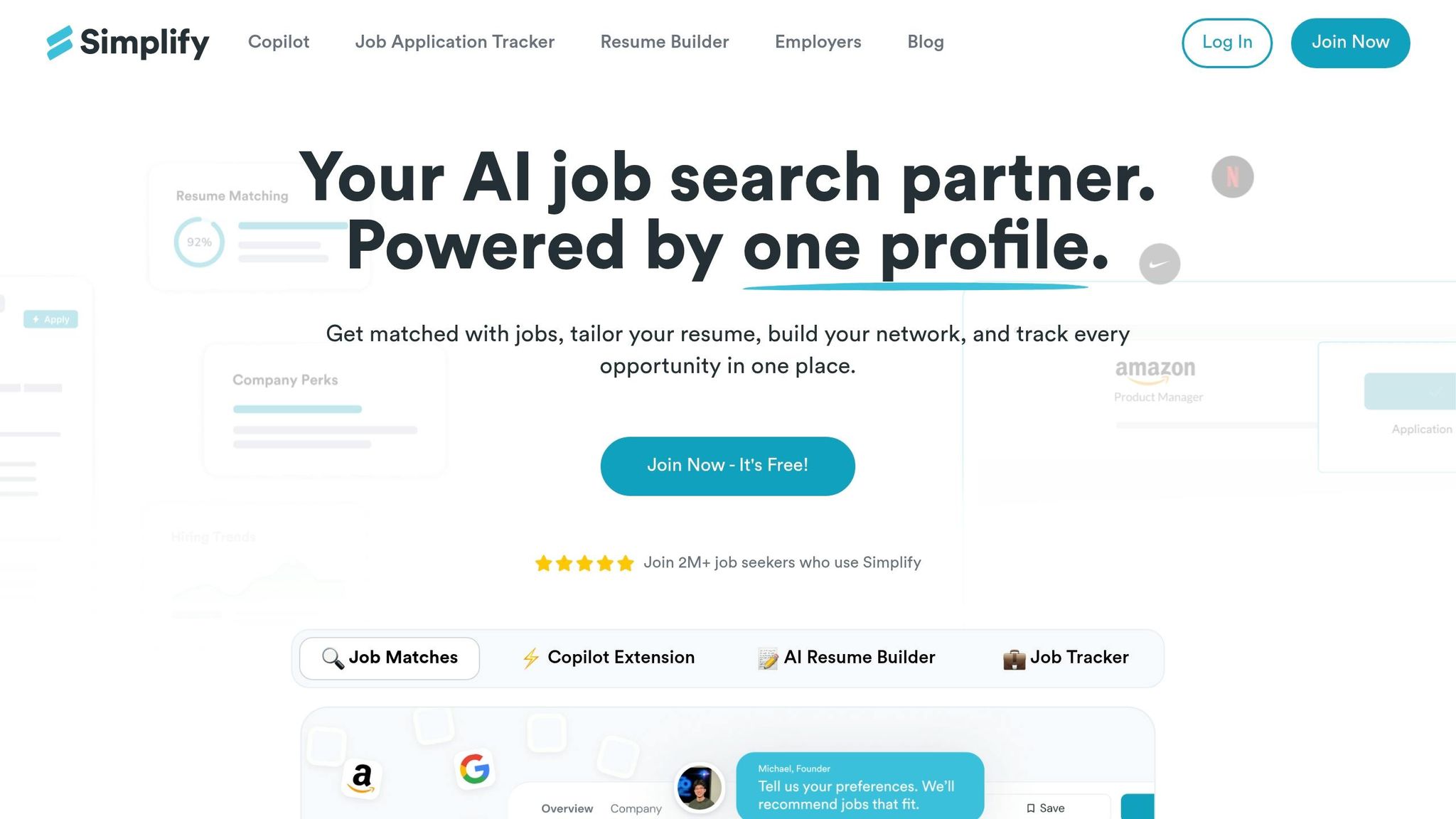
Simplify, LoopCV, and Sonara cut down the drag of form-filling. If you mainly want to move faster on Easy Apply roles or other high-volume targets, that can save a lot of time.
But the core limit stays the same. These tools help you submit the same resume again and again. Scale.jobs adds human review before submission, which changes the quality of each application.
| Feature | Simplify / LoopCV / Sonara | scale.jobs |
|---|---|---|
| Human involvement | Low or none | Trained human assistants |
| Resume customization | AI-generated or template-based | Human-tailored per posting |
| ATS handling | Keyword-based matching | Human-verified optimization |
| Application execution | Auto-fill / scheduled bots | Handled manually across portals |
| Transparency | Dashboard tracking | Proof-of-work screenshots + WhatsApp updates |
| Pricing model | Varies by tool; LoopCV has a free tier | One-time campaign fee |
Who should use these tools: Candidates targeting high-volume Easy Apply roles with a resume that already fits a narrow job category, where speed matters more than customization depth.
Who should choose scale.jobs: Candidates applying across multiple portals, or anyone whose current automation setup is producing a callback rate under 5%.
Switch to scale.jobs if: you're applying across portals where automation isn't enough, you need per-application resume tailoring, or you want visible proof that each application was submitted correctly.
For many people looking at best job boards, that's where the problem starts. Jobs live across many sites, and bots don't always handle that mess well.
If you want optimization and tracking instead of done-for-you submission, this is the comparison that matters.
Jobscan and Teal vs. scale.jobs: optimization tools versus done-for-you execution
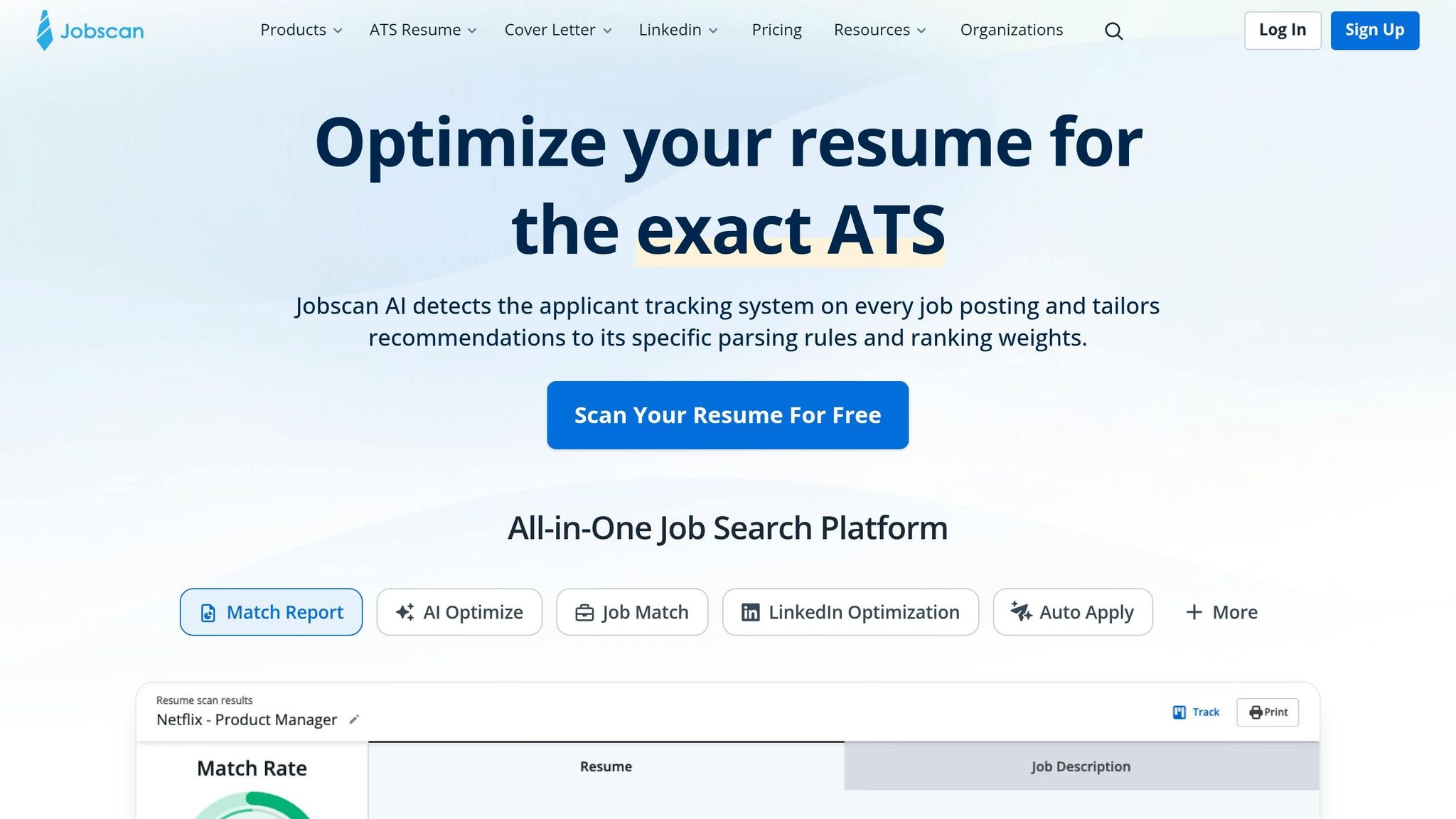
Jobscan and Teal are useful for what they do. Jobscan helps you compare your resume against a job description and spot missing keywords. Teal helps you track applications, organize your search, and manage your pipeline. Both can make you a smarter applicant.
The split comes down to execution. You still need to rewrite the resume, tailor the cover letter, move through the portal, and log the submission yourself. If you have 20+ hours a week for your search, that may be fine. If not, the space between knowing what to do and actually doing it can slow everything down.
This is where a job search virtual assistant or virtual assistant for job seekers can make more sense than another tracking tool.
| Feature | Jobscan / Teal | scale.jobs |
|---|---|---|
| Primary function | Resume optimization and tracking | Done-for-you application execution |
| Human involvement | DIY | Trained human assistants |
| Application method | Manual or browser extension | Human-led, any portal |
| Resume customization | Suggestions and scores | ATS-optimized docs created for you |
| Support channel | Help center / email | Dedicated WhatsApp |
| Proof of work | User-logged | Screenshots of every submission |
| Pricing model | Subscription-based | One-time campaign fee |
Who should use Jobscan or Teal: Candidates who want full control over every submission, have enough time to manage their own search, and want to learn resume optimization hands-on.
Who should choose scale.jobs: Candidates who are currently employed, time-constrained, or want consistent daily submissions without the admin overhead.
Switch to scale.jobs if: your Jobscan scores are improving but your interview rate isn't, or if the time you spend optimizing and submitting applications is slowing your search.
This also matters if you're targeting full time jobs while juggling a current role. In that case, doing every step yourself can turn into a second job.
Use these differences to match the tool to your target volume, not the other way around.
When fewer daily applications are the smarter move
Situations where fewer daily applications usually get better results
If your callback rate is flat, the fix is often simple: send fewer applications that fit better. More volume sounds productive, but past a certain point it can hurt your odds. Once quality slips, more submissions don't help much.
For senior and executive candidates, a good target is about 1–3 applications per week. At that level, extra submissions usually matter less than referrals, outreach, and warm intros. Senior searches tend to reward networking far more than brute-force volume. If you're aiming for leadership full time jobs, it often makes more sense to spend time on relationship-building than on another cold application.
Career changers have an even tighter limit. Each application needs real translation work. You have to reframe transferable skills, explain the industry shift, and show why your background fits a new setting. That takes time. Push volume too high, and quality drops fast. A lower daily count that you can keep up for weeks usually leads to better interview odds than trying to mass-Apply for jobs with weak tailoring. ATS filters also make this harder. If keywords, formatting, or positioning are off, even a strong candidate can get screened out. That's why each submission is worth more attention, not less. In cases like this, a job application service or Virtual Assistant for Job Applications can take some of the manual load off without turning the process into spam.
The same pattern shows up for people with a short employer list, relocation limits, or specialized roles. When the pool is smaller, each application carries more weight. You can't afford low-fit submissions. Deeper research and stronger customization usually beat a high-volume approach every time.
Final target ranges and decision summary
Use a pace you can hold for several weeks without your quality falling apart.
- Lower volume works best for senior, career-change, and niche searches where every application needs deep customization
- Mid-volume fits employed and active searches where the role match is clear but tailoring still matters
- Higher volume only makes sense when role fit is simple and the application itself is easy
For most structured searches, that usually means 2–6 applications per day when customization is heavy, and 5–15 when fit is more direct.
Tools matter here too. Automation-first products like LazyApply, LoopCV, and Sonara are better suited to simple, speed-first use cases. If you're applying to straightforward roles at scale, they can help. Optimization tools like Jobscan and Teal are better if you want to manage resume tuning, submissions, and tracking on your own, often alongside an ai resume builder or ai cover letter builder.
Scale.jobs fits a different lane. It makes more sense when each application needs human review, ATS-ready documents, and proof of submission. That's often the case for career-change, senior-level, or niche searches where callback rates have stayed below 5% after two or more weeks. Human assistants submit each application by hand, tune documents to the posting, and provide timestamped screenshots as proof. The first 5 applications are free, with a one-time flat fee and no recurring subscription. If you're deciding between a bot-heavy job search platform and a more hands-on setup, that's the tradeoff: speed versus fit.
If the lower-volume path still eats up too much time, human-assisted execution is usually the next move. A job search virtual assistant can help you keep quality high without turning your week into admin work.
The right number is the highest pace you can sustain without weakening fit.