
Tested Job Search Tools for H1B Candidates 2026

Sarah Mitchell
July 10, 2026

If you are on OPT, your tool stack needs to do four jobs well: find sponsors, match ATS rules, send enough applications, and track every submission. That is the short version.
After reading this, my take is simple:
- Use sponsor-data tools to cut bad targets early
- Use resume tools only if your documents still need work
- Use auto-apply tools only if you can accept weak proof and missed edge cases
- Switch to a service model if your main problem is volume, portal friction, and tracking
For most H1B-track candidates, the choice is not “Which tool has more features?” It is: Which tool removes the bottleneck before the OPT clock runs out?
Quick comparison
| Tool type | Best for | Main limit |
|---|---|---|
| Visa-data tools | Finding employers with filing history | They do not apply for you |
| ATS resume tools | Resume-job match | They stop before submission |
| Auto-apply bots | Sending more applications fast | Weak handling of custom portals and sponsor questions |
| Human-led apply services | High-volume submissions with records | Higher upfront cost |
If you need to Apply for jobs at volume, I would not add random tools on top of your stack. I would fix the one stage that is breaking: find, prep, apply, or track.
What I would do first
Before paying for anything, I would check these five points:
- Does it show employers with H1B filing history?
- Does it help with ATS match for each role?
- Can it handle hard portals, not just Easy Apply?
- Does it show proof of each submission?
- Is the price one-time or monthly?
That framework tells you fast whether you need a job search platform, an ai resume builder, or a job application service.
My bottom line
I would keep prep tools like Jobscan, Rezi, or TealHQ only if resume fit is still weak. I would switch to a service like scale.jobs when the blocker is application output, sponsor-aware handling, and clear records.
Below, I break down when each tool type makes sense, where each one falls short, and how to decide what to switch.
sbb-itb-564272e
What actually drives H1B outcomes in 2026
Visa deadlines set the pace of your search. If your tool is slow or clunky, that delay doesn't just feel annoying - it costs interview chances.
The application volume math F-1 and OPT candidates cannot ignore
Once your status timeline is locked, volume becomes the next hard limit. Only about 30% of U.S. employers actively sponsor H-1B visas, which cuts your target market by roughly two-thirds before you even look at fit, location, or pay.
That changes the game. You can't treat the search like a normal process and expect the same results.
Applications sent early tend to get more attention. So if your process is slow, low-volume, or both, the gap adds up fast. For many OPT candidates, manual effort alone can't keep up inside the time window they have. That's why the tools you use need to support volume without wrecking ATS performance on each submission.
If you're trying to Apply for jobs at scale, this is the trade-off that matters most: speed vs resume quality. You need both.
How FY2027 wage-weighted H1B selection changes job targeting
High volume helps, but it won't save you if you're aiming at employers that are unlikely to support the wage band you need.
Under the FY2027 wage-weighted model, selection would lean toward higher wage levels. That means your job targeting has to get sharper. Not every sponsor is equal, and not every role deserves one of your limited application slots.
Before you apply, check the employer's filing history with the USCIS Employer Data Hub, H1BGrader, H1BData.info, or MyVisaJobs. These sources show what matters in practice: petition counts, approval rates, and filed wage levels. That's much more useful than a careers page that vaguely says a company "may sponsor."
If a company has little recent filing history or weak approval rates, move it down your list - even if the role looks great on paper.
This is where a solid job search platform or job search coach can help. The goal isn't to apply everywhere. It's to spend your shots where the odds are better.
The four blockers: sponsor discovery, ATS mismatch, application bandwidth, and tracking
When interviews don't show up, the problem usually falls into four buckets.
- Sponsor discovery: finding which of the 50,000+ career pages and job boards include roles from employers with actual sponsorship history
- ATS mismatch: many resumes aren't tuned for the 15+ applicant tracking systems in active use, so a generic version can fail without any warning
- Application bandwidth: the volume most OPT candidates need is more than manual effort can usually sustain in the time available
- Tracking: if you don't know what you submitted, where you sent it, and what that employer's sponsorship profile looks like, the process turns into guesswork
These blockers are also why many candidates look for help from a job application service, a Virtual Assistant for Job Applications, or an ai resume builder. Different tools solve different bottlenecks, but the pattern stays the same: if sponsor targeting, ATS fit, volume, and tracking are weak, outcomes usually are too.
Tool categories for H1B candidates and where each one fits
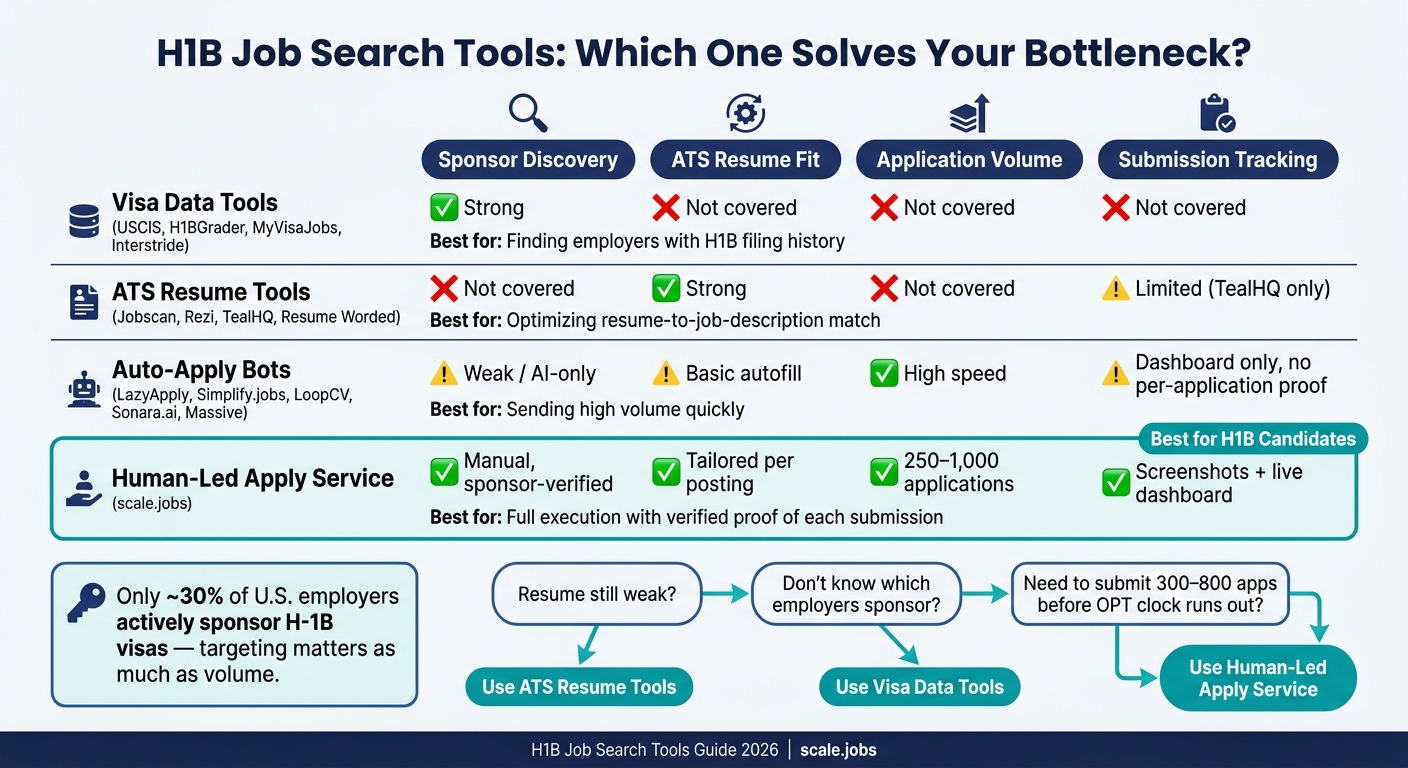
H1B Job Search Tools Compared: Which Tool Solves Your Bottleneck?
Each tool type fixes one main bottleneck. None handles all four H1B problems at once: sponsor discovery, ATS fit, application volume, and tracking.
That’s the key point here. If you use the wrong tool for the wrong stage, you burn time and, in some cases, one of your limited chances to apply for jobs.
Sponsor research and visa data: USCIS, H1BGrader, MyVisaJobs, Interstride
Start with sponsor data first. If an employer has little or no sponsorship history, sending an application there may be a dead end.
USCIS, H1BGrader, MyVisaJobs, and Interstride help you check whether a company has sponsored before. That makes them useful targeting tools for H1B candidates who need to focus on employers with a known record.
MyVisaJobs stands out for LCA salary visibility. Interstride is geared toward international students and shows visa-friendly roles in a more guided way than many general job sites.
What these tools do not do is just as important. They won’t tailor your resume, fill out forms, or manage submission volume. Think of them as research tools, not a job application service.
| Tool | Data Source | LCA Salary Visibility | Strength of Sponsorship History |
|---|---|---|---|
| USCIS | Official filing data | No | High |
| H1BGrader | Sponsorship and employer data | Partial | High |
| MyVisaJobs | DOL LCA disclosures | Yes | High |
| Interstride | Curated job board and employer lookup | Partial | Moderate |
ATS optimization tools: Jobscan, Rezi, TealHQ, Resume Worded
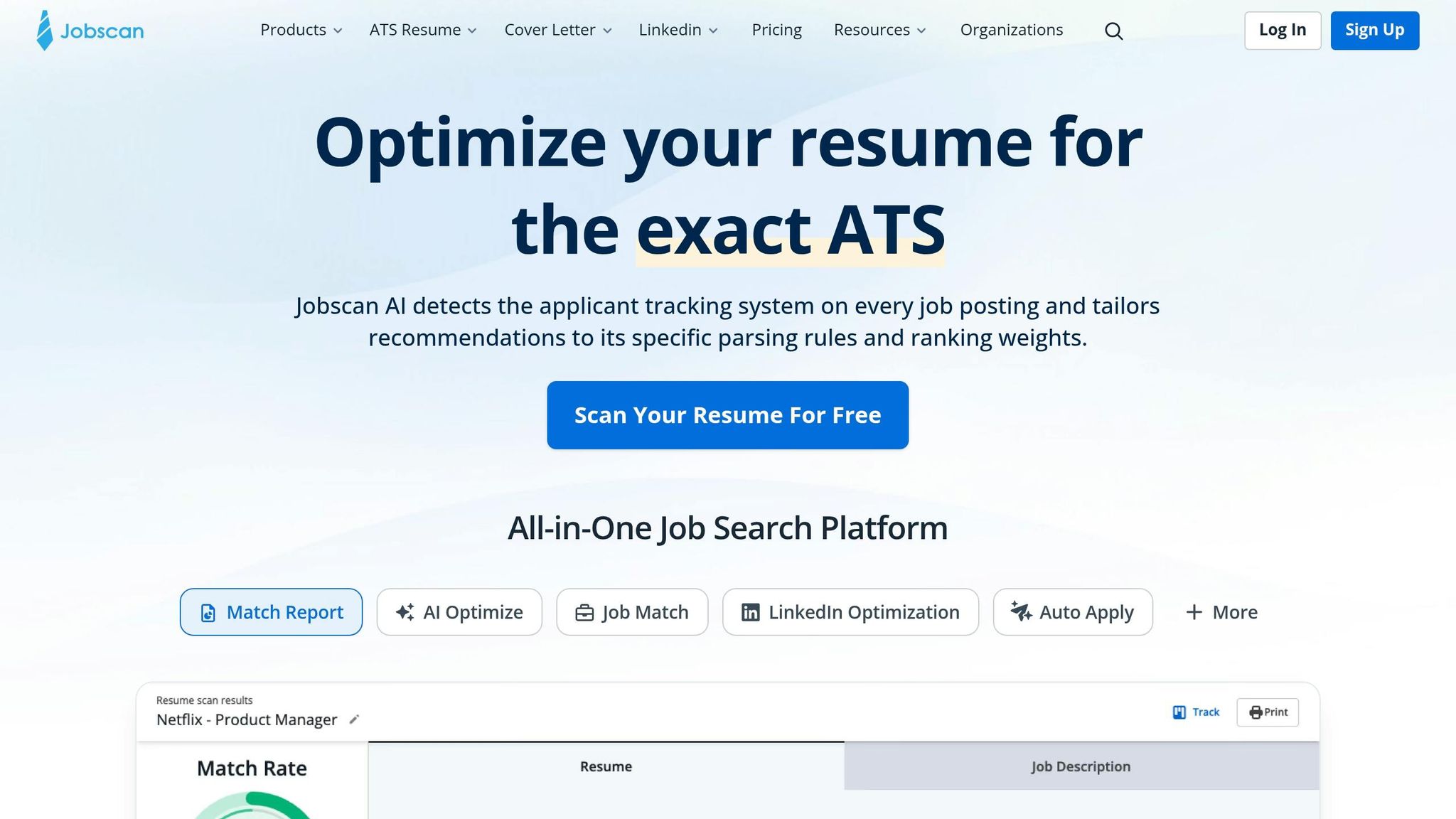
Once you know where to apply, the next step is making sure your resume can get through ATS filters.
Jobscan compares your resume with a job description. Rezi helps build ATS-friendly resumes. TealHQ mixes resume tailoring with tracking. Resume Worded gives feedback on resumes and LinkedIn profiles.
These are solid tools for fit and wording. If you’re using an ai resume builder or an ai cover letter builder, this is the part of the process they support best.
But there’s a catch for H1B candidates. These tools stop at preparation. They don’t submit the application for you. If you’re dealing with a 90-day or 150-day deadline, that gap can hurt.
| Tool | ATS Match Depth | Customization Depth | Integrations | Pricing Model |
|---|---|---|---|---|
| Jobscan | High | Moderate | LinkedIn, Google Docs | Subscription |
| Rezi | Moderate | High | Limited | Subscription |
| TealHQ | Moderate | Moderate | Job boards, LinkedIn | Freemium + subscription |
| Resume Worded | Moderate | Moderate | Subscription |
Auto-apply and hybrid apply tools: LazyApply, Simplify.jobs, LoopCV, Sonara.ai, Jobright.ai, Massive, EarnBetter, scale.jobs
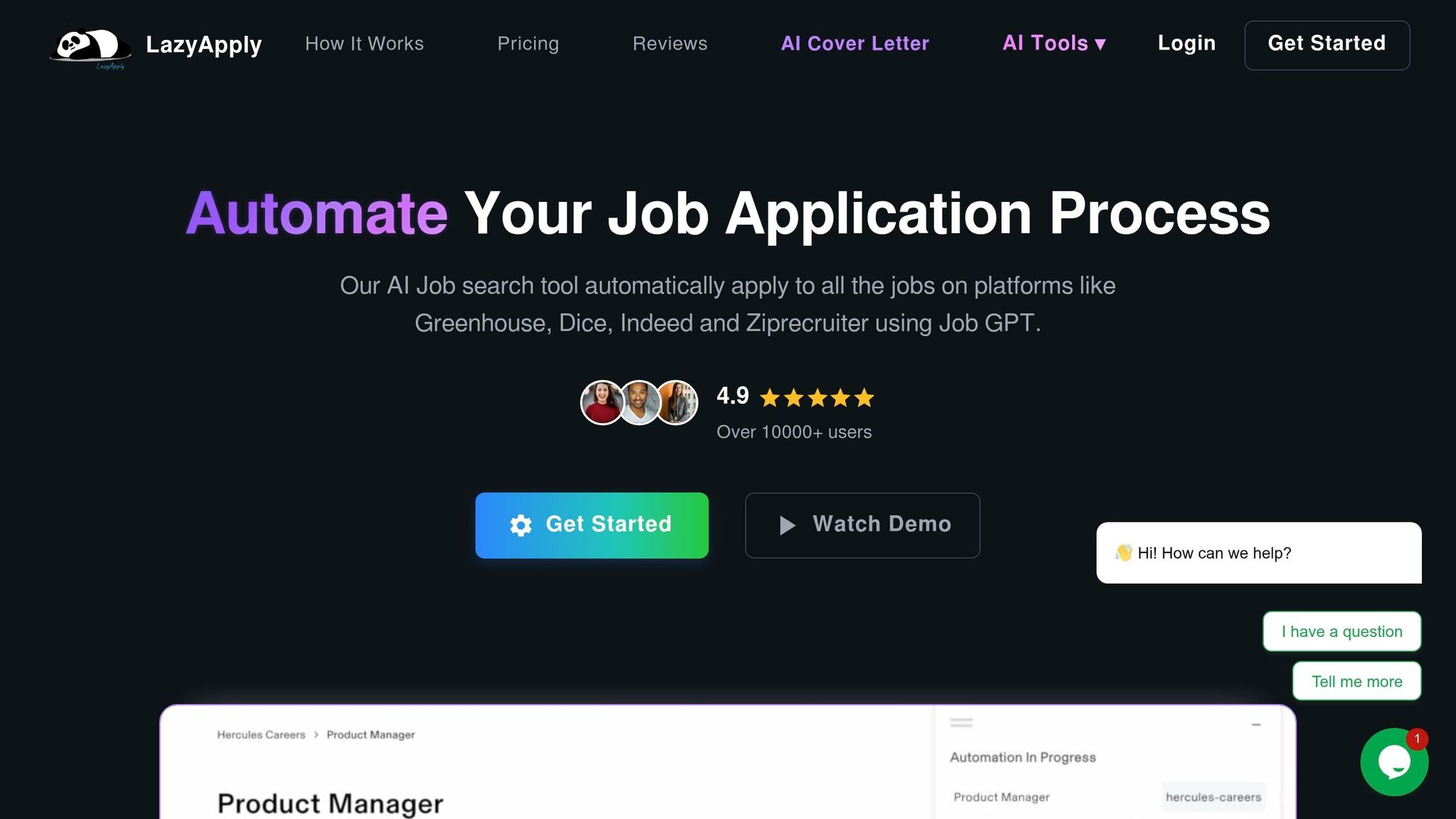
After research and tailoring, the big problem becomes execution. Put simply: can you submit enough solid applications, fast enough, without losing track?
That’s where auto-apply and hybrid tools come in. LazyApply, Simplify.jobs, LoopCV, Sonara.ai, Jobright.ai, Massive, EarnBetter, and scale.jobs all help with execution, but they work in very different ways.
Most bot-driven tools rely on browser autofill, one-click flows, or AI-led submission steps. That can save time, sure. But it can also create issues:
- Form errors get missed
- Sponsorship filters may be weak
- Proof of submission is often missing
- Tracking across portals can get messy
For H1B candidates, that last part matters more than people think. If tracking is one of the four core blockers, then a tool that submits without clear records can create a new problem while fixing an old one.
scale.jobs takes a different path. Instead of bot-only workflows, trained human assistants submit each application by hand across any portal or ATS. Each submission includes time-stamped screenshots, which gives you proof that the application went through. The flat-fee setup also differs from recurring subscriptions, and the WhatsApp line gives live updates from a job search virtual assistant.
If you’re comparing tools, this is the real split: automation vs. hand-submitted support from a Virtual Assistant for Job Applications.
| Tool | Human Involvement | ATS Handling | How It Applies | Proof of Submission | Pricing Model |
|---|---|---|---|---|---|
| LazyApply | None | Low | Browser autofill bot | None | Subscription |
| Simplify.jobs | None | Low–Moderate | One-click browser extension | None | Freemium |
| LoopCV | None | Low | Automated form submission | None | Subscription |
| Sonara.ai | None | Moderate | AI matching plus auto-submit workflow | Limited | Subscription |
| Jobright.ai | None | Moderate | AI matching plus auto-submit workflow | Limited | Freemium + subscription |
| Massive | None | Low–Moderate | Automated apply pipeline | None | Subscription |
| EarnBetter | Partial | Moderate | AI-assisted apply workflow | Limited | Subscription |
| scale.jobs | Full | High | Hand-submitted by trained assistants | Screenshots + application dashboard | Flat-fee, one-time |
That difference sets up the next section, where these tools are compared head-to-head against scale.jobs.
Should you switch? scale.jobs vs the top rivals H1B candidates actually test
The real question isn’t whether you should use a tool. It’s whether that tool can deal with sponsor checks, custom portals, ATS fit, and proof of submission at OPT speed.
Start with the blocker, not the feature list. If your issue is sponsor screening, ATS fit, volume, or tracking, that should drive the choice. If you’re trying to Apply for jobs under time pressure, a tool that only looks good on the homepage won’t help much.
LazyApply vs scale.jobs, Simplify.jobs vs scale.jobs, and LoopCV vs scale.jobs
LazyApply, Simplify.jobs, and LoopCV help you send more applications in less time. But they still depend on automation. That’s usually where the gap shows up: custom ATS portals, sponsorship questions, and forms that go past basic autofill.
scale.jobs takes a different route. It adds human review and time-stamped proof of submission, and it charges a one-time flat fee instead of a recurring subscription.
| Feature | LazyApply | Simplify.jobs | LoopCV | scale.jobs |
|---|---|---|---|---|
| Human involvement | None | None | None | Full |
| Resume customization depth | Basic autofill | Basic autofill | Basic autofill | ATS-optimized, tailored to each posting |
| ATS handling | Low | Low | Low | High across any portal |
| Application execution | Browser automation | Streamlined apply flow | Automated loops | Hand-submitted by assistants |
| Proof of work | No individual proof | No individual proof | No individual proof | Screenshots + dashboard |
| Pricing model | Subscription | Freemium/subscription | Subscription | One-time flat fee |
Who should use LazyApply, Simplify.jobs, or LoopCV: Candidates who want automation-led submissions and don’t need human oversight or proof of each submission.
Who should choose scale.jobs: F-1/OPT or H1B-track candidates who need sponsorship questions handled the right way, coverage across any portal, and documented proof of every submission.
If you’re comparing best job boards with browser-based auto-apply tools, this is the key difference: one helps you find openings, the other still has to survive the application process.
Switch to scale.jobs if:
- Your current tool fails on custom portals or sponsorship prompts
- You need proof of each submission
- You want fixed pricing instead of recurring fees
That comparison changes when the main bottleneck is matching, not submission speed.
Sonara.ai, Jobright.ai, Massive, and EarnBetter vs scale.jobs
Sonara.ai, Jobright.ai, Massive, and EarnBetter trade manual control for AI matching and auto-submit flows. That can help with speed when your target roles are already clear. But proof of submission is often limited to dashboard metrics, not individual records.
scale.jobs stands apart in three ways: every application is hand-submitted, documents are tailored to each posting, and a dedicated WhatsApp line gives real-time updates. For candidates sending 300–800 applications before the OPT unemployment cap turns into a problem, knowing what was submitted and when solves a very direct tracking issue.
| Feature | Sonara.ai | Jobright.ai | Massive | EarnBetter | scale.jobs |
|---|---|---|---|---|---|
| Human involvement | None | None | None | Limited | Full |
| Sponsorship-aware targeting | AI matching | AI matching | AI-first apply | AI-driven | Manual, sponsor-verified |
| Document depth | AI-generated | AI-generated | Basic | AI-assisted | Tailored per posting |
| Proof of submission | Dashboard only | Dashboard only | Dashboard only | Dashboard only | Screenshots + dashboard |
| Support channel | In-app chatbot | In-app chatbot | In-app chatbot | Dedicated WhatsApp | |
| Pricing model | Subscription | Freemium/subscription | Subscription | Subscription | One-time flat fee |
Who should use Sonara.ai, Jobright.ai, Massive, or EarnBetter: Candidates who want AI-driven matching and automated submissions at speed, and are okay with limited per-application visibility.
Who should choose scale.jobs: Candidates who need documented proof of each application, manual handling of sponsorship-related questions, and fixed pricing that doesn’t keep stacking up month after month.
If you’re already using an ai resume builder or an ai cover letter builder, then prep may not be the issue anymore. Execution might be.
Is Sonara.ai Worth It? Yes, if your main goal is speed and broad matching. No, if you need proof of each submission or close handling of sponsor questions.
Is Massive Worth It? It can be, for high-volume automated outreach. But if you want a human in the loop and records for every apply, it won’t cover that need.
If documents are already strong, the next question is simple: who can handle volume with the least friction?
Jobscan, Rezi, TealHQ, Wonsulting, and Find My Profession vs scale.jobs
These are prep tools, not execution tools.
Jobscan scores keyword match for ATS fit. Rezi builds ATS-structured resumes. TealHQ combines resume tailoring with a tracker. Wonsulting and Find My Profession offer hands-on support instead of software. In the Find/Prep/Apply/Track pipeline, these tools cover Prep. scale.jobs covers Apply and Track.
That matters because the blocker after prep often stays the same: submitting 300–800 applications across 50,000+ career pages before the OPT clock runs out. That’s where scale.jobs fits. Not as a replacement for document work, but as the execution layer after it.
| Feature | Jobscan | Rezi | TealHQ | Wonsulting | Find My Profession | scale.jobs |
|---|---|---|---|---|---|---|
| Primary function | ATS resume scoring | Resume building | Resume + tracking | Career coaching | Career service | Full application execution |
| Application submission | No | No | No | Limited | Limited | Yes, 250–1,000 applications |
| Human involvement | None | None | None | High | High | Full |
| ATS optimization | High | High | Moderate | Moderate | High | High, tailored per posting |
| Proof of submission | N/A | N/A | Tracker only | N/A | Limited | Screenshots + dashboard |
| Pricing model | Subscription | Subscription | Freemium/subscription | Service-based | Service-based | One-time flat fee |
Who should use Jobscan, Rezi, or TealHQ: Candidates doing DIY applications who want better resume-to-job-description match before they submit.
Who should use Wonsulting or Find My Profession: Candidates who want a service-led search or support from a job search coach.
Who should choose scale.jobs: Candidates whose documents are already in good shape and whose main blocker is submitting enough applications, fast enough, with verified proof.
Another way to frame it:
Jobscan, Rezi, and TealHQ help you get ready. scale.jobs helps you get applications out the door.
If you want a job application service after the prep work is done, that’s the lane scale.jobs sits in. If you’re still fixing resumes, tracking keywords, or tightening positioning, use the prep stack first.
TealHQ vs Scale.jobs: TealHQ helps organize and tailor your search. scale.jobs handles the actual submissions. One is a control center; the other is the execution team.
Find My Profession vs Scale.jobs: Find My Profession leans into service and guidance. scale.jobs leans into volume, sponsor-aware handling, and proof of each apply.
Use Jobscan, Rezi, or TealHQ if your documents need prep. Use Wonsulting or Find My Profession if you want coaching. Use scale.jobs if execution, sponsorship handling, and proof of submission are the bottlenecks.
That leaves one final check: whether the tool fits your workflow end to end.
Buyer checklist, workflow fit, and conclusion
What to check before paying for any job-search tool
Before you pay for any job search platform, run through five checks. Each one maps to a common H1B blocker, so this isn’t busywork. It’s a quick way to see whether a tool will help your Find–Prep–Apply–Track loop or just add friction.
- Sponsorship filter - does it show roles from employers with actual H1B filing history? This matters for sponsor discovery.
- Resume tailoring - does it tailor documents to each job description instead of just swapping keywords? This helps with ATS mismatch. If this is your weak spot, an ai resume builder or ai cover letter builder can help.
- Portal coverage - can it handle hard portals, not just LinkedIn Easy Apply? This affects application bandwidth.
- Verifiable proof - does it give you a record of each submission with timestamps? This solves tracking.
- Flat fee - do you pay once, or does it keep charging until you cancel? This affects the pricing model.
If a tool misses even one of these, it can slow you down instead of helping you apply for jobs.
How scale.jobs fits the real workflow: Find, Prep, Apply, Track
scale.jobs lines up with the same four-step workflow most candidates already follow.
- Find - the job board shows sponsor-friendly roles
- Prep - the ATS resume builder makes tailored documents for each posting
- Apply - trained human assistants submit applications across almost any portal, which is useful if you need a Virtual Assistant for Job Applications
- Track - a live dashboard with time-stamped screenshots shows what was sent and when
That workflow fit is the key point. Some tools are strong for prep. Others are better for execution. If your problem is not finding time to finish applications, a job application service or job search virtual assistant may fit better than a resume-only tool.
scale.jobs free trial and next steps
For H1B-track candidates, cost only makes sense in relation to time saved. At the 1,000-application tier ($399), the effective cost is about $0.40 per application.
The first 5 applications are free. One-time human-assistant bundles start at $199 for 250 applications. If your documents need work first, resume writing services are available as a separate starting point.
Decision Summary: Use Jobscan, Rezi, or TealHQ if prep is your main gap. Use scale.jobs if execution, sponsor handling, and proof of submission are the bottlenecks.
That leads into the next section, where scale.jobs is broken down by workflow stage and support model.