
This 60 Second ATS Scan Will Explain Your Rejections

Sarah Mitchell
March 24, 2026

Most job applications never make it to a recruiter's desk. Why? Applicant Tracking Systems (ATS) filter out resumes that don’t meet specific criteria. These systems, used by over 98% of Fortune 500 companies, scan for keywords, formatting, and resume structure. If your resume isn’t ATS-friendly, it’s likely to be rejected - even if you’re qualified.
What ATS Checkers Scan in 60 Seconds
When you upload your resume to a free ATS checker, here's the sequence that plays out behind the scenes:
Step 1: File Parsing (0–10 seconds) The tool converts your resume into raw text. This is where most resumes silently fail. If you've used tables, text boxes, multi-column layouts, or embedded graphics, the parser either scrambles or skips entire sections. A two-column resume that looks polished to the human eye can appear as a jumbled wall of text to an ATS.
Step 2: Structure Detection (10–25 seconds) The checker scans for standard section headers, "Work Experience," "Education," "Skills," and "Certifications." If your resume uses creative labels like "What I've Built" or "My Journey," the system either misclassifies or ignores those sections entirely.
Step 3: Keyword Matching (25–45 seconds) This is the core of the analysis. The tool compares every word in your resume against the job description you've provided (or against a general skills database if no JD is used). Missing hard skills, wrong terminology, or outdated tool names all get flagged here.
Step 4: Score Generation (45–60 seconds) The tool calculates a compatibility score, typically 0–100, based on how many of these checks you passed. Most free tools color-code the output: red for critical failures, yellow for warnings, green for passing elements.
Understanding this sequence helps you interpret your score correctly; a 58 doesn't mean your resume is bad; it means specific, fixable things failed the scan.
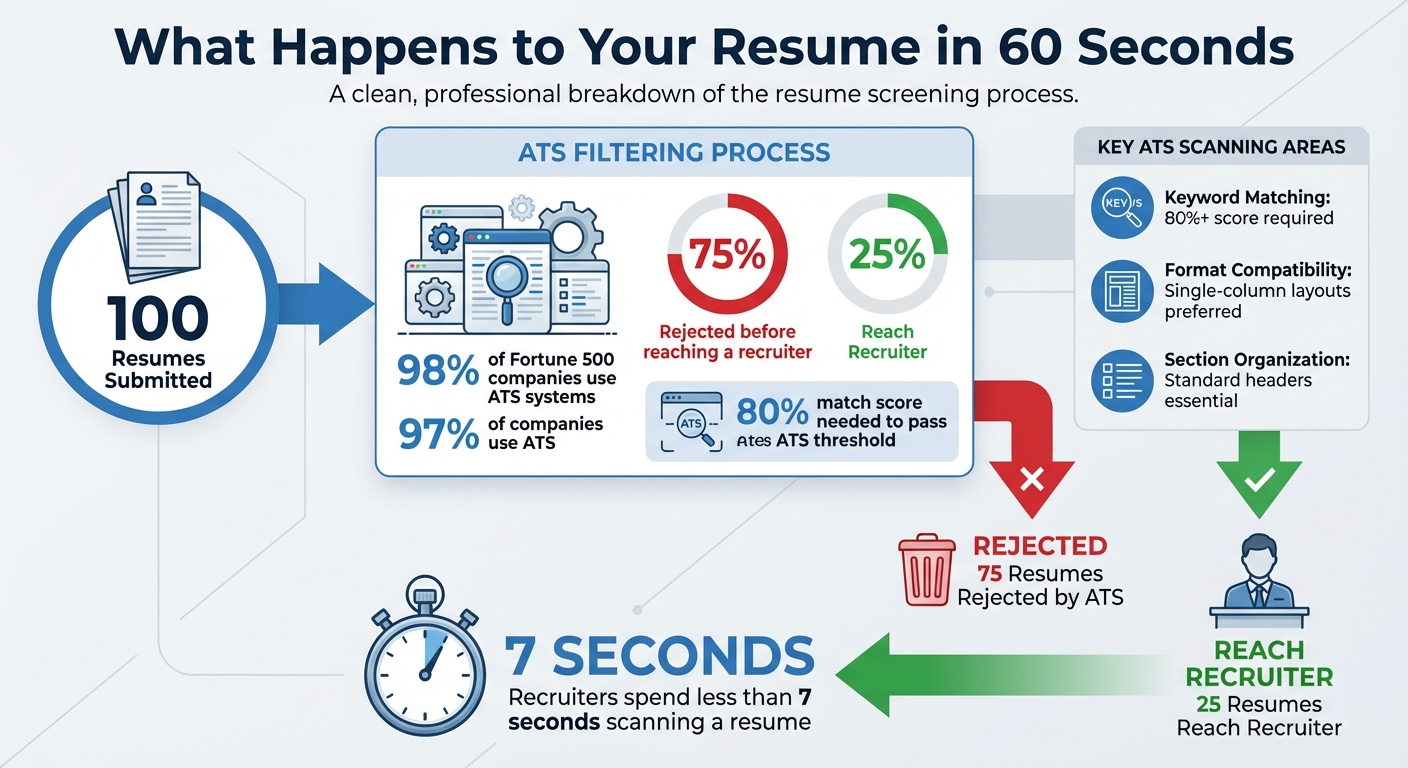
ATS Resume Statistics: Why 75% of Resumes Get Rejected
How to Check If Your Resume Is ATS Friendly (Free Resume Parser Tool)
sbb-itb-564272e
Resume Format and Structure Compatibility
ATS checkers evaluate whether your resume’s layout can be accurately read by tracking systems. Complex formats like multi-column designs, tables, or text boxes often confuse ATS software. For example, a two-column resume might separate job titles and dates into different columns. The ATS reads these columns sequentially, scrambling the information and creating errors in your work history. Similarly, skill bars or graphical elements are ignored entirely because the system cannot interpret images.
| Formatting Element | ATS Compatibility | Recommended Alternative |
|---|---|---|
| Multi-column Layout | Parsing errors likely | Use a single-column layout |
| Tables | Reads out of order | Use plain text with tabs or spaces |
| Graphics/Icons | Ignored by ATS | Use text descriptions |
| Creative Headers | Section recognition failure | Use standard headers like "Work Experience" |
| Headers/Footers | Often skipped | Place contact info in the main body |
| Skill Bars/Graphs | Unreadable | Use a comma-separated text list |
Additionally, ATS checkers ensure that your text is selectable - if you can’t highlight the text in your PDF, the ATS can’t read it either. Fonts matter too: stick to standard options like Arial, Calibri, or Times New Roman to avoid OCR (Optical Character Recognition) issues. Placing key details, such as contact information, in headers or footers is another common mistake, as ATS systems often skip these sections.
What the Score Actually Means (And What It Doesn't)
Score 80–100: Your resume is structurally sound and keyword-aligned for the specific role. You're past the machine, now the human recruiter decides.
Score 60–79: Moderate issues exist. Typically 3–6 missing keywords or 1–2 formatting problems. Fixable in under 30 minutes with targeted edits.
Score Below 60: Major structural or keyword failures. This usually means formatting problems (tables, columns, graphics) are blocking parsing entirely, or your resume is not tailored to the specific job description at all.
The critical caveat: An ATS score is not a hiring signal. A score of 85 on a generic checker means nothing if you haven't matched it to the actual job description you're applying for. Companies hire people — not scores. The score is a floor check, not a ceiling. Once you clear 70–75, the next bottleneck is volume, targeting, and how compelling your resume reads to a human.
What Free ATS Checkers Tell You About Your Resume
Free ATS checkers provide a quick snapshot of what’s working in your resume and what’s holding it back. They typically offer a compatibility score, highlight missing keywords, and point out formatting issues that can prevent applicant tracking systems (ATS) from reading your resume properly. This feedback can help you understand why your resume might not be making it past the initial screening stage. Here’s a closer look at the common errors flagged, the scoring process, and how these insights impact your job applications.
Common Resume Errors Detected
These tools often identify recurring issues like missing keywords, incorrect formatting, and unsupported file types. For example, if a job description emphasizes skills like "Agile" or "Python" and your resume doesn’t include them, the checker will flag these gaps. Similarly, non-standard file formats (e.g., .jpg) or hard-to-read layouts - such as multi-column designs, tables, or graphics - can lead to parsing errors.
Tools like Resume Worded evaluate resumes on various factors, including clarity, brevity, and relevance, while MyPerfectResume focuses on keyword alignment, structure, and measurable achievements. ResumeAdapter, which has analyzed over 50,000 resumes, delivers quick feedback in under 30 seconds without requiring sign-up. It provides detailed, color-coded reports that pinpoint exactly where your resume falls short, such as missing keywords or problematic design elements.
Score Reports and Fix Recommendations
Most free ATS checkers assign a 0-100 score that reflects how well your resume matches the job description in terms of keywords, formatting, and structure. Platforms like Jobscan, Resume Worded, and ResumeAdapter offer real-time scoring along with actionable recommendations. For instance, they might suggest adding terms like "HIPAA compliance", removing multi-column layouts, or rephrasing bullet points to include measurable achievements.
TripleTen takes it a step further by extracting 15-25 soft skills and 20-40 hard skills from job postings, offering a detailed gap analysis that you can download in formats like JSON, CSV, or PDF. After making the suggested edits, you can retest your resume to confirm improvements in your score. These tools allow for an iterative process where you refine your resume until it aligns perfectly with ATS requirements. If you prefer expert assistance, professional resume services combine ATS optimization with a human touch, ensuring your resume is both technically accurate and appealing to recruiters.
How This Feedback Affects Your Job Applications
Addressing the issues flagged by ATS checkers can significantly improve your chances of passing automated filters. With 97% of companies using ATS and 75% of resumes rejected before they reach a recruiter, correcting keyword gaps and formatting errors can make a huge difference. For example, a junior developer initially received no responses because her resume lacked critical terms like "Agile" and "Python." After implementing the recommended changes, she landed three interviews in just two weeks.
Users of tools like Resume Worded often report higher callback rates after applying the suggested fixes. This is reflected in the platform's impressive 4.8/5 rating on Trustpilot from 2,937 reviews. Beyond passing ATS filters, these changes also make your resume more appealing to recruiters. Clean formatting, standard headers, and clearly stated accomplishments help hiring managers quickly assess your qualifications during their 7-second scan.
Incorporating ATS checker feedback transforms a resume that might otherwise be overlooked into one that stands out. Platforms like scale.jobs, which pair ATS scanning with expert review, can take your resume optimization even further, ensuring it meets both technical and human expectations.
Jobscan vs scale.jobs: Why You Should Switch to Human-Powered Resume Optimization
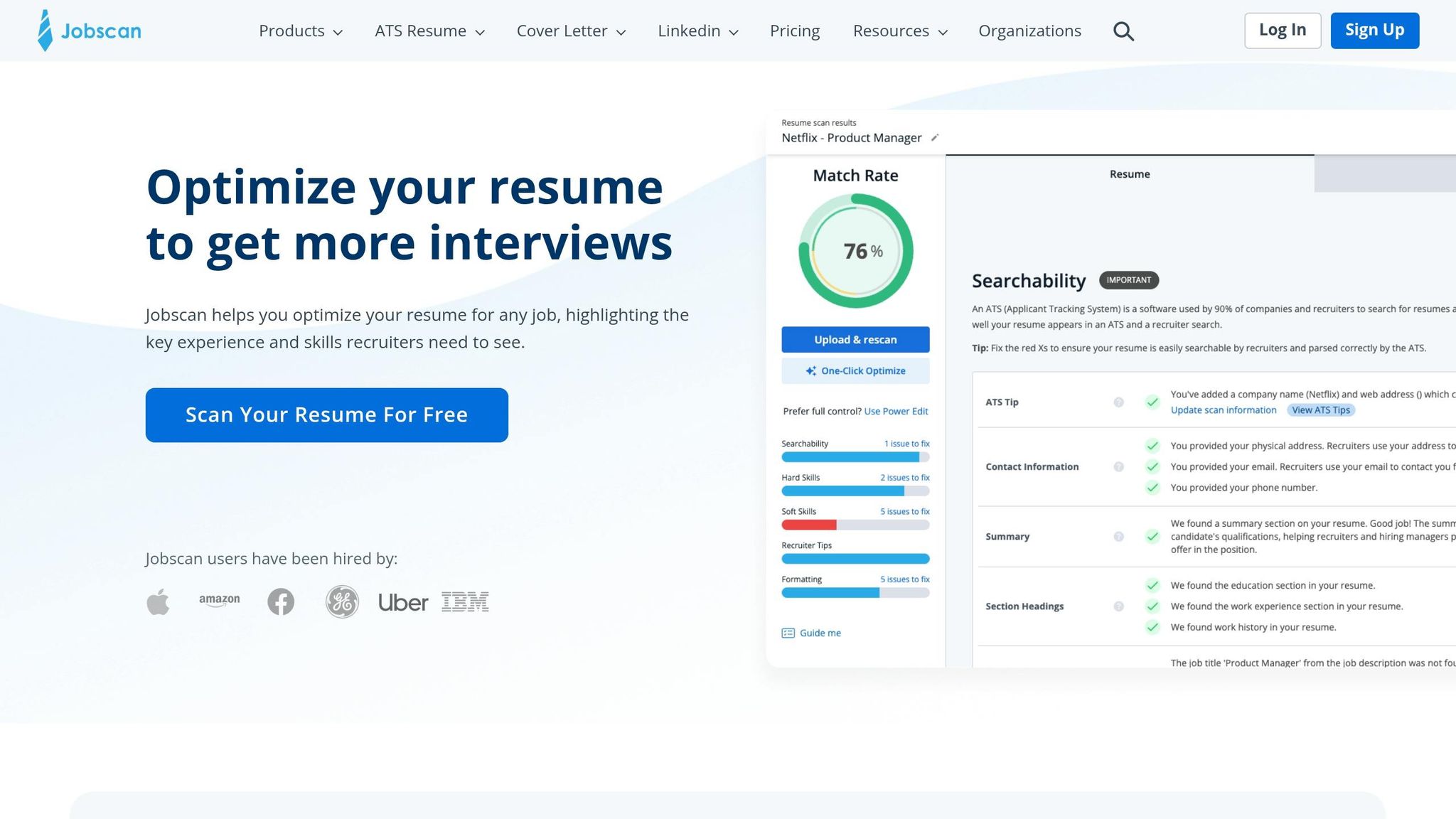
Jobscan offers AI-powered keyword matching to help refine your resume, but it leaves the actual tailoring and submission entirely up to you. Its primary feature is a keyword analysis tool that generates a match score, pointing out missing terms or formatting issues that might prevent your resume from passing ATS filters. While this data is helpful, Jobscan doesn't handle the heavy lifting of resume customization or submission, meaning you'll spend time manually navigating corporate portals.
What Jobscan Does Well
Jobscan shines when it comes to keyword analysis and ATS compatibility scoring. By comparing your resume to job descriptions, it identifies missing terms and assigns a match score. It also provides tips tailored to specific ATS platforms like Workday and Taleo, which can be useful for understanding technical requirements. For job seekers who want a hands-on approach, Jobscan's insights allow you to fine-tune your resume independently. Its subscription model, offering unlimited scans, can be a cost-effective option if you're targeting a small number of carefully chosen roles.
But while Jobscan provides data and insights, scale.jobs takes it a step further by managing the entire application process for you.
Where scale.jobs Wins: Human Review + ATS Optimization
Unlike Jobscan, scale.jobs combines human expertise with ATS optimization, offering a fully managed application process. Here’s how it stands out:
- Human-driven customization: Virtual assistants craft personalized resumes that not only meet ATS requirements but also resonate with recruiters.
- End-to-end service: From tailoring resumes to navigating complex corporate portals like Workday and Greenhouse, scale.jobs handles everything, saving you up to 60 hours a month.
- Submission transparency: You receive time-stamped screenshots and WhatsApp updates for every application, offering tangible proof of work - a feature Jobscan doesn’t provide.
- Manual submissions: Human assistants submit applications manually, avoiding bot-detection flags that can hinder automated tools.
- Flat-rate pricing: Choose from one-time campaign bundles ($199 for 250 applications, $299 for 500, or $399 for 1,000), avoiding recurring subscription fees. Unused credits are refundable, adding flexibility.
For those looking for additional help, scale.jobs also offers professional resume writing services, ensuring your resume is technically compliant and designed to stand out at all stages of the hiring process.
Feature Comparison: Jobscan vs scale.jobs
Here’s a quick breakdown of how Jobscan and scale.jobs differ:
| Feature | Jobscan | scale.jobs |
|---|---|---|
| Primary Method | AI-driven keyword and format analysis | Human-led resume tailoring and application |
| User Effort | DIY (manual updates and submissions) | Fully managed (hands-off process) |
| ATS Focus | Focuses on parsing and technical tips | Covers manual optimization and portal navigation |
| Application Execution | User submits applications | Human assistants handle submissions |
| Verification | Match score updates | Proof-of-work with screenshots and updates |
| Support | Platform-based | 24/7 WhatsApp support |
| Pricing Model | Subscription-based | One-time flat fee per campaign |
| Time Saved | Requires manual effort | Saves 50–60 hours per month |
Who Should Use Jobscan
Jobscan is best for job seekers who prefer a DIY approach. If you’re applying to just a handful of roles each month and want to personally oversee every resume edit and application, Jobscan's subscription model can provide consistent, actionable insights. It’s ideal for those with the time and patience to manually customize their resumes and navigate corporate portals.
Who Should Choose scale.jobs
scale.jobs is tailored for candidates applying to numerous roles - 20 or more per week - who want to avoid the hassle of repetitive tasks. If you're targeting Fortune 500 companies or roles with complex ATS systems, scale.jobs ensures your applications bypass filters while maintaining a professional, recruiter-friendly tone. It's also a great choice if you're spending over 20 hours per week on applications, as the flat-fee model frees up time for networking and preparing for interviews.
Switch to scale.jobs If...
You might want to make the switch from Jobscan to scale.jobs under the following circumstances:
- You consistently achieve an 80%+ Jobscan match score but aren’t getting callbacks.
- You’re dedicating over 20 hours weekly to resume updates and application forms.
- You’re targeting companies with intricate ATS systems that require extensive forms and supplemental questions.
- You need to apply to 50+ jobs monthly to maintain momentum in your job search.
- You value proof of submission, such as time-stamped screenshots and real-time updates.
When the job hunt feels overwhelming, having a dedicated service like scale.jobs can make all the difference, allowing you to focus on what truly matters - preparing for interviews and landing your next role.
Resume Worded vs scale.jobs: Stop Using Automated Scoring Until You Read This
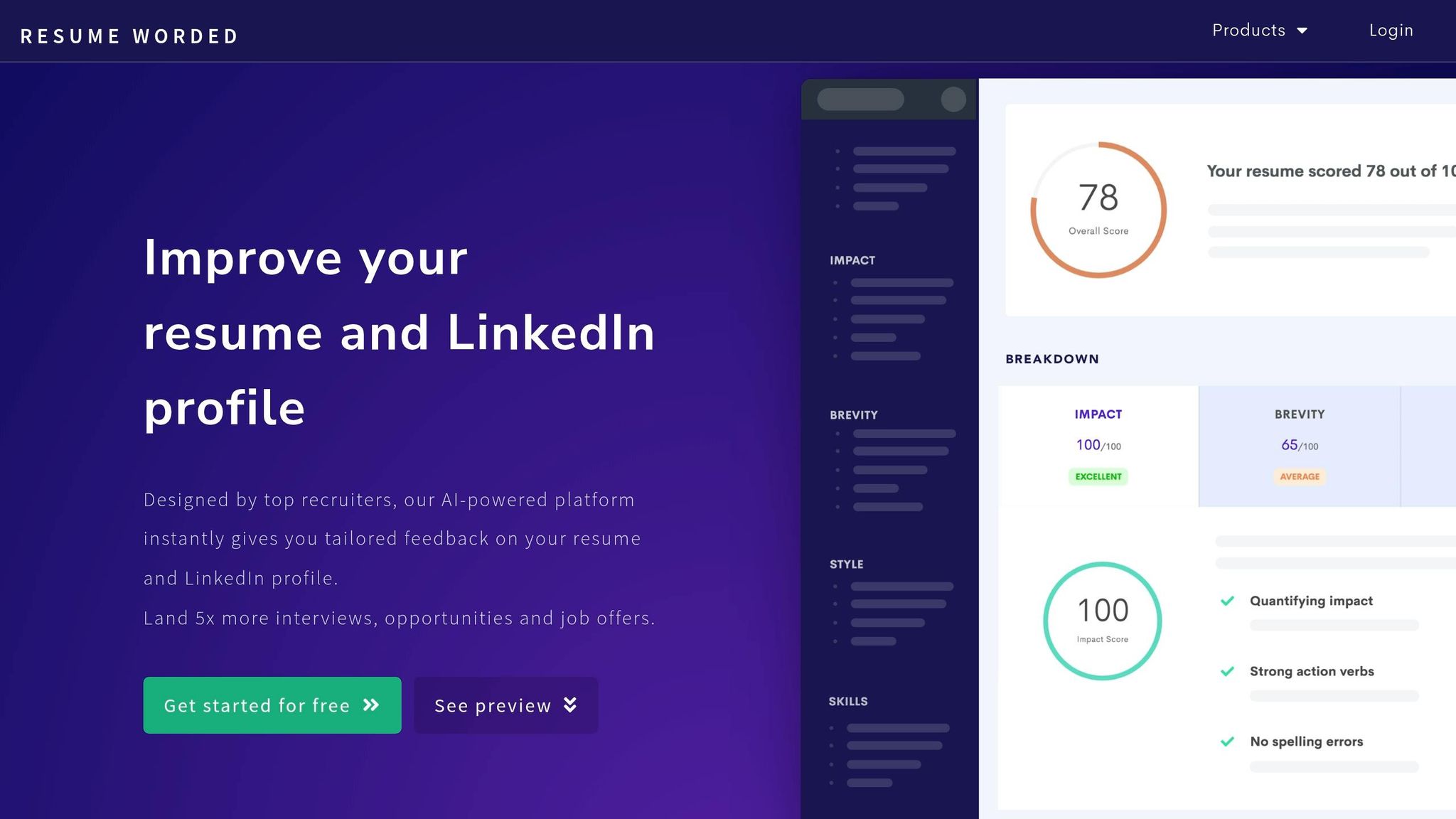
Resume Worded uses AI to give instant feedback on resumes, focusing on keyword density, formatting, and ATS compatibility. It's a go-to option for job seekers looking for quick diagnostics, but it falls short in areas like document customization and application support. While you'll get a numerical score and detailed tips, you're left to implement changes and tackle application portals on your own.
Let’s dive into what Resume Worded does well before comparing it to scale.jobs.
What Resume Worded Does Well
Resume Worded is great for providing a quick ATS compatibility score while flagging formatting issues and keyword gaps. It offers detailed feedback on keyword usage, section organization, and even LinkedIn profile optimization. For those with a polished resume who need minor tweaks before applying to a handful of roles, the platform’s $19–$49/month subscription is a budget-friendly option. Its recommendations can help you catch grammar mistakes and add impactful action verbs, making it a helpful tool for DIY users.
However, Resume Worded has its limitations. Its AI can be overly rigid, struggling with resumes that use unconventional headings or formats. More importantly, it doesn’t create a cohesive career narrative or contextualize your professional achievements - it simply points out what’s missing. While it offers valuable insights, scale.jobs takes it a step further by combining automation with human expertise.
Where scale.jobs Wins: Expert Customization + Application Execution
Unlike Resume Worded, which focuses on automated feedback, scale.jobs provides a full-service approach with human oversight. Here’s how it stands out:
- Human-led customization: Virtual assistants create personalized resumes and cover letters tailored to each job, ensuring they resonate with both ATS systems and recruiters - not just algorithms.
- Application execution: Instead of leaving you to handle submissions manually, scale.jobs assistants take care of every form field, supplemental question, and portal navigation, avoiding bot-detection issues.
- Proof-of-work transparency: You'll receive updates via WhatsApp and time-stamped screenshots for every submission, offering clear accountability.
- Handling complex cases: From visa sponsorship needs to career transitions, scale.jobs experts address nuances that automated tools often miss.
- Flat-fee pricing: Choose from campaign bundles ($199 for 250 applications, $299 for 500, or $399 for 1,000) with unused credits refunded, avoiding recurring monthly costs.
For those who need more than just a scoring tool, scale.jobs also offers professional resume writing services to ensure your documents are ready for both ATS systems and human recruiters.
Feature Comparison: Resume Worded vs scale.jobs
| Feature | Resume Worded | scale.jobs |
|---|---|---|
| Human Involvement | AI-powered automated scoring | Human-powered service with virtual assistants |
| Resume Customization Depth | AI keyword suggestions and match scores | Human-led customization per job posting |
| ATS Handling | Automated compatibility scoring | Manual optimization and portal navigation |
| Application Execution Method | Self-service (user applies manually) | Managed service (assistants apply for you) |
| Transparency and Proof of Work | Built-in job tracker | Time-stamped screenshots and WhatsApp updates |
| Pricing Model | Monthly subscription | One-time fee per campaign |
Who Should Use Resume Worded
Resume Worded is ideal for those comfortable with a DIY approach. If you’re applying to fewer than 10 roles per month and want quick, low-cost feedback on a strong resume or LinkedIn profile, this tool can help you make small improvements. It’s best suited for individuals who have the time and patience to manually implement suggestions and navigate corporate application portals.
Who Should Choose scale.jobs
For job seekers applying to 20 or more roles weekly, scale.jobs is a time-saving solution. It’s especially helpful for those undergoing career transitions, targeting Fortune 500 companies with complex ATS systems, or dealing with visa sponsorship requirements. By managing the entire application process, scale.jobs frees up your time to focus on networking and interview preparation. The flat-fee pricing also makes it a cost-effective option for high-volume applicants.
Switch to scale.jobs If...
You might want to consider switching from Resume Worded to scale.jobs if:
- You consistently score 80%+ on Resume Worded but aren’t landing interviews.
- You’re spending over 20 hours a week on resume updates, form-filling, and application submissions.
- You’re applying to 50+ jobs a month and need help maintaining momentum without burning out.
- You’re navigating complex scenarios like visa sponsorships or career shifts that require a personalized approach.
- You prefer proof of submission - complete with time-stamped screenshots and real-time updates - over automated scoring.
When high ATS scores don’t lead to interviews, it’s often because tools like Resume Worded can’t replicate the nuanced judgment needed to craft compelling, context-aware applications. scale.jobs bridges that gap, handling the entire process so you can focus on preparing for interviews and landing your next role.
MyPerfectResume vs scale.jobs: Is Template-Based Resume Building Worth It?
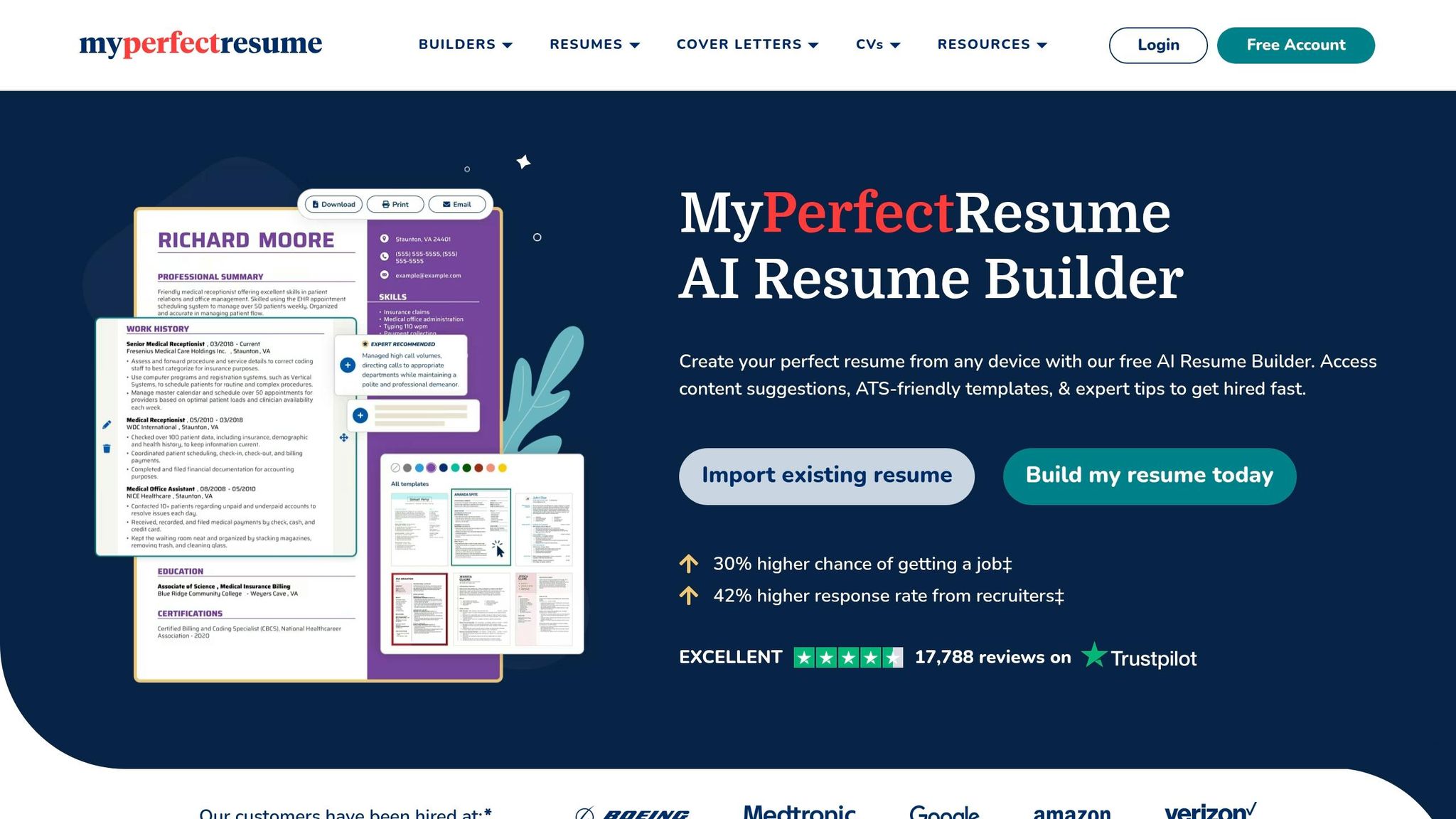
After exploring ATS checkers and related tools, it's time to compare MyPerfectResume, a template-driven service, with scale.jobs, which offers a more hands-on approach. MyPerfectResume provides pre-designed templates, complete with pre-written bullet points and AI-powered summaries, allowing users to craft a polished resume quickly. With a 4.6/5 Trustpilot rating as of December 2025, it’s a popular choice for those seeking a professional-looking document without starting from scratch. However, users need to customize the content, download the resume, and manually handle submissions - tasks that can become time-consuming for individuals applying to numerous roles.
scale.jobs, on the other hand, operates differently. Rather than relying on templates, the service assigns human assistants who tailor resumes and cover letters to specific job descriptions. They also handle the entire application process, submitting documents across various platforms, including corporate portals and ATS systems like Workday and Taleo.
What MyPerfectResume Does Well
MyPerfectResume excels at offering visually appealing templates for users who want full control over their job application process. Its feedback tool highlights formatting issues and missing keywords, creating a helpful starting point for improvement. With a $2.95 trial for 14 days (followed by $23.95 every four weeks or $7.95/month for the annual plan), it's an affordable choice for early-career professionals or those applying to a limited number of positions each month. The AI suggestions help refine career history and add action verbs, though users often mention that the content can feel somewhat generic, and font customization options are limited.
But how does scale.jobs address these shortcomings? Let’s take a closer look.
Where scale.jobs Wins: Custom Documents + Full Application Service
While MyPerfectResume provides tools for building resumes, scale.jobs takes a more comprehensive approach by managing the entire application process. Here’s what sets it apart:
- Personalized documents: Dedicated human assistants customize resumes and cover letters for each job description, aligning them closely with the role's specific requirements, rather than relying on generic templates.
- Complete application management: Assistants handle up to 30 applications daily, navigating complex portals and answering supplemental questions that automated tools often miss.
- Transparency through updates: Applicants receive time-stamped screenshots of submissions via WhatsApp, so there's no uncertainty about whether an application was completed.
- Advanced ATS optimization: Human assistants fine-tune formatting and keyword placement, improving the chances of bypassing ATS filters that often reject automated, template-based resumes.
- Flat-rate pricing: The service offers straightforward pricing - $199 for 250 applications, $299 for 500, or $399 for 1,000. Unused credits are refunded, and there are no recurring fees.
For those needing a tailored resume for multiple applications, scale.jobs also provides resume writing services starting at $199. This includes a 45-minute consultation and three complimentary job applications.
Feature Comparison: MyPerfectResume vs scale.jobs
| Feature | MyPerfectResume | scale.jobs |
|---|---|---|
| Human Involvement | User-only customization | Dedicated human assistants |
| Resume Customization Depth | Template-based with AI suggestions | Tailored per job description by humans |
| ATS Handling | Standardized formatting and keyword pool | Human-optimized to bypass bot-flags |
| Application Execution Method | User-managed submission | Managed submission by assistants |
| Transparency and Proof of Work | None | Screenshots and WhatsApp updates |
| Pricing Model | $23.95 every 4 weeks or $95.40/year | One-time flat fee per campaign |
Who Should Use MyPerfectResume
MyPerfectResume is ideal for students, recent graduates, or early-career professionals applying to a small number of roles. It’s a solid option for those on a budget who are comfortable managing their own submissions and need a polished template to organize their career history. Additionally, it works well for creative roles where visual design takes precedence over high-volume applications.
Who Should Choose scale.jobs
scale.jobs is better suited for job seekers applying to 20 or more roles weekly and looking to save time for networking or interview preparation. It’s particularly helpful for those navigating career changes, targeting large companies with complex ATS systems, or addressing specific challenges like visa sponsorships. If you’re spending over 20 hours a week on applications without seeing results, scale.jobs can save you 50–60 hours monthly while improving the quality of your submissions.
Switch to scale.jobs If...
You might want to switch from MyPerfectResume to scale.jobs if:
- You’re applying to 20+ jobs weekly, but your template-based resume isn’t leading to interviews.
- You’re struggling with complex application requirements, such as visa-related questions or industry-specific credentials, and find corporate portals frustrating.
- You prefer a one-time payment over recurring fees, especially during periods of high-volume job applications.
When templates fail to land interviews, it’s often due to a lack of personalized adjustments that only human expertise can provide. scale.jobs bridges this gap by not only creating tailored documents but also handling the submission process, allowing you to focus on preparing for the next steps in your career.
How to Act on ATS Checker Results
Fixing Problems Flagged by ATS Checkers
Begin by addressing parsing errors, as these can prevent your resume from being read correctly by the ATS. Even if your resume is loaded with relevant keywords, it won't matter if the system can't interpret basic details like your contact info or portfolio link. To troubleshoot this, save your resume as a .txt file and review how the text appears. If the content looks scrambled or misaligned, simplify your layout. Stick to a single-column format with standard headers like "Work Experience" instead of creative alternatives like "My Journey." Additionally, avoid using tables, as ATS software often processes them incorrectly, splitting job titles and dates into separate sections.
Next, resolve section recognition failures. If flagged, this issue might cause the ATS to overlook key parts of your resume, such as your education or work history. Use conventional section names and ensure your PDF file allows text to be selected line-by-line. If you can't highlight the text, it's likely that the ATS won't be able to read it either.
For keyword matching, mirror the exact language from the job posting. For instance, if the listing mentions "managed P&L", use that phrase instead of "oversaw budget." Also, include both the acronym and the full term, such as "Search Engine Optimization (SEO)", to improve your chances of being recognized by the system. A great way to naturally incorporate keywords is by following the "Verb + Scope + Outcome" formula. For example: "Upgraded Salesforce CRM for 12 sales reps, reducing lead response time by 40%." This method not only integrates keywords but also highlights measurable achievements. Once these adjustments are complete, you might want to explore professional ATS-optimized resume services to fine-tune your resume for success.
Using scale.jobs for Professional ATS Optimization
Free ATS checkers can help identify issues, but fixing them manually can be tedious, especially if you're applying to many roles. This is where scale.jobs steps in. They offer human assistants who customize your resume and cover letter for each job, ensuring they meet both ATS and human recruiter standards. These experts handle formatting, keyword placement, and even manage submissions across major platforms like Workday and Taleo, which dominate over 40% of the enterprise ATS market.
To keep things transparent, scale.jobs provides time-stamped screenshots via WhatsApp, so you know exactly what was submitted and when. Their pricing is straightforward: $199 for 250 applications, $299 for 500, or $399 for 1,000 applications. Plus, any unused credits are refunded. If you need help crafting a professional resume before diving into applications, their resume writing services start at $199. This includes a 45-minute consultation and three free job applications.
Retesting Your Resume After Changes
Once you've optimized your resume, it's crucial to retest it to ensure the changes haven't caused new parsing errors. Use free tools like Jumproo, which is specifically designed for U.S. job descriptions, to run multiple ATS checks. Compare the scores before and after your edits to measure improvement. If your score reaches a plateau despite repeated adjustments, it might indicate that automated tools can no longer address the remaining issues. At this point, seeking human expertise could be the best way to refine your resume and overcome potential ATS barriers.
Decision Summary: Choosing the Right ATS Solution
Based on our in-depth comparisons, this summary helps you decide whether to stick with free tools or opt for scale.jobs. Your choice depends on factors like how many applications you’re sending, your career stage, and your budget.
Free ATS checkers - such as Jobscan (5 scans per month), Resume Worded (analyzing 30+ criteria), or SkillSyncer (1 scan per week) - are ideal for entry-level job seekers applying to 5–10 positions per month. These tools are perfect for basic keyword matching and formatting tweaks. For students or anyone experimenting with a resume version, free options provide enough feedback at no cost. They’re especially helpful if you want to understand how ATS systems work and prefer to customize your resume on your own.
On the other hand, human-powered services like scale.jobs are worth considering if you’re aiming for competitive senior roles, submitting over 20 applications weekly, or not getting results despite high ATS scores (80% or more). Automated tools can point out missing keywords but often fall short when it comes to crafting engaging narratives or tailoring achievements to catch a recruiter’s attention. If you’ve already adjusted your resume based on automated feedback but still aren’t landing interviews after 20 applications, it might be time to explore a more personalized approach.
Budget is another key factor. Free tools are a good fit if your job search budget is under $15 per month. However, if your search stretches beyond three months or if landing interviews is a top priority, investing $199–$399 in professional resume writing and application services can be worthwhile. This investment often pays off when it helps you secure interviews for roles you’re targeting.
Here’s a decision framework to guide your choice: Stick with free tools if you’re applying to fewer than 10 jobs monthly, focusing on entry-level positions, or just starting to learn ATS basics. Opt for scale.jobs if you need tailored documents for each application, want proof-of-work updates (like screenshots via WhatsApp), or require assistance navigating corporate ATS platforms like Workday or Taleo. Their flat-fee pricing - $199 for 250 applications, $299 for 500, or $399 for 1,000 - avoids recurring subscriptions while offering the transparency and support that automated tools can’t provide.
Career changers and visa-sponsored candidates often gain the most from human-powered services. Automated checkers usually struggle to handle soft skills, quantify achievements, or reframe narratives effectively. If you’re dealing with complex application processes, pursuing high-stakes roles at Fortune 500 companies, or documenting your job search for visa purposes, the personalized depth of human review can help you stand out in competitive markets.
FAQs
What ATS score is considered good for most applications?
A good ATS score for most job applications is generally 75% or higher, with scores of 80% or more being considered outstanding. These higher scores reflect strong keyword alignment and proper formatting, which significantly boost your chances of getting through ATS filters.
Should I submit my resume as a PDF or a Word document?
When it comes to ensuring ATS (Applicant Tracking System) compatibility, PDF files are often a safe choice, provided you stick to standard fonts and avoid overly complex formatting. On the other hand, Word documents (.docx) are also commonly accepted and sometimes even preferred because they offer more flexibility for recruiters who may need to make edits. Whichever format you choose, the key is to adhere to ATS-friendly formatting guidelines to ensure your resume is easily parsed.
How do I add keywords without sounding forced or spammy?
To seamlessly integrate keywords into your resume, start by identifying relevant terms directly from the job description. Incorporate these into your skills, experience, and achievements sections in a way that feels natural and professional. For example, if the job calls for "project management", highlight specific projects you've led, emphasizing measurable outcomes like "increased efficiency by 20%."
Prioritize quantifying your accomplishments to give the keywords more context and weight. This not only makes your resume more compelling but also ensures it aligns with applicant tracking systems (ATS). However, steer clear of overloading your resume with keywords, as this can make it feel forced and reduce its readability. Striking a balance between showcasing your qualifications and meeting ATS requirements is key to crafting an effective and polished resume.