
OPT to H-1B transition: complete 2026 timeline

Sarah Mitchell
August 14, 2026
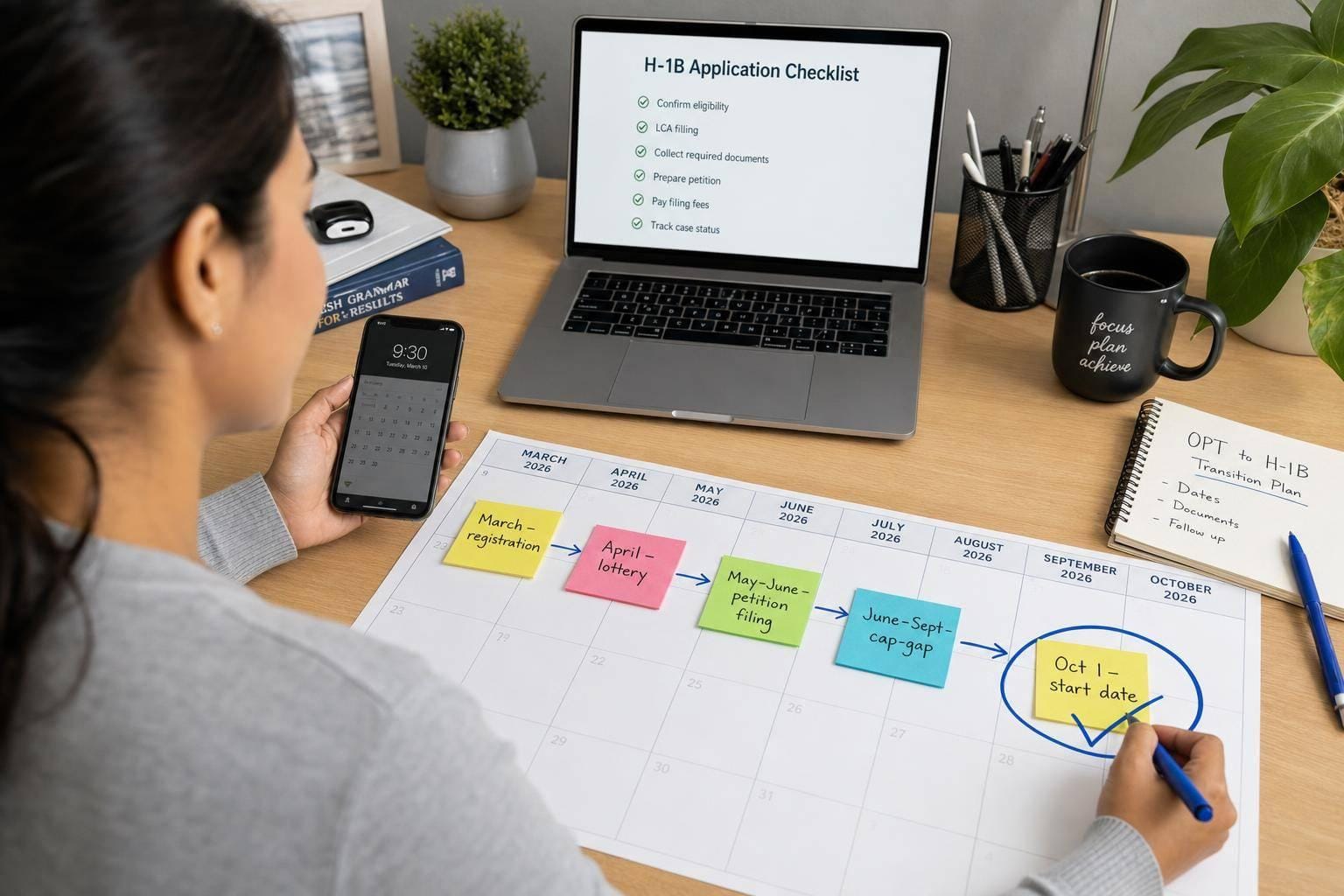
If you want an H-1B start date of October 1, 2026, the work starts long before October. From March 4–19, 2026 registration to late-March lottery results, April-June petition filing, and cap-gap rules, one missed step can block work authorization.
Here’s the short version:
- Before March 2026: confirm sponsorship, check your OPT/STEM OPT dates, and gather your records
- March 4–19, 2026: make sure your employer filed your registration and that it shows “Submitted”
- Late March 2026: if selected, move fast on the LCA and Form I-129
- Before October 1, 2026: watch cap-gap, travel rules, and payroll/I-9 updates
- If you’re still job hunting: focus on identifying H-1B sponsoring companies and keep clean records of every application
USCIS received about 336,153 registrations for FY 2026, and the selection rate was around 35%. That means your process has to be tight even if your registration is filed on time.
If I were planning this move, I’d focus on three things first: sponsorship confirmation, exact status dates, and a clean job-search system using tools like an ai resume builder, a job search platform, or a done-for-you job application service.
Prerecorded Webinar: F-1 to H-1B Practical Tips for a Smooth Transition (2025)
sbb-itb-564272e
What I’d do first
If I were on OPT or STEM OPT now, I’d use this playbook:
- Check my EAD end date
- Ask my employer if they will sponsor
- Confirm change of status or consular processing
- Collect I-20s, EADs, passport, I-94, degree records
- Make sure STEM OPT reporting is clean
- Get proof the March registration was submitted
- Prepare for lottery, filing, cap-gap, and October 1 updates
The timeline that matters
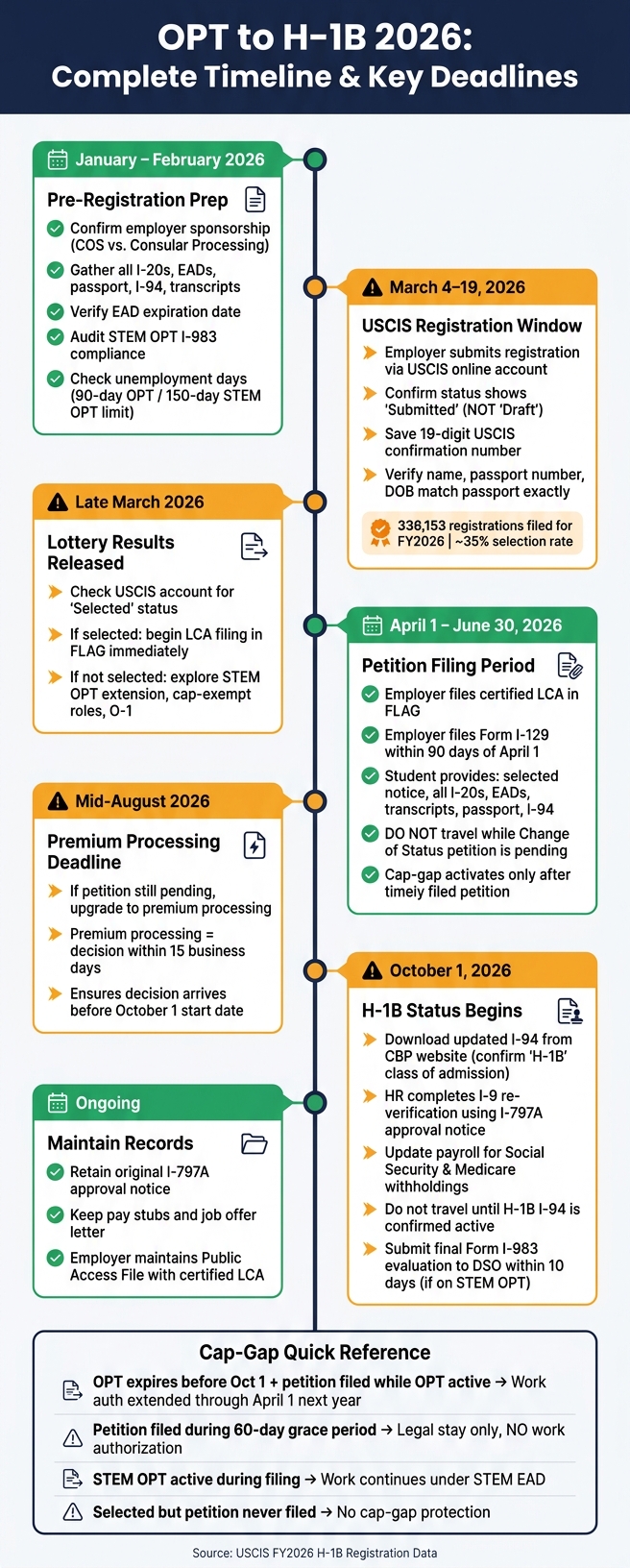
OPT to H-1B 2026 Complete Timeline: Key Dates & Deadlines
The article maps the process in a clear order.
- January to February 2026: tracking sponsoring companies and document prep
- March 4–19, 2026: USCIS registration window
- Late March 2026: lottery results
- April 1 to June 30, 2026: petition filing period
- Mid-August 2026: premium processing if a case is still pending
- October 1, 2026: H-1B status start date
That’s the full path in one line: secure sponsorship, using a daily job search system, confirm registration, react to selection, file on time, then move cleanly into H-1B status.
My simple read on the article
I’d treat this guide as a checklist, not just a timeline.
The most useful takeaways are:
- Do not assume your employer registered you
- Cap-gap does not start from registration alone
- Travel during a pending change-of-status case can break the COS part
- STEM OPT can give more room, but only if reporting stays clean
- Job title, duties, and degree match can matter later in the petition
That last point is why many students tighten their search and focus on sponsor-ready full time jobs instead of sending the same resume to every opening.
Best use case for job-search tools during this phase
The article also compares several auto-apply tools, but the bigger point is simple: if I were applying while dealing with visa timing, I’d want clean tracking, tailored resumes, and proof of submission.
A self-serve tool may work if you’re organized and only applying to a few roles. If you’re sending many applications, a Virtual Assistant for Job Applications or a job search virtual assistant can help you keep dates, versions, and sponsor details in one place.
If I needed more structure, I’d also review the best job boards for sponsor-friendly listings instead of depending only on auto-apply tools.
Quick comparison
| Stage | What I’d check | Main risk |
|---|---|---|
| Before March | Sponsorship trends, EAD dates, records | Missing documents or no sponsor commitment |
| Registration window | “Submitted” status and confirmation number | Employer never filed or filed with errors |
| After selection | LCA and I-129 timing | Delay that affects cap-gap or work |
| Before October 1 | Travel, payroll, I-9, I-94 | Status or work record mismatch |
FAQ-style answers
When should I start planning for the 2026 H-1B cycle?
I’d start by January 2026 at the latest. Earlier is better if you still need an employer sponsor.
Does H-1B registration by itself extend my work authorization?
No. Registration alone does not extend work authorization. Cap-gap ties to a timely filed petition, not just a registration entry.
What if my OPT expires before the petition is filed?
You may have a gap in work authorization. That’s one of the biggest timing risks in the article.
Can I travel while a change-of-status H-1B petition is pending?
No, not if you want to keep the COS part intact. Travel can be treated as abandonment of the change-of-status request.
What kind of jobs should I target during this phase?
I’d focus on sponsor-friendly industries and keep records clean. If needed, I’d widen the search across Apply for jobs workflows and backup options, but I would not let volume replace accuracy.
Bottom line
If I had to sum up the article in one sentence, it would be this: the OPT to H-1B move in 2026 is mostly about timing, proof, and clean records. If you lock in sponsorship early, verify each filing step, and keep your search organized, you give yourself the best shot at a smooth October 1 start.
Before March: lock in sponsorship, documents, and your job-search workflow
Before the March registration window opens, lock in sponsorship and gather the full document set. This is the part many students push off, then end up scrambling through when the lottery opens. A cleaner setup now makes the filing path much less messy later.
Student checklist: documents and status dates to verify now
Your first job is to confirm your EAD expiration date and check whether it falls before the H-1B petition is filed. If your OPT EAD expires before filing happens, you may face a work authorization gap. Cap-gap only starts after a timely filed petition.
After that, collect the documents your attorney will need before registration opens:
- All previous I-20s, including any CPT or OPT amendments
- Current and prior EAD cards
- Passport valid through filing
- Most recent I-94 record from the CBP website - confirm F-1 class of admission and D/S
- Diploma and official transcripts, or a credential evaluation for a non-U.S. degree
- Form I-983 training plan and all required self-evaluations if you are on STEM OPT
Two issues trip students up all the time. The first is passport validity. If your passport will expire too soon, filing can slow down. The second is STEM OPT compliance. If you missed I-983 submissions or skipped evaluations, you can run into SEVIS issues. That can affect cap-gap coverage or even your H-1B filing path.
Check with your DSO and make sure your SEVIS record shows no violations. Also confirm your unemployment days are still under the limit: 90 days for standard OPT, 150 days for STEM OPT.
You should also ask your employer whether they plan to file as Change of Status (COS) or Consular Processing. That choice matters more than many students think. COS can keep cap-gap work authorization in place if the petition is filed on time. Consular Processing does not keep cap-gap. In that case, you must finish visa processing abroad before you can start H-1B work.
If you're juggling this while trying to Apply for jobs, build a simple tracking system now. One sheet with deadlines, document versions, and sponsor status is often enough. The point is to avoid the “wait, which I-20 did we send?” moment.
Employer checklist: sponsorship decision, account setup, and legal coordination
The employer side needs to be ready before the March registration window opens. Internal approval, USCIS organizational account setup, and attorney coordination all take time. If any one of those pieces stalls, the whole process can slip.
| Responsibility | Owner | Deadline |
|---|---|---|
| Internal sponsorship and budget approval | Employer | Before March |
| USCIS organizational account setup | Employer | Before March |
| Wage level determination and LCA prep | Employer + Counsel | Before March |
| Passport and I-20 document collection | Student | Before March |
| STEM OPT I-983 audit | Student + Employer | Before March |
| E-Verify enrollment confirmation | Employer | Before March |
The wage level decision should be discussed with your employer before February. Under the wage-weighted lottery, a higher offered wage level can improve selection odds. That doesn’t mean every employer can or will adjust pay, but it does mean the topic should not be left untouched.
Employers also need to confirm E-Verify enrollment if you are on STEM OPT. That’s required for the extension to stay in line. Missing that detail can create problems later, even if everything else looks fine.
You should also confirm whether the supplemental fee applies to your case. That can shape whether the employer prefers COS or Consular Processing.
If you're using a job application service or a job search platform, this is the stage where it should help with sponsor tracking, document control, and submission records - not just blast out forms.
Simplify.jobs vs. LazyApply vs. scale.jobs: which tool fits a sponsorship job search
Not every tool works well for a sponsorship search. Some are fine for broad outreach. Others are better when each application needs tighter alignment between job title, duties, degree field, and resume wording.
Simplify.jobs
Simplify.jobs cuts down repetitive form filling and gives you one place to track applications. For many general applicants, that’s useful.
Why scale.jobs wins against Simplify.jobs:
- Human assistants submit each application by hand; Simplify.jobs is fully self-serve
- Resumes are ATS-optimized and tailored per posting, not left to the user to adjust
- Time-stamped proof-of-work screenshots show exactly what was submitted and when
- Real-time WhatsApp updates replace passive dashboard checking
- Flat one-time fee starting at $199 replaces an ongoing subscription
LazyApply
LazyApply is built for higher-volume automation. If your goal is pure speed, it can help you push out a lot of applications fast.
Why scale.jobs wins against LazyApply:
- Human-executed submissions replace bot-style automation that can trigger ATS filters
- Each resume is tailored to the specific job description, not templated across all postings
- Proof-of-work screenshots give full visibility into every submission
- Dedicated WhatsApp support keeps you informed in real time
- One-time flat fee with no recurring charges
| Feature | Simplify.jobs | LazyApply | scale.jobs |
|---|---|---|---|
| Human involvement | None | None | Trained human assistant per application |
| Resume customization depth | Basic/self-serve | Template-based | ATS-optimized, tailored per posting |
| ATS handling | Self-managed | Automation-heavy | Human-executed application submission |
| Application execution method | User-driven workflow | Automated submission | Human-executed, any portal |
| Transparency and proof of work | Dashboard tracking | Limited visibility | Time-stamped screenshots + WhatsApp updates |
| Pricing model | Free / subscription | Subscription | Flat one-time fee; first 5 free |
Who should use Simplify.jobs: Domestic applicants or general job seekers who want a lighter, self-managed workflow with less form entry. If you're testing a few of the best job boards and want a basic tracking layer, it can do the job.
Who should use LazyApply: Job seekers who care most about high-volume submission speed and are less focused on per-job resume edits.
Who should choose scale.jobs: If you're targeting sponsorship-friendly employers and need each application to match the job title, duties, and degree connection that may later matter in your H-1B petition, human-executed applications with tailored documents are often the better fit.
For many international students, this comes down to one plain question: Is speed enough, or do you need cleaner alignment? If you're aiming for full time jobs with sponsorship, sending the same resume everywhere can hurt more than help.
A Virtual Assistant for Job Applications or job search virtual assistant can also help when you're applying across multiple portals and need proof of what was sent. That's especially useful when an employer later asks for copies, dates, or title history.
Switch to scale.jobs if:
- Your current tool submits the same resume to every job without customization
- You need proof of which applications were submitted and when
- You are targeting sponsorship roles where ATS accuracy and job-to-degree alignment matter
- You want human review instead of fully automated submission
- You want a one-time payment instead of a recurring subscription
March registration window: confirm the filing, do not assume it is done
The March 2026 H-1B registration window opened on March 4, 2026, at 12:00 p.m. ET and closed on March 19, 2026, at 12:00 p.m. ET. Treat that deadline as fixed. At this stage, your job is not to file again. Your job is to make sure your employer submitted your name before the window closed.
This is the moment when sponsorship shifts from a verbal promise to a documented action.
What the employer submits during the USCIS registration window
The employer or attorney submits the beneficiary’s name, passport details, and employer information through a USCIS online account. Registration by itself does not protect work authorization. USCIS accepts the registration and then uses it for the lottery.
Once the registration is sent, the next step is simple: confirm the status and save the confirmation number before the portal closes.
What the student must confirm before the window closes
Do not assume it was filed. Ask for written confirmation and a USCIS screenshot showing your status as "Submitted", plus the 19-digit USCIS confirmation number.
Before the window closes, check that the information matches your passport and job details exactly:
| Registration Detail | What to Verify |
|---|---|
| Legal name | Must match your passport exactly, including middle names |
| Passport number | Must match the passport you plan to use for travel or stamping |
| Registration status | Must show "Submitted", not "Draft" |
| Confirmation number | Retain the 19-digit USCIS identifier |
If you're tracking many job leads and trying to Apply for jobs at the same time, this part can slip through the cracks. Don’t let it. One missing screenshot or one unanswered email can leave you guessing after the deadline has passed.
A short checklist helps:
- Get written confirmation from the employer or attorney
- Ask for a USCIS screenshot with "Submitted" status
- Save the 19-digit confirmation number
- Check your name, passport number, and date of birth against your passport
Registration mistakes that can break the timeline
Small errors can cause big problems. A name mismatch, a transposed passport number, or the wrong date of birth can lead to rejection or an RFE later. Send a clear passport copy before submission so the employer has the right information in front of them.
There’s another issue people miss: duplicates. If the same employer submits more than one registration for you, all registrations from that employer for that beneficiary are disqualified. USCIS treats duplicate filings for the same beneficiary as disqualifying, so extra entries do not improve your odds.
This is one reason many students use a job search platform or a job search coach to keep deadlines, employer replies, and visa steps in one place. The filing itself still comes from the employer or attorney, but your side of the process needs tight follow-up.
Selection is not guaranteed. USCIS received about 336,153 registrations for FY 2026, with a selection rate near 35%. If you are not selected, discuss STEM OPT, cap-exempt roles, or O-1 with counsel before results are released.
If your search is still active, this is also the point to widen your options. That may include full time jobs, cap-exempt employers, or roles where a Virtual Assistant for Job Applications can help you stay organized while immigration timing gets more stressful.
After the window closes, the only meaningful next step is waiting for selection results and preparing the petition file.
After selection: petition filing, cap-gap, and STEM OPT overlap
USCIS usually posts H-1B lottery selection results in late March. If your case shows Selected, your employer needs to act fast. Selection does not approve the visa. It only gives the employer the right to file the full H-1B petition.
Petition filing checklist after selection
Selection is just the opening step. The next deadlines are the LCA and the Form I-129 filing.
Your employer should file the LCA in FLAG first, create the public access file within one business day, and then file Form I-129 within 90 days of April 1.
On your side, get your records ready before the employer or attorney asks for them. That saves time and cuts back-and-forth.
| Document Category | What to Provide |
|---|---|
| Employer Records | Certified LCA, Form I-129, detailed support letter mapping duties to your degree, proof of ability to pay, worksite and wage details |
| Student Records | Selected registration notice, all prior I-20s, current and expired OPT/STEM OPT EADs, official transcripts, diplomas, valid passport, most recent I-94 |
| Academic Add-Ons | Credential evaluation if your qualifying degree was earned outside the U.S. |
The most common RFE triggers are still the same: vague job duties and a weak link between the role and your degree. If your degree is from outside the U.S., include the credential evaluation up front.
Once the filing process starts, the next issue is simple: can you keep working until October 1?
One rule here is strict. Do not travel while a change-of-status petition is pending. If you leave the U.S., the change-of-status piece is treated as abandoned, and cap-gap ends.
LoopCV and Sonara vs. scale.jobs: ATS risk during sponsorship hiring
If you're still trying to Apply for jobs while the petition is moving, your tool stack matters. During sponsorship hiring, messy tracking can hurt you. So can auto-submissions that don't handle sponsor questions well.
This period is high pressure. You may still be chasing backup roles, cap-exempt jobs, or parallel options through a job search platform. In that kind of window, volume alone isn't enough. You need clean records, better matching, and fewer errors.
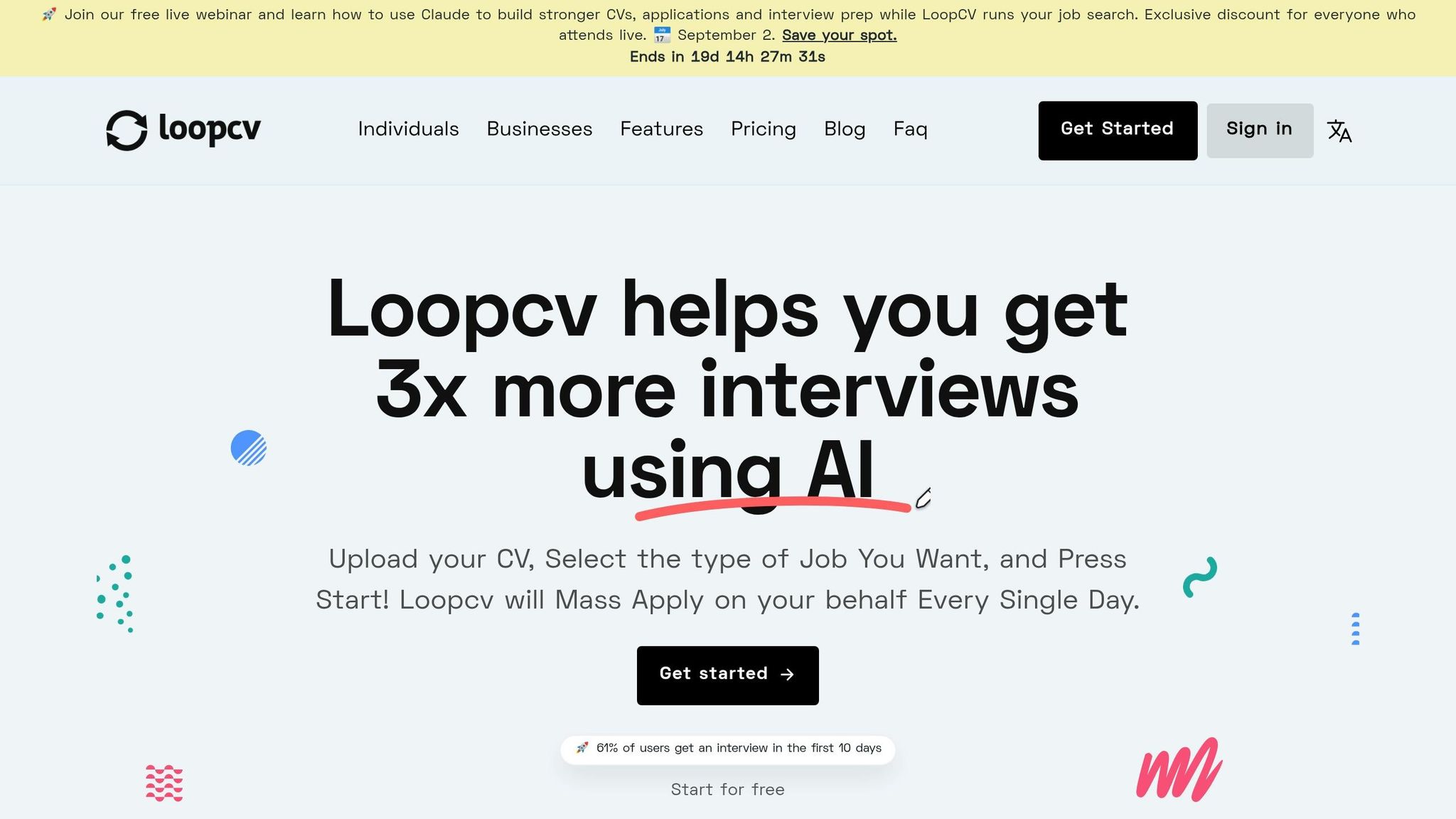
LoopCV
LoopCV automates job matching and application submission on a schedule. That can help if you're juggling immigration deadlines and don't want to spend hours submitting applications by hand.
LoopCV vs Scale.jobs
- Human assistants submit each application manually, which lowers the odds of automation problems on sponsorship-sensitive postings
- Each resume is tailored to the job description, including job title and duties alignment that may later matter in an H-1B petition
- Time-stamped proof-of-work screenshots give you a record of every submission
- Dedicated WhatsApp support gives live updates instead of making you check a dashboard
- Flat one-time fee with no recurring charges
Is LoopCV worth it?
It can be a fit if you want passive application flow and are comfortable with automated volume. But if you're aiming at sponsor-friendly roles, automation can miss details that matter later.
Sonara
Sonara uses AI to match and apply to jobs automatically. That saves time during a busy filing season, especially if you're trying to keep a backup search active.
Sonara vs Scale.jobs
- Human-run submissions replace AI auto-apply flows that may struggle with sponsorship portals
- Resume edits are done for each posting, not pulled from one base profile
- Proof-of-work screenshots create a submission trail instead of only showing a match score
- Real-time WhatsApp updates replace passive alerts
- One-time flat fee starting at $199 replaces subscription billing
Is Sonara worth it?
It helps cut search time. But if you need tight control over sponsor questions, portal accuracy, and role-specific resume edits, a human-led job application service is often the safer path.
| Feature | LoopCV | Sonara | scale.jobs |
|---|---|---|---|
| Human involvement | None | None | Trained human assistant per application |
| Resume customization depth | Template-based | AI-generated from profile | ATS-optimized, tailored per posting |
| ATS handling | Automated submission | Automated submission | Human-executed application submission |
| Application execution method | Scheduled automation | AI-matched auto-apply | Human-executed, any portal |
| Transparency and proof of work | Dashboard tracking | Match score only | Time-stamped screenshots + WhatsApp updates |
| Pricing model | Subscription | Subscription | Flat one-time fee; first 5 free |
LoopCV works best for people who want passive, scheduled applications across global boards and are fine with automation.
Sonara works best for people who want AI matching to cut search time and care less about editing each application one by one.
scale.jobs makes more sense if you're targeting sponsorship-friendly employers during an active petition window and need each application to line up with the job title, duties, and degree link that may later show up in the H-1B file. In that case, a Virtual Assistant for Job Applications can be a better option than pure automation.
A switch makes sense if:
- Your current tool sends the same resume to every posting
- You need proof of what was submitted and when
- You are targeting sponsorship roles where ATS accuracy and job-to-degree match matter
- You want human review during a high-pressure immigration period
- You prefer a one-time payment over a subscription
If you're comparing tools in the same category, it also helps to look at the best job boards for sponsor-friendly listings instead of relying only on auto-apply software.
Cap-gap vs. STEM OPT: which bridge covers your situation
Whether you can keep working until October 1 depends on two things: when the H-1B petition is filed and whether you are on regular OPT or STEM OPT.
That filing date controls the outcome.
| Scenario | Work Authorization Outcome | Status Risk | What to Keep Current |
|---|---|---|---|
| OPT expires before Oct. 1; petition filed while OPT is active | Extended until April 1 of the following year or adjudication | Low; status and work auth are protected | Updated I-20 from your DSO reflecting cap-gap |
| Petition filed during the 60-day grace period | No work authorization; legal stay only | Moderate; you can remain in the U.S., but cannot work | Stop working immediately when the EAD expires |
| STEM OPT active during H-1B filing season | Work continues under STEM EAD; cap-gap is a secondary safety net | Very low; STEM OPT remains valid even if H-1B is denied | I-983 training plan compliance with employer |
| Selected in lottery but petition never filed | No cap-gap protection activates | High; status ends at OPT or grace period expiration | Must depart or pursue a different status |
A few practical points are easy to miss, and they matter:
- Unemployment days still count during cap-gap: 90 days for standard OPT and 150 days for STEM OPT
- If the petition is denied, stop work right away
- If the petition is still pending in mid-August, upgrade to premium processing to get a decision within 15 business days before October 1
- Keep SEVIS reporting and STEM OPT self-evaluations current, because a status violation can damage the change-of-status request
STEM OPT gives you more breathing room because it runs under its own compliance rules. Cap-gap is tied to the petitioning employer. STEM OPT, by contrast, can keep going under its own rules as long as your E-Verify and I-983 records stay in order.
If you need help keeping applications organized while all of this is happening, a job search virtual assistant or job search coach can help you keep the search moving without losing track of deadlines.
October 1 transition: start H-1B status cleanly and keep records in order
After Oct. 1, 2026, your status shifts from F-1 to H-1B, and your work authorization shifts from your EAD to the I-797A approval notice. Use this checklist to avoid an I-9, payroll, or SEVIS mismatch in your first week of H-1B status.
Final pre-start checklist for the student and employer
Start with status documents, then update employer records.
After Oct. 1, download your updated I-94 from the CBP website and confirm the "Class of Admission" field reads H-1B.
On the employer side, HR must complete I-9 re-verification on October 1. The I-797A approval notice serves as the List C document for work authorization. If that update slips, you can run into an I-9 or payroll gap.
Update payroll for H-1B withholding. Your first October paycheck should show Social Security and Medicare withholdings.
A few other items to lock down around October 1:
- Do not travel until you confirm the H-1B I-94 is active.
- Retain the original I-797A - your main proof of status until you get a visa stamp. Keep the full H-1B petition package easy to access in case of a site visit.
- Keep copies of pay stubs and your original job offer letter as proof of maintenance of status and wage compliance. Employers should keep the Public Access File current, including the certified LCA, wage documentation, and proof that workplace notices were posted for 10 consecutive business days.
- If you were on STEM OPT, submit the final Form I-983 evaluation to your DSO within 10 days. Keep STEM OPT records current; a SEVIS violation can complicate the H-1B transition.
Keep records in one place through the transition.
If you're still sorting out how to apply for jobs while you wait on H-1B start-date paperwork, now is a good time to compare human review, ATS handling, and proof of work.
Teal vs. Jobscan vs. Rezi vs. scale.jobs: which tool fits a sponsorship job search
Not every tool is built for the level of precision a sponsorship job search calls for. During an active H-1B transition, job title alignment, ATS accuracy, and submission records can matter beyond the application itself.
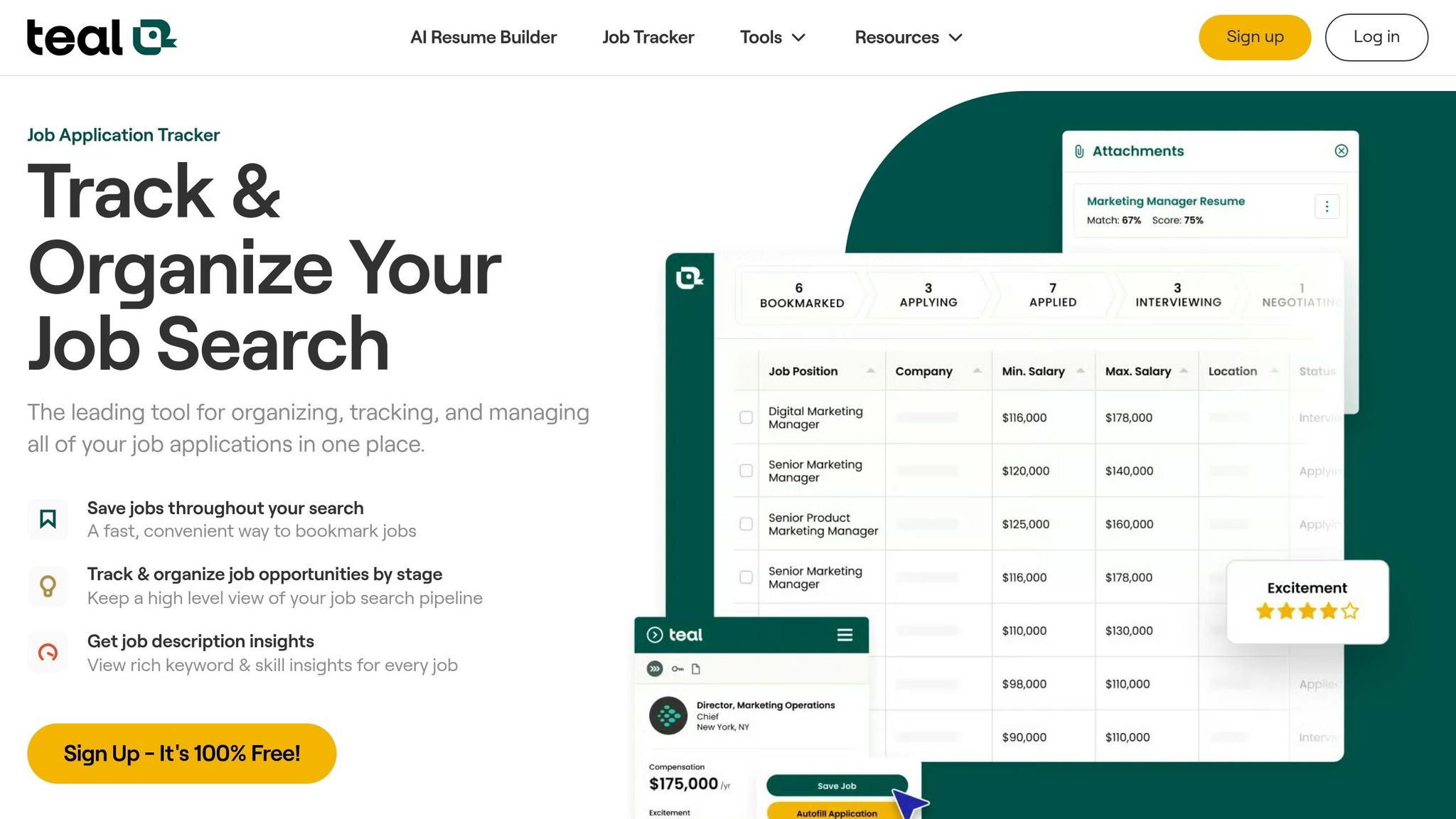
Teal
Teal offers a solid job tracker and resume builder that helps you organize applications and tailor documents. It works well for self-directed job seekers who want a clear view of their pipeline.
Why scale.jobs wins against Teal:
- Human assistants submit each application by hand; Teal is fully self-serve
- Resumes are ATS-optimized and tailored per posting, not edited by the user
- Time-stamped proof-of-work screenshots show exactly what was submitted and when
- Real-time WhatsApp updates replace passive dashboard checking
- Flat one-time fee starting at $199 replaces a subscription
Jobscan
Jobscan is one of the stronger ATS-optimization tools out there. Its keyword-match scoring helps you spot gaps between your resume and a job description before you apply.
Why scale.jobs wins against Jobscan:
- Human-executed submissions replace self-managed optimization with no guaranteed submission accuracy
- Resume tailoring and ATS alignment are handled for you, not scored and left to you to fix
- Proof-of-work screenshots create a submission trail Jobscan does not provide
- Dedicated WhatsApp support gives live updates on every application
- One-time flat fee with no recurring charges
Rezi
Rezi uses AI to generate and format resumes fast. It's a practical pick for building multiple resume versions quickly.
Why scale.jobs wins against Rezi:
- Human assistants apply to each role using a tailored resume, not just generate a document
- ATS optimization is applied per posting, not left to the user to verify
- Every submission includes time-stamped proof of work
- Real-time WhatsApp support keeps you informed at each step
- Flat one-time fee replaces subscription billing
| Feature | Teal | Jobscan | Rezi | scale.jobs |
|---|---|---|---|---|
| Human involvement | None | None | None | Trained human assistant per application |
| Resume customization depth | Self-serve builder | Keyword scoring only | AI-generated drafts | ATS-optimized, tailored per posting |
| ATS handling | Self-managed | Score and advise only | Formatting-focused | Human-executed application submission |
| Application execution method | User-driven | User-driven | User-driven | Human-executed, any portal |
| Transparency and proof of work | Dashboard tracking | Score reports | Document history | Time-stamped screenshots + WhatsApp updates |
| Pricing model | Free / subscription | Subscription | Subscription | Flat one-time fee; first 5 free |
Who should use Teal: Self-directed job seekers who want a clean tracker and resume builder and are comfortable managing their own applications and edits.
Who should use Jobscan: Applicants who want to audit their resume against job descriptions before submitting and are willing to make the edits themselves.
Who should use Rezi: Job seekers who need to produce multiple resume versions quickly and handle their own submissions.
Who should choose scale.jobs: If you're targeting sponsorship-friendly employers during an H-1B transition and need each application to line up with the job title, duties, and degree connection that may appear in your petition file, human-executed applications with tailored documents are the stronger fit.
A simple way to think about it: Teal, Jobscan, and Rezi help you prepare. scale.jobs helps you prepare and execute. That difference matters when you're juggling immigration timing, employer records, and a tight hiring window.
If you're comparing a job search platform with a done-for-you job application service, this is where the gap shows up most clearly.
Switch to scale.jobs if:
- Your current tool submits the same resume to every posting without customization
- You need time-stamped proof of which applications were submitted and when
- You are targeting sponsorship roles where ATS accuracy and job-to-degree alignment matter
- You want human review instead of self-managed or automated submission
- You prefer a one-time payment over a recurring subscription
Decision Summary: Use Teal, Jobscan, or Rezi if you want self-managed tools that support your own workflow. Choose scale.jobs if you need human-executed applications, per-posting resume tailoring, and a submission record that holds up during a sponsorship hiring process.
For job seekers who want more hands-on help, a job search virtual assistant or Virtual Assistant for Job Applications can save time and cut down on avoidable errors.
scale.jobs free trial: first 5 applications at no cost
scale.jobs offers your first five applications at no cost. That includes human-executed submissions, ATS-optimized resumes tailored to each posting, time-stamped proof-of-work screenshots, and real-time WhatsApp updates. If you're still applying during the H-1B transition period, it's a practical way to test the workflow before committing to the full package.
If you're also updating your documents before sending out more applications, an ai resume builder or ai cover letter builder can help speed up prep before human review takes over.