
How to Beat ATS in 30 Minutes: Step-by-Step Resume Fix 2026

Sarah Mitchell
April 17, 2026
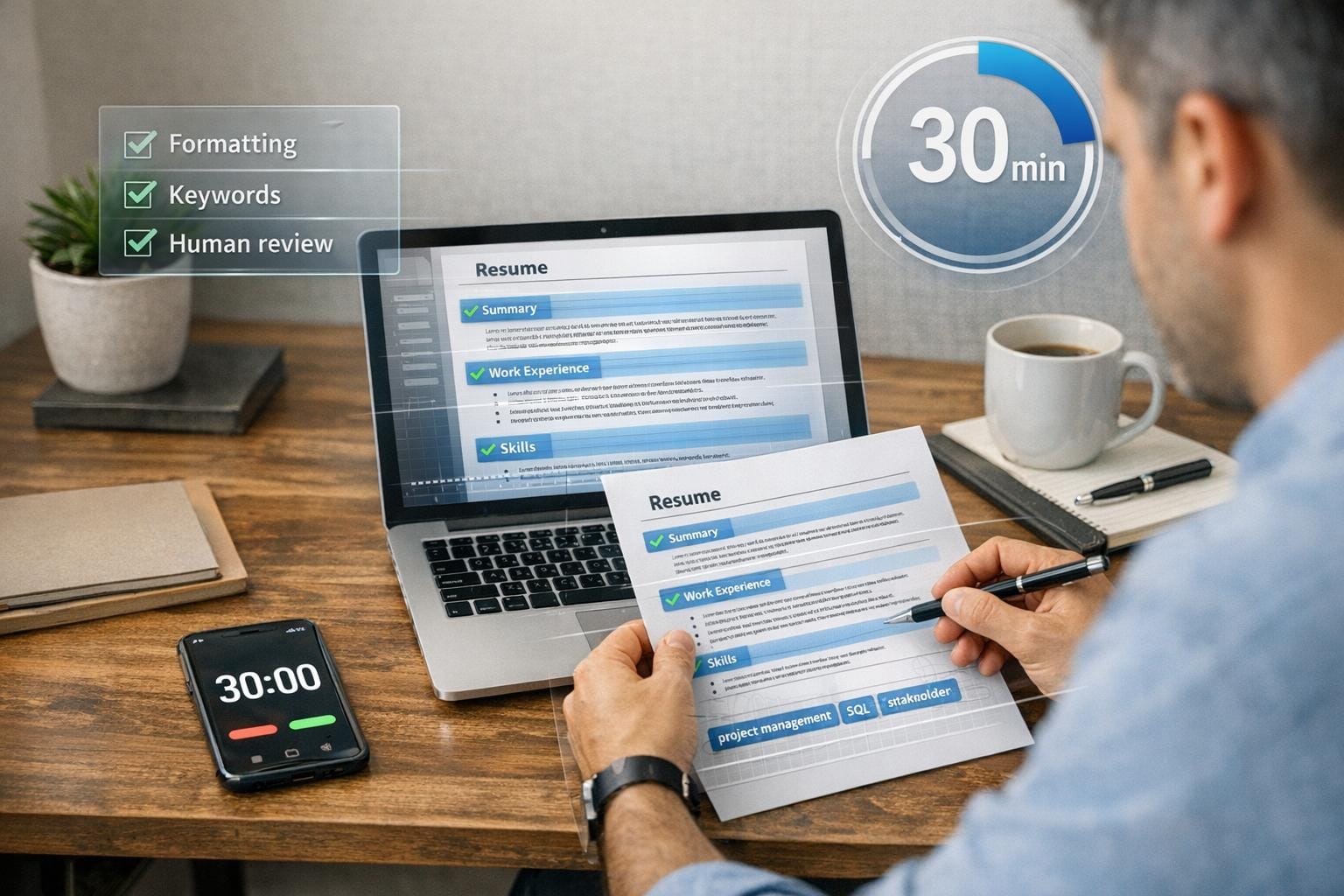
Struggling to get past Applicant Tracking Systems (ATS)? You're not alone - most resumes are filtered out before reaching recruiters. With ATS technology becoming more advanced in 2026, simple keyword matching is no longer enough. Formatting errors, missing keywords, and lack of contextual relevance can all lead to rejection.
This guide breaks down a 30-minute process to make your resume ATS-ready. Here's what you'll learn:
- Check your ATS score: Use tools like Jobscan.co to identify gaps.
- Fix formatting issues: Avoid multi-column layouts, graphics, and non-standard fonts that confuse parsers.
- Add relevant keywords: Extract terms from job descriptions and integrate them naturally.
- Proofread and test: Ensure readability with tools like Tealhq.com.
- Submit applications efficiently: Consider services like scale.jobs for hands-free support.
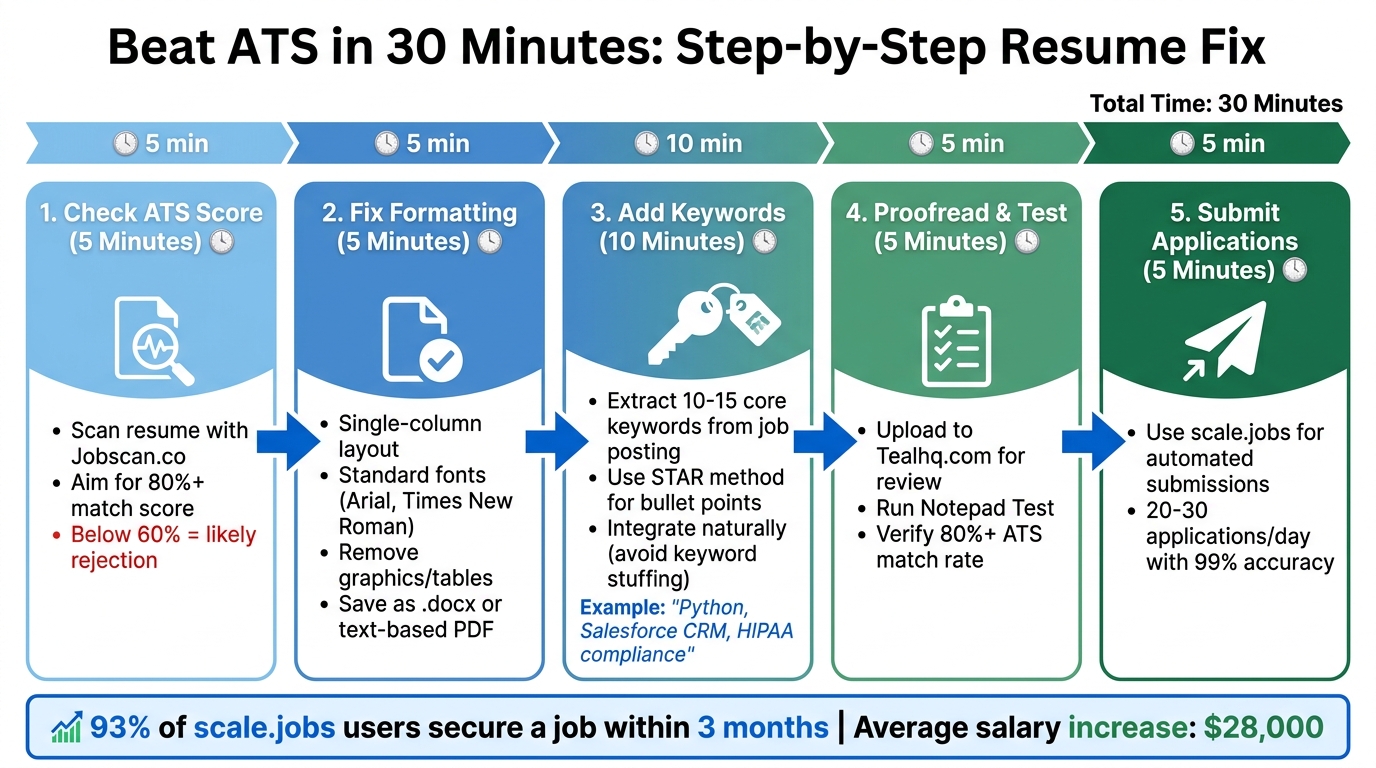
5-Step ATS Resume Optimization Process in 30 Minutes
Step 1: Check Your Resume's ATS Score (5 Minutes)
How to Run an ATS Scan with Jobscan.co
Start by heading over to Jobscan.co and creating a free account for basic scans. Once you're in, upload your resume in either .docx or .pdf format by dragging it into the designated area. Next, paste the full job description from the employer's career page into the second field. Hit "Scan", and you'll receive a match score. A score above 80% suggests your resume aligns well with ATS requirements, while anything below 60% means your application might face rejection.
The scan results show missing keywords in red (e.g., terms like "Python" or "Agile methodology" from the job post that aren't in your resume), matched keywords in green, and formatting issues like unreadable tables or images. For instance, a software engineer resume missing "AWS cloud services" might earn only 65%. The free version of Jobscan.co allows for 5 scans per month, which is often enough for your most important applications.
Common problems include using non-standard fonts like Calibri, placing contact info in headers or footers, or using tables, graphics, and decorative bullets. Fixing these issues is straightforward: switch to fonts like Arial or Times New Roman (10-12pt), move your contact details to the top of the document, convert tables into simple text (e.g., "Skills: Excel, SQL"), and replace decorative bullets with plain hyphens or asterisks. Just removing graphics can sometimes bump your ATS score from 40% to 85%.
Jobscan.co vs scale.jobs: Why Human Review Beats Keyword Scanning
Jobscan.co is excellent for quick keyword analysis and identifying formatting problems, making it a solid choice for those applying to multiple roles and seeking a DIY tool. The free tier offers 5 scans monthly, while the premium plan costs $49.95/month for unlimited scans. Its user-friendly interface simplifies the process for job seekers.
However, while Jobscan.co provides automated insights, scale.jobs takes it a step further by combining human expertise with ATS optimization. Instead of just highlighting missing keywords, their certified resume writers seamlessly integrate terms like "Kubernetes orchestration" into your resume, ensuring it appeals to both ATS systems and human recruiters. While Jobscan might help you achieve an ATS score of 87%, only about 30% of automated edits pass human review in competitive industries. Scale.jobs reports a 92% ATS pass rate, with clients landing interviews 40% faster, thanks to detailed attention to issues like inconsistent verb tenses, missing industry-specific language, and overall readability.
| Feature | Jobscan.co | scale.jobs |
|---|---|---|
| Review Method | Automated keyword scanning | Human expert review by certified writers |
| Keyword Integration | Flags missing terms; you add them manually | Natural contextual placement in bullet points |
| ATS Pass Rate | ~75% (user-reported average) | 92% (verified client data) |
| Formatting Fixes | Identifies issues; you fix them | Expert applies ATS-safe formatting |
| Proof of Work | Match score report only | Before/after diffs with change tracking |
| Pricing | $49.95/month or 5 free scans/month | One-time $29 per resume |
| Human Oversight | None | Full manual review and optimization |
| Application Support | Resume scanning only | Resume + application submission included |
If you're comfortable making your own edits and need a tool for quickly scanning multiple resumes, Jobscan.co is a cost-effective, self-service option. On the other hand, if you want professional-level optimization or don't have time to implement changes manually, scale.jobs offers a more comprehensive solution with a one-time fee.
Switch to scale.jobs if you've already tried Jobscan and aren't getting interview calls, lack time to apply scan recommendations across multiple resumes, or need someone to handle the entire application process. Their service includes dedicated WhatsApp support and detailed proof of work, ensuring your resume and applications are polished and ATS-ready.
Once you've reviewed your ATS score and identified key areas for improvement, proceed to Step 2 to fine-tune your resume's format for even better ATS performance.
sbb-itb-564272e
Step 2: Fix Your Resume Format (5 Minutes)
ATS-Safe Formatting Rules from Simplify.jobs
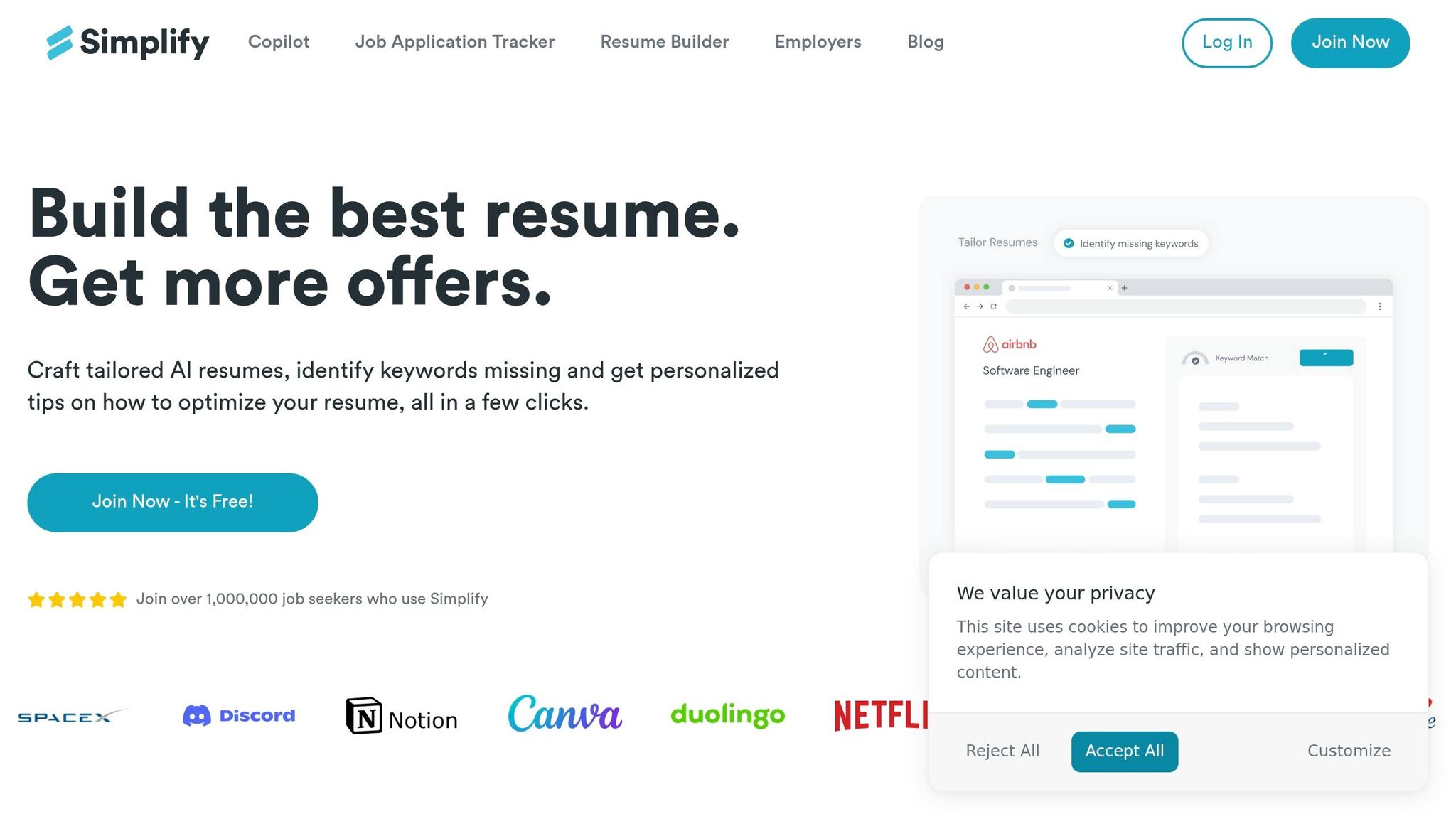
It's time to fine-tune your resume's layout to meet ATS (Applicant Tracking System) standards. These quick adjustments can help your resume pass ATS scans without issues. Start by converting any multi-column layouts into a single-column format. ATS systems read resumes from left to right, top to bottom, and unconventional designs like sidebars or multi-columns can confuse the system. For example, a multi-column layout might jumble your contact information into your job descriptions, making it unreadable.
Stick to standard fonts like Arial, Calibri, or Times New Roman in sizes between 10–12pt, and avoid decorative fonts such as Futura or Didot. Margins should be uniform, ideally between 0.75–1 inch, to ensure proper text alignment. Use straightforward headings like "Work Experience", "Education", and "Skills." Creative alternatives may look good, but ATS software often fails to recognize them, leading to missed information.
Remove all non-text elements like graphics, photos, logos, charts, or text boxes, as these can disrupt ATS parsing. If you’ve used tables for your layout, replace them with plain text and simple line breaks. Finally, save your resume in an ATS-friendly format, such as .docx or a text-based PDF. Avoid scanned PDFs or image-based files, as they are not readable by most ATS systems.
Once your resume format is ATS-friendly, you can explore ATS-optimized resume services to further refine your document.
Simplify.jobs vs Scale.jobs: Choosing the Right Formatting Approach
Simplify.jobs offers ATS-compliant templates that are easy to use and follow basic formatting guidelines. Their templates are clean, single-column designs with standard fonts, and the free tier allows you to access basic layouts. However, you’ll need to manually adjust your content, ensure proper spacing, and verify that your resume works across multiple ATS systems.
On the other hand, Scale.jobs provides a more tailored approach. Their certified resume writers manually format resumes based on the job role and industry requirements. Instead of sticking to a generic template, they adjust spacing, bullet point alignment, and section ordering to meet both ATS and recruiter expectations. For example, if you’re applying to a tech company that prioritizes skills-first resumes, Scale.jobs can reorganize your sections while maintaining ATS compatibility. This hands-on service often results in higher ATS success rates compared to template-based options.
Here’s a quick comparison of the two services:
| Feature | Simplify.jobs | Scale.jobs |
|---|---|---|
| Formatting Method | Pre-built ATS-safe templates | Custom human formatting per application |
| Layout Customization | Fixed template library | Tailored to job and industry needs |
| Font & Spacing | Standardized | Manually adjusted for clarity |
| Section Ordering | Fixed template structure | Reordered based on role requirements |
| Graphics Removal | Manual by user | Expert removal of ATS-unsafe elements |
| File Format | .docx export | Optimized .docx delivery |
| Pricing | Free basic templates | One-time fee |
| Human Review | None | Full manual review by experts |
If you’re comfortable with a DIY approach and want a free option, Simplify.jobs is a great choice. However, if you’re looking for professional assistance with formatting, keyword placement, and even application submission, Scale.jobs is worth considering. Their team ensures your resume is not only ATS-compliant but also appealing to hiring managers, offering services like WhatsApp support and proof-of-work documentation.
Once your resume format is in shape, it’s time to move on to Step 3: adding targeted keywords to align your resume with the job posting.
Step 3: Add Keywords and Rewrite Content (10 Minutes)
How to Extract and Place Keywords from Job Postings
Begin by copying the job description and identifying repeated skills, certifications, and industry-specific terms. Focus on hard skills like "Python", "SAP", or "HIPAA compliance", as well as soft skills such as "cross-functional collaboration" or "stakeholder management." Certifications, tools, and methodologies mentioned in the posting are equally important to note.
Select 10-15 core keywords and integrate them naturally into your resume. Include these in the "Skills" section and weave them into your work experience bullet points. For example, if the job specifies "Salesforce CRM", you could write: "Managed client relationships using Salesforce CRM, tracking 200+ accounts quarterly." This ensures your resume aligns with ATS requirements while demonstrating practical application of the skills.
To enhance your bullet points, apply the STAR method (Situation, Task, Action, Result). Instead of vague descriptions like "Responsible for managing projects", aim for detail and impact: "Led a cross-functional team of 8 to deliver a $500,000 software implementation 3 weeks ahead of schedule, reducing operational costs by 15%." This format not only incorporates relevant keywords but also highlights measurable achievements that resonate with hiring managers.
Keep in mind that many Fortune 500 companies use ATS systems, which are increasingly adept at detecting keyword stuffing. Overloading your resume with repeated terms can lead to it being flagged as spam. Strive for a balance between ATS optimization and readability for human reviewers.
Once you've integrated keywords and structured your content, it's time to evaluate how AI-driven tools like Rezi.ai compare with human-assisted solutions like scale.jobs.
Rezi.ai vs scale.jobs: AI Keyword Tools vs Human Context
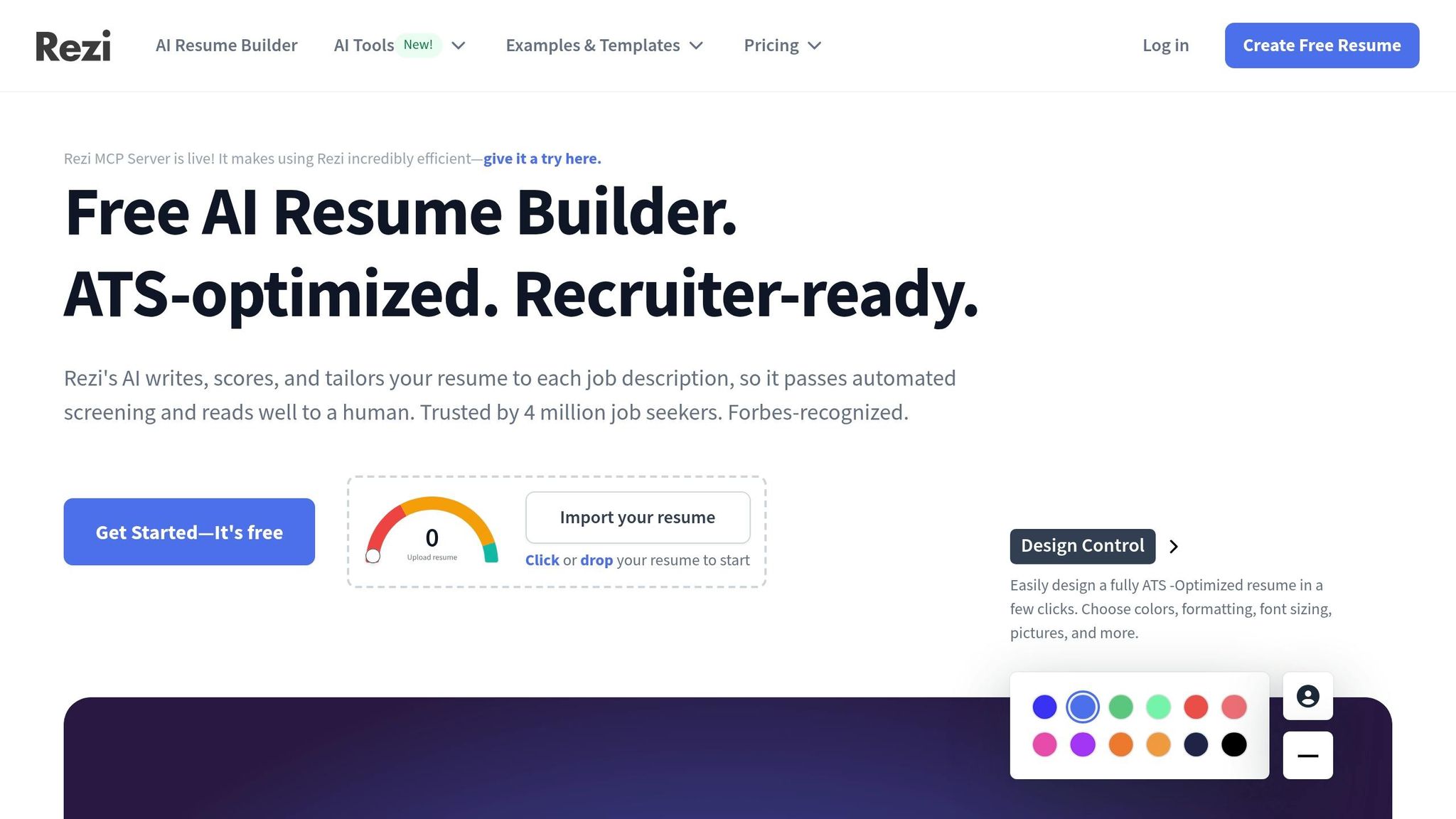
Wondering if Rezi.ai is the right choice? Let’s explore why scale.jobs stands out by combining human expertise with contextual relevance.
Rezi.ai provides AI-powered keyword suggestions, scanning job descriptions to recommend terms for your resume. It highlights missing keywords and scores your resume's alignment with the job posting. While the free version offers basic keyword analysis, paid plans ($29/month) unlock unlimited scans and AI-generated content suggestions. Rezi.ai is efficient at identifying technical gaps and providing template-based solutions for common roles.
However, AI tools like Rezi.ai often fall short in capturing nuanced language. For instance, it may suggest repetitive phrases like "utilized agile methodologies" across multiple bullet points, which can feel robotic to hiring managers. Additionally, it lacks the ability to distinguish between keywords relevant to startups versus large enterprises or prioritize skills based on company values.
On the other hand, scale.jobs employs certified resume writers who manually review job postings and customize your content. If you're applying for a fintech role emphasizing "regulatory compliance", their writers will integrate this term meaningfully into your experience, rather than simply inserting it into a generic template.
| Feature | Rezi.ai | scale.jobs |
|---|---|---|
| Keyword Identification | AI-powered scanning | Human analysis of job context |
| Content Rewriting | Template-based AI suggestions | Custom rewriting per application |
| Industry Context | Generic keyword matching | Role and company-specific tailoring |
| Natural Language | May sound robotic | Maintains authentic voice |
| Quantified Achievements | Manual addition required | Writers incorporate metrics |
| Pricing | $29/month subscription | One-time fee per campaign |
| Turnaround | Instant | 24-hour custom delivery |
| Human Review | None | Full manual review and editing |
Why scale.jobs is the better choice:
- Human-assisted rewriting ensures your resume is both ATS-friendly and contextually accurate.
- Keywords are seamlessly integrated into compelling career narratives.
- One-time payment includes dedicated WhatsApp support for real-time edits.
- Transparent proof-of-work shows exactly how your resume was tailored.
- Writers automatically apply the STAR method to highlight achievements.
Rezi.ai is a good option if you're applying for similar roles within the same industry and need quick keyword optimization. However, if you're targeting diverse positions, transitioning industries, or aiming to impress both ATS systems and hiring managers, scale.jobs offers a more personalized solution. Their resume writing services include keyword optimization as part of a comprehensive strategy.
With your keywords in place, move on to Step 4 to proofread and test your resume for maximum effectiveness.
Step 4: Proofread and Test Your Resume (5 Minutes)
Reviewing and Refining Your Resume with Tealhq.com
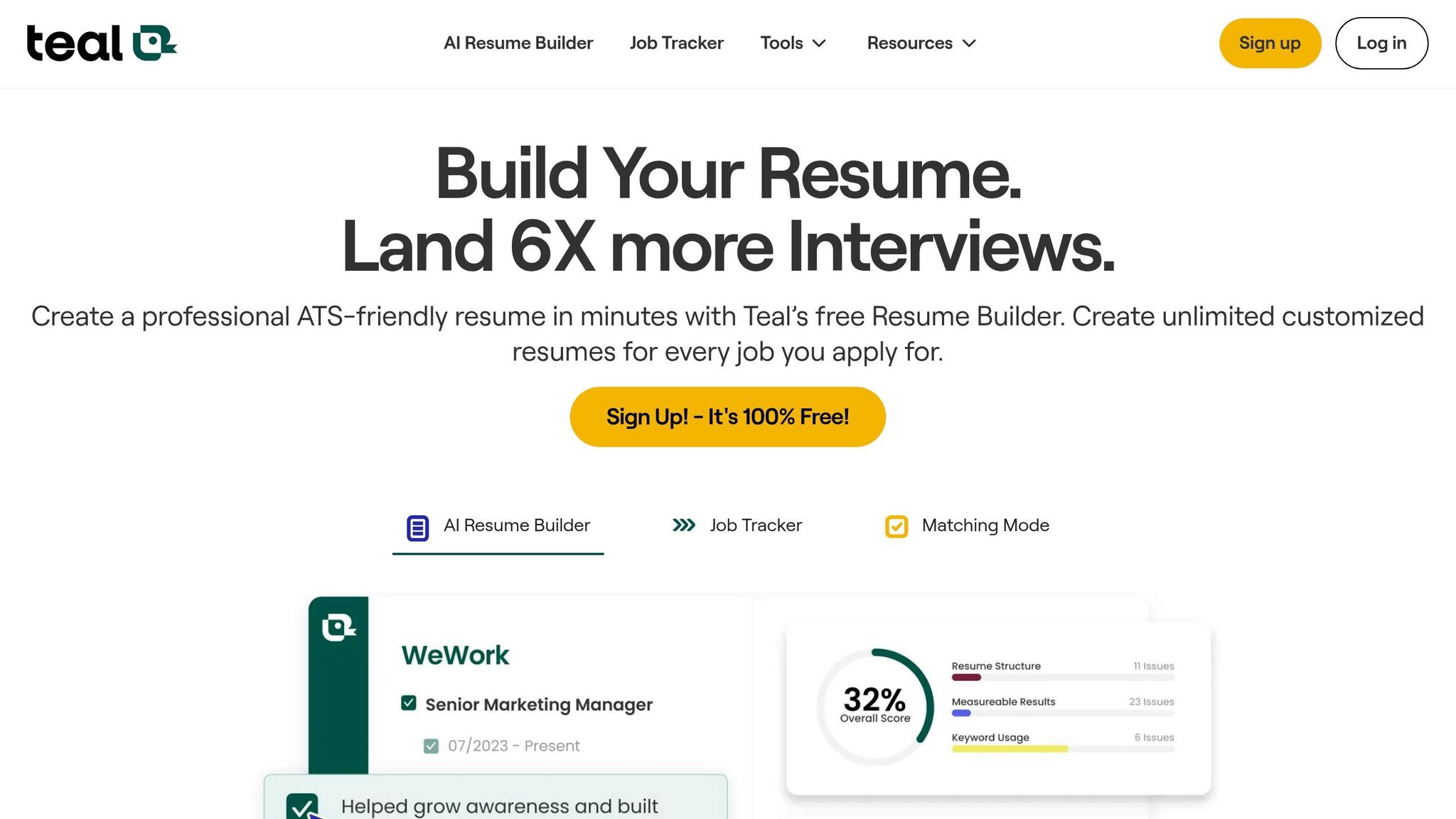
Once you've optimized your keywords and adjusted your resume formatting, it's time to ensure everything is in order. Upload your updated resume to Tealhq.com for a quick review. This platform identifies common ATS resume mistakes like non-standard fonts or formatting choices - problems that can reduce ATS (Applicant Tracking System) accuracy by as much as 40%. Fix these errors by using standard fonts like Arial or Calibri (sizes 10–12), clear section titles such as "Work Experience", and MM/YYYY date formats.
Tealhq.com also includes an application tracker, which allows you to save multiple resume versions and compare their ATS match rates. For instance, a marketing-focused resume improved from a 65% to a 92% match after adjustments, resulting in three times more interview callbacks. Use the tracker to log your match scores and job IDs, aiming for an ATS match rate of at least 80%. This process ensures your resume is ready for both self-service tools and professional application support.
For an additional check, try the Notepad Test: paste your resume into a plain text editor. If any sections look jumbled or missing, it could indicate that ATS systems might struggle to read your resume properly.
Tealhq.com vs Scale.jobs: Comparing Self-Service Tools and Full-Service Support
Tealhq.com offers a self-service approach with tools designed for quick fixes. Its free basic tier and premium plan ($13 per week) are well-suited for those applying to similar roles within the same field. The platform excels at identifying technical issues, such as missing keywords or incompatible file formats, and its dashboard helps you track which resume versions perform best.
However, Tealhq.com is limited to automated feedback. While it highlights errors, it may overlook context-specific nuances, like whether "regulatory compliance" belongs in your summary or work experience. Additionally, you’ll need to manually submit applications and handle LinkedIn optimization yourself.
On the other hand, Scale.jobs provides a more hands-on solution. Their trained virtual assistants manually review your resume, tailor it to specific job descriptions, and even submit applications on your behalf. This is especially valuable if you're applying for a variety of roles or transitioning to a new industry. Scale.jobs also includes LinkedIn optimization and offers real-time updates via WhatsApp, complete with proof-of-work screenshots - features that self-service platforms don’t provide.
| Feature | Tealhq.com | Scale.jobs |
|---|---|---|
| Primary Method | Self-service AI tools | Human-assisted application support |
| Human Involvement | None (DIY) | Dedicated virtual assistants |
| Resume Customization | Template suggestions | Custom rewriting for each job |
| Application Handling | Manual (you apply) | Managed (up to 30 jobs/day) |
| LinkedIn Optimization | Not included | Included in services |
| Proof of Work | Digital dashboard | Time-stamped WhatsApp updates |
| Pricing Model | $13/week subscription | One-time fee ($199–$1,099) |
| Turnaround Time | Instant scans | 24-hour custom delivery |
Why Scale.jobs Stands Out
- Human Oversight: Resumes are reviewed and tailored to specific job descriptions, ensuring they align with ATS requirements and the employer's expectations.
- Comprehensive Services: A single payment covers resume reviews, LinkedIn optimization, and application submissions, eliminating the need for recurring fees.
- Real-Time Updates: WhatsApp notifications with proof-of-work screenshots provide transparency for every submission.
- Broad Compatibility: Applications are submitted correctly across platforms like Workday, Greenhouse, and niche job boards.
Who Should Choose Each Option?
- Tealhq.com: Ideal for those managing their own job search, applying to 5–10 similar roles per week, and needing basic error detection and version tracking.
- Scale.jobs: Best for individuals applying to 20+ jobs weekly across different industries, those with limited time to customize applications, or anyone seeking hands-free support with human oversight.
Studies reveal that tools like Tealhq.com can reduce ATS rejection rates by 25–35%, as formatting errors account for 75% of failed resumes. However, if you’re looking for more than just error detection - such as strategic rewrites and a fully managed application process - Scale.jobs offers a time-saving solution, freeing up over 20 hours per week.
Now, move on to Step 5 to simplify your application submissions and maximize your chances of landing interviews.
Step 5: Submit Applications with scale.jobs
How scale.jobs Handles Application Submissions
Once your resume is polished and ready, scale.jobs takes over the application process entirely. Their trained virtual assistants log into job portals, upload your tailored resume and cover letter, fill out required fields (like work history and education), answer screening questions, and submit your applications. All you need to do is share job postings via their Chrome extension or WhatsApp, and they handle the rest. Depending on your package, they can submit 20 to 30 applications daily, providing real-time updates as each one is completed.
For added transparency, you’ll receive time-stamped screenshots via WhatsApp, showing exactly when and where your applications were submitted. Additionally, weekly PDF reports consolidate all submission details, making it easy to track your progress across platforms like Workday, Greenhouse, and company-specific portals. Their meticulous approach ensures an application accuracy rate of over 99%, with 85% of applications submitted within 24 hours.
This service can save you more than 20 hours a week, freeing up time for networking or preparing for interviews. According to scale.jobs' data, 93% of users secure a job within three months, with nearly half of successful placements coming directly from applications submitted by the platform.
If you’re targeting roles in multiple industries or need customized resumes for each application, their professional resume writing services can help you establish a solid foundation before delegating the application process. Pricing ranges from $199 to $1,099, with unused credits refunded (minus a $100 onboarding fee for setup costs).
Why scale.jobs Stands Out
Here’s what makes scale.jobs a standout choice for job seekers:
- Human assistants handle every application manually - no automation tools that might overlook portal-specific requirements
- ATS-friendly documents submitted with a one-time payment - no recurring fees or hidden costs
- WhatsApp support with time-stamped proof-of-work screenshots - ensuring full transparency for every submission
- 99%+ accuracy rate with a 24-hour turnaround - more reliable and faster than self-service tools
- Weekly PDF reports for easy tracking - monitor all submissions across multiple job boards and platforms
DIY Tools vs. scale.jobs: Which One is Right for You?
DIY tools like Tealhq.com or Jobscan.co are better if you:
- Apply to 5–10 jobs per week within the same industry
- Have time to customize and submit applications yourself
- Need basic ATS scanning and formatting tools
- Prefer a lower upfront cost with recurring subscriptions
scale.jobs is ideal if you:
- Apply to 20+ jobs weekly across various industries
- Require tailored resumes for each job posting
- Want applications submitted accurately within 24–48 hours without manual effort
- Need proof-of-work documentation and real-time WhatsApp updates
- Prefer a one-time payment with pro-rated refunds instead of subscriptions
Why You Should Consider scale.jobs
If you’re applying to 50+ jobs monthly and struggling to manage submissions manually, scale.jobs can be a game-changer. Their human assistants catch nuances that automated tools often miss, especially when dealing with ATS quirks or portal-specific requirements. This is particularly helpful if you’ve experienced ATS rejections despite following formatting guidelines.
The service is also a great fit for candidates who need customized resumes for each application, prefer pro-rated refunds for unused credits, or value WhatsApp-based support with proof-of-work screenshots over less interactive options like email tickets. If time is tight and you want applications submitted within 24–48 hours, scale.jobs allows you to focus on higher-priority tasks like interviews and networking.
"Price point maybe on the expensive side, but you pay for the time it saves to create accounts on several sites and apply jobs." - Hemil P., Customer
Decision Summary
If you’re managing 5–10 applications weekly and have the time to handle submissions yourself, DIY tools might suffice. However, if you’re targeting 20+ roles weekly, need industry-specific customization, or want to focus on interviews instead of tedious application tasks, scale.jobs offers a hands-free solution. With a 4.9/5 Google rating and an average salary increase of $28,000 among users, the service provides a reliable and efficient way to navigate your job search.
How to Write an ATS-Friendly Resume in 2026
Conclusion: Get Past ATS and Save Time with scale.jobs
In just 30 minutes, you can enhance your resume - covering everything from scanning and formatting to keyword optimization and proofreading. But the real test lies in applying to enough jobs consistently while maintaining tailored submissions for each role.
scale.jobs stands out with its human-assisted, ATS-optimized approach. While tools like Jobscan.co and Rezi.ai are excellent for keyword extraction and formatting checks, they often fall short on natural keyword integration and handling the unique quirks of different job portals. With scale.jobs, experts ensure your resume is customized for each job posting, seamlessly integrating keywords while avoiding the pitfalls of automated systems. They manually log in to portals, complete forms, and answer screening questions - tasks where automation often fails.
One of the standout features of scale.jobs is its transparency. You’ll receive real-time updates via WhatsApp, complete with time-stamped screenshots and a detailed application dashboard. This level of proof-of-work is invaluable, especially on platforms like Workday or Greenhouse, where automated submissions can sometimes trigger red flags.
If you’re applying to 20+ jobs weekly or need resumes tailored to different industries, consider pairing your quick ATS fixes with professional resume writing services. This combination creates a strong foundation for your applications. With flat-fee pricing between $199 and $1,099 and no recurring subscriptions, scale.jobs offers a comprehensive service that saves you time and effort.
Here’s how to decide if scale.jobs is the right fit for your needs:
When to Switch to scale.jobs
- You’re applying to over 20 jobs weekly across various industries
- Your resume adjustments aren’t leading to more callbacks
- You need personalized support with real-time updates and proof-of-work transparency
- Managing multiple applications feels overwhelming
- You prefer a one-time payment model over recurring subscriptions
Decision Summary
Competitors might suit you if: You’re applying to a small number of similar roles, prefer DIY tools, and want to keep upfront costs low.
Choose scale.jobs if: You’re looking for human-assisted, customized applications with fast turnaround times, detailed tracking, and support across multiple industries.
These criteria can help you refine your job search strategy. If juggling applications feels overwhelming or your resume updates aren’t yielding results, scale.jobs offers a blend of human expertise, manual execution, and transparent tracking to tackle challenges that automated tools compared struggle to address.
FAQs
Should I submit my resume as a PDF or .docx?
When submitting your resume to an applicant tracking system (ATS) in 2026, choosing the right file format is crucial. A .docx file is typically the safest option unless the job posting explicitly asks for a PDF. While PDFs might seem professional, they can sometimes create parsing problems, particularly if they include complex formatting or graphics. A straightforward, text-based .docx file ensures better compatibility with ATS software, boosting your chances of successfully passing the automated screening process.
How do I add keywords without keyword stuffing?
To seamlessly incorporate keywords without overloading your resume, weave relevant terms from the job description into your content organically. Align your wording with the job posting’s listed skills and qualifications, ensuring the keywords flow naturally within the context of your achievements and responsibilities. Instead of cramming in terms, focus on showcasing measurable outcomes and directly related experience. By customizing your resume for each position, you’ll enhance its compatibility with Applicant Tracking Systems (ATS) while preserving a polished and professional tone.
What ATS formatting mistakes get resumes rejected?
When submitting your resume, it's important to ensure it passes through Applicant Tracking Systems (ATS) without issues. Many resumes are rejected because of complex designs like tables, graphics, or images, as well as non-standard fonts, inconsistent formatting, or incompatible file types (such as PDFs when not specifically requested). To improve your chances, stick to a clean, single-column format, use standard fonts like Arial or Calibri, and organize your headings clearly. Save your resume in formats like .docx or plain text, as these are more ATS-friendly and less likely to cause compatibility issues. Avoid decorative features like colored text or text boxes that can confuse the system.