
Resume Red Flags That Get You Rejected Before a Human Reads It

Sarah Mitchell
June 21, 2026

If your resume misses the job title, uses a hard-to-read layout, or shows mismatched dates, it can get filtered out before a recruiter sees it. I’d fix those three items first, then check keyword use, file type, and LinkedIn alignment.
Here’s the short version:
- Match the target role title on your resume when it fits your background
- Use a simple one-column file in
.docxor text-based PDF - Keep keywords natural instead of stuffing them into a skills block
- Make resume dates match LinkedIn exactly
- Use tools for checks, or human help for the work itself
A 2024 Jobscan study found that 99.7% of recruiters use filters in their hiring process. That does not mean every company rejects resumes the same way, but it does mean common ATS mistakes can cost interviews.
If I were deciding between Jobscan, Teal, Rezi, Resume.io, LazyApply, and scale.jobs, I’d keep it simple: software can flag issues; human help can fix and submit faster when volume is high.
I've Screened 100,000 Resumes. Here's What Gets You Rejected In 6 Seconds
sbb-itb-564272e
Quick Comparison
| Tool | Best for | Main limit |
|---|---|---|
| Jobscan | Keyword gap checks | You still rewrite and apply |
| Teal | Tracking applications | Limited help with final resume edits |
Managing your search requires tracking job application responses effectively to ensure no opportunity falls through the cracks. | Rezi / Resume.io | Building a base resume | Per-job tailoring is still on you | | LazyApply | High-volume auto-apply tools | Weak fit and portal risk | | scale.jobs | Human tailoring + manual submission | Higher cost than DIY tools |
What I’d do first
- Check whether the resume title matches the posting.
- Remove columns, icons, charts, and text boxes.
- Save as
.docxor text-based PDF. - Line up dates across resume and LinkedIn.
- Tailor the top third of the page to each role. This is where crafting impactful resume summaries becomes essential for grabbing attention.
- If I’m applying at scale, use a job application service or a job search platform instead of stacking too many tools.
That’s the core fix. The rest is choosing whether you want DIY software or human help to apply for jobs with fewer mistakes.
Resume Red Flags That Trigger ATS Filters: A Rejection-Prevention Checklist
Missing job-title keywords, generic summaries, and weak role alignment
ATS filters often push down resumes that miss the exact job title or the main terms tied to the role. If the posting says Product Manager and your resume says Growth Marketer or Product Ops without also naming Product Manager, the system may read that as a weaker fit, even if your background lines up. Most ATS tools put a lot of weight on keyword match and title match.
Generic summaries make that problem worse. A line like "results-driven professional seeking to leverage skills in cross-functional roadmaps" sounds polished, but it says very little. For a U.S. Product Manager role, recruiters and ATS tools usually look for terms such as roadmap, A/B testing, stakeholder management, OKRs, and Agile. A sharper summary gives the system and the recruiter something clear to work with:
"Product Manager with 5+ years in B2B SaaS, leading roadmaps and feature adoption."
That’s the difference between vague language and direct role alignment.
Tools can spot missing terms, but they won’t do the full thinking for you. That’s where a job search coach or a hands-on job application service can help. The title, summary, and skills section should match each posting, and those added terms need proof in the bullets below. Dropping keywords into a skills block without support won’t do much.
If you’re using a job search platform to track roles and Apply for jobs at scale, this step matters even more. The more roles you target, the more careful you need to be with title alignment.
If the title and summary are in good shape, the next issue is simpler: can the system read the file at all?
Unreadable layouts, graphics-heavy templates, and file-format problems
A resume can look polished to a person and still confuse an ATS. Common trouble spots include:
- Multi-column layouts
- Text boxes
- Icons instead of labels
- Colored sidebars
- Skill bars or graphic ratings
- Image-only PDFs
Some ATS tools read across columns instead of down the page. That can scramble sections and mix unrelated content together. Icons used as section markers may get skipped. And if the file is saved as an image-only PDF, the system can’t pull the text in the first place.
Design-heavy builders often push slick templates, but many of those layouts still rely on two columns, side panels, or other visual elements that break parsing. A safer setup is plain and boring on purpose: single-column layout, standard fonts, simple headings, and searchable .docx or text-based PDF files. A good quick test is this: if Ctrl+F can’t find words in the file, the ATS may struggle too.
If you’re comparing tools, this is where an ai resume builder can help with speed, but speed alone isn’t enough. The output still needs a human check. That matters even more for people applying across the best job boards, where each system may parse files a little differently.
scale.jobs uses ATS-safe formatting by default, and a human reviewer checks each version for parsing issues before submission.
Once the layout is readable, the next trouble spots are overused keywords and timeline mistakes.
Keyword stuffing, date inconsistencies, and LinkedIn-resume mismatches
A resume can include the right keywords and still fall flat if the wording feels forced or the timeline doesn’t add up. This usually happens when people chase ATS scores too hard.
Bullets like "Led product roadmap initiatives to drive milestones in roadmap planning" read like filler. They don’t sound natural to a recruiter, and they don’t always help with ATS ranking either. Hidden text used to pad keyword counts is even worse. It can hurt trust and may be treated as deceptive.
Dates are another common failure point. ATS tools can parse employment history, and they may flag overlaps, unexplained gaps, or loose formats like Summer 2022. Keep date formatting plain and consistent. Just as important, make sure your resume and LinkedIn tell the same story before you apply. If they don’t match, that can surface later during screening or a background check.
This is one of those boring details that explains why your resume gets rejected by ATS even when you are qualified.
A human review helps catch mismatched timelines, odd phrasing, and keyword overload before anything gets sent. If you’re using a virtual assistant for job seekers or a Virtual Assistant for Job Applications, this is the kind of quality check that should happen before every submission.
ATS Rejection Risk by Tool: Why Some Users Switch to scale.jobs
If the red flags above still aren't getting you interviews, this section shows where each tool stops and where scale.jobs steps in.
A lot of people think the hard part is over once they get a match score or hit submit. It isn't. A high score and a clean ATS pass are not the same thing. That's where many rejections happen: in the space between analysis and execution.
Jobscan vs scale.jobs: keyword analysis vs full ATS-safe execution
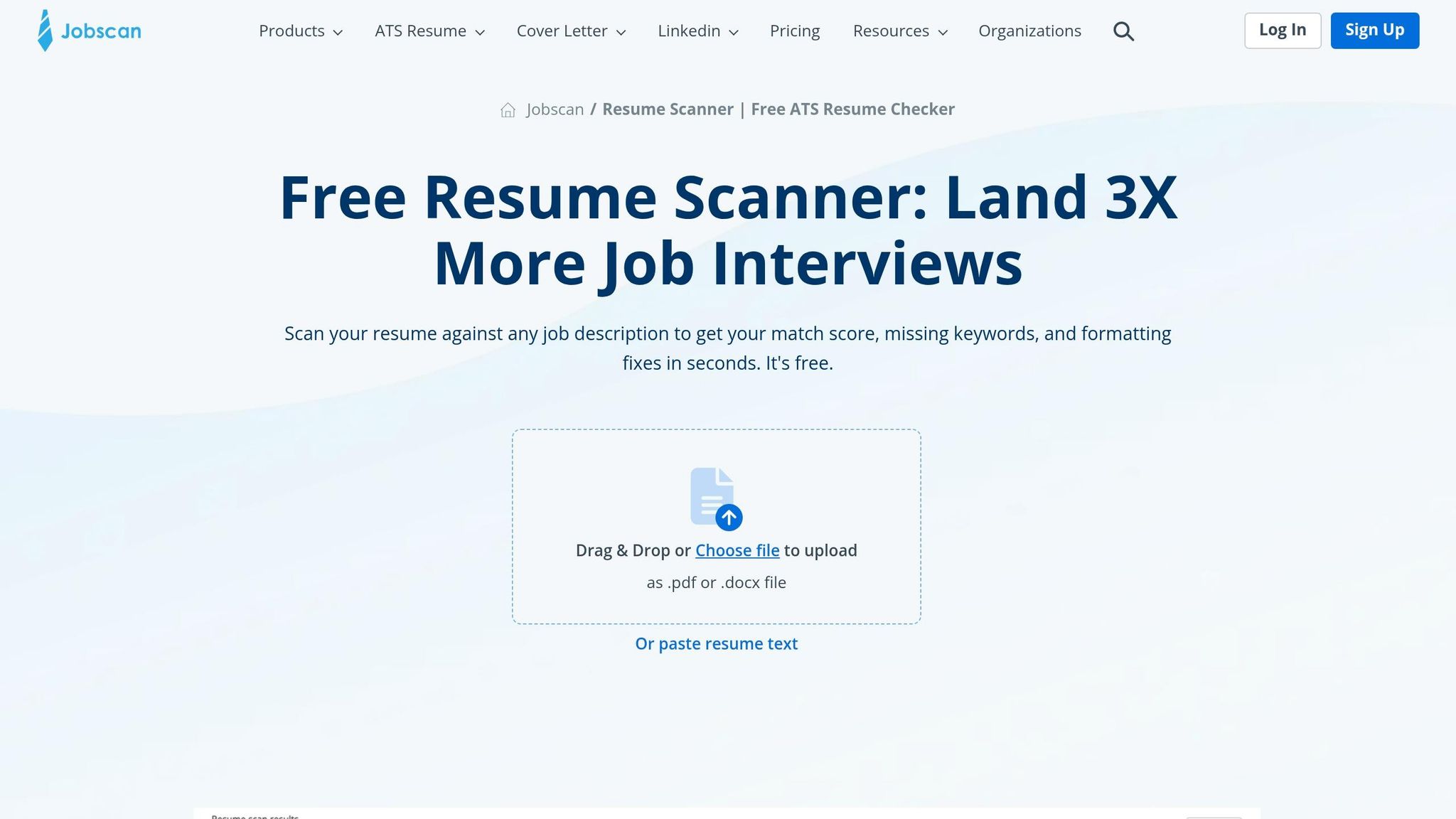
If you want to spot keyword gaps on your own, Jobscan can help. If you want the resume tailored and the application submitted for you, scale.jobs handles the rest.
Jobscan is good at one main job: comparing your resume against a job description and showing which keywords are missing. That match-rate score can help you see where your resume is weak for a given role. Its ATS guides can also help if you plan to rewrite the resume yourself.
The issue is simple: Jobscan stops at diagnosis. It tells you what may be wrong, but you still have to do the rewrite, check the formatting, and submit the application yourself.
scale.jobs takes a different path. It combines an ATS-safe resume process with human edits and manual submission help across job portals. So instead of just pointing out the problem, it helps finish the work.
Why scale.jobs wins:
- Human assistants rewrite and tailor the resume for each job post, not just point out missing terms
- ATS-safe formatting is checked by a person before submission, not just scored by software
- Manual submission by human assistants cuts down portal mistakes and bot-detection risk
- WhatsApp support gives live updates on each application
- Timestamped proof-of-work screenshots show what was sent and when
Who should use Jobscan: Job seekers who want to manage their own search and need a low-cost way to find keyword gaps before rewriting on their own.
Who should choose scale.jobs: Candidates applying to 20+ roles per week who want ATS-safe documents and confirmed submissions without doing all the work themselves.
Teal, Rezi, and Resume.io vs scale.jobs: tracking and templates vs machine-readable tailoring
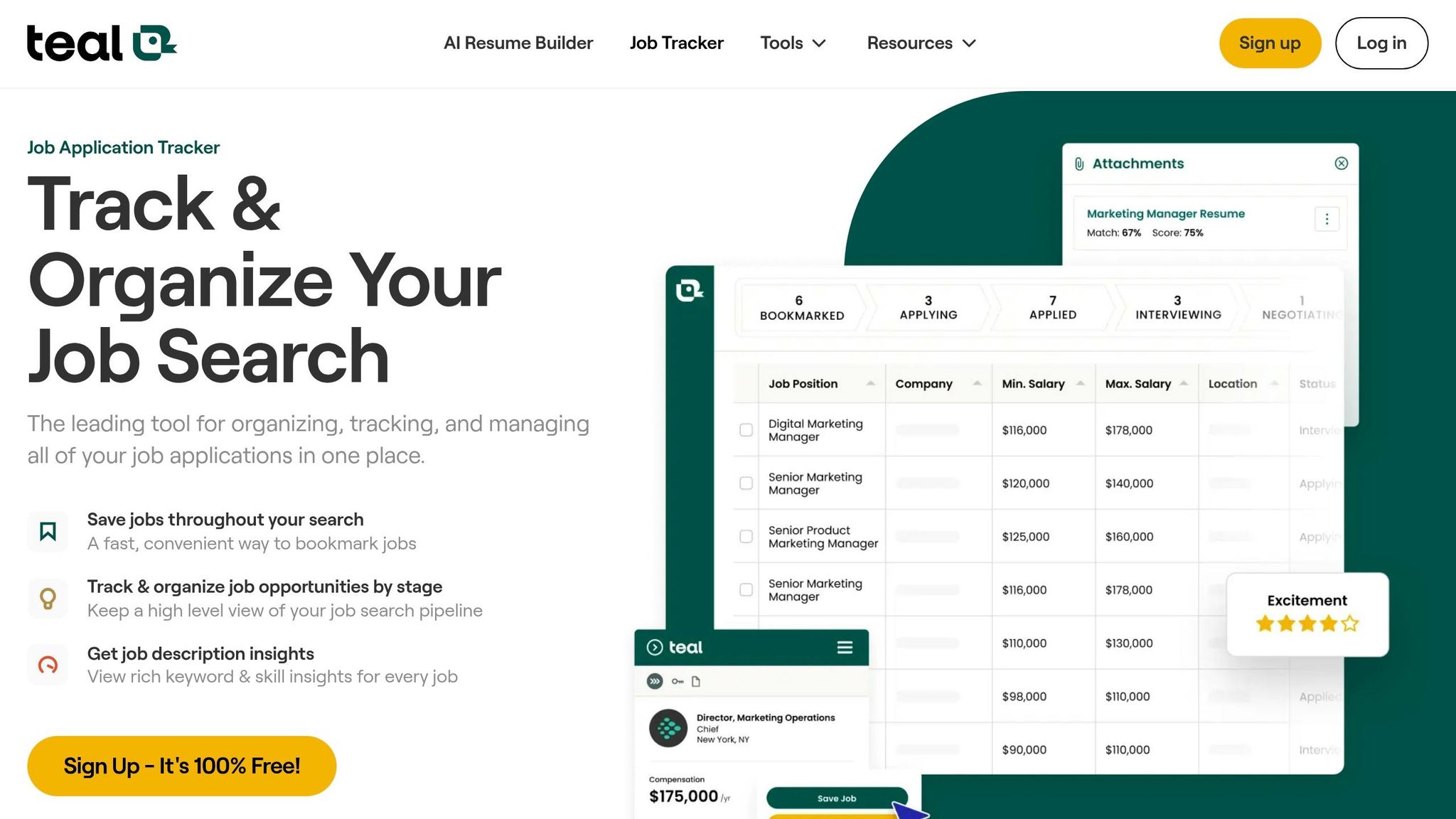
If your main need is staying organized or building a resume fast, this is the next comparison to look at.
Teal works well as a job search platform for tracking roles, stages, and notes. Its browser extension helps save jobs and keep your pipeline in one place. Rezi and Resume.io are useful when you need to build a resume fast, with AI writing help and ready-made templates that look polished at first glance.
The trouble starts when each application needs its own edits and manual submission. Template-driven builders can still create two-column layouts, graphic elements, or formatting that doesn't parse well in some ATS systems. And a neat tracking system doesn't fix the core issue if the resumes being sent aren't matched to each posting.
scale.jobs adds human edits and manual submission help on top of the base resume workflow.
Why scale.jobs wins:
- Per-job tailoring by human assistants, not just template swaps or automated keyword prompts
- Human review catches formatting issues before submission
- Manual submission is handled by human assistants instead of being left to the user
- WhatsApp support keeps candidates updated without needing another dashboard
- Proof-of-work screenshots confirm submission in a way self-serve tools usually don't
Who should use Teal, Rezi, or Resume.io: Job seekers who want to stay organized, build a base resume fast, and manage their own applications with structure.
Who should choose scale.jobs: Candidates who need each resume shaped to a specific posting and want human-assisted submission instead of doing it all solo.
| Feature | Teal / Rezi / Resume.io | scale.jobs |
|---|---|---|
| Human involvement | Mostly DIY | Human assistants review and tailor |
| Resume creation | AI-generated templates, quick | ATS-compliant base resume with human edits |
| ATS optimization | Automated keyword suggestions | Human review with ATS-aligned tailoring |
| Application handling | User submits manually | Human assistants submit manually |
| Transparency | Self-service dashboard | WhatsApp updates + timestamped screenshots |
| Pricing model | Subscription-based | One-time flat-fee bundles |
LazyApply, LoopCV, Sonara, TopResume, and Find My Profession vs scale.jobs
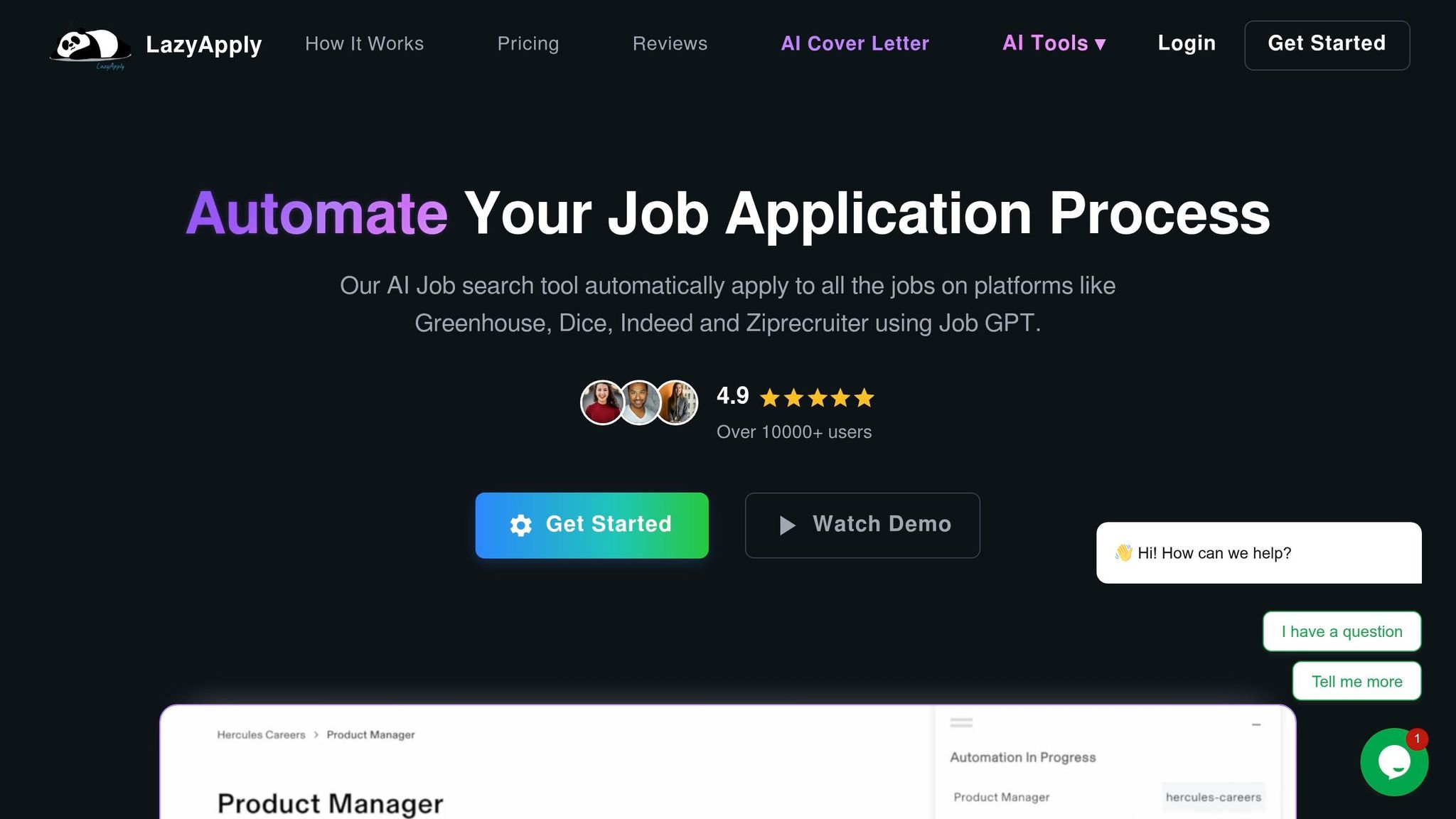
If speed matters more than oversight, this is where auto-apply tools and human-assisted submission start to look very different.
These tools fall into two groups, and each group has its own ATS risk.
Auto-apply tools like LazyApply, LoopCV, and Sonara cut manual effort by sending applications at scale. That speed is appealing. But there's a tradeoff: generic applications may go to weak-fit roles, visibility into whether submissions worked can be thin, and some employer portals may flag automated activity. Those are the same failure points covered in the red-flag checklist above - generic submissions, parse issues, and blocked applications that never reach a recruiter.
Resume-writing services like TopResume and Find My Profession can help if your resume needs a full rewrite. That matters, especially if your base document is weak. But most of these services give you one polished master resume. They usually don't tailor it for every job, and they don't handle the submissions.
scale.jobs covers both gaps. Human assistants submit manually to lower bot-detection risk, tailor each resume to the role in under 24 hours, and send proof of each submission through timestamped screenshots and WhatsApp updates. Flat-fee bundles cover 250 to 1,000 applications.
Why scale.jobs wins:
- Human submission lowers the bot-detection risk that comes with auto-apply tools
- Per-job tailoring replaces the static master resume that writing services usually deliver
- Proof-of-work screenshots confirm each submission, which auto-apply tools rarely show
- WhatsApp support gives direct contact with the team handling your applications
- One-time flat-fee pricing avoids recurring subscription costs
Who should use auto-apply tools or writing services: Job seekers who want volume at a lower cost and can accept weaker job-by-job alignment, or candidates who need a polished base resume and plan to Apply for jobs on their own.
Who should choose scale.jobs: Candidates who want both a tailored, ATS-safe document and confirmed human submission for every application, without managing either step themselves.
| Feature | Auto-Apply Tools | Writing Services | scale.jobs |
|---|---|---|---|
| Human involvement | Low; mostly automated | Human writer support | Human assistants handle tailoring and submission |
| Resume customization depth | Algorithmic/template-based | Static master resume | Per-job tailoring |
| ATS handling | Keyword matching only | Manual optimization once | AI analysis + human verification |
| Application execution method | Automated bot submission | User applies manually | Human assistants submit manually |
| Transparency and proof of work | Limited | Limited | Timestamped screenshots + WhatsApp |
| Pricing model | Monthly subscription | Project/package pricing | One-time flat-fee bundles |
If you're comparing tools based on how much work you still have to do after the software gives you a score, that's the key difference. Some tools help you inspect the problem. scale.jobs acts more like a job application service with a Virtual Assistant for Job Applications, where the final steps actually get done.
For job seekers who are tired of juggling resume edits, portal forms, and follow-ups, that shift matters. It's the difference between using software as a guide and using a Job search virtual assistant to move applications out the door.
Comparison Table: Which Tools Fix Resume Red Flags and Which Leave the Work to You
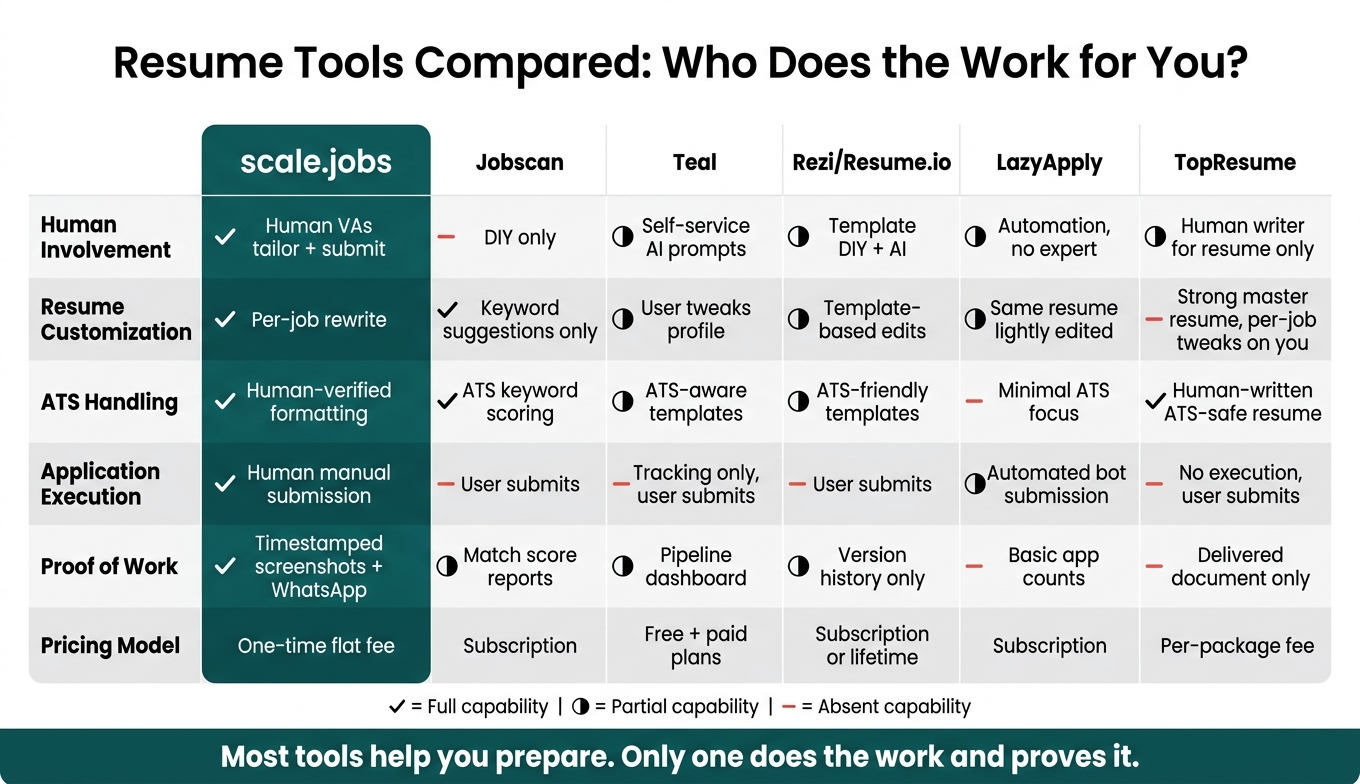
Resume Tools Compared: Who Does the Work for You?
If you're comparing Jobscan, Teal, Rezi/Resume.io, LazyApply, TopResume, and scale.jobs, this table makes the split pretty clear: some tools point out issues, while one service also fixes them and sends the application.
That matters because most resume problems don't stop at advice. A tool can flag missing keywords or format issues, but you still have to make the edits, save the file the right way, and apply on each portal. This table lines up with the common breakdown points above: keywords, formatting, and submission.
| Feature | scale.jobs | Jobscan | Teal | Rezi / Resume.io | LazyApply | TopResume |
|---|---|---|---|---|---|---|
| Human involvement | Human VAs tailor and submit applications | DIY, no human writer | Self-service with basic AI prompts | Template-based DIY with AI assistance | Automation-focused, no resume expert | Human writers for the resume only |
| Resume customization depth | Per-job rewrite by human assistants | Keyword suggestions; user implements changes | User tweaks based on saved profile and prompts | Template-based edits; a few general variants | The same resume, lightly edited, across applications | Strong master resume; per-job tweaks are on you |
| ATS handling approach | Human-verified formatting, keywords, and file type before submission | ATS scanning and keyword scoring | ATS-aware templates plus organizational guidance | ATS-friendly templates and AI suggestions | Minimal ATS focus; assumes the resume is already ready | Human-written resumes designed to avoid ATS red flags |
| Application execution method | Human assistants submit manually across portals | User submits independently | Tracking and organization only | Creation and download only; user submits independently | Automated bot submission at scale | No execution; user submits independently |
| Transparency and proof of work | Timestamped screenshots of each submission + WhatsApp updates | Match scores and keyword reports | Pipeline dashboard with saved notes per role | Resume version history in the editor | Basic application counts or lists | Delivered document only |
| Pricing model | One-time flat-fee bundles | Subscription | Free tier plus paid plans | Subscription or lifetime plan | Subscription | Per-package fee |
The biggest gap here is simple: does the tool only help you get ready, or does it also do the work?
Tools like Jobscan, Teal, and resume builders such as Rezi can help you prep materials. That can be useful if you want a DIY setup. The catch is that you still need to tailor each version, track each role, and apply for jobs yourself.
TopResume sits in a different bucket. You get a human-written resume, which can help clean up weak formatting or vague bullet points. But once the file lands in your inbox, the rest is still on you. LazyApply goes the other way. It focuses on volume, but it assumes your resume is already in good shape and ready to go.
That’s where scale.jobs stands apart in this comparison. It combines human tailoring, manual submission, and proof of work in one flow. So if you want more than an ai resume builder or a tracking dashboard, and you’d rather use a Virtual Assistant for Job Applications, it covers the pieces that usually get left on your plate.
The next section turns this comparison into a simple stay-or-switch decision.
Who Should Stay With Their Current Tool, Who Should Switch, and the Final Checklist
Use the comparison above to figure out the main blocker: keyword tuning, formatting, tracking, or plain old execution. That matters because the right fix depends on where the process is breaking.
Who should keep using their current tool
Stick with your current tool if it already fits the way you Apply for jobs and you're getting interview traction without a lot of friction.
- Jobscan is enough if you want keyword match scores and you're fine editing your own resume for fewer than 10–15 roles per month.
- Rezi and Resume.io are enough if you need a clean ATS-friendly template and one or two base resumes to reuse across similar roles. If that's your setup, an ai resume builder may already cover most of what you need.
- Teal is enough if your issue is staying organized, not getting filtered out, and you already know how to write ATS-safe resumes.
- TopResume or Find My Profession are enough if you want a one-time rewrite and you're okay handling applications on your own after that.
Stay where you are if interviews are coming in at a steady pace and you have enough time to tailor each application.
Switch to scale.jobs if these conditions apply
If the resume itself isn't the main issue, but the work of tailoring and submitting it is, that's where Scale.jobs starts to make more sense.
1. Your resume looks polished but still gets fast rejections.
This usually points to quieter ATS problems: missing job-title variations, weak keyword placement, or file-type issues. A resume can look great to a person and still fail a scanner. That's the frustrating part.
2. You're using auto-apply tools and the responses are misaligned.
If LazyApply, LoopCV, or Sonara is getting you interviews for roles outside your salary target, location, or visa status, the problem isn't volume. It's matching. Bots can send a lot of applications, but they often miss the nuance. A job search virtual assistant or Virtual Assistant for Job Applications is more useful when fit matters.
3. You need high-volume applications but don't have 20+ hours a week to tailor them.
This is the big one for many job seekers. Human-assisted plans with per-job tailoring and manual submission cover 250 to 1,000 applications in one flat-fee payment. If you're trying to go after full time jobs across a broad set of openings, that time savings can be the whole game.
4. You're juggling multiple subscriptions with low ROI.
If you're paying monthly for a scanner, a builder, and a tracker while interview rates stay flat, the stack may be the problem. A single fee that covers tailoring, submission, and WhatsApp updates is just a simpler trade. This is where a done-for-you job application service can beat a pile of tools.
5. You have sensitive constraints.
Visa deadlines, employment gaps, overlapping contract work, or plans to relocate across multiple cities need careful handling. Human assistants can standardize dates and line up your LinkedIn with your resume so you don't get flagged by ATS filters or recruiters.
You can test the workflow with 5 free applications.
Decision summary and final pre-submission checklist
Stay with your current tool if you apply to a smaller set of roles, have time to tailor each resume, and you're already seeing decent interview rates.
Switch to scale.jobs if you've already tried optimization tools and still get filtered out, or if time, application volume, or messy job-search details are the main issue. In plain terms: if the bottleneck is no longer writing but getting the work done, a job search platform with human help may be the better fit.
Before your next submission, run this final ATS check.
| Checkpoint | What to verify |
|---|---|
| Job title | Does your resume title or target role closely match the posting's exact title? |
| Summary | Does your summary name the target role, 2–3 core skills, and any tools or certifications from the job description? |
| File type | Are you submitting .docx or .pdf as specified - not a Google Doc link or .pages file - with a clear, professional file name? |
| Layout | Is the resume single-column, text-based, with no tables, columns, icons, or graphics? |
| Keywords | Are relevant keywords used naturally in context, not repeated in a forced skills dump? |
| Dates | Do your employment dates on the resume exactly match your LinkedIn profile, with no unexplained gaps? |
| Does your LinkedIn profile align with the resume on titles, employers, and dates? |
Any "no" here is a likely ATS rejection trigger.
FAQs
How can I tell if my resume is ATS-safe?
Check for readability, clean formatting, and keyword alignment. Use a single-column, text-only layout. Skip tables, graphics, text boxes, icons, and images. Stick with standard fonts and clear section headers like Work Experience and Education.
Save the file as a .docx or a text-based PDF. You can also use the Scale.jobs ATS Score Checker to catch missing keywords and make sure your resume is machine-readable.
If you're using an ai resume builder or an ai cover letter builder, give the final file one last review before you apply. Small formatting issues can trip up ATS systems, even when the content looks fine on your screen.
Should I change my resume title for every job?
Yes. You should tailor your resume for every job application.
Modern applicant tracking systems often filter out resumes that don’t match the role closely. If your resume uses broad language while the job post uses exact terms, you can get screened out before a recruiter even sees your name.
That’s why your resume should mirror the skills, tools, and qualifications listed in the job description. The goal isn’t to stuff in keywords. It’s to show a clear fit for that specific role.
If you’re applying at scale, this is where a service like Scale.jobs can help. Its human assistants update your resume with role-specific language, line up your experience with each posting, and support a more targeted job application service workflow.
If you want extra help with resume prep before you apply for jobs, tools like an ai resume builder can also speed up the process.
What if my resume and LinkedIn dates do not match?
Mismatched dates on your resume and LinkedIn can look like a red flag to ATS and recruiters. They may read those gaps or overlaps as issues in your work history, which can hurt your odds before anyone even looks at your profile.
The fix is simple: make your employment dates match across both places. Use one clear format, such as MM/YYYY, so ATS can parse your timeline without confusion.