
Scale.jobs vs every other auto-apply tool (we compared 25 of them)

Sarah Mitchell
August 18, 2026

My short take: if you want raw volume, auto-apply bots still have a place. If you want cleaner submissions, better control, and proof of what was sent, Scale.jobs is the better pick. ATS score checker
In this comparison, I’d group the 25 tools into four buckets:
- Auto-apply bots: LazyApply, LoopCV, Sonara, UseMassive
- AI copilots: Simplify, Jobright
- Resume and tracking tools: Jobscan, Teal, Rezi, Resume Worded, EarnBetter
- Resume writers and career services: TopResume, Wonsulting, ResumeSpice, TheLadders, Interview Kickstart, and others
The core difference is simple:
- Bots focus on application count
- Copilots help you fill forms faster
- Resume tools help you write better
- Scale.jobs helps you submit applications with human help
That matters more now because LinkedIn said about 11,000 job applications were submitted every minute in 2026, up 45% year over year. In that kind of market, sending more applications is not enough by itself.
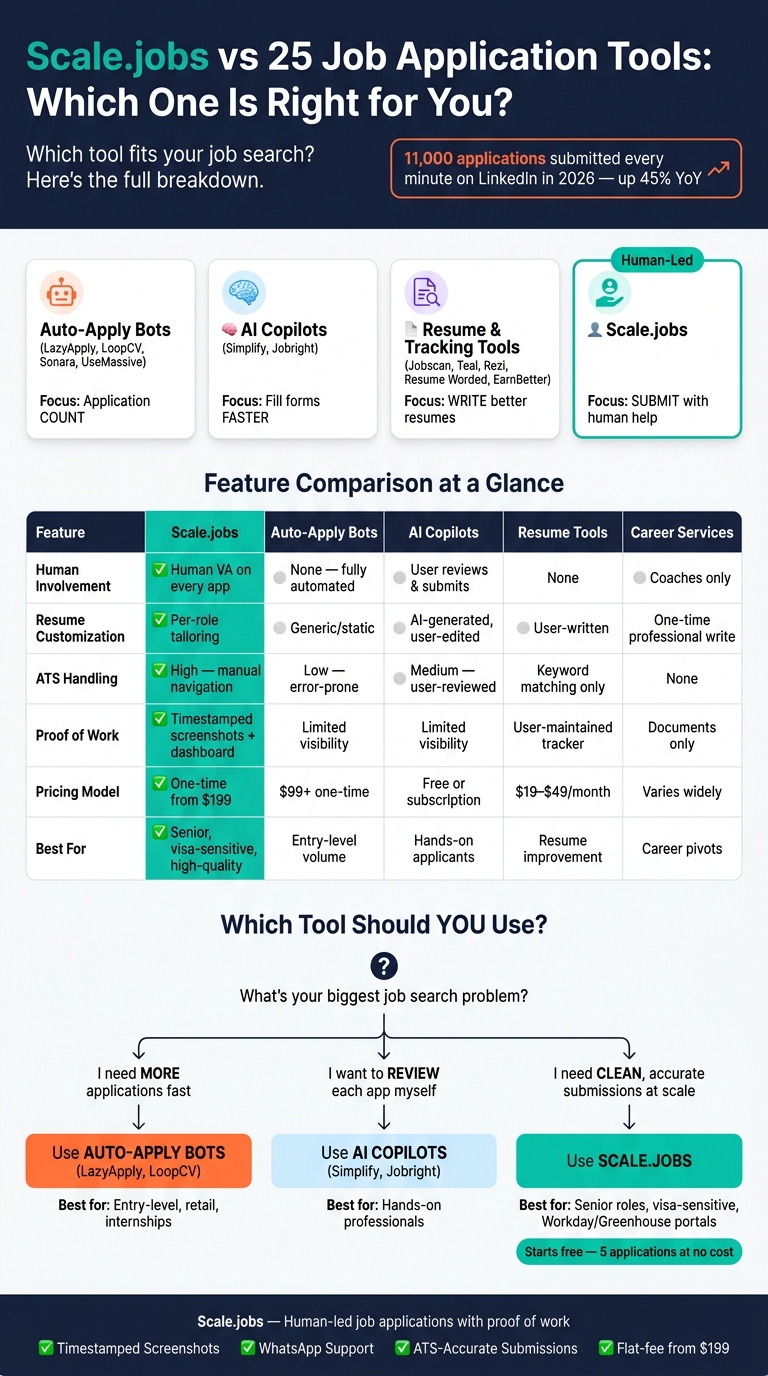
Scale.jobs vs 25 Job Application Tools: Which One Is Right for You?
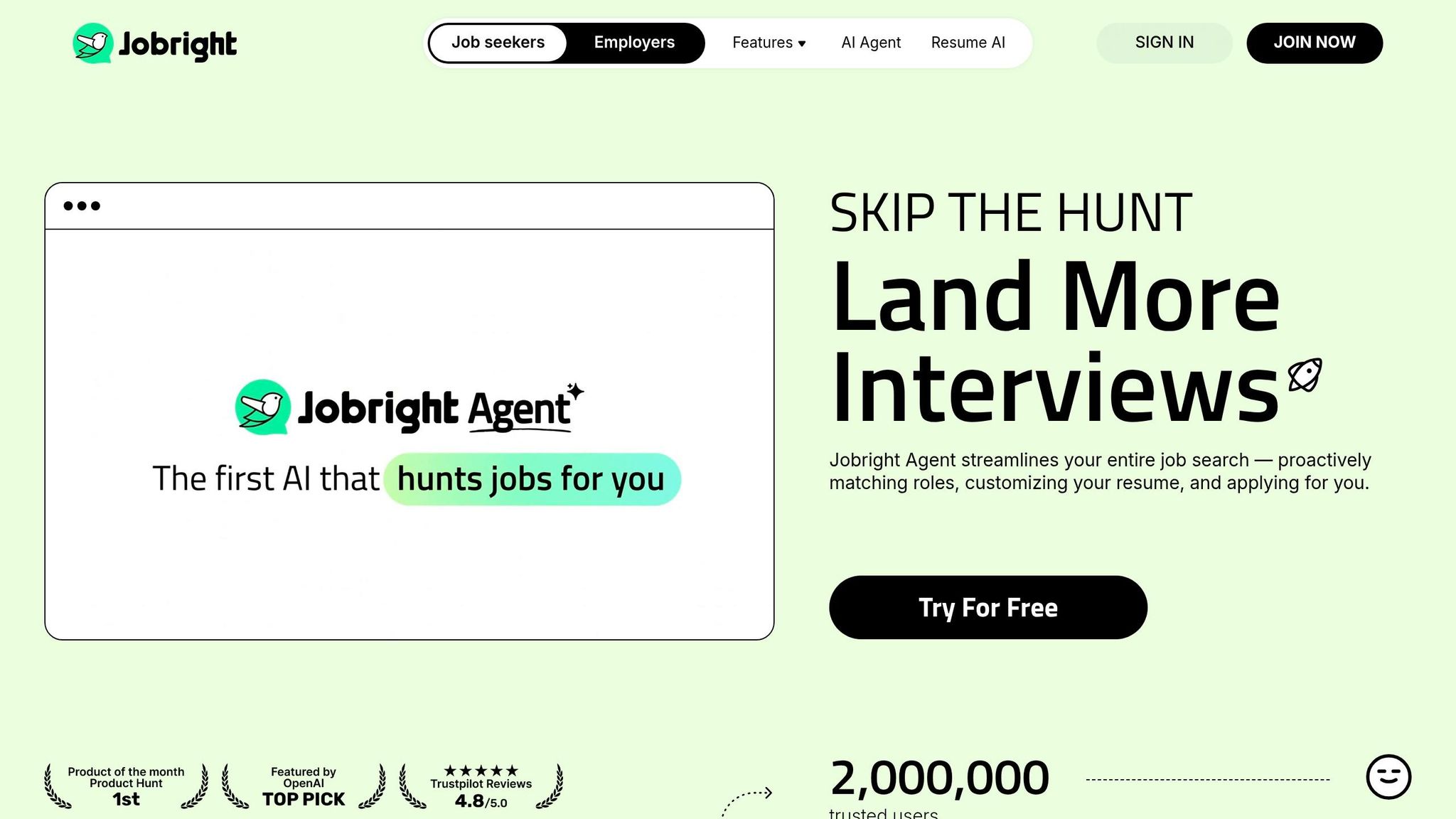
I Tested an AI That Applies to Jobs for You | Jobright AI Agent
sbb-itb-564272e
Quick comparison
| Tool type | Best use case | Main limit | Better fit than Scale.jobs? |
|---|---|---|---|
| Auto-apply bots | Entry-level, repeat-role volume pushes | Wrong answers, skipped fields, weak visibility | Yes, if speed is the only goal |
| AI copilots | People who still want to review every form | You still do the final submit work | Yes, if you want hands-on control |
| Resume tools | Resume tuning and tracking | They do not submit applications | Yes, if writing is your bottleneck |
| Career services | Coaching, resume rewrites, interview prep | Submission still stays with you | Yes, if you need career help first |
| Scale.jobs | High-volume searches where submission quality matters | Higher cost than basic browser tools | Yes, if you want human-led filing vs AI bots |
What I’d do based on the role
If I were applying to retail, warehouse, or broad Part time jobs near me, I’d test a bot first.
If I were applying to senior, technical, or visa-sensitive roles, I’d lean toward Scale.jobs or a job application service.
If my resume was weak, I’d fix that first with an ai resume builder or coaching before pushing volume.
My decision playbook
1) Stay with bots if:
- You need high application count fast
- The roles look almost the same
- Screening questions are simple
- You can accept some bad submissions
2) Use copilots or virtual assistants if:
- You want autofill help
- You still want to review every application
- You are not applying at very high volume
3) Switch to Scale.jobs if:
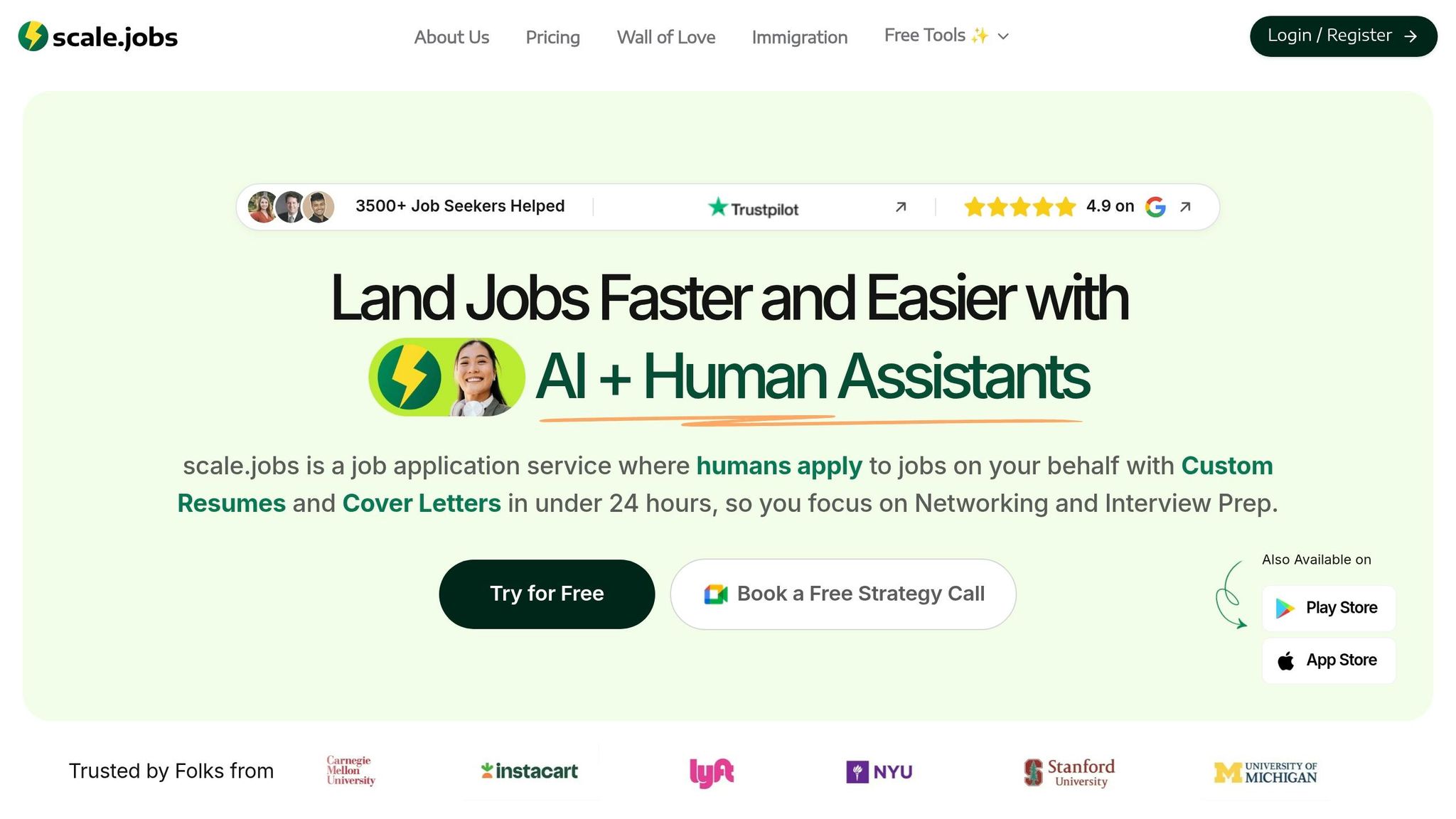
- You keep losing time in Workday or Greenhouse
- Your search includes sponsorship or work authorization questions
- You want screenshots and a record of each submit
- You want help that sits closer to a Job search virtual assistant than a browser extension
Where Scale.jobs stands out
From the article, Scale.jobs stands apart in a few direct ways:
- Human assistants submit each application
- Resume handling is more role-specific than static uploads
- You get timestamped screenshots and dashboard tracking
- Pricing starts at $199 for a one-time bundle instead of a monthly loop
- You can test it with 5 free applications
That does not mean every person should switch. It means Scale.jobs fits best when one bad application can cost you an interview.
FAQ-style answers
Is Scale.jobs better than LazyApply?
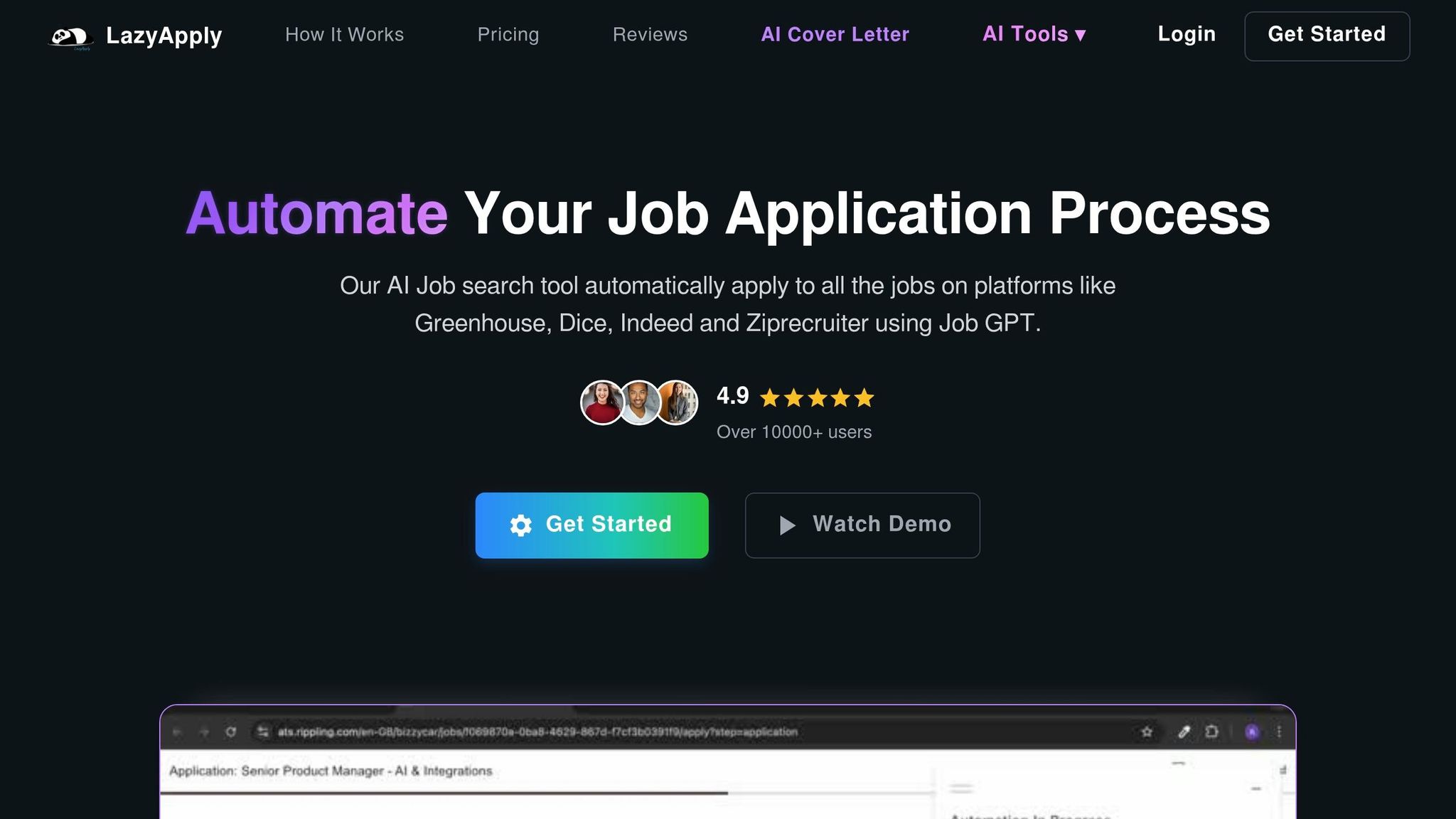
For submission quality, yes. For pure volume, LazyApply may still be the better fit.
Is Simplify enough instead of Scale.jobs?
Yes, if you still want to review and submit everything yourself. No, if you want the final filing work off your plate.
### Is Scale.jobs worth it for senior roles?
Usually yes, because senior roles often have longer forms, screening questions, and less room for mistakes.
Should I use resume tools first?
Yes, if your resume is weak. A tool like an ai cover letter builder or resume editor can help before you Apply for jobs at scale.
My bottom line
I would not treat Scale.jobs as a replacement for every job tool. I’d treat it as the better option when the problem is not finding jobs, but getting clean applications out the door.
Use bots for speed vs. human applications for quality.
Use copilots for form help.
Use resume tools for writing.
Use Scale.jobs when you want human-led submission, proof of work, and less risk on each application.
If you are still deciding, compare your current setup against what you need most: volume, control, writing help, or done-for-you filing through a job search platform.
Scale.jobs vs auto-apply bots: LazyApply, LoopCV, Sonara, Jobright, Simplify, and UseMassive
If you're trying to Apply for jobs at scale, the big question isn't just how many applications go out. It's whether those applications are accurate, relevant, and visible to you after submission.
That’s where the split happens. Some tools act like bulk-submit machines. Others work more like a managed job application service with human help built in.
LazyApply vs Scale.jobs: is high-volume automation worth it?
Volume by itself doesn’t improve interview odds, so LazyApply mainly sells speed, not quality control.
Its pitch is simple: turn on high-volume, hands-off submission and let applications keep moving all day. On paper, that sounds great. In practice, the weak spot shows up in user feedback. LazyApply has a 2.4/5 on Trustpilot, and 56% of reviews are 1 star. Common complaints include wrong form data, CAPTCHA failures, and poor job relevance. If a bot guesses on a visa sponsorship question or skips a required field in Workday, that application can get filtered out before a recruiter even opens it.
Scale.jobs takes a different route. It uses human assistants in real browsers. That matters on ATS platforms like Workday, where autofill tends to struggle once forms get messy or multi-step.
Why Scale.jobs wins against LazyApply:
- Human assistants handle multi-step ATS portals such as Workday and Greenhouse with more consistency than a bot
- Sponsorship and work-authorization questions are answered correctly instead of guessed
- Timestamped screenshots and the dashboard show what was submitted and when
- Bot-detection risk is lower because submissions are done by humans on a residential connection
| Feature | Scale.jobs | LazyApply |
|---|---|---|
| Human involvement | Human VA on every application | None - fully automated |
| Resume customization | Per-role tailoring by human | Static or generic upload |
| ATS handling | Manual navigation, high accuracy | High risk of parse errors on complex portals |
| Application execution | Human browser, residential connection | Bot script |
| Transparency / proof of work | Timestamped screenshots + dashboard | Limited submission visibility |
| Pricing model | One-time flat fee from $199 | $99+ one-time bulk access |
Who should use LazyApply: Job seekers going after high-volume, standardized roles where speed matters more than tailoring. Think entry-level, retail, hospitality, or logistics roles, including some Part time jobs near me searches.
Who should choose Scale.jobs: Candidates targeting professional, technical, or senior roles where one missed screening question, one wrong work-authorization answer, or one weak resume match can kill the application.
Switch to Scale.jobs if…
- Your tool keeps applying to jobs in the wrong location
- You need accurate answers for sponsorship or work-authorization questions
- You’re getting rejection emails for applications you don’t remember sending
- You want proof of what went out before a recruiter replies
LoopCV and Sonara vs Scale.jobs: automated application loops vs human oversight
LoopCV is less about one-click blasting and more about recurring application automation.
Its 4.1/5 Trustpilot rating shows plenty of users get use from it, but some reviewers mention zero matches and refund friction when results don’t land. Pricing follows a subscription model: free for 10 applications per month, then about $32 per month for 100 applications or $54 per month for 300. Sonara was relaunched by BOLD in 2024, so older reviews may not reflect its current version.
LoopCV tends to work better when job descriptions are predictable and application flows are simple. It gets shakier when a role asks for custom screening answers, visa details, or oddball fields that need a person to make the call.
For many people using a job search platform, that’s the line: automation is fine until the form stops being standard.
Why Scale.jobs wins against LoopCV:
- Human assistants catch and answer custom screening questions that automation may skip or guess
- Flat-fee pricing makes total spend easier to estimate
- WhatsApp support lets you fix targeting problems during the campaign
- Visa-sensitive applications are handled with human-checked answers
| Feature | Scale.jobs | LoopCV |
|---|---|---|
| Human involvement | Human VA on every application | None - scheduled automation |
| Resume customization | Manual per-role tailoring | Profile-based, static |
| ATS handling | High - manual navigation | Lower on complex portals |
| Application execution | Human browser | Cloud-based script |
| Transparency / proof of work | Timestamped screenshots + dashboard | Limited proof-of-work visibility |
| Pricing model | One-time flat fee from $199 | Subscription (~$32–$54/month) |
Who should use LoopCV: Candidates applying to lots of simple, repeatable roles where lower monthly cost and recurring automation matter more than application detail.
Who should choose Scale.jobs: Candidates who need accurate form completion on hard ATS portals, support that can adjust targeting mid-search, and proof for each submission.
Jobright, Simplify, and UseMassive vs Scale.jobs: where AI help stops short
Jobright and Simplify sit closer to human review, but they still stop short of full submission handling.
Simplify and Jobright work more like AI copilots than full auto-apply bots. They autofill parts of an application, but you still review and submit. Simplify is especially popular, with a 4.9/5 rating on the Chrome Web Store and over 1 million installs. Jobright adds AI matching and "Insider Connections", though its Trustpilot score is 2.9/5 and recent reviews are mixed. UseMassive is closer to bulk automation, which means it still runs into the same screening-question and portal-handling gaps.
That middle ground fits people who want to stay hands-on. But there’s a catch: you still have to do the hard stuff yourself. That means custom screening questions, role-specific tailoring, and the final check before submission. On a Workday form with custom fields, a work-authorization dropdown, and a short-answer prompt asking why you want the job, the copilot only gets you part of the way. Scale.jobs uses human assistants to finish the whole application and keep it aligned with the role.
If you already use tools like an ai resume builder or an ai cover letter builder, that can help with documents. It doesn’t solve the last-mile issue of getting each application submitted cleanly.
Why Scale.jobs wins against Simplify, Jobright, and UseMassive:
- Human assistants complete the full application, not just the autofill step
- Senior and specialized roles get more tailored, ATS-aligned resumes and answers
- Sponsorship and screening questions are handled by a person, not a template
- A managed service works better when you don’t want to review every application by hand
| Feature | Scale.jobs | Simplify / Jobright | Auto-apply bots (LazyApply, LoopCV, UseMassive) |
|---|---|---|---|
| Human involvement | Human VA completes full form | User reviews and submits | None - fully automated |
| Resume customization | Manual per-role tailoring | AI-generated, user-edited | Generic or static |
| ATS handling | High - manual navigation | Medium - user-reviewed | Low - higher error risk on complex portals |
| Application execution | Human browser, residential connection | Human-in-the-loop | Automated or bulk submission |
| Transparency / proof of work | Timestamped screenshots + dashboard | Limited submission visibility | Limited submission visibility |
| Pricing model | One-time flat fee from $199 | Free extension or subscription | Varies by tool |
Who should use Simplify or Jobright: Professionals applying to technical or professional roles who want autofill help but still prefer to review and submit each application themselves.
Who should choose Scale.jobs: Job seekers who want full application handling, more tailoring, and proof of work across ATS portals and employer sites. That can matter even more if you're targeting full time jobs where screening steps are tougher.
Switch to Scale.jobs if…
- You want a person to handle the full application instead of just autofill
- You’re applying for senior, specialized, or visa-sensitive roles
- You need visible proof of what was submitted
- You prefer a flat-fee managed service over a self-run copilot workflow
Decision summary
The choice comes down to how much control you want to keep and how much risk you're willing to accept on each application.
- Choose LazyApply for standardized, high-volume roles where speed matters most
- Choose LoopCV for recurring automation and lower monthly cost on simple applications
- Choose Simplify or Jobright for autofill help when you still want to review and submit yourself
- Choose Scale.jobs if you want a more done-for-you workflow, stronger tailoring, and proof of work
Scale.jobs vs resume and job-search tools: Jobscan, Teal, Rezi, Resume Worded, EarnBetter, and career platforms
If the last section focused on who sends the application, this one focuses on who improves it before it goes out.
Jobscan, Teal, Rezi, Resume Worded, and EarnBetter help you improve what you send. They do not send job applications for you.
That distinction matters more than it seems. A polished resume can help you pass ATS filters and avoid common rejection traps. But when employers still make you apply through Workday, Greenhouse, and other portals, the slow part is often the form-filling, login hopping, and repeat data entry. These tools cut writing time. They don't cut submission time.
Jobscan, Teal, Rezi, Resume Worded, and EarnBetter vs Scale.jobs
Jobscan is best known for role-based keyword matching before submission. Teal helps keep your pipeline in order. Rezi, Resume Worded, and EarnBetter help tighten resume wording and targeting. If writing is the main problem, these tools may be enough. If portal work is the problem, Scale.jobs is the better fit.
That leaves a simple split: improve the resume yourself, or hand off the portal work to Scale.jobs.
Scale.jobs uses human assistants to handle portal navigation, manual form entry, and submission. You also get timestamped screenshots and tracking, so you can check what was done. If you already use tools like Jobscan or Rezi as an ai resume builder workflow, Scale.jobs can sit on top of that process instead of replacing it.
Why Scale.jobs wins:
- Human-submitted portal work on every application
- ATS-focused, role-based handling across Workday, Greenhouse, and similar platforms
- Timestamped proof of work plus WhatsApp support during the campaign
| Feature | Jobscan / Teal / Rezi / Resume Worded | Scale.jobs |
|---|---|---|
| Primary function | Resume optimization and job tracking | End-to-end application submission |
| Who submits applications? | You | Human assistant |
| ATS handling | Keyword matching and formatting | Manual, human-checked form entry |
| Proof of work | User-maintained tracker | Timestamped screenshots + dashboard |
| Pricing model | Free tiers; paid plans often around $19–$49/month | One-time flat fee from $199 |
| Best for | Candidates who want full control over each application | Professionals who want to offload portal navigation entirely |
Who should use Jobscan, Teal, Rezi, or Resume Worded: Candidates who want to review each application before it goes out and keep the main focus on document quality. This works well when application volume is still manageable.
Who should choose Scale.jobs: Professionals who want to spend time on interviews, not portals. That's often the case for senior roles, visa-sensitive searches, or high-volume campaigns where a clear submission record matters.
Switch to Scale.jobs if…
- You've improved your resume with Jobscan or Rezi but still can't keep up with the submission workload
- You need a record of what was submitted and when, not just a spreadsheet
- Your search includes Workday or other portals where manual entry is still the bottleneck
- You want human review and WhatsApp updates while applications are being sent
A simple way to think about it: these tools help you write better; Scale.jobs helps you Apply for jobs at scale.
Find My Profession, TopResume, ResumeSpice, Wonsulting, Career.io, TheLadders, Ramped Careers, and Interview Kickstart vs Scale.jobs
The same logic applies to resume writers, coaches, and career platforms.
These services help with documents, coaching, interview prep, or job-search direction. But submission still lands on your plate. That's the missing piece. A professionally written resume may improve how you look on paper, but it still doesn't get filed by itself. You still have to log in, fill out forms, and keep the search moving.
If your bottleneck is positioning, these services can help. If your bottleneck is submission, Scale.jobs closes that gap.
Scale.jobs brings together ATS-aware resume support and hands-on submission work. The resume writing services package includes a professionally written resume, a 45-minute 1-on-1 Zoom call, and bonus application support. That's different from a service that stops at documents and coaching. It can also pair well with an ai cover letter builder process if you want faster document prep before submissions begin.
Why Scale.jobs wins:
- Human-submitted portal work on every application
- ATS-focused, role-based handling across Workday, Greenhouse, and similar platforms
- Timestamped proof of work plus WhatsApp support during the campaign
| Feature | Career services (TopResume, Wonsulting, etc.) | Scale.jobs |
|---|---|---|
| Human involvement | Resume writers and coaches | Human VAs submitting applications |
| Resume customization | Professionally written, one-time | Per-role tailoring on each submission |
| Application execution | None - user submits | Done-for-you, human-led |
| Transparency / proof of work | Deliverable documents only | Timestamped screenshots + WhatsApp updates |
| Pricing model | One-time service fee (varies widely) | One-time flat fee from $199 |
| Best for | Career pivots, executive branding, interview coaching | High-volume searches needing both documents and submission |
Who should use Find My Profession, TopResume, or Wonsulting: Candidates who need a broader career reset, are making a major industry pivot, or want coaching through interviews.
Who should choose Scale.jobs: Candidates who already know the role they want, need applications moving fast across many portals, and want proof that submissions are happening.
Switch to Scale.jobs if…
- You've paid for a professionally written resume but still haven't had time to apply with consistency
- You need more than coaching - you need someone to handle the portals
- Your search involves ATS-heavy employers where submission accuracy matters as much as document quality
- You want dedicated WhatsApp support to adjust targeting mid-campaign, not just a document revision window
For many job seekers, this is the tradeoff: career platforms help you prepare, while a job application service helps you get the work done. If your goal is to move faster across full time jobs or a broad job search platform, that difference becomes hard to ignore.
Scale.jobs vs resume builders and cover letter tools: Resume Genius, Resume.io, Resume.co, Resume.com, MyPerfectResume, and MyPerfectCoverLetter
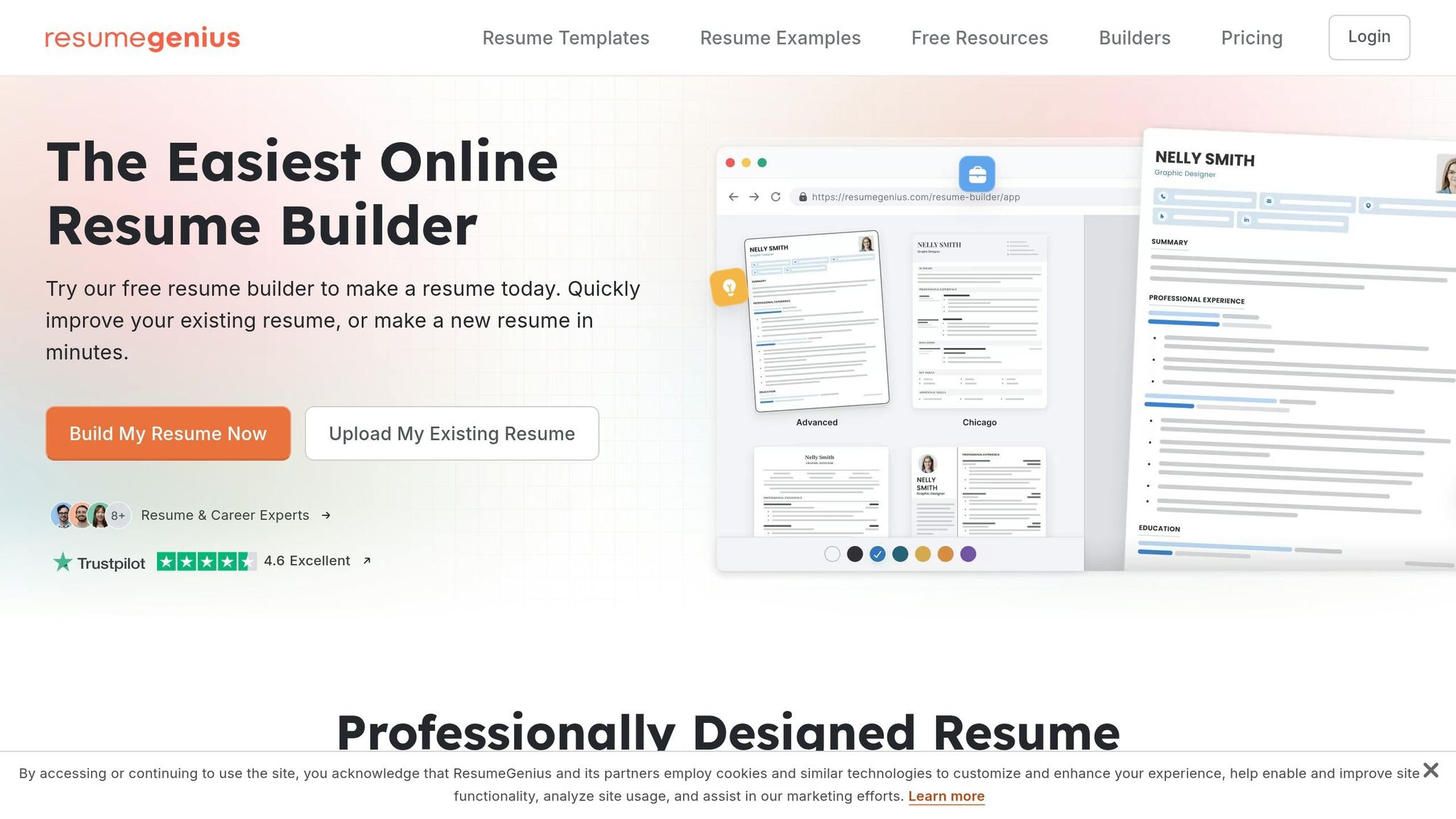
Resume Genius, Resume.io, Resume.co, Resume.com, MyPerfectResume, and MyPerfectCoverLetter are built to do one job fast: help you make a resume or cover letter. The templates look polished, the editors are easy to use, and many start with a free tier before moving into a monthly plan. If your main problem is writing the file, these tools can help.
But if your main problem is getting applications out the door, the gap shows up fast. That’s where Scale.jobs changes the outcome.
Resume builders stop at the document. Scale.jobs takes over the part that still eats up hours: submitting applications through Workday, Greenhouse, and other employer portals. So the choice is pretty simple. Do you need a better document, or do you need a better filing process?
Resume builders make sense for lower-volume searches where you want to review and send every application yourself. That system starts to crack once you deal with portal-heavy employers.
Workday, in particular, can trip up simple automation. Non-human tools may skip fields, fill forms the wrong way, or misread what the portal is asking for. Template-based cover letters help you move faster, but Scale.jobs adds human review before anything gets submitted. It covers ATS-ready versions, manual form entry, proof-of-work screenshots, and dashboard tracking.
If you're still building your materials, tools like an ai resume builder or ai cover letter builder can help you get started. If your resume is already in good shape and the slowdown is the application process itself, that’s where Scale.jobs fits better.
The table below makes the split easier to see.
| Feature | Resume Builders (Resume Genius, Resume.io, etc.) | Scale.jobs |
|---|---|---|
| Primary function | Document creation and templates | End-to-end application execution |
| Human involvement | None - self-service | Dedicated human virtual assistants |
| Application submission | User must apply manually | Assistant applies on your behalf |
| ATS handling | Static keyword templates | Per-role tailoring with manual form entry |
| Proof of work | Not applicable | Timestamped screenshots and submission dashboard |
| Pricing model | Recurring monthly subscription | One-time flat fee from $199 |
| Support | Help center or email | WhatsApp and 1-on-1 coaching options |
Who should use resume builders: Candidates applying to a small number of roles who want full control over every submission and only need help with formatting or quick drafting. They also work well as a first step if you want to build your own resume before moving to a managed job application service.
Who should choose Scale.jobs: Professionals applying at high volume, candidates targeting ATS-heavy employers, and people who already have a strong resume but can’t keep up with portal-heavy applications. This setup also fits candidates sending many applications through large employer systems and needing a clean record of each submission. Visa-sensitive applicants who want a human-filed submission record often lean this way too.
Here’s the practical test for whether the builder-only workflow still holds up.
Switch to Scale.jobs if…
- You already built a polished resume in Resume.io or Resume Genius but still spend hours each week on applications
- Your search includes Workday, Greenhouse, or similar portals where autofill tools often fail or skip fields
- You want timestamped proof of each submission instead of tracking everything by hand
- You’re paying for more than one subscription but still doing the actual application work yourself
- You need to move faster without using fully automated apply bots
This is also where a Virtual Assistant for Job Applications can make more sense than another document tool. And if you want more hands-on search help, a job search virtual assistant or job search coach may be a better fit than another resume template.
Decision summary: Choose a resume builder for fast document creation; choose Scale.jobs for human-led submission and tracking.
Decision summary: when to stay with an auto-apply tool and when to switch to Scale.jobs
Use speed-first tools for high-volume searches. Move to Scale.jobs when submission quality matters more.
If speed and volume are your only goals, stick with automation. Tools like LazyApply or LoopCV can send 100+ applications per day. That works well for entry-level roles, internships, or jobs with near-identical application flows. In that kind of search, the game is simple: get in front of as many openings as possible, as fast as you can.
If one weak submission could cost you an interview, switch to human-assisted help. This matters more for senior roles, career pivots, relocation searches, and visa-sensitive cases like H-1B, F-1, or TN. In those cases, a missed intake question, a bad match, or a generic answer can do damage. Scale.jobs uses human assistants who can work through multi-step ATS forms, CAPTCHAs, and screening questions while keeping your resume and answers lined up with the role.
Here’s the quick split:
| Search Situation | Better Fit |
|---|---|
| Immediate post-layoff, high-volume blitz | Auto-apply bot |
| Internship hunt or standardized entry-level roles | Auto-apply bot |
| Senior or executive roles | Scale.jobs |
| Career pivot or industry change | Scale.jobs |
| Relocation search | Scale.jobs |
| H-1B, F-1, or TN visa-sensitive search | Scale.jobs |
| Need timestamped proof of each submission | Scale.jobs |
A simple way to think about it: use bots when quantity is the job. Use human support when accuracy is the job.
If your response rate stays weak after a volume push, shift your top-target roles to Scale.jobs. That gives you a cleaner process for applications that matter most. And if your documents need work before you apply for jobs, you can use Scale.jobs' resume writing services as a separate option. You can also pair that with tools like an ai resume builder or ai cover letter builder if you want a faster draft before human review.
The pricing model is simple. You can start free with the first 5 job applications, then move to a one-time paid bundle only if the workflow makes sense for your search. That setup is useful if you want to test a job application service before putting more money into it.