
Top 8 Candidate Recommended AI Cover Letter Generators

Sarah Mitchell
August 5, 2026

If you want the short answer: most AI cover letter tools help you write faster, but only a few help you finish the job. I’d split this list into three groups right away:
- Best for full application help: Scale.jobs
- Best for ATS keyword checks: Jobscan
- Best for tracking and self-serve job search: Teal
- Best for ATS-safe drafting: Rezi
- Best for browser-based speed: Simplify
- Best for automated outreach: Loopcv
- Best for template-led drafting: MyPerfectCoverLetter
- Best for mass auto-apply: LazyApply
If you’re trying to Apply for jobs in volume, the tool choice usually comes down to one bottleneck:
- writing the draft
- matching ATS keywords in cover letters
- tracking versions
- or getting applications submitted without mistakes
A lot of candidates don’t need “more AI.” They need a tool that fits how they search day to day, whether that means a self-serve job search platform, an ai cover letter builder, or help from a Virtual Assistant for Job Applications.
I Tested Every AI Cover Letter Generator So You Don't Have To (2026)
sbb-itb-564272e
Quick comparison
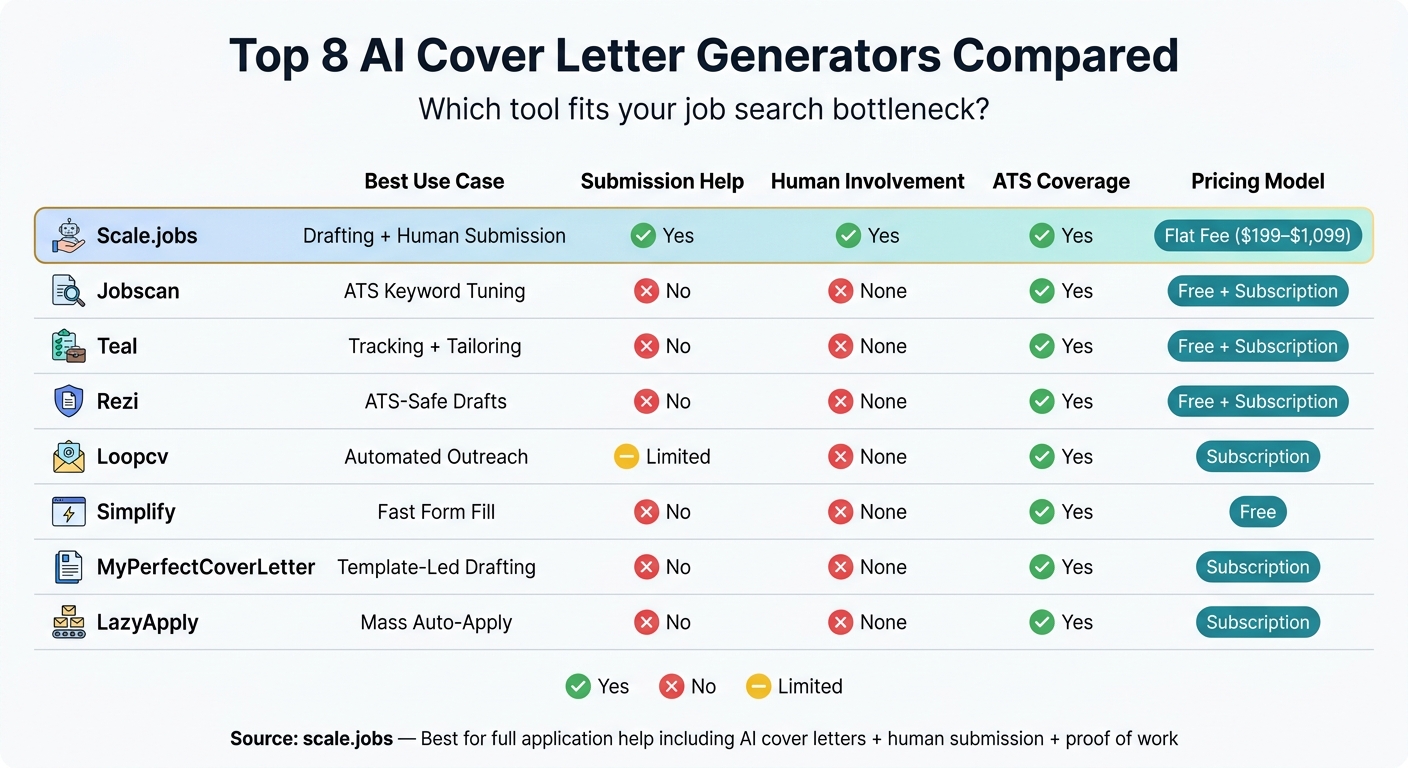
Top 8 AI Cover Letter Generators Compared: Features, Pricing & Best Use Cases
| Tool | Best use | Submission help | Main tradeoff |
|---|---|---|---|
| Scale.jobs | Drafting + human submission | Yes | Less self-serve |
| Jobscan | ATS keyword tuning (optimize for ATS) | No | Stops at analysis |
| Teal | Tracking + tailoring | No | Manual apply still needed |
| Rezi | ATS-safe drafts | No | Drafting only |
| Loopcv | Automated outreach | Limited automation | Can stall on portal issues |
| Simplify | Fast form fill | No human help | Light tailoring |
| MyPerfectCoverLetter | Guided templates | No | Can feel generic |
| LazyApply | Mass auto-apply | Bot-driven | Light per-role tailoring |
My take
I wouldn’t pick based on feature count alone.
I’d pick based on what slows you down most:
- Low match rate? Use Jobscan or Rezi.
- Too much admin work? Use Teal or Simplify.
- Need writing plus submission help? Scale.jobs is the one to look at first.
- Just need a fast draft? MyPerfectCoverLetter can be enough. However, if you want to stand out, you'll need to personalize your cover letter beyond a basic template.
- Want volume over control? Loopcv or LazyApply fit that lane.
Simple buying checklist
Before you choose, I’d ask:
- Does it keep formatting safe for Workday, Greenhouse, and Lever?
- Does it mirror job description terms closely?
- Does it keep my resume and letter in sync?
- Do I still have to do every upload myself?
- Can I track what got sent and when?
- Am I paying monthly, or is it a one-time cost?
Who this list is for
This guide fits best if you’re:
- applying to full-time roles
- sending a high number of applications each week
- changing careers
- searching after a layoff
- or trying to stay organized across many versions
If that sounds like you, the comparison below should help you choose the right tool without overthinking it. If you're just starting, you might also want to review how to create a job-winning cover letter to understand the fundamentals.
Why do job seekers need an AI cover letter generator?
Job seekers need an ai cover letter builder because ATS filters can stop a strong application before a recruiter even opens it. That creates three direct problems: speed, fit, and ATS readability.
Most tools help people write faster. But only a small group connect the letter to a full job application service or a broader job search platform. That matters more than it may seem at first. A cover letter is not just a writing task. It’s one part of a submission process that needs to be done carefully, matched to the job post, and uploaded the right way.
The main problem isn’t just drafting a letter fast. The main problem is getting a readable, specific, submission-ready document into the right system without errors.
Many job seekers assume a high keyword match score means they’re in good shape. Not always. A score can look good while the file still parses badly in an ATS. And even if the system reads it, generic language can still hurt response rates. Fast doesn’t help much if the final document sounds flat or breaks during upload.
That’s where the gap shows up between draft-only tools and services built for the full process. Some tools stop after they generate text, often making common mistakes in AI job applications. Scale.jobs moves past that point. With help from human assistants and a Virtual Assistant for Job Applications workflow, it covers ATS-friendly formatting, portal-specific upload issues, and confirmed delivery. Most standalone tools skip those steps.
For people trying to Apply for jobs at scale, that difference is a big deal. A polished draft is useful. A draft that gets submitted, checked, and verified is a different level of help.
Those gaps are why evaluation criteria matter before comparing tools like an ai resume builder or cover letter generator side by side.
What problems do AI cover letter generators solve for U.S. job seekers?
AI cover letter generators mostly fix four pain points: getting started, keeping up with application volume, matching ATS language, and turning past experience into role-fit wording.
- Blank-page friction. A lot of people know their work history cold, but freeze when it's time to turn that into sharp, role-specific writing. An ai cover letter builder can pull details from your resume and the job post, then turn out a structured draft in under 60 seconds. Doing that by hand often takes 30 to 60 minutes.
- Application volume. Popular roles can pull in thousands of applications in just a few days. If you're trying to Apply for jobs at any kind of pace, writing every letter from scratch just doesn't hold up. AI helps you tailor each draft at scale without falling back on a generic note that tells recruiters you want a job, not their job.
- ATS matching. Many candidates get screened out before a recruiter ever reads a word. That's where wording matters. AI tools can mirror the job post's keywords and phrasing more closely, which helps with ATS alignment and optimization. If the posting says "Search Engine Optimization", using only "SEO" can weaken the match. This is one reason many job seekers pair a cover letter tool with an ai resume builder or a broader job application service.
- Career pivots and tight timelines. Your experience may be solid, but the wording from one field doesn't always line up with another. AI tools help translate transferable skills into terms the target role uses. That's a big deal for career changers, people juggling many deadlines, or anyone using a job search platform to move fast across multiple openings.
For some people, that support replaces hours of writing. For others, it works more like a first draft machine. Either way, the core value is simple: less time staring at the screen, more time sending tailored applications.
Those gaps define the features to compare next.
What should candidates look for in an AI cover letter generator?
Not every tool handles the full job search flow.
Some only draft a letter. Others connect with your resume, mirror the language in the job post, and help track what you sent to each employer. That gap matters more than most people think, especially if you're sending a lot of applications through a job search platform or using an ai cover letter builder as part of a bigger process.
ATS compatibility is the starting point. If the output can't parse cleanly, nothing else matters. Stick with single-column, plain-text formatting that works well in Workday, Greenhouse, and Lever. Fancy layouts may look nice on your screen, but they can fall apart once an applicant tracking system reads them.
After formatting, look at language match.
Keyword mirroring matters. A good tool should carry over the job description's exact phrasing into the letter without turning the whole thing into a keyword dump. If the posting says "cross-functional collaboration", the letter should use that wording when it's true to your background. Swapping in loose alternatives can weaken the match.
The next check is consistency. Does the tool stay aligned with your resume? If your resume says five years of account management, but the letter sounds like a career switch, that's a problem. Tools that work alongside an ai resume builder or connect with a broader job application service can help keep both documents in sync.
Tracking also matters more than people expect. Once you're applying across multiple roles, it's easy to lose track of which version went where. A tool with tracking can save time and reduce mistakes, whether you're trying to Apply for jobs in bulk or running a tighter, more selective search with a job search coach.
Human review is the last big separator, especially for senior-level roles or career-change searches. AI can draft fast, but it can also miss tone, context, and the small details that make a letter feel right for the role. That's where a Virtual Assistant for Job Applications or a virtual assistant for job seekers can make a difference.
| What to Evaluate | Why It Matters |
|---|---|
| ATS-safe formatting | Helps avoid parsing failures in Workday, Greenhouse, and Lever |
| Exact keyword mirroring | Carries JD language into the cover letter without relying on synonyms |
| Resume + cover letter sync | Keeps both documents consistent and aligned |
| Application tracking | Shows which version went to which employer |
| Human review option | Adds nuance and catches AI errors in higher-stakes searches |
| Pricing structure | Free, subscription, or one-time flat fee each fits a different search stage |
Use these criteria to judge how each tool performs in real searches.
How are job seekers using AI cover letter generators in real searches?
These patterns look different depending on where you are in your search, how much experience you have, and whether work authorization is part of the process. That’s why the best tool isn’t always the one with the most features. It’s the one that fits how you actually Apply for jobs day to day. In U.S. searches, five use cases keep showing up.
- New graduates turning coursework into work-ready language
Recent grads often use AI cover letter tools to turn class projects, internships, and volunteer work into language that sounds ready for hiring teams. A STAR-style prompt can transform a CV into a cover letter by taking a school assignment and shaping it into a clear story with context, action, and result.
Scale.jobs fits this use case well. Its single-click AI cover letters mirror the job description, and when needed, human assistants can line up the resume and cover letter for the exact role. That matters when you’re trying to make academic work sound like job-ready proof instead of just listing courses.
- Recently laid-off professionals applying at volume
People reentering the market after a layoff often use AI to rewrite task-heavy bullets into result-focused bullets across a high number of applications. The goal is simple: move fast without sending weak, generic materials.
This is where Scale.jobs stands out as a job application service. It pairs AI cover letters with human assistants who submit applications by hand across portals. So you can keep pace without letting quality slip. If you're juggling dozens of openings, that mix of speed and manual review can save a lot of friction.
- Employed candidates searching discreetly
Candidates who already have a job usually need to tailor applications at night, on weekends, or between meetings. They don’t have time to babysit every draft or portal.
Scale.jobs works well here because the flat-fee model avoids another monthly bill, and time-stamped proof-of-work makes progress easy to track. You’re not left wondering what was done or what still needs attention. For people who want a quiet, low-maintenance job search platform, that setup makes a lot of sense.
Search behavior shifts again for students and interns. In that group, volume matters, but so does skills-first wording.
- Students and interns applying for internships
Undergrads and grad students often use AI to keep applications focused on skills. Instead of leading with a broad objective statement, they highlight tools, coursework, labs, research, and projects that line up with the posting.
Scale.jobs helps by pulling relevant phrasing straight from the job description and keeping the cover letter centered on what the student has actually done. That’s a big difference. Hiring teams can spot filler fast. Clean, role-matched language gives students a better shot when they’re applying to internships, full time jobs, or even early-career roles through the best job boards.
- Visa-dependent candidates clarifying work authorization
For H-1B, F-1, OPT, or TN applicants, AI can help adjust the application to U.S. hiring language fast. That often means adding work authorization details, availability, or notice period details in the header. It can also mean reframing international work into achievement-action-result language that U.S. recruiters scan for.
Scale.jobs adds another layer here. Human assistants fill out portal fields by hand, which helps cut down on mistakes in visa-related fields. For visa-sensitive applications, that manual step matters. A small submission error can knock out an otherwise strong application. This use case is also where a Virtual Assistant for Job Applications can help more than a basic ai cover letter builder alone.
Not every AI tool for tailored job applications handles the full process. Some tools stop at drafting. Others help with tailoring. A few combine AI with manual support, which is often what job seekers need once the search gets messy. These patterns point to different levels of automation, human help, and ATS control. The table below compares the top tools on those exact factors.
How do the top AI cover letter generators compare?
The table below compares these tools on automation depth, ATS handling, execution method, and proof of work. It helps separate tools that only write text from tools that also help you apply for jobs.
| Tool | Best Fit | Human Involvement | Application Execution Method | Strengths | Limitations | Transparency / Proof of Work | Pricing |
|---|---|---|---|---|---|---|---|
| scale.jobs | Candidates who need ATS-optimized docs, human-submitted applications, and proof of work | Human assistants submit every application by hand | Manual submission across any portal; AI-tailored documents prepared per posting | Lower bot-flag risk; 24-hour turnaround; unused-credit refunds; WhatsApp updates | More hands-on than fully self-serve generators | Time-stamped screenshots and WhatsApp status updates | Free to start; one-time Human Assistant plans from $199–$1,099 |
| Jobscan | Keyword-focused applicants trying to pass ATS filters | None | Self-serve; user submits applications manually | ATS keyword analysis and match-score feedback | Focused on keyword gaps, not full document generation or submission | None | Free plan; subscription |
| Teal | Organized job seekers managing multiple active applications | None | Self-serve; user submits applications manually | Career management dashboard; identifies keyword gaps across saved jobs | Requires manual input to finalize tailoring; no submission support | Job tracker only | Free plan; subscription |
| Rezi | Applicants who want to build a resume that passes ATS with clean formatting | None | Self-serve; user submits applications manually | Single-column layouts that parse cleanly through ATS | Limited design flexibility; no submission support | None | Free plan; subscription |
| Loopcv | High-volume applicants running automated outreach | None | Automated job searching and email sequences | Saves time on repetitive outreach tasks | Automation may trigger platform review | None | Subscription |
| Simplify | Applicants who want fast form auto-fill | None | Auto-fills common application portal fields | Speeds up repetitive form entry | Less focus on content tailoring or cover letter quality | None | Free |
| MyPerfectCoverLetter | Entry-level to mid-career professionals using templates | None | Self-serve; user submits applications manually | Template and phrase library; structured formatting | Templates can feel generic without heavy customization | None | Subscription |
| LazyApply | Mass-application, high-volume job seekers | None | Automated application bot across multiple platforms | Maximum volume with minimal manual effort | Automation can trigger spam filters on some job boards | None | Subscription |
The main split is simple: some tools help you draft faster, while others help you move from draft to submission.
If you're only looking for an ai cover letter builder, tools like Jobscan, Rezi, and MyPerfectCoverLetter fit that lane. They help with wording, formatting, or keyword use, but the actual submission still lands on you.
If you want more than drafting, the difference gets bigger. scale.jobs sits closer to a job application service than a standard generator. The platform combines tailored documents with human submission, which matters if you're applying across many portals and don't want to spend hours copying the same details into forms.
That also affects risk. Tools like Loopcv and LazyApply lean into volume. That can work for some users, especially those chasing lots of leads across the best job boards. But volume-first automation can also run into spam filters or account review. By contrast, manual submission gives you more control over where and how each application goes out.
Another practical difference is proof of work. Most self-serve tools stop at document output. scale.jobs shows time-stamped screenshots and WhatsApp updates, which gives job seekers a record of what was done and when. If you've ever lost track of dozens of applications, you know that kind of visibility can save a lot of second-guessing.
Here's the easiest way to think about it:
- Choose a drafting tool if you want help writing and plan to handle the rest yourself.
- Choose a human-backed job search platform if you want help with both document prep and application execution.
This matters even more for people applying to many full time jobs or juggling targeted applications while working with a job search virtual assistant. In those cases, speed alone isn't the whole story. Fit, tracking, and submission control often matter just as much.
The reviews below expand on the same tradeoffs: drafting speed, ATS fit, human help, and submission control.
1. scale.jobs
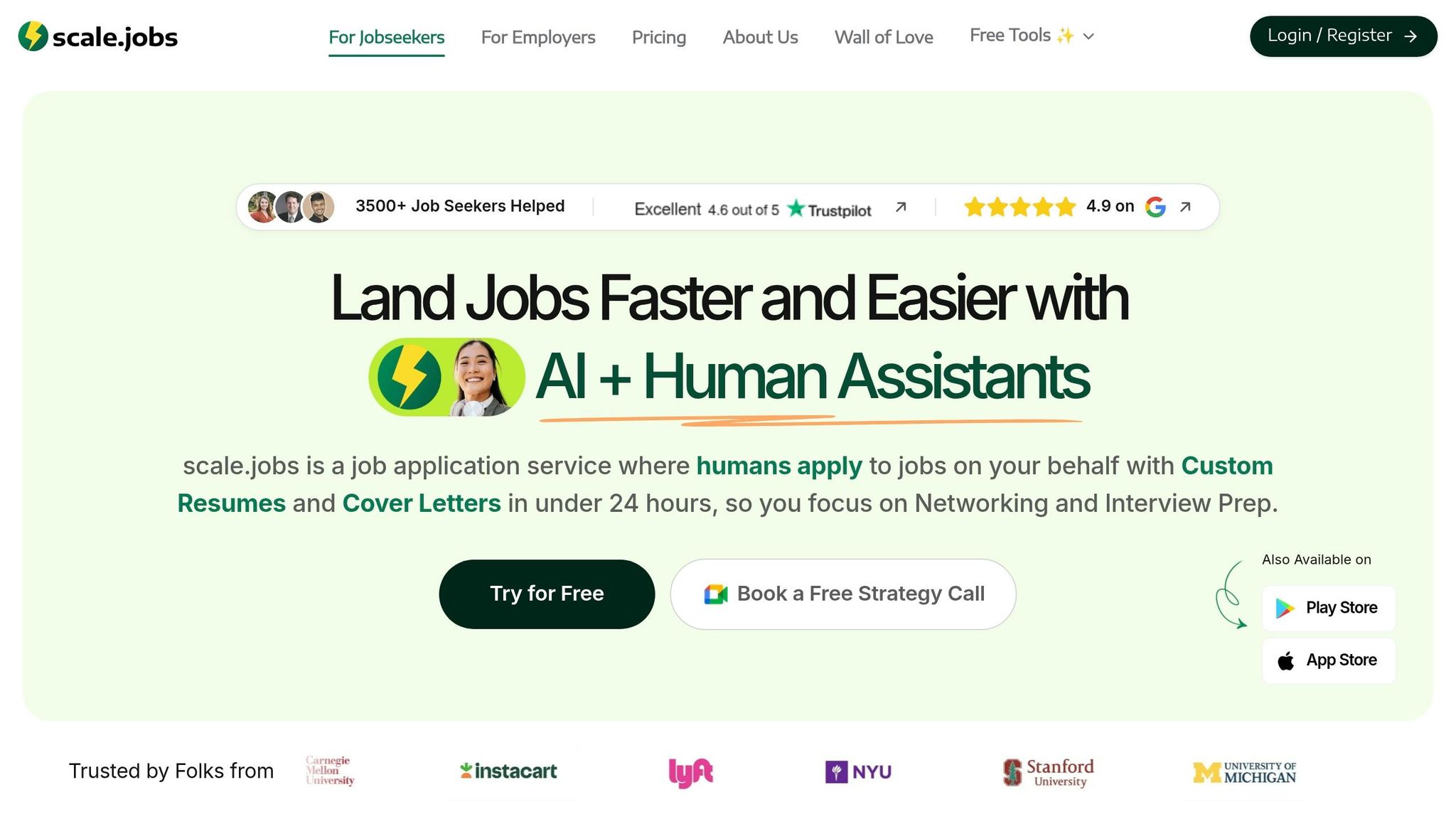
scale.jobs combines an ai cover letter builder with human help for job submissions. That split matters. A lot of tools in this space stop at drafting. scale.jobs goes a step further and handles the application itself, then shows you proof that the work was done.
If you're trying to Apply for jobs at scale, that can save a lot of time. It also cuts down on the usual “Did this even get submitted?” problem.
Summary of company: scale.jobs is a job application service that pairs an AI cover letter generator with human assistants who submit applications by hand through employer portals. You get time-stamped screenshots in WhatsApp as proof of each submission.
Key features:
- The AI generator creates a tailored cover letter for each job posting, pulling keywords straight from the job description
- Works across 15+ ATS platforms, including Greenhouse, Workday, Lever, and iCIMS; that coverage helps lower formatting issues across common U.S. hiring portals
- Human assistants submit every application manually in the employer portal, not through bots or scripts
- Time-stamped screenshots confirm each submission, and WhatsApp updates show progress as the search moves along
- Resume and cover letter writing service is also available, with a 1-on-1 Zoom call and direct email support for candidates who want human-written documents instead of AI drafts
Job search automation offerings
For job seekers who want more than drafting help, this job search platform includes a simple workflow:
- AI cover letter generation matched to each job description
- Human-assisted portal submission across any employer career page
- Proof-of-work documentation for each application
- WhatsApp-based status updates during the search
| Feature | scale.jobs Detail |
|---|---|
| AI generation speed | 2–3 seconds per cover letter |
| Job postings sourced | 2M+ monthly |
| Career pages covered | 50,000+ |
| ATS systems supported | 15+ |
| Fortune 500 coverage | 75%+ |
| Application turnaround | 24 hours |
| Proof of work | Time-stamped screenshots + WhatsApp updates |
| Entry price | Free (first 5 applications) |
| Paid plans | $199 / $299 / $399 flat fee |
scale.jobs vs draft-only tools
Here’s the plain-English difference: draft-only tools help you write. scale.jobs helps you write and submit.
That makes it closer to a Virtual Assistant for Job Applications than a basic letter generator. If you’ve ever spent an hour copying resume details into Workday for the tenth time, you already know why that matters.
Pros: Human submission lowers bot-flag risk; ATS-ready documents for each posting; flat-fee pricing with refunds on unused credits; WhatsApp support during the process.
Cons: It isn’t fully self-serve; it fits active, high-volume searches better than one-off applications.
Pricing: First five applications are free. Paid plans use flat-fee pricing, not a subscription.
- Who should use scale.jobs: Candidates running active, high-volume searches who want tailored cover letters, manual submission, and proof of work in one place. This setup also makes sense if you're looking for a job search virtual assistant rather than just a writing tool.
- Who should choose a different tool: Candidates who only need a drafted cover letter and want to handle submissions on their own with an ai resume builder or cover letter tool.
Candidates who only need keyword matching usually compare scale.jobs against Jobscan next.
2. Jobscan vs scale.jobs: Is Jobscan Worth It?
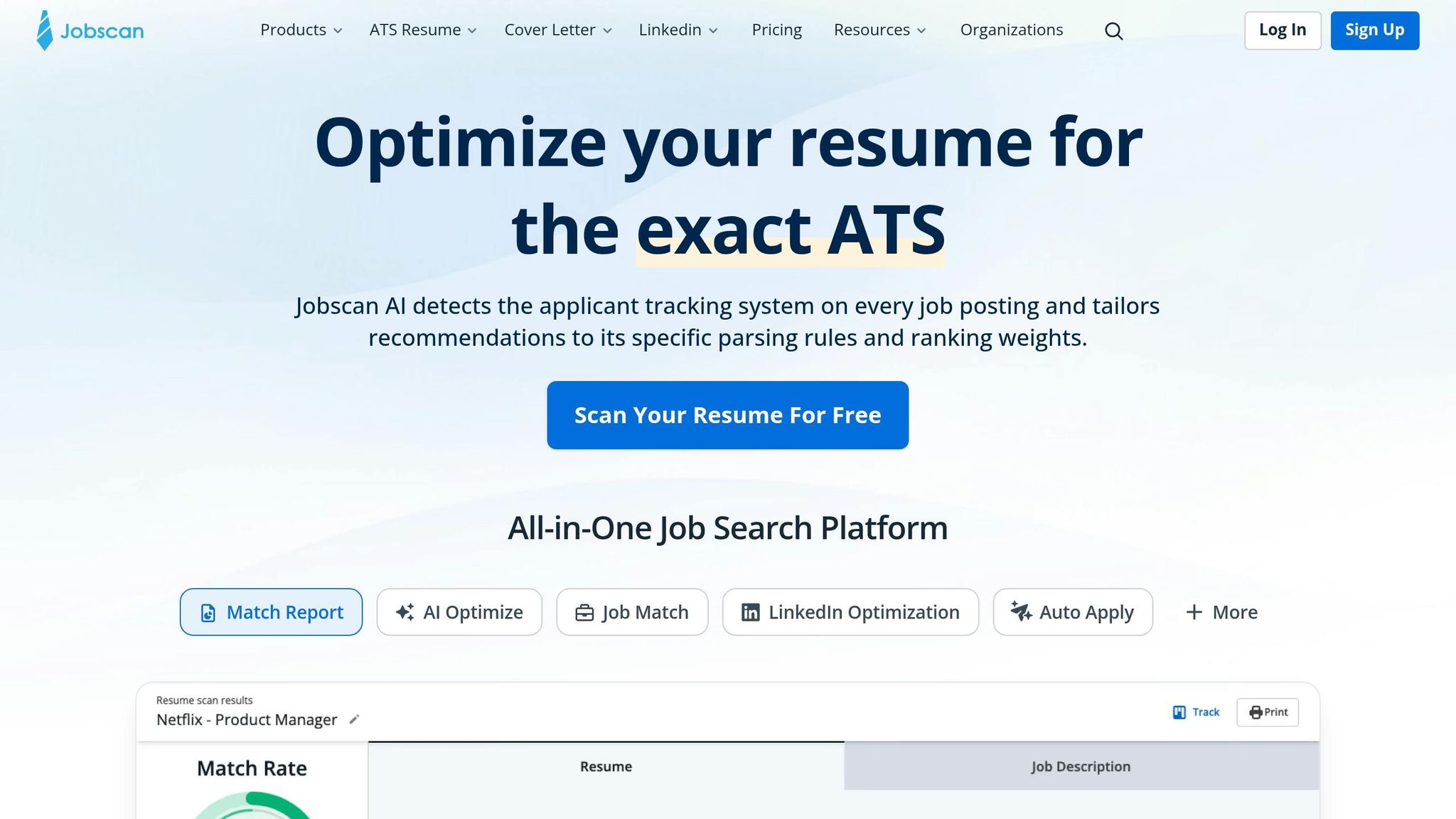
Jobscan is known for match scoring and keyword tips. It helps candidates tune resumes and cover letters before they apply for jobs. If your main goal is scoring first and submission later, Jobscan is a logical tool to compare.
Summary of company: Jobscan checks resumes and cover letters against job descriptions and points out keyword gaps and formatting issues.
Automation Depth
Jobscan ends at analysis. You still need to tailor the application, upload files, and submit each job yourself.
That’s fine if you’re sending a small batch of applications. But in a high-volume search, manual submission usually becomes the slowest part. You may get a better resume score and still lose time doing repetitive work.
This is where the split becomes clear: Jobscan helps you prepare, while a job application service helps you get the application out the door.
ATS Coverage
Jobscan models ATS behavior for Greenhouse, Workday, Lever, and iCIMS. That gives you a useful directional score, but it does not mean the same result will happen inside a company’s live setup.
Why does that matter? Because ATS systems don’t all read resumes in the same way. Recruiter settings, custom filters, and workflow rules can change what happens after you hit submit.
So yes, Jobscan can help with document tuning. But it doesn’t handle end-to-end execution inside your job search platform.
Jobscan is a solid optimization tool. scale.jobs goes further by adding human-assisted submission, WhatsApp updates, and time-stamped proof of work. If you want help beyond scoring, that difference matters.
Here’s the simple breakdown:
- Who should use Jobscan: Candidates sending a small number of targeted applications and comfortable submitting each one by hand.
- Who should choose scale.jobs: Candidates who want tailored cover letters, manual submission help, and proof of work in one flow, often with support similar to a Virtual Assistant for Job Applications.
If you’re choosing between a scoring tool and hands-on help, that’s the core tradeoff. Jobscan helps you edit. scale.jobs helps you execute, which can matter a lot when you’re juggling many full time jobs, contract roles, or even local searches like Part time jobs near me.
3. Teal vs scale.jobs: Is Teal Worth It?
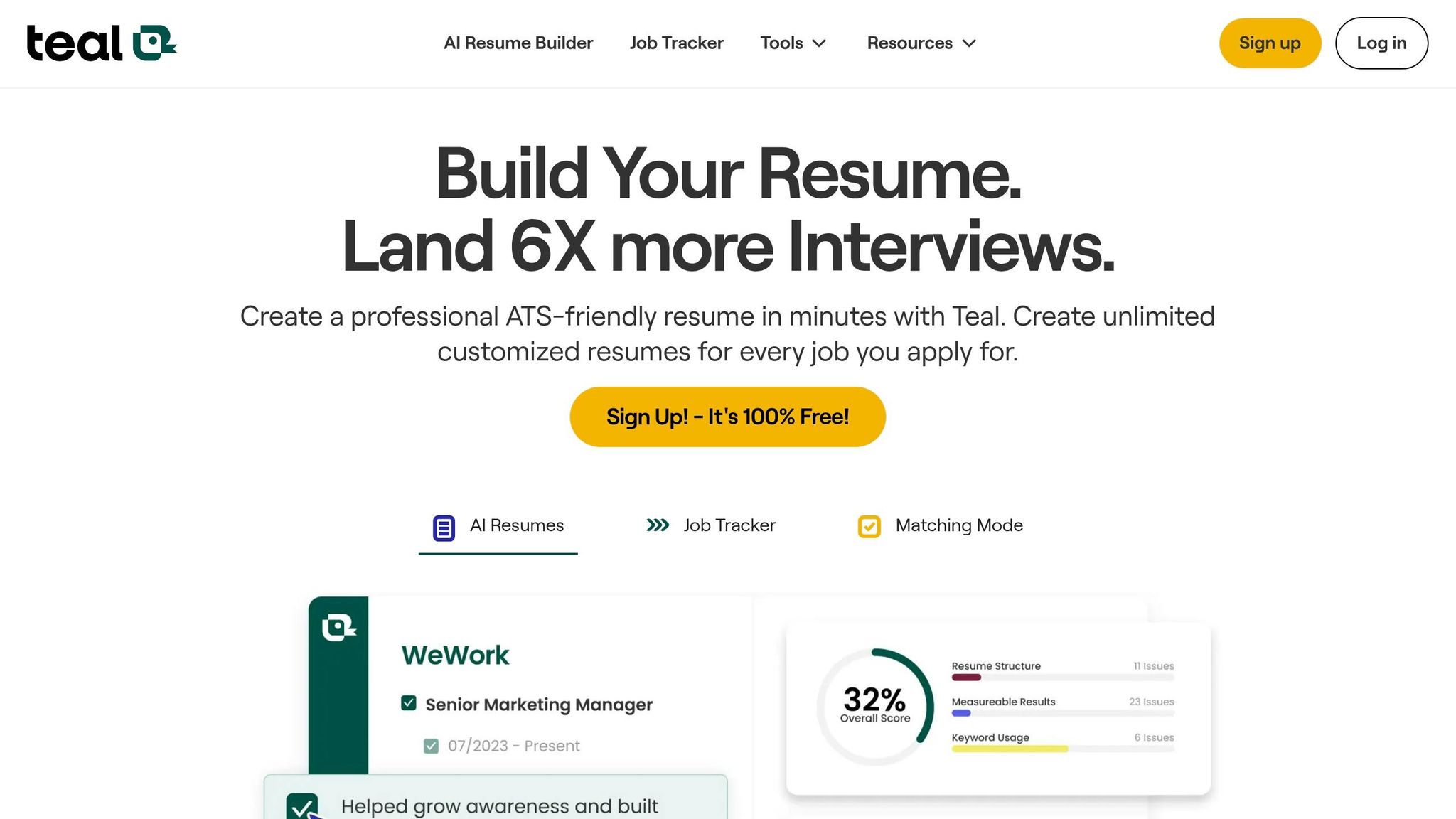
Teal gives you ATS checks, resume tailoring help, and application tracking. scale.jobs goes further with tailored cover letters, human submission, WhatsApp updates, and proof of work. In plain terms, Teal is built for control. scale.jobs is built for getting the work done.
If you're trying to Apply for jobs with full control over each step, Teal fits that style. If you'd rather use a job application service that handles the heavy lifting, scale.jobs is the stronger pick.
Where does Teal stop and scale.jobs continue?
Teal handles the analysis side well. It scans job descriptions for keyword gaps, flags formatting issues, and shows a match score before you apply. That helps if you want to fine-tune your materials yourself.
But Teal stops before the last mile. It does not submit applications for you. Every form fill, file upload, and final click is still manual. That becomes a big deal when you're applying across many roles and don't want the process to eat up your week.
scale.jobs covers the full cycle. You get a tailored cover letter, human-assisted portal submission, and documented proof of work for each application sent. So instead of just knowing what to send, you also get help sending it.
This is the core split between the two tools:
- Teal: analysis, tracking, and manual control
- scale.jobs: tailoring, submission, and proof of work
Which tool handles ATS risk better?
Teal helps before submission. It points out keyword gaps and formatting issues so you can fix them early. That's useful if you're editing resumes by hand or using an ai resume builder to tighten things up.
scale.jobs handles ATS risk at the document-and-submission stage. It prepares ATS-ready documents for the role, then makes sure the version sent through the portal is the one meant for that posting. That matters more than people think. A polished file on your laptop doesn't help if the wrong version gets uploaded.
So both tools lower ATS risk, just at different points:
Teal helps you catch problems before you apply. scale.jobs handles formatting and submission together, so the document that reaches the portal is already optimized.
If you want support with both the writing side and the send side, a Virtual Assistant for Job Applications setup makes more sense than a tracker alone.
Which tool keeps applications organized?
Teal's Resume Stack helps with version history. Its tracker logs application status across roles. That's handy for people running a selective, hands-on search and wanting one place to monitor progress.
scale.jobs organizes things in a different way. Instead of asking you to maintain the system, it shows you what was submitted through time-stamped screenshots and WhatsApp updates. You can see exactly what was sent, when it was sent, and where it went.
That difference sounds small, but it changes the day-to-day experience.
Teal helps you decide what to send; scale.jobs helps you send it.
If you want a more hands-on setup, Teal works. If you want help from a job search virtual assistant or a virtual assistant for job seekers, scale.jobs is closer to that model.
Why scale.jobs wins
- Human assistants submit every application by hand - no bots, no scripts
- Time-stamped screenshots and WhatsApp updates confirm each submission
- First 5 applications are free
- AI cover letters generated in 2–3 seconds, matched to each job description
- Covers 15+ ATS systems, 50,000+ career pages, and 75%+ of Fortune 500 employers
That mix makes scale.jobs stronger for people who care about output, not just planning. It acts more like a job search platform with execution built in, not just a dashboard.
- Who should use Teal: Candidates who want keyword feedback, ATS checks, and manual control over every submission.
- Who should choose scale.jobs: Candidates who want tailored cover letters, human submission, and proof of work in one place.
If you want tracking and keyword checks, use Teal. If you want tailored cover letters, human submission, and proof of work, choose scale.jobs.
4. Rezi
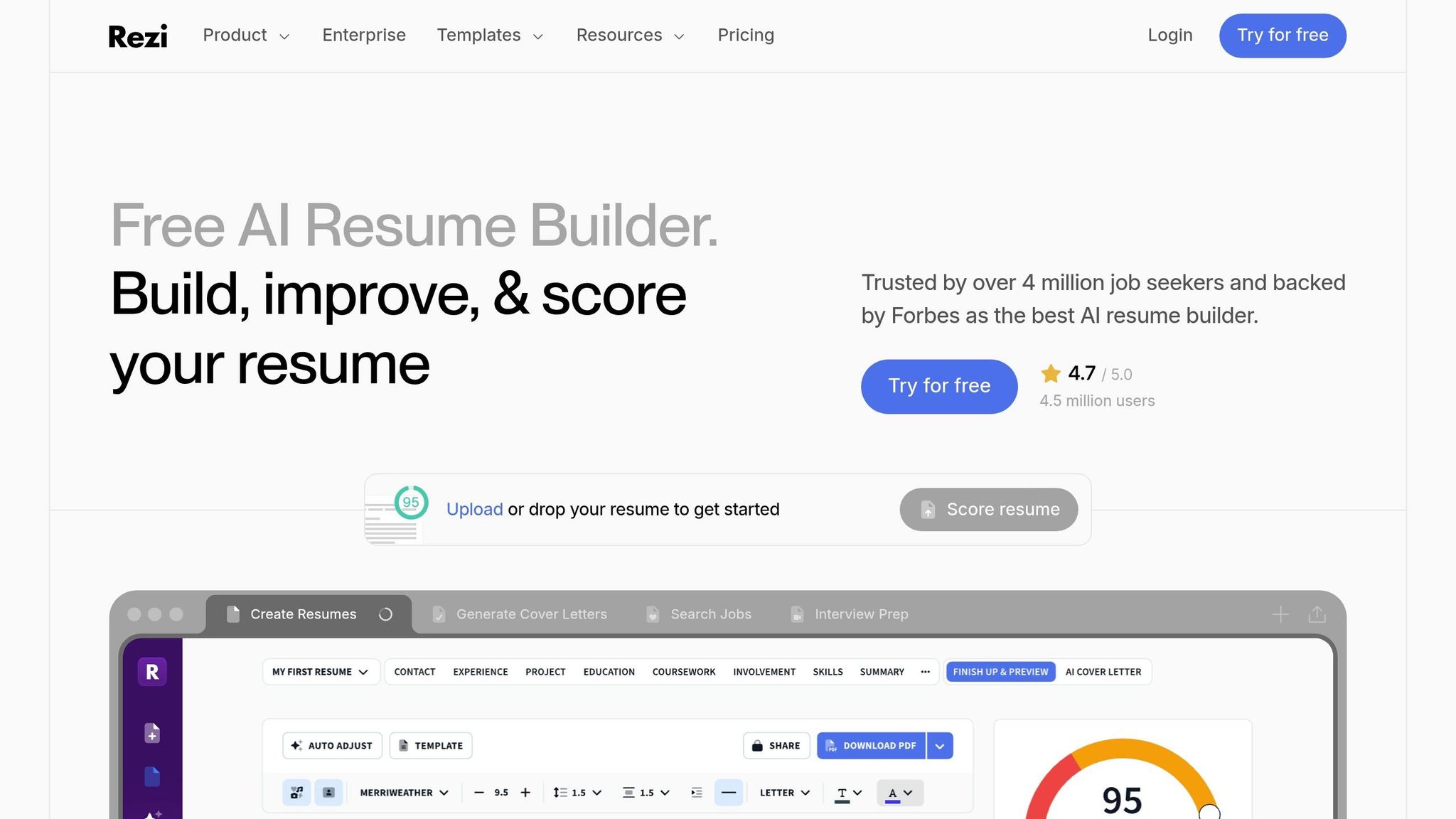
Rezi is an ATS-first drafting tool for people who want tailored resumes and cover letters, but plan to handle submissions on their own. It reads job descriptions and builds content that mirrors the language in those postings. That makes it useful for document prep. It’s less useful if you want help beyond the writing stage.
Summary of company: Rezi is a self-serve AI writing tool built for ATS-friendly resume and cover letter creation. It does not submit applications, track submissions, or add a human review step.
ATS-friendly formatting matters in many U.S. hiring systems, especially Greenhouse, Lever, Workday, and iCIMS. Rezi helps at the document level. You still need to send each application yourself. That’s the main split in this review: drafting only vs. drafting plus execution.
Who should use Rezi: Candidates who only need ATS-ready drafts and will submit manually.
Who should choose scale.jobs: Candidates who want human oversight, submission execution, and proof of work alongside ATS-optimized documents.
Key features:
- Generates ATS-aligned resumes and cover letters from job description input
- Keyword matching built to mirror job description language
- Single-column formatting that parses cleanly through major ATS platforms
- Simple interface with no account complexity
If your main pain point is resume writing, Rezi can help. If your pain point is the full grind of trying to Apply for jobs across dozens of portals, it won’t handle that part.
Job search automation offerings:
- AI-assisted document drafting only
- No application submission
- No submission tracking
- No human review layer
That gap stands out fast when you compare output vs. follow-through. Rezi helps you write. It does not act like a job application service, a job search platform, or a Virtual Assistant for Job Applications.
Why scale.jobs wins here:
- Human assistants submit every application by hand - no bots, no scripts
- AI cover letters generated in 2–3 seconds, matched to each job description
- Covers 15+ ATS systems, 50,000+ career pages, and 75%+ of Fortune 500 employers
- Time-stamped screenshots and WhatsApp updates confirm each submission
- Rezi covers the writing step; scale.jobs covers the writing step and the submission step
That matters most for people applying at volume. A polished draft is nice. But if you’re chasing full time jobs or trying to move fast on several openings at once, manual submission becomes the bottleneck.
Switch to scale.jobs if…
- You want submission help, not just a drafted document
- You want proof-of-work records for every application sent
- You are applying at volume and do not want to manage every portal manually
- You need human oversight to catch errors before applications go out
- You want one workflow that handles document tailoring and execution together
This is where the Rezi vs. Scale.jobs split gets simple. Rezi is a writing tool. Scale.jobs works more like a job search virtual assistant with execution built in.
Pros: Strong ATS keyword alignment, clean formatting output, simple interface.
Cons: No application submission, no proof of work, no human support layer.
Pricing: Free plan available; paid subscription required for full feature access.
Use the choice below to match the tool to your search style.
- Best for: Candidates who only need ATS-ready drafts and will submit manually.
5. Loopcv
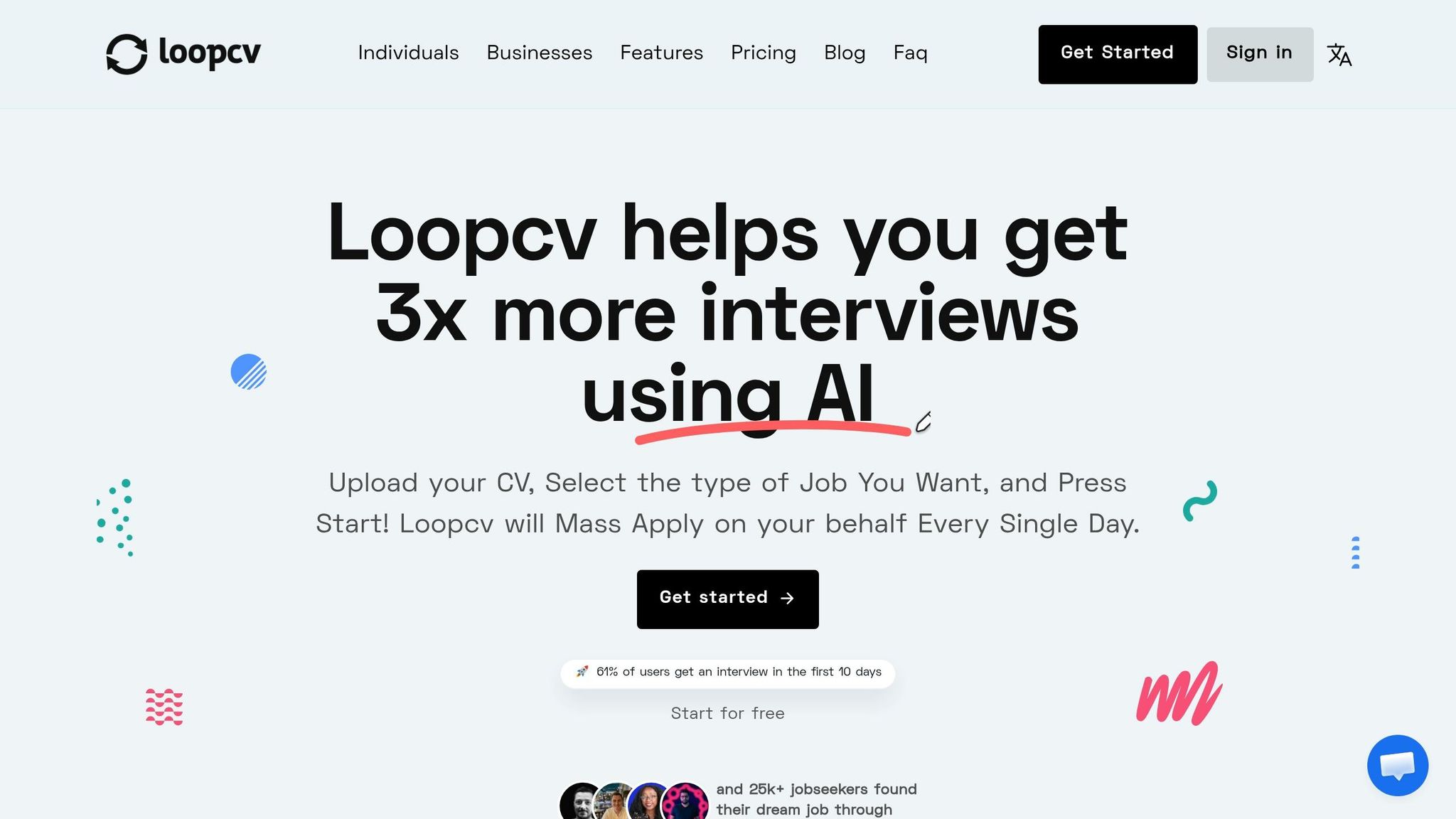
Loopcv automates job search and outreach tasks. For people who want to apply for jobs at scale, that sounds appealing right away. The core tradeoff is simple: automation-first speed vs. human-checked submission with proof of work.
Summary of company: Loopcv is a job search platform built to handle form filling, outreach, and scheduled application runs across job boards. The main thing to judge is how much repetitive work it removes without creating extra cleanup later.
Key features:
- Automated job search and application submission across multiple job boards
- Scheduled application runs that cut down manual portal work
- Automated outreach sequences for recruiter and hiring manager contact
Job search automation offerings:
- Automated form filling and job board submissions
- Scheduled search and outreach workflows
- Manual review still required when platforms block sessions or change application flows
Automation depth
Loopcv automates parts of the search and outreach flow, but it still runs into edge cases. CAPTCHAs, login screens, and portal changes can stop a session mid-run. So no, it isn't fully hands-off.
That puts Loopcv in the human-assisted vs. automated job applications model camp. It works best when your goal is volume and you're okay stepping in when a site pushes back. If you've ever used auto-fill tools that work fine until one odd screen breaks the chain, it's that same basic story.
ATS handling
Loopcv does not tailor documents to each posting before submission. That's the big gap to check if ATS match rate matters to you.
If you're aiming for full time jobs or more competitive roles, sending the same resume again and again can hurt your odds. High volume helps only up to a point. When documents aren't tuned to the job description, match scores can drop across many applications.
This is where a tool with an ai resume builder or ai cover letter builder can matter more than raw speed alone.
Manual fallback limits
Some platforms restrict automated account actions. When that happens, scheduled runs can stall, and users have to jump back in to finish the work.
That cuts into the time saved, especially on job boards with stricter bot detection. So while Loopcv can remove a lot of repetitive clicking, it doesn't remove supervision. For some people, that's fine. For others, it defeats the point.
Loopcv vs Scale.jobs
This comparison comes down to one question: Do you want automation to send more applications, or do you want each application checked before it goes out?
Loopcv leans toward speed. Scale.jobs leans toward control, document matching, and proof that the work was done.
Why scale.jobs wins
- Human assistants submit every application by hand - no bots, no scripts, no session interruptions
- AI cover letters generated in 2–3 seconds, tailored to each job description before submission
- Covers 15+ ATS systems, 50,000+ career pages, and 75%+ of Fortune 500 employers
- Time-stamped screenshots and WhatsApp updates confirm every submission
- Flat-fee, one-time pricing with refunds on unused credits - no recurring subscription
For job seekers who want a Virtual Assistant for Job Applications, that setup is a very different model from browser-driven automation. It trades raw speed for cleaner execution.
Is Loopcv Worth It?
Loopcv is worth a look if you care most about reducing repetitive portal work and you're okay handling exceptions yourself. It can fit high-volume applicants who don't mind checking stalled sessions, fixing logins, or doing some manual follow-up.
It may be less appealing if your focus is submission accuracy, ATS fit, and clear records of what was sent. In that case, a job application service with manual review may be the better path.
Pros: Reduces repetitive portal work; handles high-volume search and outreach tasks without manual effort on each posting.
Cons: Can pause at CAPTCHAs or login screens; some platforms restrict automated actions; no document tailoring before submission.
Pricing: Subscription-based. See loopcv.pro for current plan details.
- Who should use Loopcv: Candidates who want automation-first job searching, are comfortable stepping in when exceptions occur, and are less focused on per-application document tailoring.
- Who should choose scale.jobs: Candidates who want human-assisted submission, ATS-ready documents tailored to each posting, and time-stamped proof of work for every application sent.
For applicants who want automation without losing control, compare Loopcv against scale.jobs, which pairs AI cover letters with manual submission, WhatsApp updates, and time-stamped proof of work.
6. Simplify
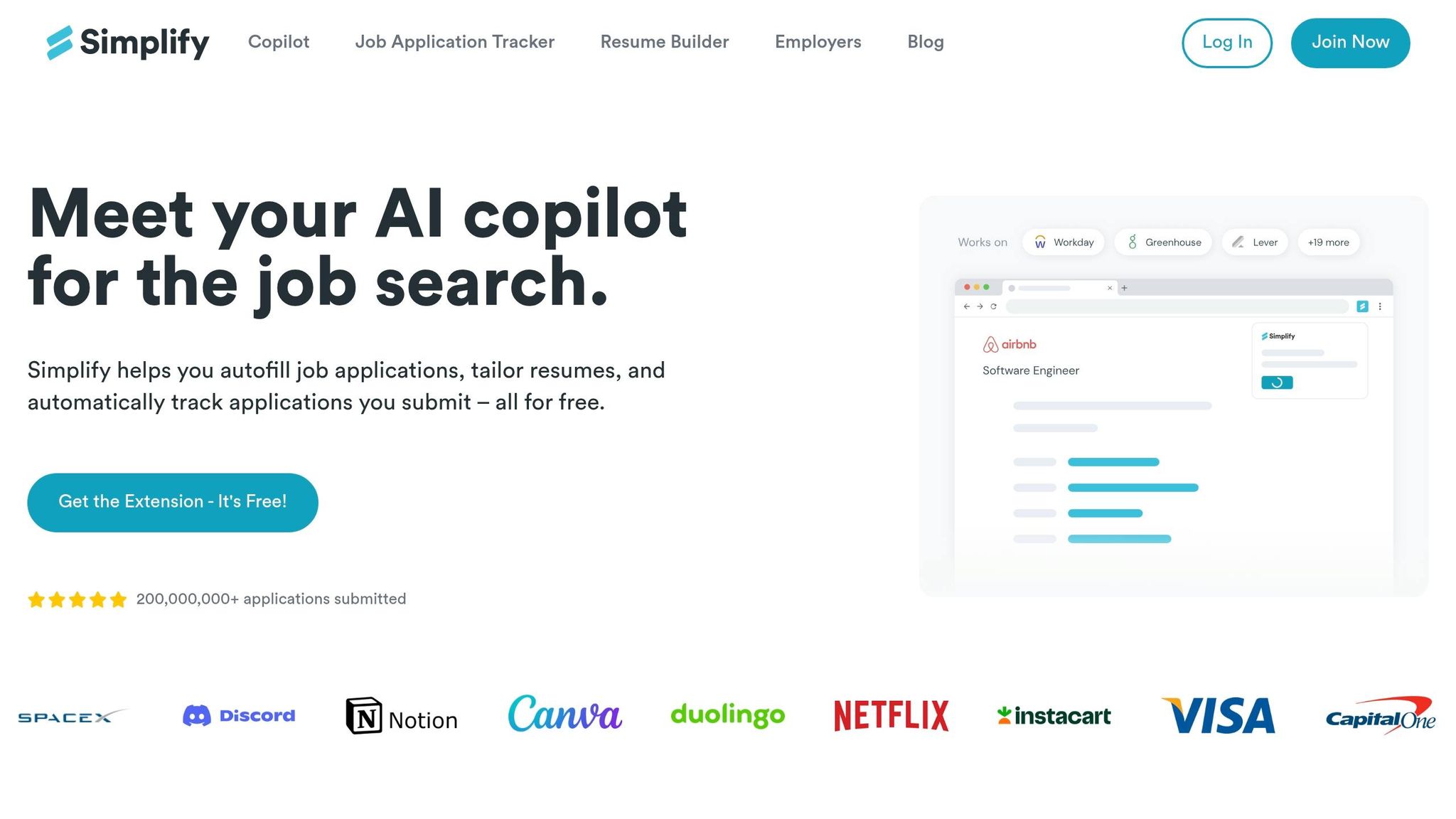
Simplify is a browser extension that auto-fills application forms and cover letter fields inside Greenhouse, Lever, and Workday. That makes it handy for speed. But it’s a different fit for people who want human submission and proof that each application was sent.
Summary of company: Simplify is a job application service built around browser-based automation. Its main pitch is simple: cut the hassle of filling out the same fields again and again across major ATS portals, with cover letter generation built into that same flow.
How Simplify works
Simplify runs inside major ATS portals using your existing login session. It fills in application fields and cover letter inputs right inside the portal, so you skip the export-and-upload step many tools rely on.
That setup favors speed over deep tailoring. If the extension can handle the form, great. If it can’t, you step in and finish the rest yourself. There’s no human review layer, no submission receipts, no timestamps, and no manual check before an application goes out. This highlights the core differences between AI vs human job application services. That’s the main split between Simplify and scale.jobs.
The real question is simple: do you want a faster form-fill tool, or do you want a full job search platform that helps manage the application process from start to finish?
Simplify vs. scale.jobs
Simplify works best for candidates who want to stay in control and Apply for jobs on their own. scale.jobs is a better match for candidates who want deeper tailoring, human submission, and proof of work.
Why scale.jobs wins:
- Human assistants submit every application by hand - no bots, no scripts
- AI cover letters generated in 2–3 seconds, matched to each job description
- Covers 15+ ATS systems, 50,000+ career pages, and 75%+ of Fortune 500 employers
- Time-stamped screenshots and WhatsApp updates confirm every submission
- Flat-fee, one-time pricing with refunds on unused credits
Pros: Smooth browser-based workflow; cuts repetitive form filling across major ATS platforms; cover letter generation is built into the application flow.
Cons: No human review layer; self-serve only; no submission receipts or proof of work; limited per-job document customization.
Pricing: Not stated in the source material.
Here’s the simplest way to think about it:
- Who should use Simplify: Candidates applying at high volume, comfortable with self-serve automation, and looking to save time on repetitive ATS forms.
- Who should choose scale.jobs: Candidates who want a Virtual Assistant for Job Applications, ATS-ready documents tailored to each posting, and time-stamped proof of work for every application sent.
Is Simplify Worth It?
Yes, if your main pain point is repetitive form filling and you don’t mind handling the rest yourself. It’s built for speed, not hand-holding.
If you want more than a browser extension, the gap shows up fast. There’s no human checkpoint, no submission proof, and no deeper support from a job search coach or a job search virtual assistant. For some job seekers, that’s fine. For others, that missing layer matters a lot.
If your search is volume-heavy, compare Simplify with tools that go beyond browser fill.
7. MyPerfectCoverLetter
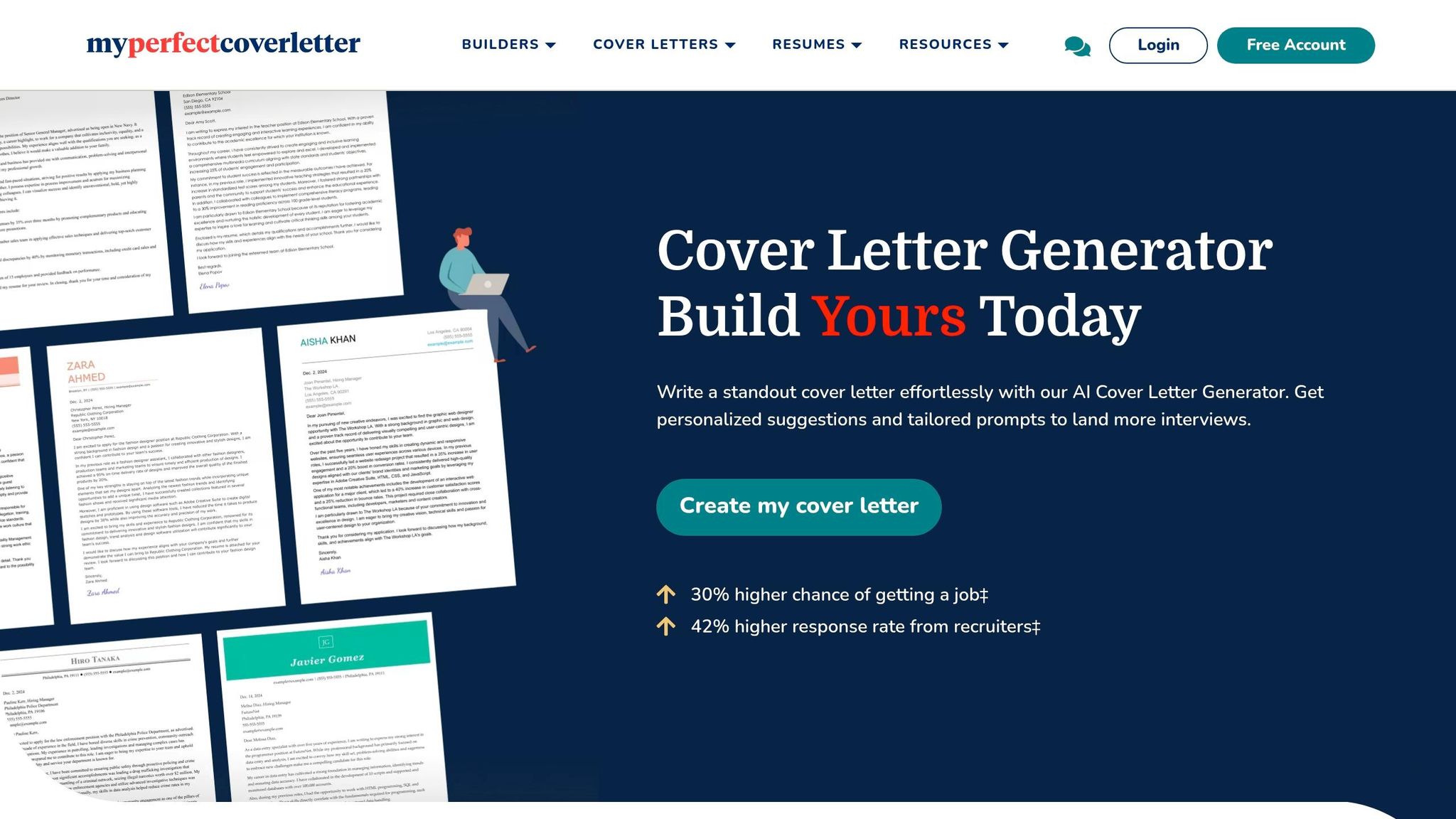
MyPerfectCoverLetter is a template-led ai cover letter builder for people who want a fast first draft. It helps you get to a polished version without staring at a blank page for 30 minutes. But that’s where it mostly stops. scale.jobs goes past drafting and into the full application flow with human-assisted submission, WhatsApp updates, and time-stamped proof of work.
For career switchers, that difference matters. In most cases, the choice comes down to this: do you just need a clean draft, or do you need help getting applications out the door?
Automation Depth
MyPerfectCoverLetter uses AI to read your resume and the job post, then suggest copy that lines up with the role. That gives you more than plain keyword stuffing and can save time when you need a decent starting point.
Still, it doesn’t go as far as tools built for deeper optimization. You won’t get the same keyword gap analysis or live match scoring that platforms like Jobscan or Teal offer. So if you want help writing, it does the job. If you want help measuring fit before you apply for jobs, it’s more limited.
ATS Coverage
The platform uses standard fonts and common section headers that parse cleanly in major ATS scoring algorithms. That makes it a good formatting-first pick, especially for job seekers who want a letter that won’t break in a recruiter’s system.
That said, it stays focused on document creation. It does not offer detailed ATS simulation or the deeper review you’d expect from a more advanced job application service.
Workflow Integration and Human Oversight
MyPerfectCoverLetter fits a self-serve workflow. It helps you structure the letter and smooth out the wording, but you still have to do the last-mile work yourself. That includes mirroring the job description, checking keyword use, and making sure the final letter lines up with your resume and LinkedIn profile.
This is the part many people underestimate. Drafting is only one step. Tailoring, checking fit, and sending applications take the most time.
That’s why MyPerfectCoverLetter works best as a drafting tool, not as an end-to-end job search platform.
scale.jobs adds human assistants, 2–3 second AI cover letters, 15+ ATS coverage, 50,000+ career pages, WhatsApp updates, and time-stamped proof of work. If you want a Virtual Assistant for Job Applications instead of a template-only tool, that difference is hard to miss.
MyPerfectCoverLetter vs scale.jobs
MyPerfectCoverLetter is best for fast drafting. scale.jobs is built for people who want drafting plus help with submission and tracking.
Here’s the simple split:
- Choose MyPerfectCoverLetter if you want a polished first draft and plan to refine and submit it on your own.
- Choose scale.jobs if you want stronger job-by-job tailoring, human help, and proof that applications were sent.
Is MyPerfectCoverLetter Worth It?
Yes, if your main pain point is writing the first draft.
It’s less useful if your main problem is volume, tailoring, or follow-through. If you’re applying across many roles, chasing full time jobs or testing several pivots at once, a draft-only tool can still leave you doing most of the heavy lifting by hand.
Pros: Fast draft generation; ATS-compatible formatting; AI content suggestions; useful starting point for candidates who want a guided template.
Cons: No deep keyword gap analysis; no real-time match scoring; less tailored than specialized optimization tools; requires manual review before sending.
Pricing: Pricing is posted on the site.
Who should use MyPerfectCoverLetter: Candidates who want a fast, polished draft and will refine it themselves.
Who should choose scale.jobs: Candidates who want stronger job-specific tailoring, human-assisted submission, and proof of work.
Switch to scale.jobs if:
- You want a human-assisted workflow instead of a template-only builder.
- You need stronger role-specific tailoring for each job posting.
- You want proof-of-work transparency for applications.
- You want ATS-optimized documents with more hands-on support.
Next, compare LazyApply's automation-first approach with scale.jobs' human-submitted workflow.
8. LazyApply
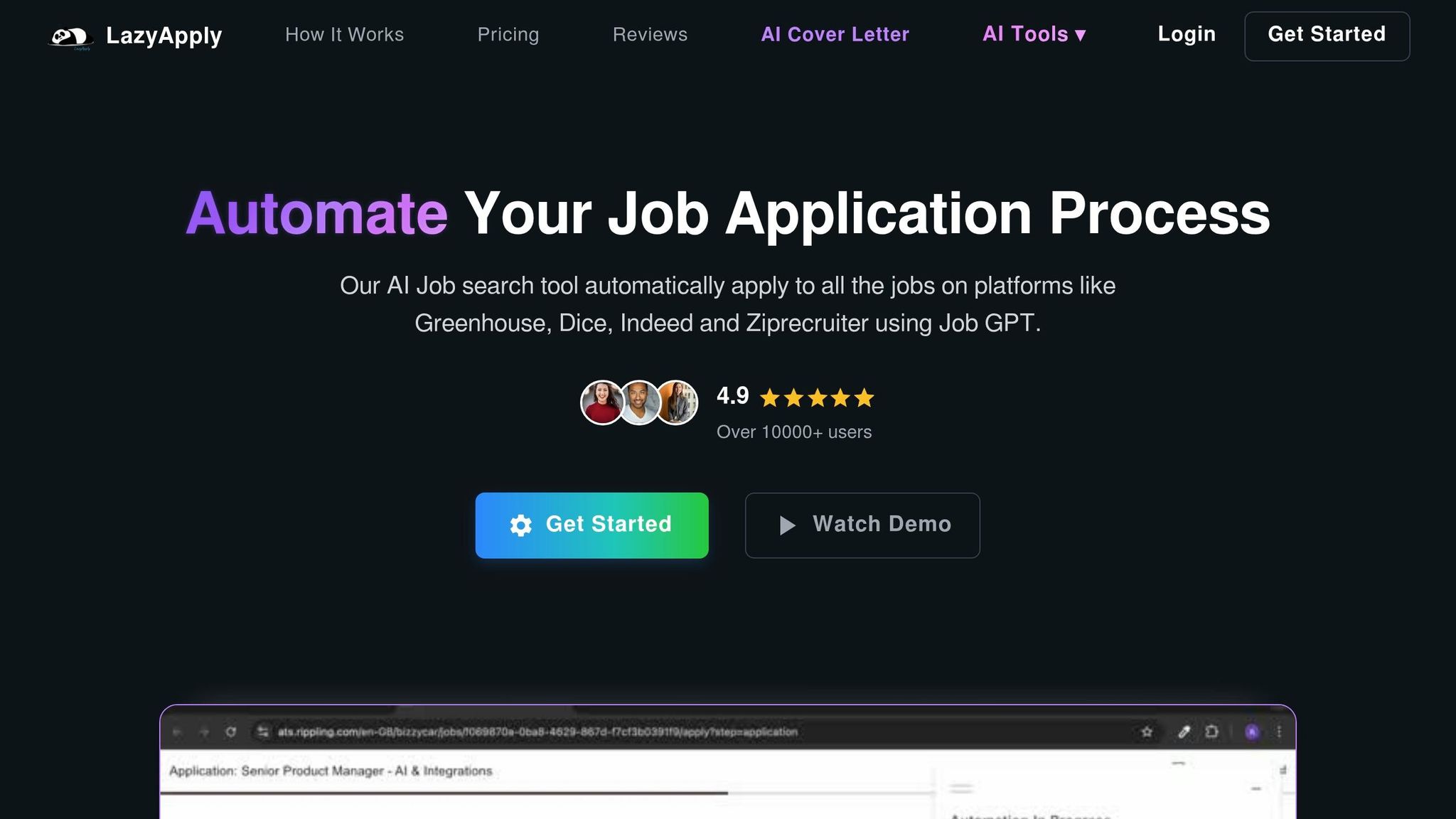
LazyApply leans hard into automation. It makes sense when speed matters more than human review. Its browser extension can auto-submit applications across job boards, even while you sleep.
If your main goal is to Apply for jobs at scale with less clicking, that setup can feel like a shortcut. But speed comes with tradeoffs.
Automation Depth and ATS Handling
LazyApply moves through job boards and fills out forms inside your signed-in browser session. That means it can push out a high number of applications without much hands-on work.
The catch is tailoring. In most cases, the same base resume goes to many roles. Per-job document changes are light, so if you're aiming for roles that need a tighter match, this can be a weak spot. Submission is automated. Job-by-job tailoring is not.
That matters because ATS filters don't just look for a resume. They often look for a resume that lines up with the posting. If you need an ai resume builder or an ai cover letter builder to tune materials for each role, LazyApply isn't built around that kind of workflow.
Workflow Integration and Human Oversight
Automation sounds great until a session hits a wall. Logins and CAPTCHAs can stop the run, which means you may still need to jump back in and clean things up manually. And if an application asks odd questions or needs judgment, that's still on you.
This is where scale.jobs takes a different path. Instead of relying on browser automation alone, it uses human assistants to submit applications manually. That process is paired with AI-tailored cover letters generated in 2–3 seconds, support across 15+ ATS systems, WhatsApp updates, and time-stamped proof-of-work screenshots.
For job seekers who want a job application service with more oversight, that's a very different experience. It's less about blasting forms and more about making sure each submission actually goes through.
LazyApply vs. scale.jobs
LazyApply focuses on automated submissions. scale.jobs adds human submission, ATS-ready documents, WhatsApp updates, and proof of work.
Switch to scale.jobs if:
- Your application volume is high but response rate is low.
- You need role-specific cover letters and resume updates for each posting.
- You want human help when a form stalls at a login or CAPTCHA.
- You want proof-of-work screenshots and WhatsApp updates confirming each submission.
Pros: Fast submission automation; cuts repetitive clicking; works through a browser extension.
Cons: Limited per-job tailoring; sessions can stall at logins or CAPTCHAs; no proof of work or human review layer.
Pricing: Pricing is listed on the LazyApply site.
Is LazyApply Worth It?
Yes, if your top priority is speed and you don't mind checking problem applications yourself. It can help when you're trying to push volume across the best job boards and don't need much role-by-role editing.
If you care more about fit, tracking, and hands-on help, a job search platform with human support will likely make more sense.
Decision summary: Choose LazyApply for speed-first automation; choose scale.jobs for human submission, ATS-ready tailoring, and proof-of-work tracking.
That contrast is why the next section ranks scale.jobs #1 on human submission, proof of work, and ATS-ready cover letters.
Why scale.jobs ranks #1 for AI cover letters and job search automation
scale.jobs ranks #1 because it brings the whole job application process into one place: AI cover letters, ATS-ready tailoring, human submission, and proof of work. That’s the standard used in the rankings above.
Most tools stop at document drafting. scale.jobs goes much further. It supports 50,000+ career pages and 15+ ATS systems, including Workday, Greenhouse, and Lever, with reach across 75%+ of Fortune 500 employers. That matters for anyone trying to Apply for jobs, because ATS parsing and portal formatting often decide whether an application even gets seen.
This is where the workflow stands out. Instead of giving you a resume, a cover letter, and a “good luck,” scale.jobs helps handle the messy part too: the actual submission process. For job seekers who want more than an ai cover letter builder or an ai resume builder, that gap is a big deal.
There’s also proof behind each step. Time-stamped screenshots and WhatsApp updates show that every submission was completed. If you’ve ever used a basic job search platform and wondered, “Did anything actually get done?” this kind of visibility makes a difference.
Pricing is simple. It’s free to start, with AI Assistant Pro at $9/month on the launch offer, plus human assistant bundles from $199 to $399 as flat fees. That gives people a choice between self-serve help and a more hands-on job application service.
If you’re comparing drafting-only tools with full support, this next section will help you sort out what fits best, especially if you’re looking for a Virtual Assistant for Job Applications or a job search virtual assistant.
How to choose the right AI cover letter generator for your search
Pick the tool based on the part of your process that keeps slowing you down. For most people, that comes down to one of three things: ATS match, writing speed, or submission help.
If your main problem is getting past resume filters, start there. If you’re spending too much time writing the first draft, use a tool built for speed. And if the hardest part is still filling out portal after portal, look for submission support.
If you want a mix of document tailoring and hands-on help to Apply for jobs, scale.jobs is the clearest fit. It stands out for human-assisted submission across ATS portals, ATS-ready documents shaped to each posting, and proof-of-work receipts with WhatsApp updates. That setup can save a lot of time when you’re juggling several full time jobs at once.
Here’s the quick side-by-side:
| Your Situation | Best Fit |
|---|---|
| High-stakes roles + need proof of submission | scale.jobs |
| ATS keyword gaps hurting your match rate | Jobscan |
| Keyword feedback and application tracking | Teal |
| Clean ATS formatting from scratch | Rezi |
| High-volume job board applications | Simplify or LazyApply |
| Passive search, want automated sourcing | Loopcv |
| Prefer guided templates over freeform prompts | MyPerfectCoverLetter |
Use the table first. Then match the tool to the bottleneck it solves.
Choose scale.jobs if you want:
- Human-assisted submission with proof-of-work transparency
- ATS-ready documents for competitive roles
- One-time pricing instead of a monthly fee
Choose Jobscan if keyword match is where things keep breaking. A lot of ATS platforms, including Greenhouse and Workday, put heavy weight on job-description terms. Jobscan is built for that exact issue. If you already have a draft and want to improve alignment before you send it through a job application service, this kind of analysis can help.
Choose Teal if you want keyword feedback plus tracking in one place. It works well for people managing many open roles and trying to stay organized inside a single job search platform.
Choose Rezi if you need a clean, ATS-safe layout with very little setup. It’s a good fit when formatting is the problem, not the search itself.
Choose Simplify or LazyApply if volume matters more than custom work. These tools make sense when you’re trying to move fast across the best job boards and don’t need deep tailoring for every role.
Choose Loopcv if your goal is automated sourcing and outreach, not manual portal submission. That can work well in a passive search, especially if you want leads brought to you instead of hunting for every opening yourself.
Choose MyPerfectCoverLetter if guided templates feel easier than open-ended prompting. Some people don’t want to stare at a blank page. They just want a structure that gets them moving.
If you want more hands-on support beyond writing, a Virtual Assistant for Job Applications or job search coach can make sense when the bottleneck isn’t the letter itself, but the whole process around it.
Conclusion
The right AI cover letter generator comes down to the part of the process that slows you down.
If you just need a fast first draft, a basic AI writer may do the job. If ATS keyword gaps are the main issue, Jobscan or Rezi make more sense. At the end of the day, the choice is pretty simple: do you need help writing, or do you need help getting applications out the door?
Across this comparison, one thing stands out. scale.jobs covers drafting, submission, and proof of work. That changes the workflow in a big way. A draft alone can save time, sure. But if you also need help to Apply for jobs, track submissions, and move through a high-volume search, that extra layer matters.
So here’s the practical way to look at it:
- Pick a generator if you only want help writing a cover letter.
- Pick scale.jobs if you want writing help plus submission support and proof that the work was done.
Budget still matters. But workflow fit matters more. If you're managing a heavy search for full time jobs, trying to find Part time jobs near me, or looking for a more hands-on job application service, use that difference to make the final call. Match the tool to your application volume, submission needs, and budget. For a deeper look at the landscape, see our guide to job application automation tools.
FAQs
Which tool fits my job search style?
It comes down to how much of the job hunt you want someone else to take off your plate.
If you only need help with resume drafting or ATS scoring, tools like Jobscan or Teal can work well. They’re a fit for people who still want to handle most of the process on their own, especially if the main goal is tuning resumes or checking keyword match.
If you want more hands-on, end-to-end help, Scale.jobs stands out. It goes beyond document tools and acts more like a job application service for people who want help all the way through execution. That includes human-assisted applications, ATS-tuned resumes and cover letters, proof of work, direct WhatsApp support, and a one-time payment model instead of another monthly bill.
For job seekers who are tired of juggling tools and tabs, that difference matters. A resume scorer can tell you what to fix. A Virtual Assistant for Job Applications can help get the work DONE.
If you're still comparing options, think of it this way:
- Choose Jobscan or Teal if you mainly want resume checks, tracking, or light guidance.
- Choose Scale.jobs if you want a job search virtual assistant that helps execute the search, not just review it.
That’s often the split between a self-serve job search platform and a service built for busy people trying to Apply for jobs at scale.
Do I need writing help or submission help?
The available sources don’t answer this directly because they don’t include the referenced Scale.jobs page or the “Top 8 Candidate Recommended AI Cover Letter Generators” results.
What the sources do support is this: your cover letter and resume should use clean, ATS-friendly formatting, match the language in the job description, and show proof through measured results, not vague claims.
If you share the missing page or the full list, I can give you a direct comparison. I can also help compare it against an <a href="/ai-cover-letter-builder">ai cover letter builder</a>, an <a href="/ai-resume-builder">ai resume builder</a>, or a broader <a href="/job-search-platform">job search platform</a> if that’s the angle you want.
Here’s the short version based on the sources in hand:
- Use simple formatting that an ATS can read
- Mirror job-description keywords where they fit
- Focus on outcomes with numbers, scope, or concrete results
- Cut generic filler that says little and proves even less
If you want, I can turn the missing material into a side-by-side review, including “X vs Scale.jobs” and “Is X Worth It?” style sections, and tie it back to options like a <a href="/job-application-service">job application service</a> or a <a href="/virtual-assistant-for-job-seekers">virtual assistant for job seekers</a>.
How important is proof of submission?
Proof of submission matters because it adds transparency to the job application process. In a comparison listicle, it helps show which tools go beyond content generation and give users visible proof that applications were sent.
For this article, that point supports Scale.jobs’ position around human assistants, ATS-optimized documents, and clear application tracking without changing the broader review criteria.