
Mobile ATS Checkers: Do They Work as Well?

Sarah Mitchell
June 30, 2026
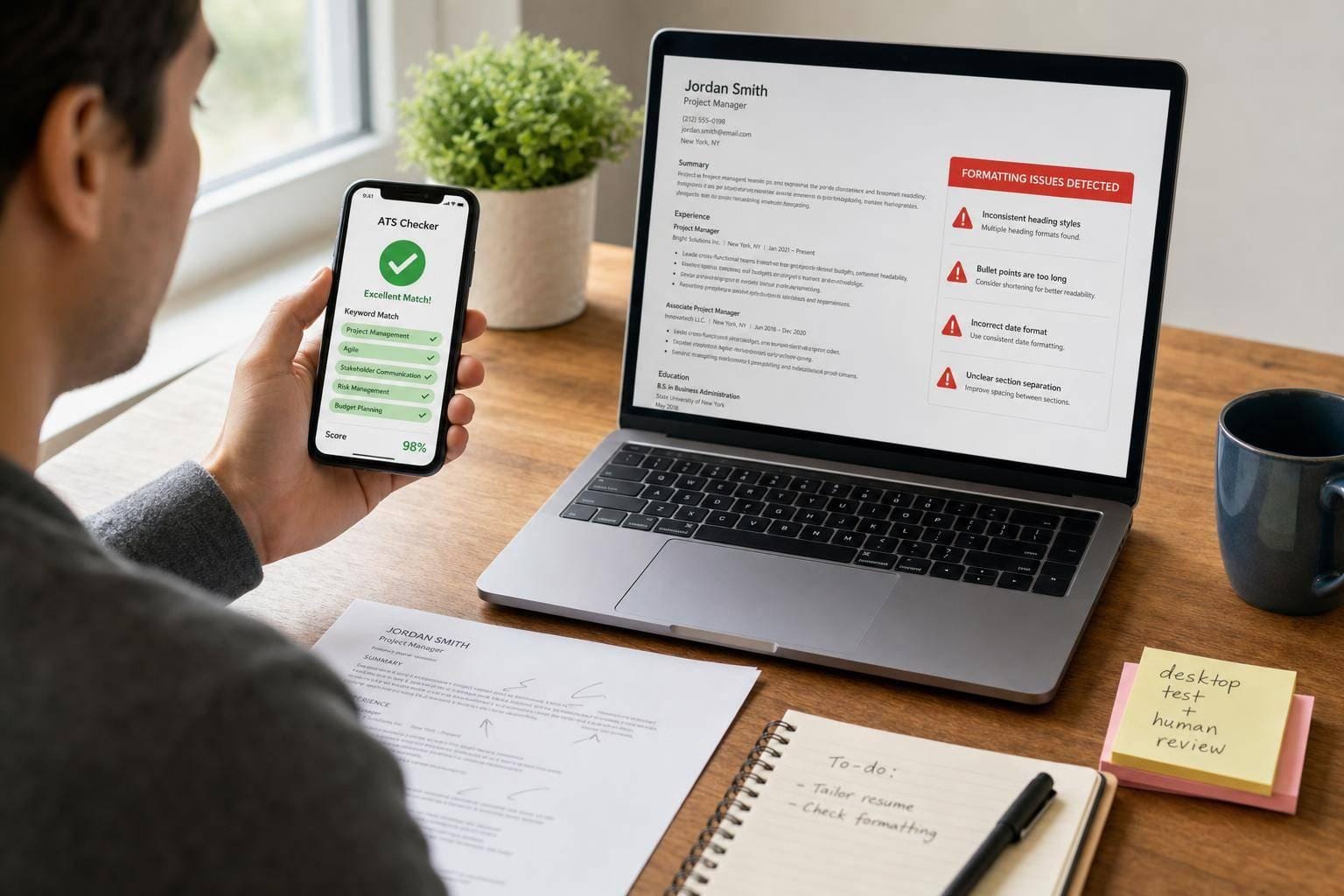
Short answer: sometimes, but not for the final check. If I’m applying from my phone, tools like Jobscan, Teal, and Resume Worded can help me spot missing keywords fast. But they do not reliably catch parsing problems, common file-format issues, or portal errors that can hurt my application after I hit submit.
Here’s the plain takeaway:
- Use mobile ATS checkers for a fast keyword pass
- Use desktop when I need to test layout, PDF vs
.docx, and parsing - Use human help when I’m applying at volume or still getting low response rates
- A May 2026 test found large score swings across scanners, so one mobile score should not be treated as proof my resume is ready
If I want a score, Jobscan, Teal, and Resume Worded can help. If I want the application reviewed and submitted, a service like scale.jobs fits that need better.
How to check if your resume is ATS-friendly (includes FREE ATS-optimized template)
sbb-itb-564272e
Quick comparison
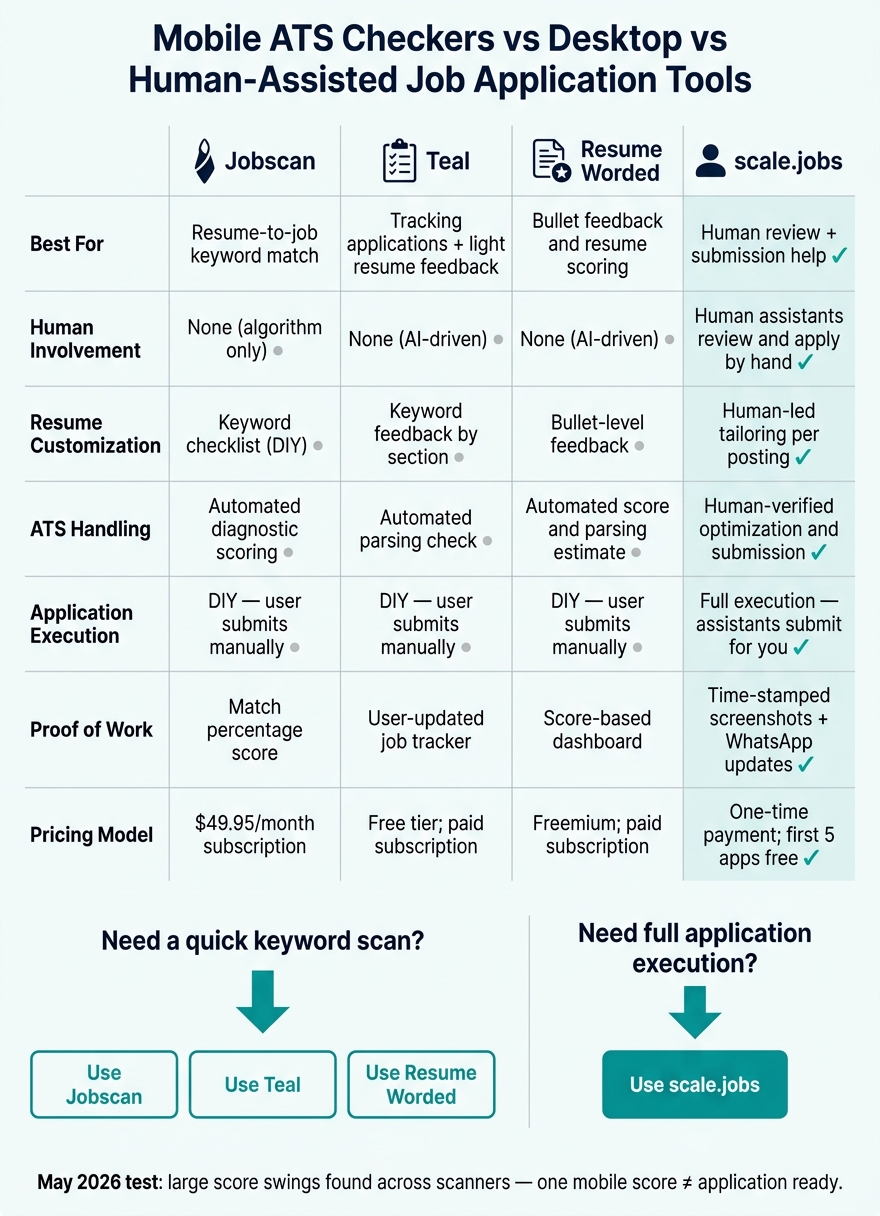
Mobile ATS Checkers vs Desktop vs Human-Assisted: Which Should You Use?
| Tool | Best for | Main limit on mobile | Best fit |
|---|---|---|---|
| Jobscan | Resume-to-job keyword match | Doesn’t submit or verify portal parsing | DIY applicants |
| Teal | Tracking applications + light resume feedback | Stops before edits and submission | Organized DIY search |
| Resume Worded | Bullet feedback and resume scoring | Gives advice, not submission help | Resume polishing |
| scale.jobs | Human review + submission help | Not a score-first tool | High-volume applicants |
My quick answer
If my resume is simple and I only need a fast check before I Apply for jobs, mobile ATS tools are fine.
If I’m applying to many roles, using a complex resume, or still not getting interviews, I’d move past mobile-only checks and look at a job application service or a Virtual Assistant for Job Applications.
What I’d do in practice
1. Use mobile for the first pass
I’d scan for missing keywords, job titles, and skills.
2. Use desktop for the final pass
I’d test formatting, compare file types, and make sure the resume reads cleanly.
3. Get help if volume is the problem
If the bottleneck is time, not scoring, I’d use a job search platform with human support or a job search virtual assistant.
Jobscan vs Scale.jobs: Is Jobscan worth it?
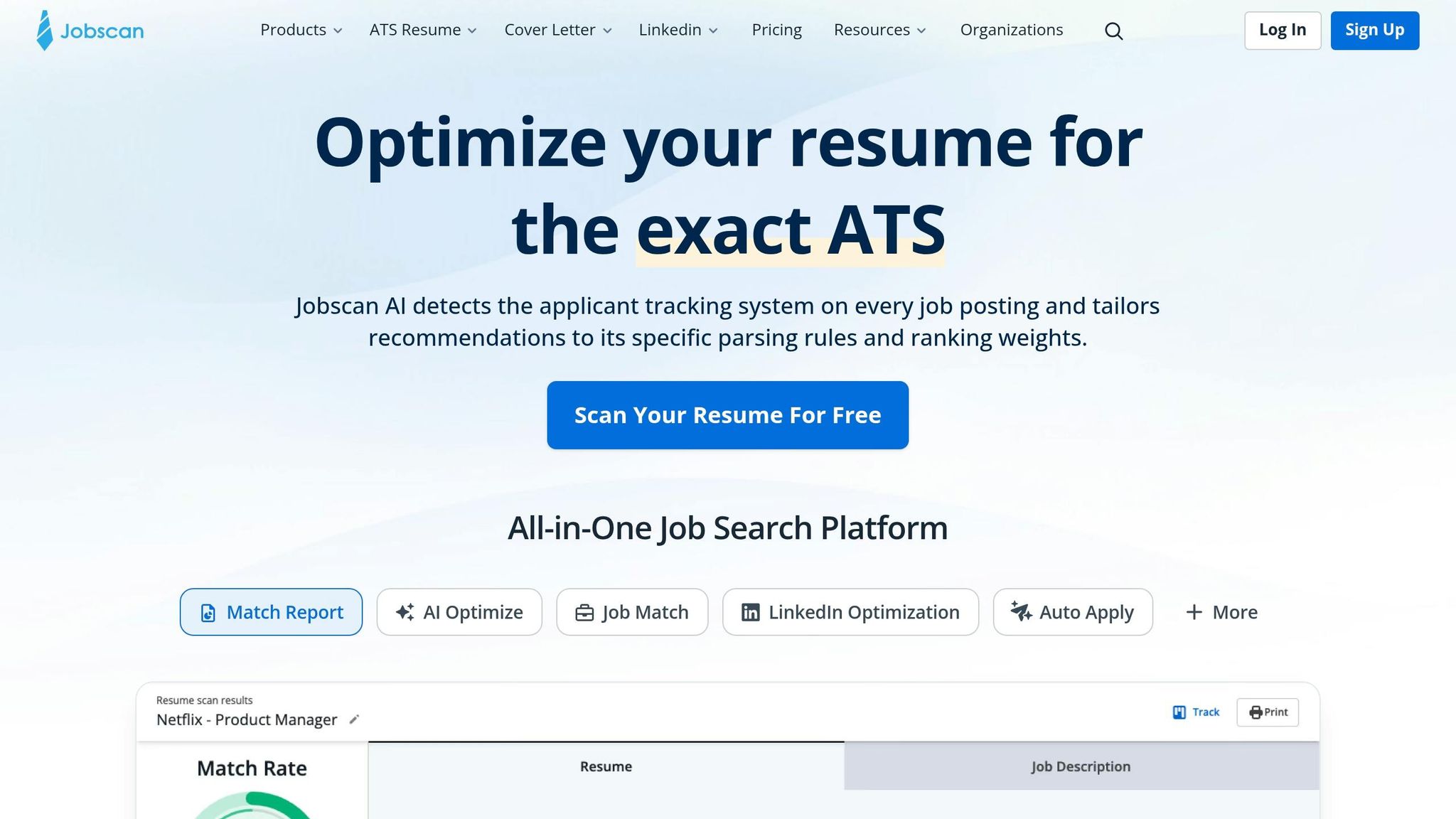
Yes, if I’m a DIY applicant. Jobscan is useful when I want a fast match score and I’m comfortable editing and submitting on my own.
No, if I need execution help. It tells me what may be wrong, but I still have to do the work myself, highlighting the difference between resume tools vs resume experts. If I want reviewed documents, submission help, and proof of what was sent, scale.jobs is the better fit.
Teal and Resume Worded vs Scale.jobs
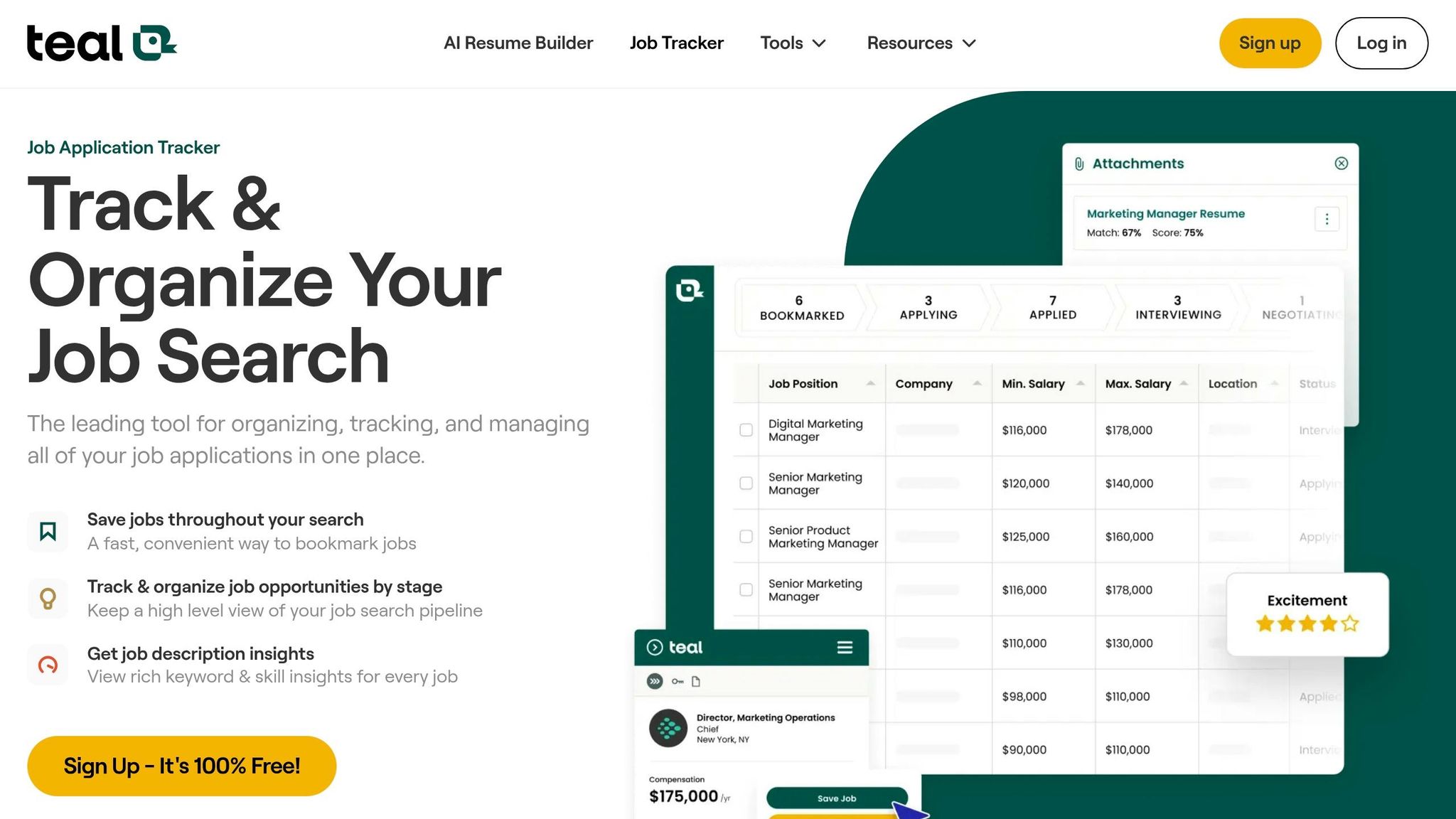
Teal and Resume Worded help at different points:
- Teal helps me track roles and keep my search organized
- Resume Worded helps me tighten weak bullets and wording
- scale.jobs helps when I need review plus submission support
That makes the choice simple:
- Pick Teal for tracking
- Pick Resume Worded for feedback
- Pick scale.jobs when I want more than software and need a human workflow, closer to a virtual assistant for job seekers
A simple decision checklist
Use a mobile ATS checker if:
- My resume is single-column
- I already checked formatting on desktop
- I apply to a small number of roles
- I’m fine doing edits myself
Switch to human-assisted help if:
- I’m applying to many full time jobs
- My score looks fine but I get no callbacks
- My file uses tables, columns, headers, or text boxes
- I want help beyond an ai resume builder or ai cover letter builder
FAQ
Do mobile ATS checkers work as well as desktop tools?
No. They work for fast keyword checks, but desktop is still better for file testing and parsing review.
Is a 72% ATS score good enough?
Not by itself. A score can look okay and still fail in the employer’s system.
Which tool is best for phone-based job applying?
For scoring, Jobscan or Teal can help. For done-with-you support, scale.jobs is the stronger option.
When should I stop using ATS checkers alone?
If I’m still getting weak response rates after a few weeks, or if manual applications are slowing me down, I’d look at a job search coach or human submission support.
Bottom line: mobile ATS checkers are good for a fast scan. They are not enough for the final go/no-go decision on most applications.
Mobile ATS checkers vs desktop workflows: where phones help and where they fall short
Mobile works for quick keyword checks
If your resume is already simple and the application is low-risk, a mobile ATS checker can do the job for a fast keyword check. Tools like Jobscan, Teal, and Resume Worded can flag missing terms and show a match score in a minute or two. On the go, that’s handy.
This tends to work best with simple, single-column resumes saved as a standard PDF. In that case, your phone can give you a useful read on keyword alignment before you hit submit. If you’re using an ai resume builder or updating materials inside a job search platform, that kind of quick check can save time.
The catch is simple: a mobile scan does not tell you whether the ATS will parse the file the right way.
Desktop is still stronger for layout parsing and file-format testing
Most ATS problems don’t start with missing keywords. They start with formatting. Tables, text boxes, multi-column layouts, headers, footers, and graphics can all trip up a scanner.
Desktop workflows are better at finding those issues because you can:
- Compare the same resume in
.docxand PDF - Review parsing details more closely
- Catch strange symbols in dates, headings, or section labels
- Edit and rescan without fighting a tiny screen
That matters more than people think. A phone can show a clean score while your resume still breaks when the system reads it. On a desktop, those small issues are easier to spot before they turn into a bad application result. If you're trying to apply for jobs at scale, that extra check can keep sloppy formatting from costing you interviews.
The bottom line on mobile ATS accuracy
Mobile checkers are good for keyword alignment and quick screening guidance. They are not a full stand-in for desktop when you need to test file formatting, parsing, and layout.
Different scanners can read the same file in very different ways. So if you get a score on your phone, treat it as a rough signal, not a final answer. Use mobile for a quick pre-submit pass. Use desktop before you rely on the result, especially if you're deciding between a scan-heavy tool and a job application service.
That’s also where the gap shows up more clearly in a Jobscan vs Scale.jobs comparison. Jobscan leans on the scan-first model. Scale.jobs leans on a human-supported process built for people who want help getting applications out cleanly, whether they’re chasing full time jobs or working with a Virtual Assistant for Job Applications.
Jobscan vs scale.jobs: Is Jobscan worth it if you mostly apply from your phone?
If you mostly Apply for jobs on your phone, Jobscan can help - but only up to a point.
Its core strength is resume-to-job-description matching. You paste in a job post, scan your resume, and get a "Match Rate" score that points out missing hard skills, soft skills, job titles, and education signals in seconds. For a mobile user, that can be handy when you want a fast check before sending an application.
But that only works well when the score is the end of your process, not the beginning. If the scan tells you what to fix and you still have to rewrite, re-upload, and submit everything yourself, the hard part is still sitting there waiting for you.
Jobscan strengths and where mobile use still makes sense
Jobscan works best when your resume is already clean: simple layout, single-column format, and easy for ATS systems to read. In that case, a fast scan from your phone can give you a rough signal on whether you're close or far from the target.
That makes it useful for a certain kind of person:
- someone applying to a small number of roles
- someone comfortable making manual edits
- someone who wants a scan, not a done-for-you job application service
If that's you, Jobscan can fit into your workflow. Think of it like a spellcheck tool for your resume. Helpful, yes. But it doesn't send the email for you.
Why scale.jobs beats Jobscan for actual application execution
The main gap is execution, not scoring.
Jobscan tells you what may need work. It does not handle the edits, the form filling, the resume swaps, the cover letter tweaks, or the final submission. You still do all of that by hand.
That’s where scale.jobs pulls ahead for people who want help with the full job search platform workflow.
scale.jobs handles the work Jobscan leaves on your plate:
- Human assistants review and submit applications by hand. Every application is handled by a real person.
- Human-reviewed, ATS-ready resumes and cover letters are tailored to each posting before submission.
- Time-stamped proof-of-work screenshots show what was submitted.
- Dedicated WhatsApp support keeps mobile coordination simple.
- One-time payment; first 5 applications are free.
If you're using your phone between work shifts, on the train, or during lunch, that difference matters. A scan score is nice. Having someone finish the application is better.
Jobscan Premium is $49.95/month or about $29.99/month if billed quarterly. If you don't want a recurring $49.95/month subscription for a tool that still leaves the work to you, trying scale.jobs' human-assisted setup first may make more sense.
| Feature | Jobscan | scale.jobs |
|---|---|---|
| Human Involvement | None (algorithm only) | Human assistants review and apply by hand |
| Resume Customization | Keyword checklist (DIY) | Human-reviewed, ATS-optimized per posting |
| ATS Handling | Automated diagnostic scoring | Human-verified optimization and submission |
| Application Execution | DIY - user submits manually | Full execution - assistants submit for you |
| Transparency & Proof of Work | Match percentage score | Proof-of-work screenshots + WhatsApp updates |
| Pricing Model | $49.95/month subscription | One-time payment; first 5 applications free |
Who should use Jobscan and who should choose scale.jobs
The choice comes down to diagnostics versus completion.
Use Jobscan if… you're a DIY applicant with a simple, single-column, well-formatted resume, time to manually edit between scans, and a small number of targeted applications each week.
Choose scale.jobs if… you're applying to multiple roles at once, don't have time to manually edit and resubmit for each application, or want a Virtual Assistant for Job Applications to handle the submission process across different portals. It's a strong fit for mobile-first job seekers who want WhatsApp-based support instead of juggling tabs, uploads, and forms on a small screen.
For many people, that’s the breaking point. Do you want a score, or do you want the application done?
Teal and Resume Worded create the same kind of scan-first gap, but with different tracking and scoring features.
Teal and Resume Worded vs scale.jobs: what mobile-only checks miss compared to a full workflow
Teal and Resume Worded both extend the scan-first approach. They help you spot issues in your resume, but they stop before the part that often takes the most time: rewriting for each role and sending the application.
That’s the key gap.
If you use Teal or Resume Worded, you still own the last mile. You review the feedback, update the file, answer screening questions, and submit everything yourself. If that works for you, fine. But if your goal is to move faster and hand off the apply process, a full job application service solves a different problem.
Teal vs scale.jobs: job tracker convenience vs human-powered apply
Teal is useful when your main goal is mobile job tracking with light keyword help. It works well as a dashboard for managing many active roles, especially with its Chrome extension for saving jobs and its keyword suggestions by resume section. If you like to keep your search neat and visible, that setup helps.
Teal can show you where your resume looks weak and which keywords may be missing. What it does not do is rewrite the bullet for you, submit the application, or handle the screening questions that show up after you click Apply. So the value is in tracking and suggestions, not execution.
That’s where scale.jobs separates itself. Teal tracks. scale.jobs does the work. A human assistant submits applications across different portals, checks documents for formatting problems, and watches for parsing issues before anything gets sent. For people who mostly manage their search on a phone, WhatsApp support makes that process easier. The pricing model also changes the math: instead of another monthly fee, it uses one-time campaign pricing tied to the search itself.
If you’re still deciding how to Apply for jobs, this is the split in plain English: Teal helps you stay organized, while scale.jobs acts more like a virtual assistant for job seekers.
Resume Worded vs scale.jobs: automated scoring vs human-reviewed ATS documents
Resume Worded leans less on tracking and more on feedback. It gives you a fast read on resume quality, and that can be useful.
Its strongest point is bullet-level feedback. If you want help with weak action verbs, missing metrics, or bullets that need cleaner wording, Resume Worded does a decent job of pointing those things out. Its LinkedIn feedback can also help before your search gets busy.
But the limit is pretty clear: Resume Worded gives scores and suggestions, then hands the rest back to you.
It does not give human review of the final file inside a live ATS-style upload. It can estimate parsing and scoring, but it does not confirm how your document behaves when a real employer portal reads it. And like any AI-led feedback tool, its suggestions still need a sanity check so the edits match your actual background.
scale.jobs covers that gap with human review plus human-powered submission. That matters when formatting gets weird, section labels parse badly, or portal-specific questions make a phone-only workflow shaky. Instead of stopping at advice, scale.jobs gives you ATS-tuned documents, time-stamped proof-of-work screenshots, and support built for people handling a search on the go.
For job seekers using tools like an ai resume builder or ai cover letter builder, that extra review step can save you from sending a file that looks fine on screen but breaks inside an employer system.
Who should use Teal or Resume Worded and who should switch to scale.jobs
Use Teal if you’re a DIY applicant and want one place to track lots of active applications while getting keyword suggestions before you submit.
Use Resume Worded if you want occasional audits or stronger bullet feedback before applying at scale.
Switch to scale.jobs if you want a human to review the file before submission, or if you need help with formatting problems, parsing edge cases, and portal-by-portal application work. That setup fits people who want more than a job search platform and need actual follow-through.
| Feature | Teal | Resume Worded | scale.jobs |
|---|---|---|---|
| Human Involvement | None (AI-driven) | None (AI-driven) | Human-reviewed and executed |
| Resume Customization | Keyword feedback by resume section | Bullet-level feedback | Human-led tailoring per posting |
| ATS Handling | Automated parsing check | Automated score and parsing estimate | Human review of formatting and parsing edge cases |
| Application Execution | DIY - user submits manually | DIY - user submits manually | Human-assisted submission |
| Transparency & Proof of Work | User-updated job tracker | Score-based dashboard | Time-stamped proof-of-work screenshots |
| Pricing Model | Free tier; paid subscription | Freemium; paid subscription | One-time campaign pricing |
A simple way to think about it: Teal and Resume Worded are diagnostic tools. scale.jobs is a done-with-you or done-for-you workflow.
That difference matters most when you’re applying to a lot of roles, juggling full time jobs, or trying to move fast without missing small portal details.
Decision summary: when mobile ATS checkers are enough and when to switch to scale.jobs
Use mobile ATS checkers if your resume is simple and the check is low-risk
A mobile ATS checker makes sense when your resume is clean, single-column, and you only need a fast keyword check before you Apply for jobs. If you’ve already checked formatting on a desktop, tools like Jobscan or Teal on your phone can spot plain gaps without eating up time.
That said, treat mobile ATS scores like a quick pulse check, not hard proof that your resume is ready. Different tools score the same file in different ways. So if the result looks good, that’s helpful - but it doesn’t mean the resume will parse the same way inside every employer system.
If your resume still needs layout validation, mobile tools won’t do the job. At that point, the issue isn’t just resume checking anymore. It becomes an application process problem.
Switch to scale.jobs if your applications need human review before submission
When parsing risk goes up or your application volume starts piling up, score quality stops being the main issue. The bigger question is simple: who is handling the application from start to finish?
Mobile tools are diagnosis tools. They don’t submit the application, fill out portal-specific screening questions, or confirm that your file parsed the right way inside Workday or Greenhouse. That gap matters more than people think.
Switch to scale.jobs if any of these fit your situation:
- You're applying at high volume and manual submission is slowing you down
- You think tables, columns, or other layout choices may be breaking ATS parsers
- You’ve been getting strong ATS scores but no callbacks after several weeks
- You want time-stamped proof-of-work screenshots and WhatsApp support instead of just an automated score dashboard
This is where a job application service can make more sense than another checker. If your bottleneck is submission, review, and follow-through, a Virtual Assistant for Job Applications solves a different problem than a mobile scoring app.
scale.jobs free trial: your first 5 applications are free
If you want to test the difference before paying, the free applications make that easy. scale.jobs lets you try the full human-assisted workflow before spending anything. Your first 5 job applications are completely free - no hidden costs, no subscription required to start.
That gives you a direct side-by-side test: keep using a mobile checker on its own, or try a human-assisted job search platform that reviews documents and helps with submission.
scale.jobs uses one-time campaign pricing, so you’re paying for human-assisted execution, not just software access. If you’re weighing tools and support options, this can feel closer to working with a job search virtual assistant than paying for one more dashboard. And if your resume still needs work before you send it out, pairing this with an ai resume builder can help clean up the file before applications go live.