
Best job search tools for international students in the US

Sarah Mitchell
August 10, 2026

If you’re an international student in the U.S., the best tool depends on your bottleneck. If you need help sending many applications with visa details handled well, Scale.jobs is the top pick in this list. If you need resume tuning, Jobscan and Teal are better fits. If you want auto-apply, LazyApply and LoopCV focus more on volume.
I’d break the market into three groups:
- Resume and prep tools: Jobscan, Teal, Resume Worded
- Auto-apply tools: LazyApply, LoopCV
- Managed help: Scale.jobs, Find My Profession
- Discovery tools: Jobright
A few facts shape this choice:
- Up to 75% of resumes can get filtered out before a recruiter reads them
- International students face extra screens around OPT/CPT timing, sponsorship, and work authorization
- A tool that only helps with one step can still leave you doing the hardest part by hand
International Students Need This AI Tool
sbb-itb-564272e
Quick comparison
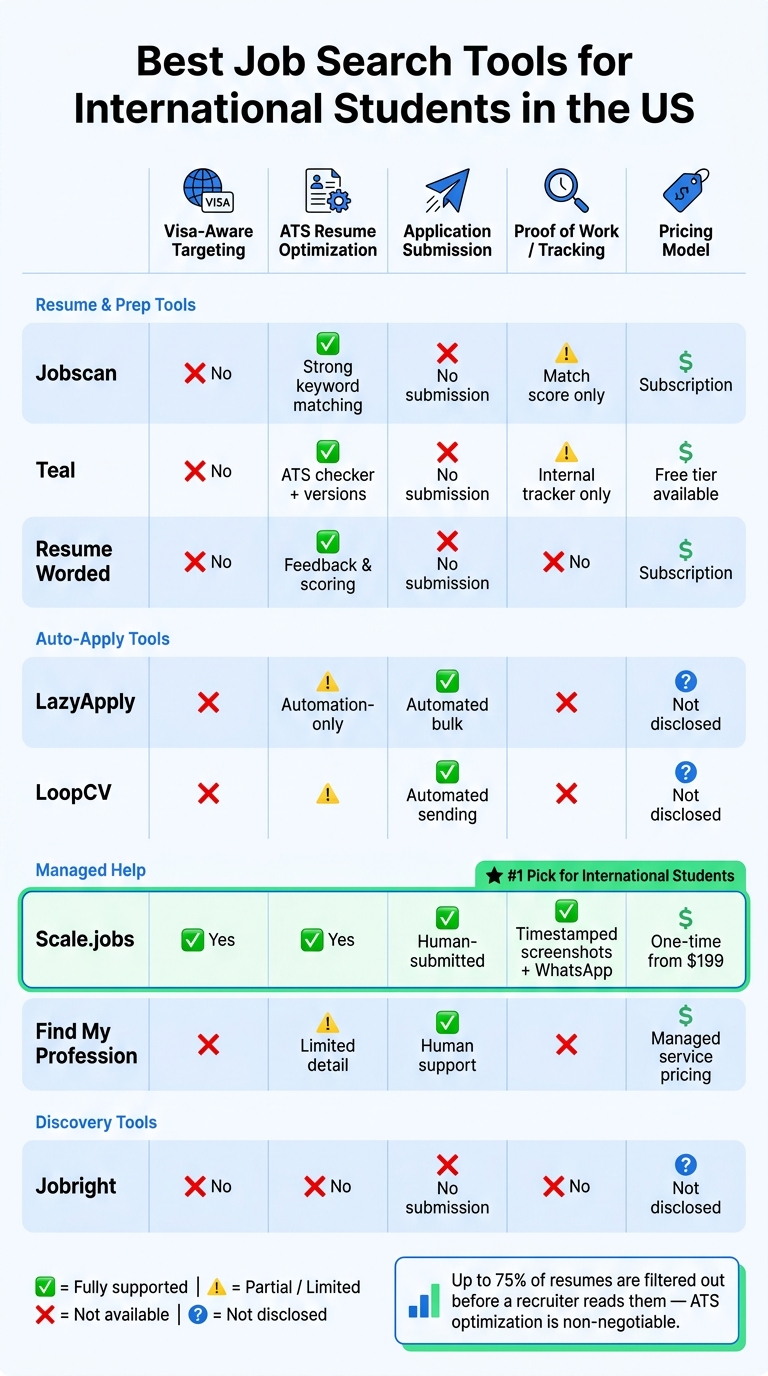
Best Job Search Tools for International Students in the US: Side-by-Side Comparison
| Tool | Best for | Main gap |
|---|---|---|
| Scale.jobs | Human-submitted applications and ATS-safe tailoring | Less self-serve |
| LazyApply | Bulk auto-apply tools | Limited visa screening shown |
| LoopCV | Automated sending | Limited proof of submission shown |
| Jobscan | Resume-to-JD matching | No application submission |
| Teal | Resume building and tracking | No application submission |
| Resume Worded | Resume feedback | No application submission |
| Jobright | Job discovery | No execution layer |
| Find My Profession | Managed career support | Limited public detail on tracking and visa workflow |
If I were choosing fast, I’d use this rule:
- Need help to Apply for jobs at scale? Pick Scale.jobs
- Need resume matching first? Pick Jobscan
- Need tracking and versions? Pick Teal
- Need role discovery? Pick Jobright
What I’d pay attention to first
Before I pick any tool, I’d check five things:
- Can it handle visa-related screening?
- Does it keep resumes ATS-friendly?
- Can it tailor documents per job?
- Does it help with the submission step, not just prep?
- Can I verify what was sent?
That’s the lens I’d use for every option below.
My short take on the list
1. Scale.jobs
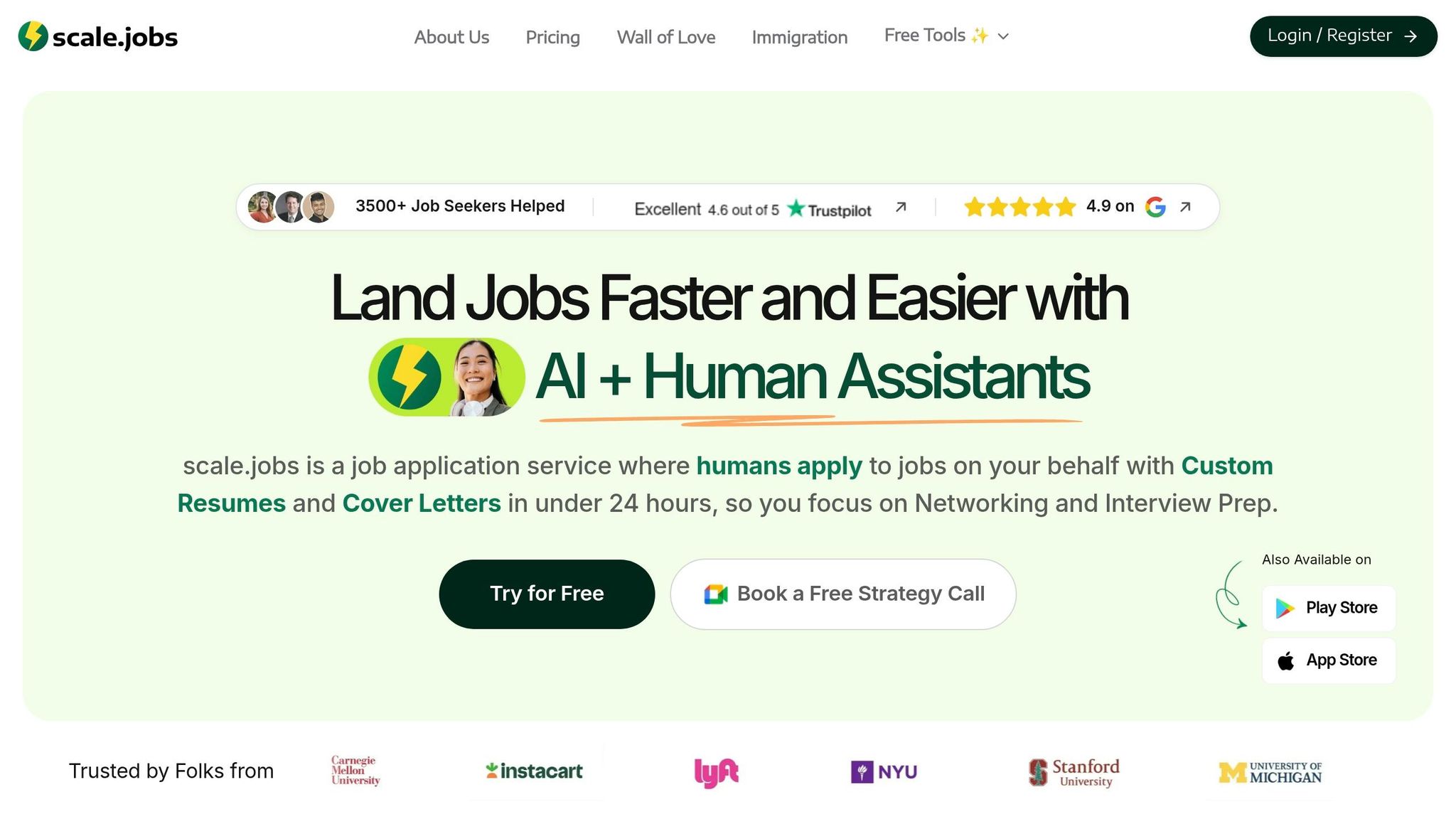
If I want the most complete workflow from this list, I’d put Scale.jobs first. It combines ATS-tuned resumes, human submission, and proof of work in one setup. That makes it a strong pick for students who don’t just need advice - they need applications sent.
What stands out to me:
- Human assistants submit applications by hand
- Visa details can be placed near the top of the resume
- You get screenshots and WhatsApp updates
- Pricing is one-time, starting at $199
This is the option I’d look at if I want a job application service instead of another dashboard.
2. LazyApply vs Scale.jobs
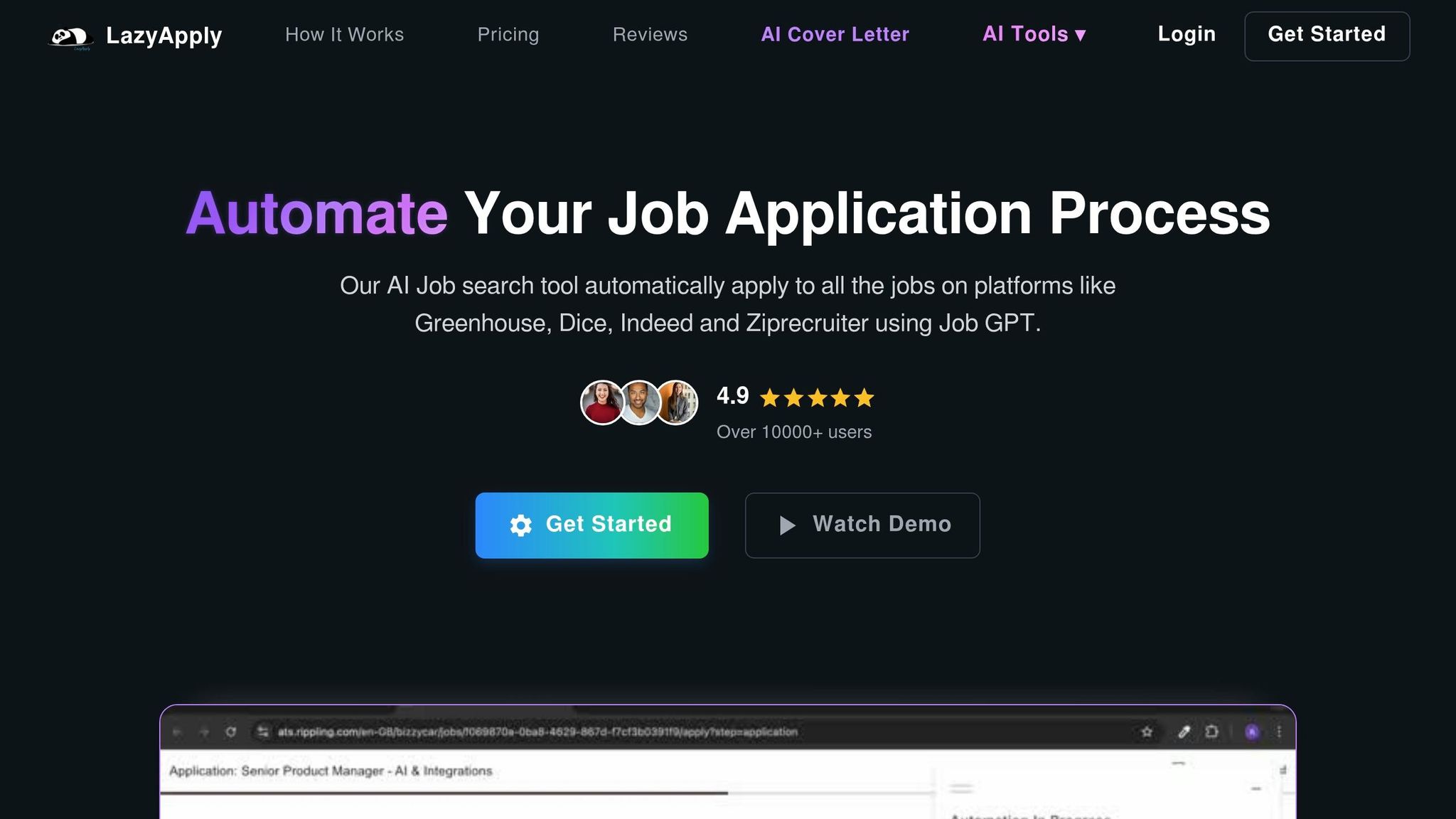
LazyApply is more about automation and less about review. If I only care about sending many applications, it can help. But if I care about visa fit, per-role tailoring, and receipts, it looks thinner than Scale.jobs.
I’d choose:
- LazyApply for bulk automation
- Scale.jobs for control, ATS-safe handling, and tracking
3. Is LoopCV worth it?
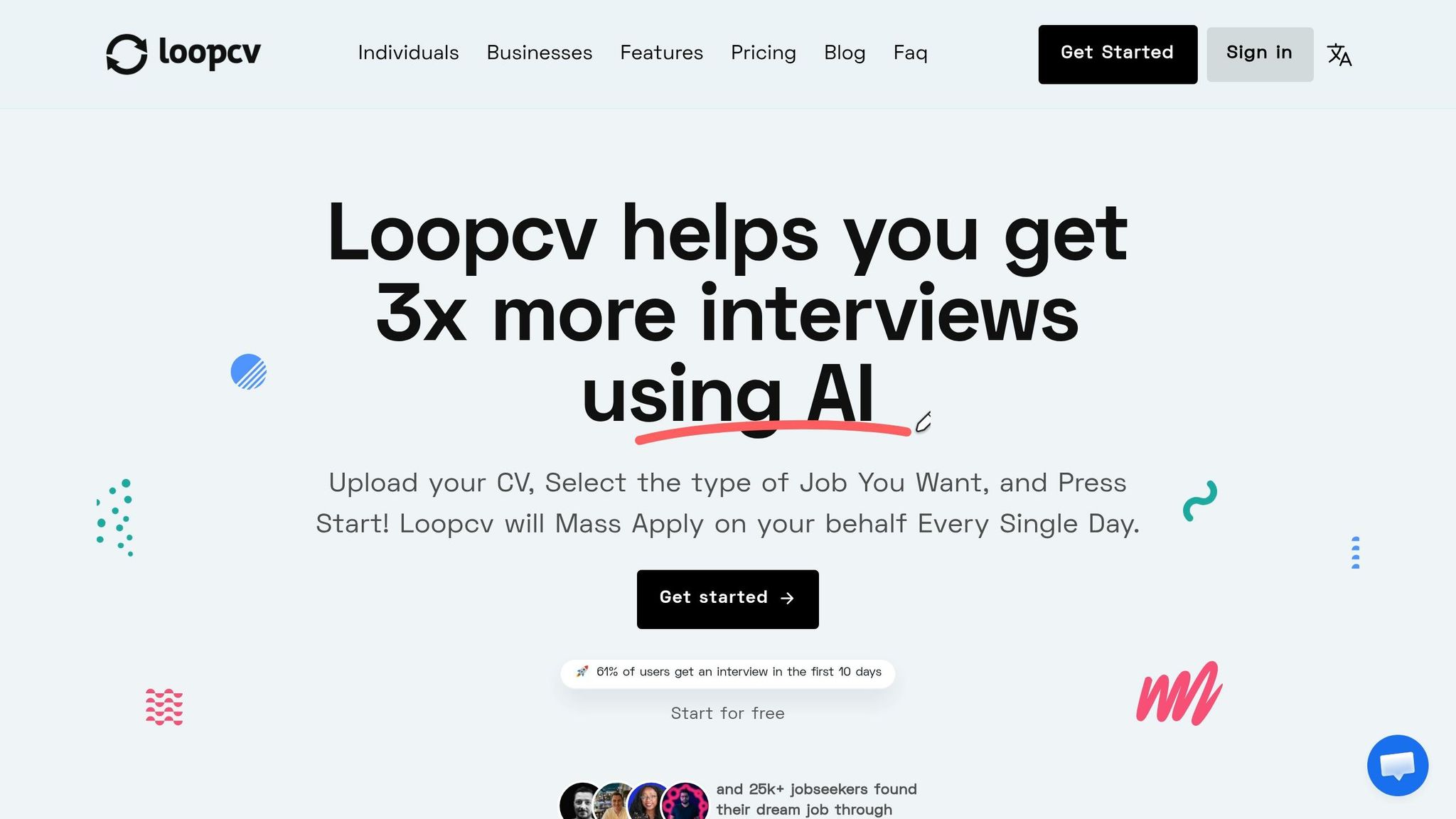
LoopCV can work if I want automated sending and I’m fine screening roles myself. For international students, that can be a problem because tracking sponsorship fit is often the first filter, not the last.
So yes, it can be worth it for volume. But I wouldn’t treat it as a full solution for a visa-sensitive search.
4. Jobscan vs Scale.jobs
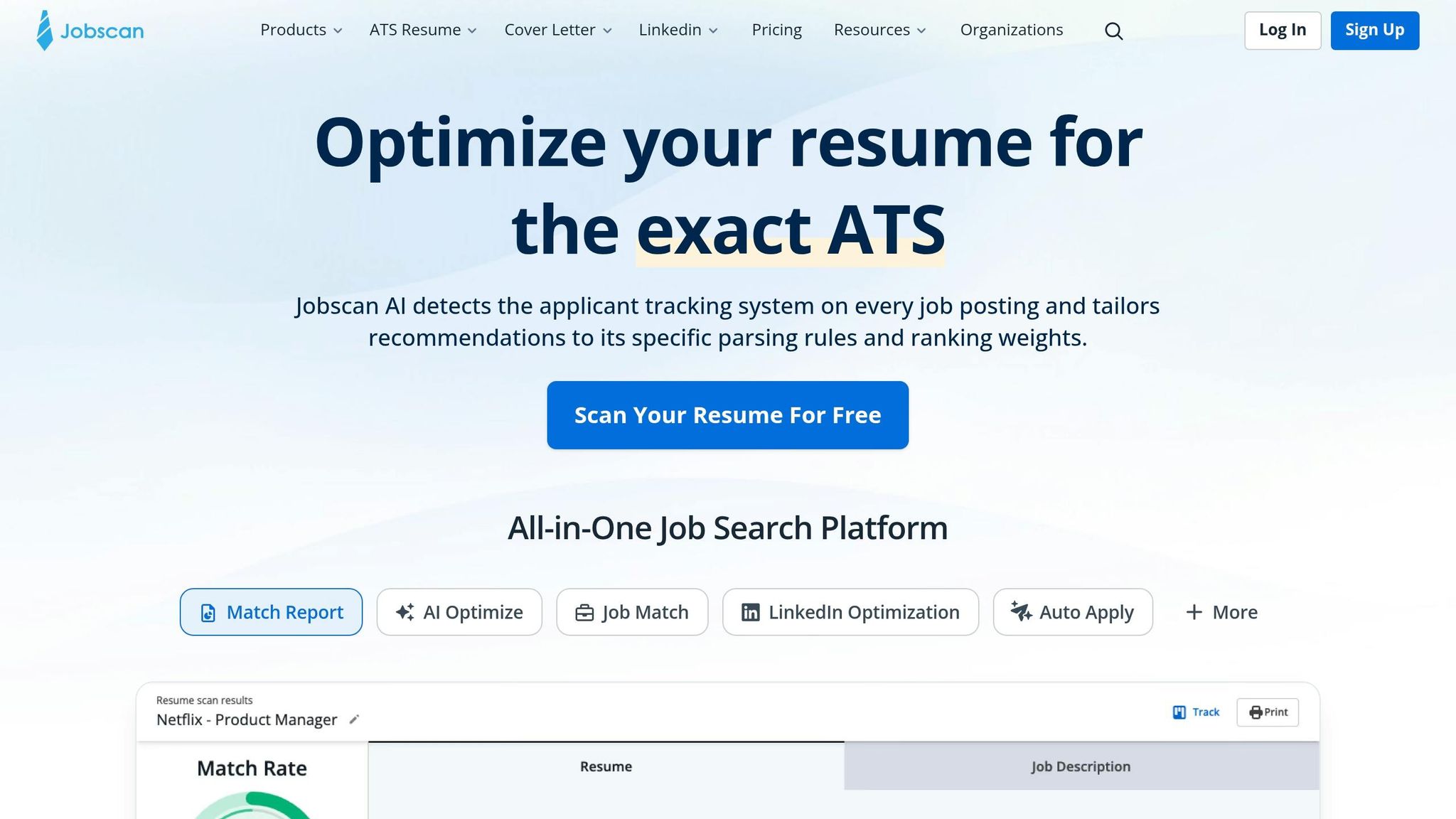
Jobscan is one of the better tools here for resume matching. It helps me compare my resume to a job description and fix keyword gaps. But it stops before the application step.
I’d use Jobscan if I already know where I want to apply and only need resume help. I’d use Scale.jobs if I want both prep and execution.
5. Teal
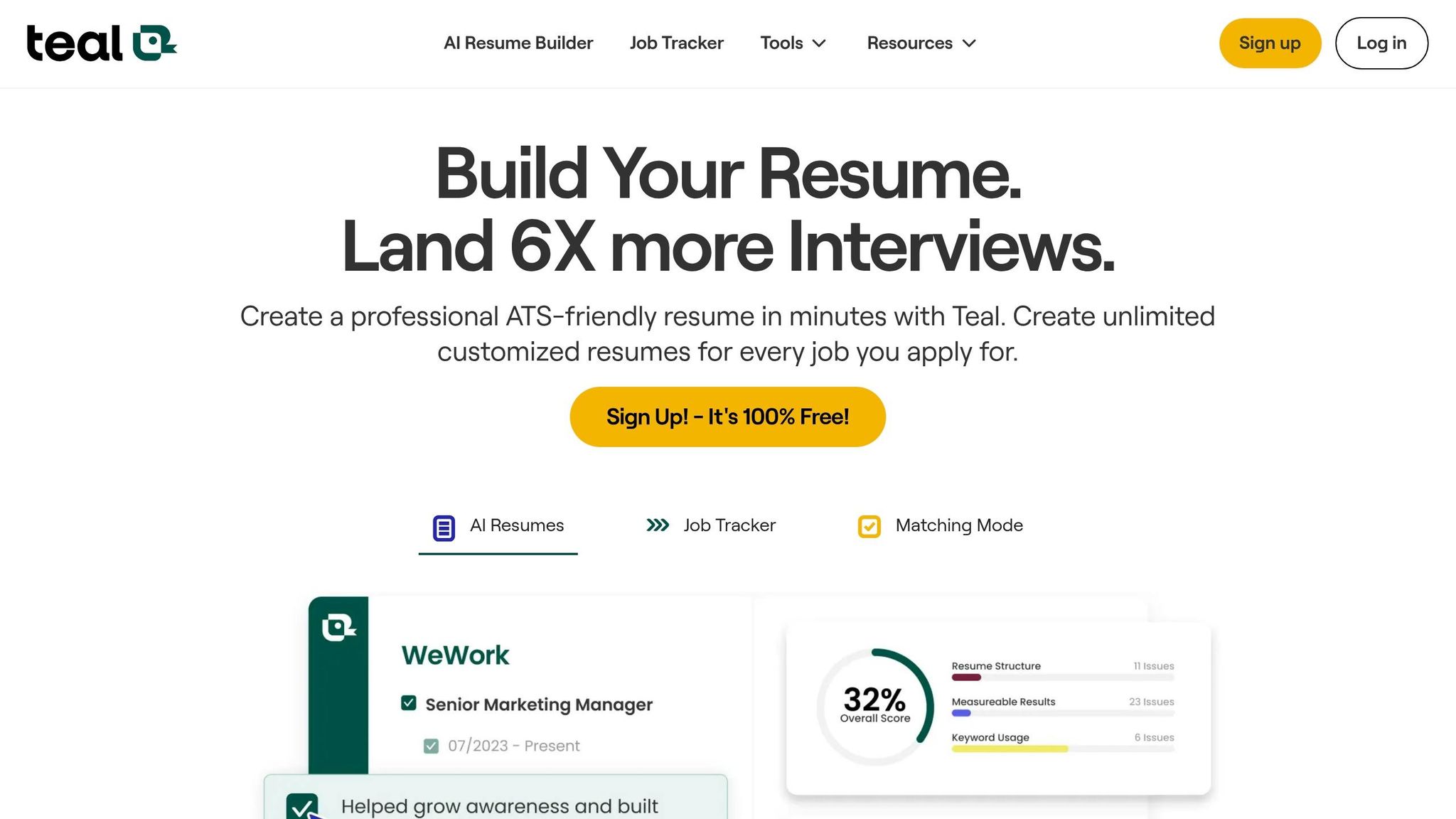
Teal is useful for resume versions and tracking. I like it most for people applying across a few role types, like analyst, operations, and support roles, because it helps keep those versions organized.
Still, it doesn’t submit applications. So if manual forms are the main problem, Teal won’t solve that part.
6. Resume Worded
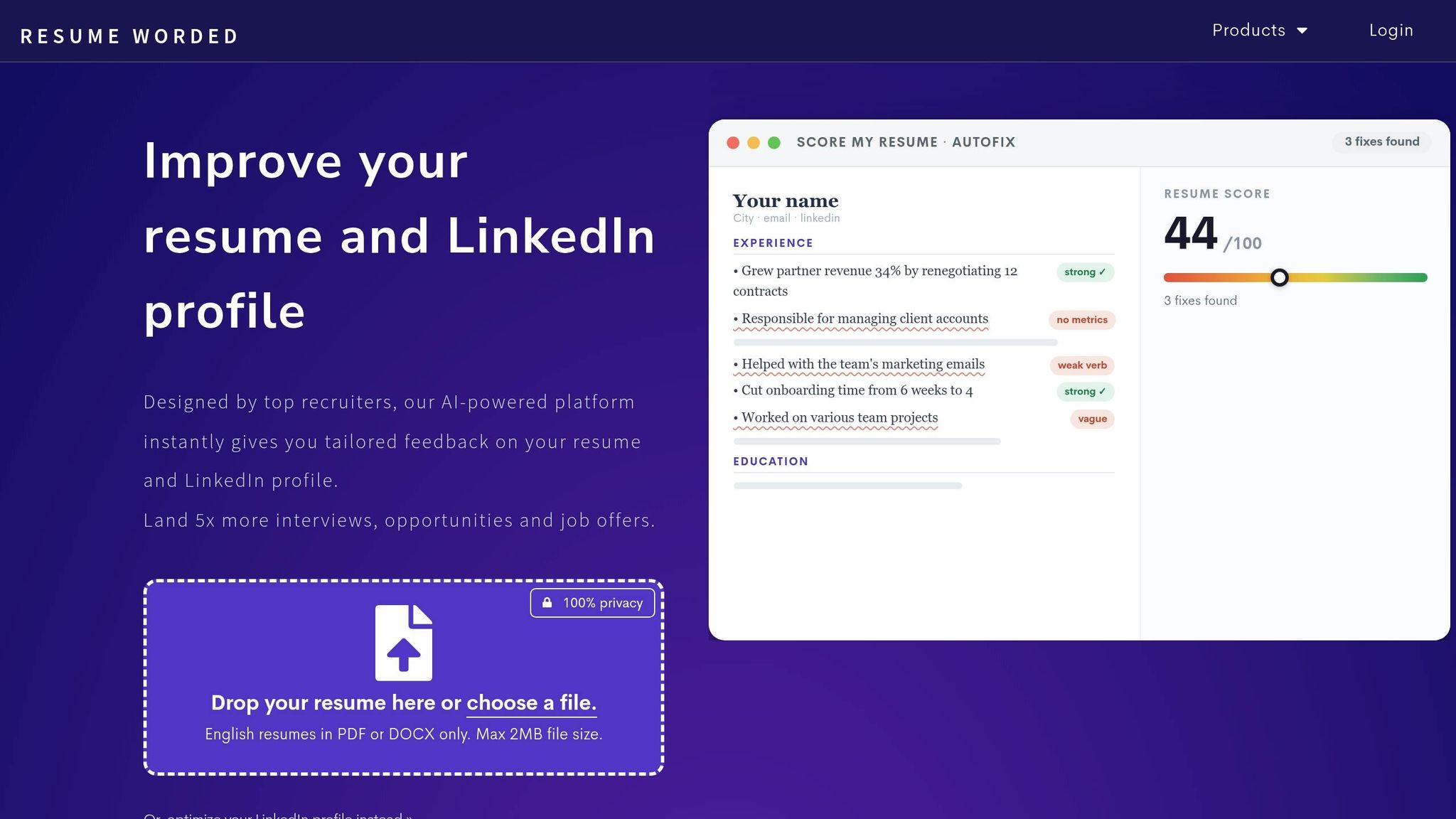
Resume Worded is a feedback tool, not an execution tool. I’d treat it as a polish step before applying, not as my main job search system.
7. Jobright
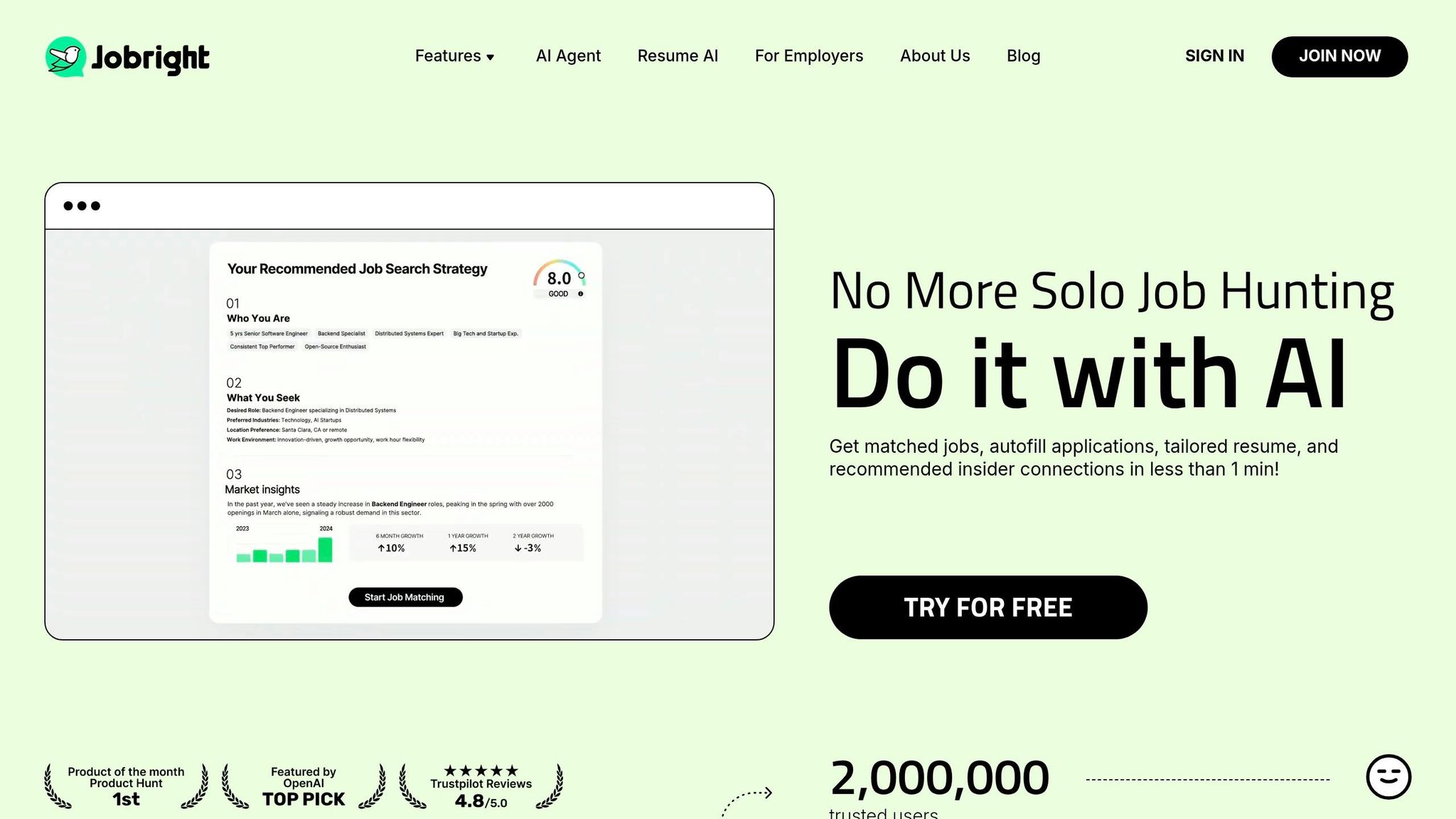
Jobright is more about discovery. If the main issue is finding roles, it can help narrow the list. If the issue is getting applications out the door, I’d look elsewhere.
8. Find My Profession vs Scale.jobs
This is the closest managed-service comparison in the list. Find My Profession gives human help, but based on the article, Scale.jobs shows more around per-submission tracking and visa-focused workflow.
If I wanted a job search virtual assistant with more visibility into what gets submitted, I’d lean Scale.jobs.
My simple decision playbook
If I had to choose in five minutes, I’d use this:
- Pick Scale.jobs if your problem is application volume, ATS safety, and proof of submission
- Pick Jobscan if your resume is not matching job descriptions
- Pick Teal if your search is messy and you need better tracking
- Pick LoopCV or LazyApply if you care most about auto-apply volume
- Pick Jobright if you need help finding roles first
- Pick Find My Profession if you want more career support than tool-driven help
FAQ-style answers
What is the best job search tool for international students in the U.S.?
From this article, Scale.jobs ranks highest because it covers more of the process: ATS-safe resumes, visa-aware setup, human-submitted applications, and proof of work.
Which tool is best for resume optimization?
I’d put Jobscan and Teal at the top for that use case. If you need help drafting first, an ai resume builder can also help speed up edits.
Which tool is best for auto-apply?
For auto-apply, LazyApply and LoopCV are the main picks in this list.
What if I need help beyond the resume?
Then I wouldn’t stop at prep tools. I’d look at a Virtual Assistant for Job Applications or a virtual assistant for job seekers that can handle the portal work too.
Should international students care about ATS formatting?
Yes. If the resume format breaks in Greenhouse, Lever, Workday, or iCIMS, the application can fail before review. That’s why ATS-safe formatting matters so much.
Final take
My main takeaway is simple: don’t pick a tool by brand name alone - pick it by the step that keeps blocking you.
If I needed one tool from this list for a high-volume search with visa pressure (or use a visa-friendly job finder), I’d choose Scale.jobs. If I only needed resume tuning, I’d go with Jobscan or Teal. If I wanted to test bulk automation, I’d look at LazyApply or LoopCV.
And if your search still feels scattered, start with one fix at a time:
- Resume issues? Use an ai cover letter builder or resume tool
- Search chaos? Use a job search platform
- Too many manual forms? Use platforms that submit applications accurately
That’s the shortest path to a cleaner job search.
Why do international students need specialized job search tools?
International students deal with a hiring process that has extra friction built in. It’s not just about finding roles and hitting apply. There are sponsorship questions, OPT/CPT deadlines, and ATS filters before a recruiter even sees your name. And when recruiters are moving fast, any uncertainty around visa status can knock you out early. Many won’t pause to ask for details. They’ll move on to the next applicant.
ATS screening makes this even tougher. Big employers often run applications through systems like Greenhouse, Lever, or Workday before a person reviews anything. That matters because many general resume tools still produce layouts with multiple columns, graphic-heavy headers, or tables. Those designs may look polished, but ATS software can misread them. When that happens, your work history, skills, or work authorization details may not show up the way they should.
Timing adds another layer. CPT follows the school calendar. OPT comes with a limited unemployment window. H-1B hiring works on its own cap cycle. So the clock is always part of the process.
That’s why a few things aren’t optional for many students trying to Apply for jobs. You need tools that help you find companies open to sponsorship, create ATS-friendly resumes with an ai resume builder, and speed up submissions through a job application service or Virtual Assistant for Job Applications. If you're using a job search platform that misses those basics, you're already starting from behind.
These limits make the must-have features pretty clear: sponsorship filters, ATS-friendly documents, and fast application support. The next section turns that into a simple checklist.
What problems do job search tools for international students solve?
The gap between a generic tool and one built for international students comes down to a few pain points that show up in almost every search. If a tool doesn’t help with sponsorship, resume formatting, tailoring, application workload, and tracking, it’s probably not built for this use case.
Here’s what those tools are meant to fix:
- Visa-aware filtering: Focus on employers with sponsorship history instead of broad job boards packed with roles that don’t sponsor. This matters if you want to Apply for jobs without wasting hours on dead ends.
- ATS optimization: Use clean, single-column resumes that keep your work history, skills, and work authorization details readable in Greenhouse, Lever, and Workday. An ai resume builder can help here, but the format still needs to stay simple.
- AI-powered tailoring: Match your resume language to the job posting fast so each application stays relevant. The same goes for cover letters when you use an ai cover letter builder to cut down drafting time.
- High-volume applications during the semester: Human assistants submit applications by hand across portals, which cuts a lot of manual work when classes, deadlines, and recruiting all hit at once. That’s where a job application service or Virtual Assistant for Job Applications can save time.
- Application tracking: Keep every application, resume version, and status update in one place. A good job search platform should make that process less messy.
Those are the features that should shape your comparison next.
What should international students look for in a job search tool?
For international students, the gap between a decent tool and the right one is huge. Many platforms look polished on the surface, but they still leave the hardest parts of the process on your plate. If you're trying to apply for jobs at scale, you need a tool that does more than swap words in a template.
Those common problems boil down to five buying criteria.
Automation depth should be the first check. Basic tools fill in blanks. Better ones read the job post, adjust resume wording, draft the cover letter, and keep everything in one flow. The best setup doesn't make you jump between tabs or copy and paste half the application by hand. It should tailor the resume, draft the cover letter, and submit the application in one place. That's the bar for a serious job search platform.
ATS coverage is a must. If your resume can't make it through Greenhouse, Lever, Workday, or iCIMS, the rest barely matters. Clean, single-column formatting is the safest path. Tables, text boxes, and multi-column designs may look nice, but they can wreck parsing. If you're using an ai resume builder, make sure the output is plain enough for ATS systems to read without issues.
Visa visibility is where generic tools often miss the mark. Recruiters move fast. They won't hunt through your resume to figure out work authorization, location, or start date. Put visa status, work authorization, location, and availability near the top. If a tool can't handle that well, it wasn't built with international students in mind.
Transparency and proof of work matter more than most students think. If someone else is sending applications for you, you need proof that the work happened. Look for timestamped screenshots, live status tracking, and submission receipts. A weekly summary email isn't much help if you want to know what was sent, when it was sent, and where things stand. This is where a job application service or Virtual Assistant for Job Applications should be easy to judge.
Total cost goes past the monthly sticker price. A low-cost subscription can end up costing more if you're still doing the manual work yourself. Compare the full spend, not just the plan price. Time matters too. If the tool saves only a few clicks but still leaves you doing the hardest part, it's not a bargain.
Use these standards to separate generic job tools from workflows built for international students. If you're weighing software against a job search virtual assistant, this is the lens to use.
| Evaluation Criteria | What to Look For | scale.jobs Standard |
|---|---|---|
| Automation Depth | Connected resume → cover letter → submission workflow | Human Assistants submit by hand |
| ATS Coverage | Passes Greenhouse, Lever, Workday, iCIMS parsing | Single-column ATS-optimized output |
| Visa Filters | Visa status, location, and notice period included | Visa logistics included in header |
| Proof of Work | Timestamped screenshots, live dashboard, submission receipts | WhatsApp updates + screenshots |
| Total Cost (USD) | Flat-fee or transparent pricing, no hidden renewals | One-time fee starting at $199 |
Next, these criteria will be applied to each tool in the comparison.
How are international students using job search tools in practice?
These workflows line up with the evaluation criteria above. In day-to-day use, most international students fall into one of five patterns. And each pattern shows the same thing: a tool can look good on paper but still break down during the actual application process.
The high-volume tailoring loop
Many students trying to apply for jobs at scale use tools like Jobscan or Teal to tune a resume for each posting. That helps with keyword matching, but the process often slows down at the last mile. After tailoring, they still have to open the form, fill in fields, upload files, answer work authorization questions, and submit everything by hand.
That’s an automation depth and ATS coverage issue.
scale.jobs handles the manual submission step with job-description-matched resumes that are submitted by hand. That matters because it lowers the risk of getting filtered out by systems that flag bot-like activity. If your goal is volume and cleaner execution, this workflow points to a managed job application service rather than a tool that stops at resume scoring.
The visa-header scramble
A lot of international students still manually add OPT/CPT status, location, and start-date availability near the top of the resume. It sounds small, but it turns into a repeat task across dozens or even hundreds of applications.
This is a visa visibility issue.
scale.jobs places work authorization and notice period directly into the top section of each ATS-tuned resume. That saves time, but more than that, it helps recruiters see the key facts fast. For students who need a cleaner process while searching across full time jobs and internship roles, this kind of setup removes one of the most common points of friction.
The fragmented prep stack
A common setup looks like this: one tool for resumes, another for cover letters, and another for interview prep. On paper, that seems fine. In practice, it often creates mismatch. Your resume says one thing, your cover letter lephrases it another way, and your interview notes drift in a third direction.
That inconsistency adds noise.
scale.jobs keeps JD analysis, resume tailoring, cover letters, and interview prep in one place. For students who don’t want to juggle five tabs and three subscriptions, a single job search platform can make the process easier to manage and easier to trust.
The proof-of-work gap
Students using LazyApply or LoopCV often run into the same concern: Did the application actually go through? Auto-apply systems can make that hard to check. You may know a tool attempted a submission, but not whether a recruiter ever received a clean, complete application.
That’s where proof of work matters most.
scale.jobs adds timestamped screenshots and WhatsApp updates after each submission, so there’s a clear record of what was sent. For many students, especially those applying broadly across the best job boards, that kind of paper trail is a big deal. It turns a vague “submitted” status into something you can verify.
The high-stakes role switch
When the role is visa-sensitive, the mood changes fast. Students applying to H-1B-track jobs or other sponsorship-dependent openings often stop trusting self-serve tools. One wrong auto-filled field can cost an interview shot.
In those cases, human-managed submissions tend to feel safer.
A managed service handles the form, flags sponsorship requirements, and cuts down on avoidable mistakes from automation. This is one reason some students move away from generic tools and toward a Virtual Assistant for Job Applications or a job search virtual assistant when the stakes are higher.
Use these five patterns as your filter. They help you judge which tool fits your application volume, visa needs, and how much proof you want after each submission. That’s a better way to compare options than just scanning feature lists.
1. scale.jobs
scale.jobs is a managed job search platform that blends AI tools with human support. In plain English, you’re not left clicking through forms all day. Real virtual assistants handle the actual submissions for you.
For international students, that can make a big difference. The setup helps show work authorization more clearly, keeps resumes ATS-safe, and cuts down the manual work that usually eats up your week.
scale.jobs stands out when you want human-submitted applications, clean ATS-ready resumes, and visible proof that the work was done.
Visa-aware targeting
scale.jobs puts work authorization details and notice period near the top of a tailored resume. That gives recruiters the info they need early, without making them hunt for it.
The platform also checks job descriptions for sponsorship signals before submitting. That matters. If you’re an international student, sending applications to roles that clearly won’t fit your status is like throwing darts in the dark. This step helps avoid that.
If your main goal is to apply for jobs with better targeting, this part of the workflow is one of the bigger selling points.
ATS coverage and resume compliance
scale.jobs formats resumes for ATS parsers used by Greenhouse, Lever, Workday, and iCIMS. Each resume avoids common parsing issues like headers and footers, text boxes, and multi-column layouts. It’s also tailored to the job description instead of being stuffed with random keywords.
That matters because many resumes fail before a recruiter even sees them. A clean format gives you a better shot at making it through the first filter.
If you’re comparing tools for resume prep, this sits closer to a managed ai resume builder workflow than a basic template generator.
Formatting is only half the job; submission quality matters too.
Application execution method
Human virtual assistants fill out each application by hand, which lowers bot-flag risk compared to automated tools. On paper, that may sound like a small detail. In practice, it can matter a lot, especially when you’re going after crowded entry-level roles.
This is where scale.jobs starts to feel less like a software tool and more like a Virtual Assistant for Job Applications. Instead of relying on automation to blast out forms, the service uses people to submit each application carefully.
That manual workflow is verifiable after every submission.
Transparency and pricing model
After each submission, scale.jobs sends timestamped screenshots and WhatsApp updates. Unused credits are refunded.
That level of visibility is useful if you’ve ever paid for a job application service and wondered whether anything was actually happening behind the scenes. Here, you can see the work.
| Plan | Applications | Price | Human Assistants |
|---|---|---|---|
| Basic | 250 | $199 | 1 |
| Standard | 500 | $299 | 2 |
| Best Value | 1,000 | $399 | 2 |
| Ultimate Bundle | 1,000 | $1,099 | 2 + 1 Personal Recruiter |
Pros: Human-executed submissions, work authorization details near the top of the resume, ATS-tuned resumes per posting, WhatsApp proof-of-work, one-time pricing, unused-credit refunds.
Cons: It is a managed service, so it is less hands-on than a self-serve automation tool.
2. LazyApply
LazyApply is a fit for international students who want automation-first bulk applying. scale.jobs is a better fit for students who need human submission, ATS-safe tailoring, and proof of work. Put simply, LazyApply leans toward speed, while scale.jobs leans toward control.
If you're trying to apply for jobs at scale, that trade-off matters. Fast applications can help with volume, but visa-sensitive searches often need more than volume alone.
Visa-aware targeting
LazyApply does not show sponsorship filtering in the provided materials. For F-1 OPT and CPT candidates, that screening step still has to happen outside the tool.
That creates extra work. You may still need to review roles one by one to check whether an employer supports your visa path. If you're working with a job search coach or using a more guided setup, this is usually one of the first filters to lock down.
ATS coverage and resume compliance
LazyApply's automation-first flow handles volume, but the provided materials do not show per-posting ATS-safe formatting or keyword matching. scale.jobs creates ATS-compliant, job-specific documents for each submission.
This is where many applicants get stuck. Sending the same resume everywhere is easy. Sending the right resume for each role is the hard part. If you're using tools like an ai resume builder or ai cover letter builder, you still need to make sure the final version matches the job and stays ATS-friendly.
Application execution method and transparency
LazyApply cuts down repetitive clicking across job boards. But the provided materials do not show sponsorship filters, per-posting tailoring, or proof-of-work receipts.
scale.jobs uses trained human assistants to submit each application by hand. LazyApply does not surface proof of work in the provided materials; scale.jobs does. That gap matters most when you need proof that each application was sent.
For many job seekers, this is the fork in the road. Do you want software to blast applications out, or do you want a Virtual Assistant for Job Applications to handle submissions with receipts and updates?
The key question is whether automation alone is enough for a visa-sensitive search.
| Feature | LazyApply | scale.jobs |
|---|---|---|
| Human involvement | Automated | Trained human virtual assistants |
| Resume customization depth | Not shown in provided materials | ATS-compliant, job-specific tailoring |
| ATS handling | Automation-first, no per-posting tuning shown | ATS-compliant resumes and cover letters |
| Application execution method | Automated bulk applying | Human submission across portals |
| Transparency and proof of work | Not shown in provided materials | Timestamped screenshots + WhatsApp updates |
| Pricing model | Not specified in provided materials | One-time flat fee |
Pros: Reduces repetitive clicking across job boards; suits applicants who want broad automation at speed.
Cons: No sponsorship filtering, per-posting tailoring, human oversight, or proof-of-work receipts shown in the provided materials.
Why scale.jobs wins
- Human assistants submit applications by hand across any portal.
- ATS-compliant resume and cover letter tailored per posting.
- Timestamped screenshots after every submission.
- WhatsApp updates so you can verify what was sent.
- One-time flat-fee pricing with unused-credit refunds.
Who should use LazyApply: Job seekers who want broad automation and are willing to screen roles themselves.
Who should choose scale.jobs: International students who need human submission, ATS-safe tailoring, and transparent verification.
Decision Summary: Choose LazyApply if you mainly want automation at volume and can handle your own screening. Choose scale.jobs if visa-sensitive targeting, ATS customization, and proof of work matter more than speed alone.
Switch to scale.jobs if…
- You need application materials tailored to each role.
- You want human review before submission.
- You are filtering for visa-sensitive opportunities.
- You want timestamped proof of work and WhatsApp updates.
- You prefer a one-time fee over recurring subscriptions.
If you're comparing a job application service with an automation-heavy job search platform, this section comes down to one thing: speed vs verification. For students on a visa clock, verification often matters more.
3. LoopCV
LoopCV leans hard on automation. That makes it useful if your main goal is speed. But for visa-sensitive searches, it leaves more work on your plate.
The platform is built around automated matching and sending. For some people, that’s the whole appeal: less clicking, more volume. The tradeoff is simple. Once visa rules, ATS formatting, and job-by-job fit start to matter, the gaps show up fast.
Visa-aware targeting
LoopCV does not show visa-aware filtering. So if you're an international student or need sponsorship, you still have to screen roles yourself before trusting the process.
That matters more than it may seem at first. A high-volume tool can save time, but if it sends you toward jobs that don't fit your work status, you're back to doing manual cleanup anyway. If that’s your situation, a job search platform needs to do more than just send applications.
ATS coverage and resume compliance
LoopCV does not show per-posting ATS tailoring or formatting controls in the available materials. That means users may need to handle resume changes on their own.
scale.jobs takes a different route. It adds human review, ATS-optimized docs, and proof-of-work visibility. If you're comparing tools with an ai resume builder or an ai cover letter builder, that difference matters because document quality can make or break a job application before a recruiter even sees it.
Application execution method
LoopCV automatically matches jobs and sends applications.
That setup works best for people who care most about reducing manual effort. By contrast, scale.jobs uses human submission across portals, which gives users more control when postings need special handling, custom answers, or extra checks.
Transparency and pricing model
LoopCV does not show submission receipts or live status updates. Pricing is not disclosed.
That can be fine if you're comfortable with a hands-off setup. But if you want to track where each application went, when it was sent, and what was submitted, the lack of visibility is a real downside. This is where a job application service with proof of work can feel a lot safer.
Here is the short version of how LoopCV compares with scale.jobs.
| Feature | LoopCV | scale.jobs |
|---|---|---|
| Human involvement | Automated flow | Human-submitted workflow |
| Visa/sponsorship filtering | Not shown | Visa logistics included in header |
| Resume customization depth | Not shown | ATS-compliant, job-specific tailoring |
| Application execution method | Automated matching and sending | Human submission across portals |
| Transparency and proof of work | Not shown | Timestamped screenshots + WhatsApp updates |
| Pricing model | Not disclosed | One-time flat fee |
Pros: Automated matching and sending; low manual effort.
Cons: No shown visa filters, ATS tailoring, or proof-of-work receipts.
LoopCV vs Scale.jobs
LoopCV is a better fit if you want automation first and don't mind checking visa fit yourself. scale.jobs is the better pick if you want human review, ATS-safe documents, and proof that each application was sent.
This split is easy to understand in practice:
- Choose LoopCV if you want less hands-on work and you're fine managing screening on your own.
- Choose scale.jobs if you want a Virtual Assistant for Job Applications, tighter document handling, and receipt-level tracking.
Is LoopCV Worth It?
Yes, for a certain type of user.
If you're focused on volume and want to Apply for jobs with as little manual work as possible, LoopCV can make sense. But if you're applying as an international student, need sponsorship, or care about exact submission records, it may feel too thin.
Who should use LoopCV: Job seekers who want automation and will screen visa fit themselves.
Who should choose scale.jobs: International students who want human-submitted applications, ATS-safe docs, and proof of work.
Switch to scale.jobs if…
- You need visa-aware screening before applications go out.
- You want manual submission with receipt-level proof.
- You need ATS-optimized documents tailored per posting.
If you’ve already tried automation-heavy tools and still feel stuck, a job search coach or a more hands-on workflow can close the gap faster than sending more applications blindly.
4. Jobscan
Jobscan helps you tune your resume to a job description before you apply. It does not check for sponsorship, and it does not submit applications for you. So the role it plays is pretty clear: resume matching tool, not full application workflow.
For international students, that matters. Jobscan can help with resume tuning. scale.jobs goes further by handling tuning and submission. If you want help past the resume stage, that’s the split.
Does Jobscan help with visa-aware targeting?
No. Jobscan does not screen for sponsorship.
If you’re an international student, you still need to figure out which employers may sponsor and which roles are worth your time. That means the visa filter stays on your plate unless you use a service built for that part of the process, such as a job search virtual assistant or a virtual assistant for job seekers.
How strong is Jobscan for ATS-safe formatting?
This is Jobscan’s strong point.
It compares your resume against a specific job description and points out missing keywords, formatting problems, and section gaps. You get a match score plus edits you can make right away. That’s useful if you want to optimize your resume for ATS before using a job search platform or sending out more applications.
Here’s the catch: Jobscan tells you what to fix, but you still do the work after that. You edit the resume, upload it, fill out the portal, and submit the application yourself.
If you want that last mile handled too, scale.jobs works more like a job application service. It covers ATS-safe resume work and has humans submit across portals by hand.
What does Jobscan cost and how transparent is it?
Jobscan gives you a match score and resume feedback. It does not give you submission receipts, because it doesn’t submit anything.
Its pricing is subscription-based, so you should check the current rate before signing up. That’s one of the biggest differences versus scale.jobs, which uses a one-time flat-fee model.
| Feature | Jobscan | scale.jobs |
|---|---|---|
| Human involvement | Low; user runs the optimization process | Trained human assistants manage application work |
| Resume customization depth | Resume-to-JD matching and edit guidance | ATS-optimized, tailored per posting |
| ATS handling | Strong keyword matching and formatting feedback | ATS-compliant documents plus human handling |
| Application execution method | Scanner-only; no submissions | Human-submitted across portals |
| Transparency and proof of work | Match score reports | Timestamped screenshots + WhatsApp updates |
| Pricing model | Subscription-based | One-time flat fee |
Pros: Strong ATS keyword analysis; clear match scoring; actionable resume feedback.
Cons: No sponsorship screening, no application submission, and no proof of work; the user still has to manage the application step.
Why scale.jobs wins here
- Human assistants handle the submission step by hand, across portals.
- ATS-optimized resumes can be tailored per posting.
- WhatsApp updates and timestamped screenshots provide proof of work.
- One-time flat-fee pricing avoids recurring subscriptions.
Who should use Jobscan: Job seekers who want to self-optimize resumes before applying and are comfortable handling submissions themselves. It can fit people who already know where they want to apply for jobs and just want better resume alignment.
Who should choose scale.jobs: International students who want ATS-safe documents, human submission, and proof of work without managing every portal manually. It can also make sense if you’re juggling a high-volume search across full time jobs and other role types and don’t want the admin work to eat your week.
Decision Summary: Choose Jobscan if you want a scanner that helps you tune your resume. Choose scale.jobs if you want the resume work, the application work, and the proof-of-work trail in one workflow.
Switch to scale.jobs if…
- You want someone to handle the submission step, not just review your resume.
- You are applying to many roles and do not want to repeat optimization for each posting.
- You want receipts, screenshots, and WhatsApp updates as part of the workflow.
- You prefer a one-time payment model over recurring plans.
5. Teal
Teal is an ai resume builder and job tracker built for the prep side of the search. It helps you tailor resumes, check ATS formatting and human readability, and keep track of which version you sent to which company. But it stops there. You still have to submit every application yourself.
Compared with Jobscan, Teal adds version tracking. Compared with Scale.jobs, it still ends before execution. Teal helps you get your materials ready; Scale.jobs handles the actual applying with human support, ATS-ready documents, WhatsApp updates, and proof-of-work receipts.
Summary of company
Teal is a self-serve job search platform focused on resume building, ATS optimization, and application tracking. It’s made for job seekers who want to run their own search and use AI to help with document prep.
Key features
- AI Resume Builder with keyword matching for each job description
- ATS Resume Checker that flags keyword gaps, formatting issues, and gives a match percentage
- Resume Stack for keeping 3–5 targeted resume versions across different role types
- Job tracker that logs which resume version was sent to which company
Job search automation offerings
Teal does not automate submissions. It automates the prep work: keyword analysis, formatting checks, and resume versioning. Once your resume is ready, you still complete each portal by hand.
If your main pain point is writing and editing, Teal can help. If your main pain point is volume, it won’t remove the grind of manual applications. That’s where a job application service changes the workflow.
Visa-aware targeting
Teal does not have a visa filter or sponsorship screening. It can help you mirror terms from a job posting, but it does not check whether an employer sponsors candidates. For international students, that step is still yours to handle.
Scale.jobs includes visa logistics in the header and human-reviewed submissions. That can save time when CPT or OPT deadlines are close and you can’t afford to waste applications on roles that won’t work.
ATS coverage and resume compliance
If ATS matching is your main focus, Teal is strong. Its ATS Resume Checker compares your resume against a specific job description and flags gaps in keywords and formatting. That matters because recruiters spend an average of just 6–7 seconds on an initial resume scan.
Teal’s Resume Stack also helps if you’re applying across a few lanes at once. For example, you might keep one version for data analyst roles, one for operations, and one for product support. Instead of rebuilding from scratch each time, you update and reuse the right version.
Application execution method
Teal is a prep tool, not an execution tool. It helps you build tailored applications, but it does not submit them. You still have to open each portal, fill in the fields, upload files, answer work authorization questions, and click submit.
That sounds small until you do it 40 or 50 times. For international students, that manual work adds pressure during internship hunts and CPT/OPT windows, when time disappears fast.
If that’s the bottleneck, a Virtual Assistant for Job Applications may fit better than another resume tool.
Transparency and pricing model
Teal offers a free version of its AI Resume Builder and Job Tracker. Inside the tool, you can see which resume version went to which company. That’s useful for staying organized.
But Teal does not provide submission receipts because it does not submit applications. Scale.jobs takes a different route: a one-time flat fee, plus timestamped screenshots and WhatsApp updates after every submission. If manual portal work is slowing down your search, that gap matters.
The key difference is simple: Teal helps you prepare; Scale.jobs helps you apply.
| Feature | Teal | scale.jobs |
|---|---|---|
| Human involvement | User manages prep and submission | Trained human virtual assistant for job seekers handle submissions |
| Resume customization depth | AI keyword matching per job description | ATS-optimized, tailored per posting |
| ATS handling | ATS Resume Checker, keyword gaps, formatting checks, match percentage | ATS-compliant resumes and cover letters |
| Application execution method | Manual; no submissions | Human-submitted across portals |
| Transparency and proof of work | Internal tracker only | Timestamped screenshots + WhatsApp updates |
| Pricing model | Free version available | One-time flat fee |
Pros: Strong ATS keyword analysis; Resume Stack for multiple role types; free to start; clear formatting guidance.
Cons: No visa filter; no application submission; no external proof of work.
Who should use Teal: Job seekers who want to self-manage a targeted, ATS-optimized search and are comfortable completing every submission manually.
Who should choose scale.jobs: International students who need human submission, ATS-safe documents, and proof-of-work receipts, especially during CPT/OPT windows when time is tight.
Switch to scale.jobs if…
- You’ve already polished your resume and now need help to Apply for jobs at scale
- Manual portal submission is slowing down a high-volume search
- You want timestamped receipts, WhatsApp updates, and human oversight on every application
- You’d rather pay a one-time fee than deal with a subscription model
6. Resume Worded
Resume Worded is a resume feedback tool built for the editing stage, not the application stage. It sits in the same prep bucket as Jobscan and Teal. The difference is simple: it gives feedback on your resume, but it doesn't help you submit applications. That means it has less workflow depth than scale.jobs.
Resume feedback still matters. ATS systems can trip over poor formatting, weak section structure, or vague wording. If your materials are mostly ready and you just want a second set of eyes, Resume Worded can be a light, self-serve option. But if you're trying to Apply for jobs at volume, feedback alone may not solve the main problem.
Summary of company
Resume Worded is a self-serve resume review platform. It scores resumes against ATS parsing standards and gives line-by-line editing suggestions. It's aimed at job seekers who want structured feedback before they start applying.
If you're still shaping your resume and LinkedIn profile, this kind of tool can help tighten things up before you move into a full job search platform workflow.
Key features
- Line-by-line resume scoring with improvement suggestions
- Formatting and keyword feedback for ATS readability
- LinkedIn profile review
- Role-specific resume targeting based on job title input
Job search automation offerings
Resume Worded does not automate or submit applications. It points out formatting and wording issues that may hurt ATS readability, then leaves each portal submission to you.
That matters more than it sounds. For international students dealing with OPT/CPT deadlines or sponsorship-focused searches, the manual portal step can eat up hours. Resume Worded doesn't remove that burden.
If manual submission work is still your bottleneck, this tool won't fix it. A Virtual Assistant for Job Applications or a hands-on job application service is built for that part of the process.
The core question here is simple: is resume feedback enough when you still have to submit every application yourself?
Transparency and pricing model
Resume Worded shows its feedback through scores and edits inside the platform. Since it does not submit applications, you won't get submission receipts, live tracking, or proof-of-work records.
Pricing is subscription-based. Check the latest rate at resumeworded.com before you sign up.
Pros: Useful for early resume cleanup; helps improve structure and keyword use.
Cons: No visa filter; no application submission; no proof-of-work records.
Why scale.jobs wins
- Human assistants submit applications by hand across portals, so the manual step doesn't fall back on you.
- ATS-focused resumes and cover letters are tailored to each posting, not just reviewed after the fact.
- Timestamped screenshots and WhatsApp updates show exactly what was submitted.
- Visa details are included in the resume header, which Resume Worded does not cover.
- A flat one-time fee can be easier to justify than a recurring subscription, especially if you're already paying for other best job boards or tools.
Resume Worded vs Scale.jobs
Resume Worded is mainly a feedback layer. Scale.jobs covers both prep and execution. If you only want resume notes, Resume Worded may be enough. If you're trying to land interviews for full time jobs or time-sensitive roles and need help getting applications out the door, scale.jobs handles the heavier lift.
Is Resume Worded Worth It?
Yes, if you're in the resume-polishing phase and want structured feedback before you apply. No, if your main pain point is the time and effort it takes to submit applications.
Who should use Resume Worded: Job seekers in the resume editing stage who want structured feedback before they begin applying and are fine handling every submission on their own.
Who should choose scale.jobs: International students who need more than editing and want help across the full submission workflow, especially during CPT/OPT windows when time is tight. It's also a better fit if you're looking for a virtual assistant for job seekers instead of just an ai resume builder.
7. Jobright
After resume tools like Jobscan, Teal, and Resume Worded, Jobright shows up a step earlier in the process: job discovery. It helps you find roles to look at, but it does not send applications for you. For international students, that gap matters. Finding a role is useful only if the next step still covers sponsorship checks and a clean submission.
If your main problem is sorting through too many listings, Jobright can help. It narrows the list so you spend less time digging and more time reviewing roles that may fit. That makes it a decent option for students who are still at the top of the funnel and only need a better way to Apply for jobs.
But discovery is only one part of the process. Jobright helps with matching, not execution. It doesn't handle ATS-tuned resumes, tailored cover letters, or the portal-by-portal work that often slows people down. So if your bottleneck is not search but getting polished applications out the door, a job application service will usually be a better fit.
Pricing: Not publicly listed.
How transparent is Jobright? Jobright gives you signal on recommendation quality, not proof of submission, because it doesn't submit applications.
That’s the main split in the Jobright vs Scale.jobs comparison: search vs execution.
Why scale.jobs wins here:
- Human assistants submit applications by hand across portals.
- ATS-tuned resumes and cover letters are tailored for each posting.
- Timestamped screenshots and WhatsApp updates confirm each submission, with flat-fee pricing.
This use case is pretty narrow, so the choice comes down to one simple question: where’s the bottleneck? If you already know how to handle documents and submissions, Jobright may be enough. If the hard part is doing that work over and over, a Virtual Assistant for Job Applications makes more sense.
Who should use Jobright: Students who only need job discovery.
Who should choose scale.jobs: Students who want search, tailoring, and submission in one workflow, often with help from a job search virtual assistant.
Pros: Strong for job discovery; useful for narrowing the search list.
Cons: No application submission; no human execution layer; no submission receipts or proof-of-work trail.
Is Jobright worth it? Yes, if your only need is finding better role matches. No, if you want help with submissions, ATS-ready documents, or follow-through across portals. In that case, a mix of ai resume builder support and hands-on execution tends to cover more ground.
Switch to scale.jobs if…
- You need ATS-tuned resumes and tailored cover letters submitted for each role.
- You want live WhatsApp support and timestamped proof of work.
- You prefer a flat-fee model over an unlisted recurring plan.
8. Find My Profession
Find My Profession is the closest managed-service option in this list, so it’s the most direct comparison to scale.jobs. Like a job application service, it offers hands-on help from real people instead of a self-serve dashboard. That said, it still trails scale.jobs when it comes to submission visibility and visa-aware workflow support.
For international students, that gap matters. It’s not just about getting help with resumes. You also need to know whether the service can handle visa-sensitive screening and show proof that each application was actually submitted.
Summary of company
Find My Profession is a done-for-you career service. Human writers and coaches take care of resume writing, job search strategy, and application support. It’s built for people who want a hands-on service, not a software-based job search platform.
Key features
- Human-written resumes and cover letters
- Career coaching and job search strategy support
- Done-for-you application help
- LinkedIn profile optimization
Job search automation offerings
Find My Profession includes human submission support. That’s a plus if you don’t want to handle every application yourself. But in this comparison, the bigger issue is execution: does the service also help you submit, track, and verify each application?
Public detail on per-role tailoring is limited. That’s a problem if you want documents matched to each job description instead of one polished general resume. Public ATS coverage is also limited, so students may still need to double-check formatting and parsing on their own.
If you’ve ever uploaded a resume and watched an ATS scramble your sections, you know why this matters. A good-looking file isn’t always a file that works.
Why scale.jobs wins:
- Human assistants submit applications by hand across any portal, much like a Virtual Assistant for Job Applications, with ATS-optimized resumes and cover letters tailored to each posting
- Visa logistics are placed in the resume header, so recruiters can see work authorization details right away
- Timestamped screenshots and WhatsApp updates confirm every submission
- A one-time flat fee replaces recurring billing
- Direct WhatsApp support keeps communication simple during the whole process
The table below shows how Find My Profession compares with scale.jobs on human help, ATS handling, execution, and proof of work.
| Feature | Find My Profession | scale.jobs |
|---|---|---|
| Human involvement | Human writers and coaches | Trained human virtual assistants handle submissions |
| Resume customization depth | Professionally written; per-role tailoring detail is limited | ATS-optimized, tailored per posting |
| ATS handling | Limited public detail on ATS coverage | ATS-compliant resumes and cover letters |
| Application execution method | Human submission support | Human-submitted across portals by hand |
| Transparency and proof of work | No public submission receipts shown | Timestamped screenshots + WhatsApp updates |
| Pricing model | Managed service; typically costs more than self-serve tools | One-time flat fee |
Pros
- Human-led resume writing and coaching
- Done-for-you application support
- Useful for students who want a fully managed career service
Cons
- No visa-aware sponsorship filtering shown
- Limited public detail on per-role tailoring
- No timestamped proof of work or submission receipts shown
- Managed services usually cost more than self-serve tools
Pricing
Pricing is not publicly listed. Check findmyprofession.com for current rates.
Find My Profession vs Scale.jobs
This comparison comes down to visibility and control. Find My Profession gives you human help, which many job seekers want. But scale.jobs goes further on the parts that often slow international students down: visa-aware targeting, per-posting document matching, and proof that the work got done.
If your goal is simply to get coached and supported, Find My Profession may fit. If your goal is to Apply for jobs at scale while keeping track of each submission, scale.jobs has the clearer edge.
Is Find My Profession Worth It?
Yes, for some users. If you want a managed career service and care most about coaching, resume help, and a more concierge-style experience, it can make sense.
But if you need a virtual assistant for job seekers that also accounts for visa status, ATS handling, and receipt-level tracking, it may fall short. That’s where scale.jobs feels more practical.
Think of it this way: Find My Profession helps with the career story. scale.jobs helps with the story and the sending.
Who should use Find My Profession: Students who want a fully managed career service and place more value on human coaching than on submission tracking and visa-aware workflow.
Who should choose scale.jobs: International students who need visa-aware targeting, ATS-optimized documents, one-time pricing, and proof of work for every submission.
Decision Summary: Choose Find My Profession if you want hands-on career support and do not need detailed submission tracking. Choose scale.jobs if you want visa-aware targeting, ATS-optimized documents, one-time pricing, and proof of work.
Switch to scale.jobs if…
- Your search needs to account for visa-related constraints from the start
- You want per-application proof of work, not just a final status update
- You need ATS-optimized resumes and cover letters tailored to each role
- You prefer a one-time payment over recurring billing
- You want direct WhatsApp support throughout the application process
How do the top job search tools compare for international students?
Not all job search tools solve the same problem. Some help you tune your resume. Some help you apply at scale. A smaller group handles the work for you.
For international students in the U.S., the big differences come down to four things: visa-aware targeting, ATS handling, per-role document customization, and submission receipts or timestamped proof of work.
That’s the line that matters. A tool can send 200 applications fast, but if it skips sponsorship context, uses weak formatting, or gives you no proof that anything was sent, the speed doesn’t help much.
If you’re trying to Apply for jobs, use the table below to sort speed-first tools from visa-aware, human-assisted options.
| Tool | Best Fit | Automation Depth | Strengths | Limitations | Pricing |
|---|---|---|---|---|---|
| scale.jobs | International students who want human-assisted, visa-aware execution | High - trained human assistants submit applications by hand | ATS-safe documents tailored per posting; visa status and notice period placed at the top of the resume; timestamped proof of work; WhatsApp updates | Requires onboarding to set preferences and targets | Human Assistant from $199 one-time |
| LazyApply | Users who want high-volume auto-apply workflows | High - automation-first submission | Fast application volume | Less emphasis on per-role tailoring, visa context, and proof of work in the provided sources | Not specified in the provided sources |
| LoopCV | Users who want scheduled auto-apply | Moderate to high - scheduled auto-apply | Automated sending workflow | Limited per-role tailoring and no human oversight shown in the provided sources | Not specified in the provided sources |
| Jobscan | Resume keyword optimization before applying | Moderate - ATS-focused review | Resume optimization focus | Does not submit applications; visa-aware execution is not its main workflow | Not specified in the provided sources |
| Teal | Resume tailoring and application tracking | Moderate - AI-assisted document optimization | AI Resume Builder and ATS Resume Checker; identifies keyword and skill gaps; supports 3–5 targeted resume versions | Primarily a document and tracking tool; does not submit applications | Free tier available |
| Resume Worded | Resume feedback and scoring | Low - feedback and scoring | Document review workflow | Does not submit applications; proof-of-work is not part of the workflow | Not specified in the provided sources |
| Jobright | AI-assisted job discovery | Moderate - AI matching and suggestions | AI-driven role matching | Limited human involvement; proof-of-work and visa-specific workflow are not shown in the provided sources | Not specified in the provided sources |
| Find My Profession | Human-led career support | Low to moderate - coaching and writing support | Human guidance | Public proof-of-work details and visa-specific workflow are not shown in the provided sources | Not specified in the provided sources |
The main split is volume versus verification.
Auto-apply tools lean toward volume. Resume tools help with prep. scale.jobs sits in a different lane by combining human submission, ATS-safe tailoring, and proof of work. For students on F-1, CPT, or OPT timelines, that often matters more than raw volume. If you’re weighing best job boards against execution tools, this is the gap to watch.
Here’s the short version:
- If you need help with documents, tools like Jobscan, Teal, and Resume Worded can help before you apply.
- If you want mass submission, LazyApply and LoopCV push volume faster.
- If you want a job application service with human handling, visa-aware targeting, and receipts, scale.jobs is built for that workflow.
This also helps explain why some students pair tools instead of relying on one. For example, someone might use an ai resume builder for drafts, then use a human-led Virtual Assistant for Job Applications to handle sending. That mix can make more sense than using one tool for everything.
The ranked list that follows expands each row into a short review.
Why is scale.jobs ranked #1 for international students?
scale.jobs sits at the top for one simple reason: it combines ATS-safe tailoring, human submission, proof of work, and broad job coverage in one workflow. Most tools do one or two of those things. Very few do all four together. For international students, that gap matters.
The data backs it up. scale.jobs monitors 50,000+ career pages, pulls from 2M+ monthly job listings, and supports 15+ ATS systems used across 75%+ of Fortune 500 companies. That matters because the hiring funnel is brutal from the start. Roughly 75% of resumes are filtered out at the ATS stage before a recruiter even looks at them. So this isn’t just about sending more applications. It’s about getting past the first gate.
The biggest difference between scale.jobs and tools like LazyApply or LoopCV is human submission. Instead of relying only on automation, trained assistants manually submit between 250 and 1,000 applications. Each submission also includes a timestamped proof-of-work receipt. That gives you a clear record of what was done, when it was done, and where your application went. If you're trying to <a href="/apply-for-jobs">Apply for jobs</a> with more control, that kind of visibility is hard to ignore.
This is where scale.jobs becomes more useful for international students than a general <a href="/job-search-platform">job search platform</a>. Many students are not just looking for volume. They need accuracy, confirmation, and access to employers that already have structured hiring systems in place. A missed field, a bad ATS match, or a blind auto-submit can waste days.
Think of it this way: automation can spray applications everywhere, but human review helps catch the small errors that cost interviews. That’s a big reason some job seekers pair broad search tools with a <a href="/virtual-assistant-for-job-seekers">virtual assistant for job seekers</a> or a hands-on <a href="/job-application-service">job application service</a>.
Coverage, speed, human execution, and verification each solve a pain point international students deal with all the time. That’s the standard this ranking uses in the choice section below.
How should international students choose the right job search tool?
Choose based on the part of the search that keeps slowing you down.
The easiest way to do that is to match the tool to the bottleneck. Some tools help you Apply for jobs at scale. Others focus on resume matching, tracking, or role discovery. If your main issue is volume, ATS fit, and proof that applications were sent, scale.jobs stands out.
| Your Primary Need | Best Tool | Why |
|---|---|---|
| High-volume, ATS-safe applications | scale.jobs | Human assistants submit 250–1,000 applications with timestamped proof-of-work screenshots |
| Resume keyword optimization | Jobscan | Matches your resume against job descriptions to improve ATS fit |
| Tracking and organization | Teal | Job Tracker plus ai resume builder with keyword gap analysis |
| Automation-first apply workflow | LoopCV | Hands-off application pipeline built for speed |
| Job discovery and role matching | Jobright | AI-driven role matching before you apply |
| Resume written from scratch | Find My Profession | Professional writing focus, not application execution |
If you want one tool that can cover volume, ATS safety, and verification, scale.jobs is the clearest fit. That matters a lot for international students, where missed deadlines, visa timing, and low response rates can make a slow process feel even slower.
Switch to scale.jobs if you need:
- Human-submitted applications at scale with ATS-compliant resumes and proof of work on every submission
- Human oversight instead of pure automation
- One-time flat-fee pricing instead of recurring renewals
That setup can make sense if you're looking for a job application service rather than just another dashboard. It’s also a strong option if you want a Virtual Assistant for Job Applications instead of relying only on auto-apply software.
For the other tools, pick based on one clear problem.
Choose Jobscan if resume-to-job-description matching is the main issue. Choose Teal if tracking, resume versions, and search organization matter more than submission speed. Choose LoopCV if you want an automation-heavy workflow. Choose Jobright if you need help finding roles before you start applying. Choose Find My Profession if the resume itself needs work before anything else.
If you’re still comparing options, think in plain terms:
Need more interviews from the same resume? Fix keyword matching first.
Losing track of where you applied? Use a tracker.
Need more applications out each week? Use a job search platform or a job search virtual assistant that helps with execution.
Use the criteria above to narrow your shortlist before the conclusion.
Conclusion
After looking at prep tools, auto-apply tools, and human-assisted services, the choice comes down to workflow coverage.
Some tools help with keyword matching. Others help you track roles or sort your pipeline. Some are useful when you want to Apply for jobs at a higher volume, but they still only solve one part of the process. They don’t always handle the full path from targeting to submission.
That’s where scale.jobs stands apart from many other options. It brings ATS-safe tailoring, sponsorship-aware targeting, and human submission into one flow. You also get WhatsApp updates and timestamped proof of work after each application, which adds a level of visibility many tools miss.
The rule for choosing is simple: match the tool to the bottleneck.
- If ATS rejection is the issue, fix formatting first with an ai resume builder
- If your process feels messy, use a tracker or job search platform
- If volume is the main blocker, a job application service or Virtual Assistant for Job Applications makes more sense
For international students who need targeting, customization, and execution in one place, scale.jobs covers the full process with a one-time flat fee. That makes it a strong fit for people who want more than role discovery or resume prep alone, especially if they’re juggling deadlines, visa limits, and a high-volume search.
Choose the tool that removes your biggest bottleneck first.