
What Your ATS Score Actually Means (And Why 80% Isn't Enough)

Sarah Mitchell
August 1, 2026

An 80% ATS score is not a yes. In most cases, it only means your resume shares a lot of words with one job post. It does not mean you meet every required qualification, match the job level, or look strong in a recruiter’s 6-second skim.
Here’s the short version:
- ATS scores measure overlap, not hiring odds
- One missing must-have can sink an otherwise high score
- Title mismatch and weak recent experience can hurt more than missing keywords
- Auto-apply tools can spread the same weak resume to more jobs
- If your score is already 80%+ and replies are still near 0%, the bottleneck is often execution
If I were trying to Apply for jobs today, I would use ATS tools to find gaps first, then fix the parts a recruiter sees: title fit, recent proof, and result-based bullets. If that still didn’t move reply rates, I’d compare a scanner, automation tools, and a human-led job application service based on where the process is breaking.
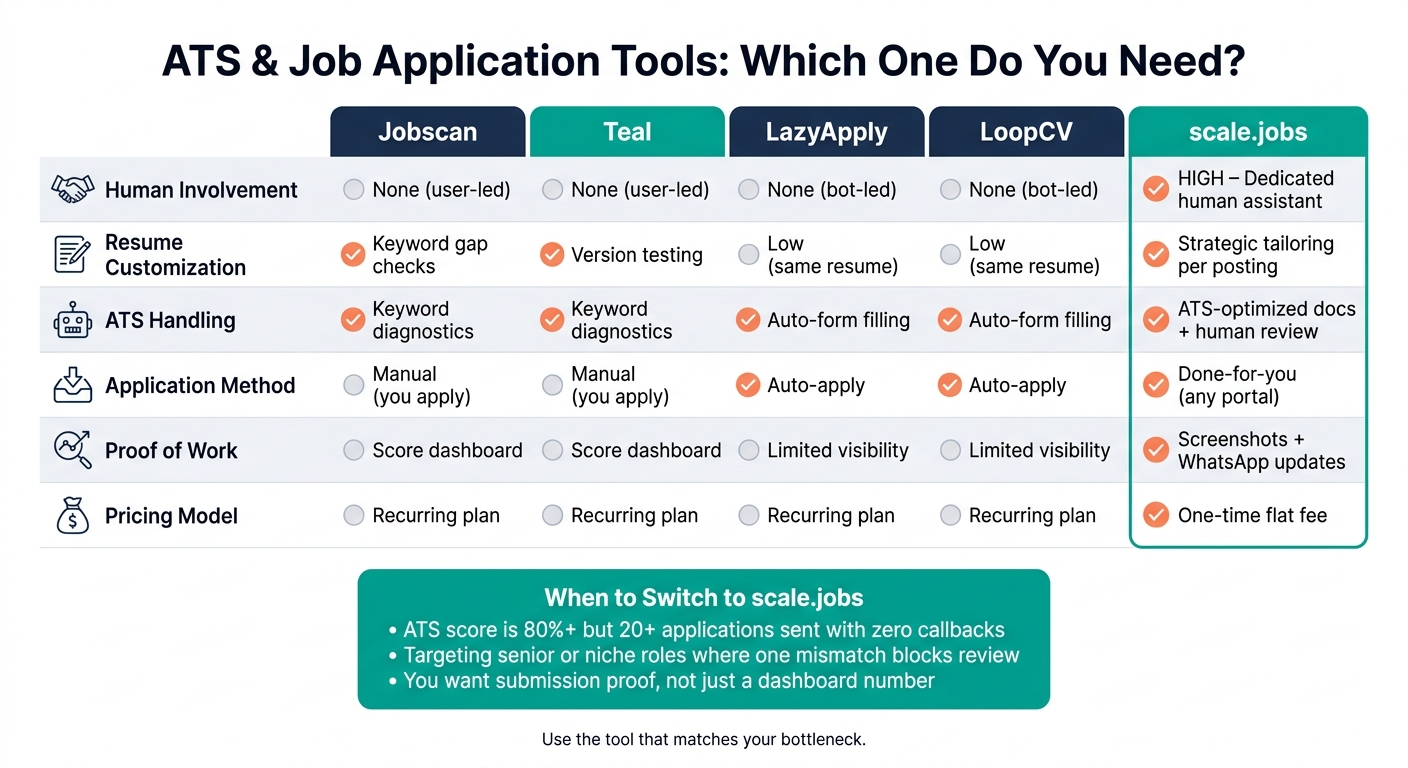
ATS Tools Compared: Jobscan vs Teal vs LazyApply vs LoopCV vs scale.jobs
How to Beat the ATS (Most People Are Doing This Wrong)
sbb-itb-564272e
Quick comparison
| Tool type | Best for | Main limit |
|---|---|---|
| Jobscan / Teal | Resume checks and tracking | Stops at diagnosis |
| LazyApply / LoopCV | High-volume sending tools | Low customization |
| scale.jobs | Human-reviewed submissions | Best when score is no longer the issue (see how human-assisted vs. automated applications compare) |
My take
I would not treat ATS score as the target. I would treat it as a screening clue. It helps to understand ATS scoring algorithms to see why.
If your score is decent but your interview rate is low, I’d use this playbook:
- Check must-haves first
- Fix title and seniority signals
- Rewrite top bullets with proof and numbers
- Stop mass applying with a weak version
- If needed, test a human-led workflow through a job search platform
What I would do after hitting 80%
1. Run a knockout check first
Before I care about score, I would ask:
- Do I have the required license, cert, or tool?
- Do I match the years of experience?
- Do I have the right work status?
- Does my background match the job type?
If the answer is no on a hard requirement, 80% does not help much.
2. Fix the top third of page one
Recruiters often make a fast call from the first section they see. So I would check:
- Current title
- Summary
- Most recent role
- First 2 to 3 bullets
If those don’t match the target role, I would fix that before sending more applications.
3. Replace task bullets with proof
A score tool may like keyword overlap. A recruiter wants proof.
I’d cut lines like:
Responsible for reporting and dashboard management
And replace them with lines like:
Built weekly Tableau dashboards for a $2.4 million pipeline and cut reporting time by 35%
That one line shows tool, scope, and result.
Jobscan vs scale.jobs
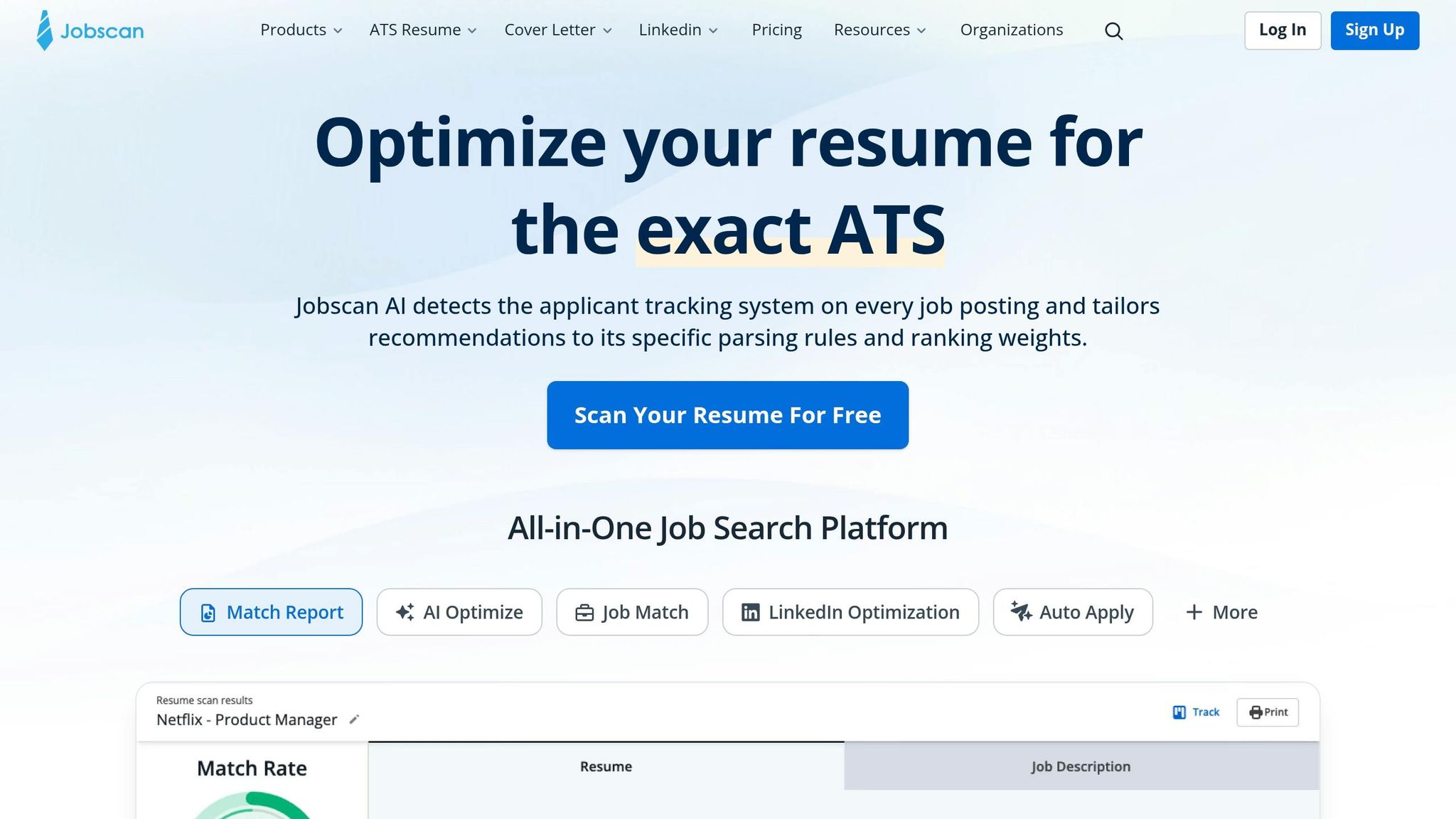
If I were still tuning resume language, Jobscan would help. If I already had decent match scores and still heard nothing, I’d look at scale.jobs for human review and automated keyword analysis and submission help.
Jobscan is worth it when:
- You need help spotting missing terms
- Your formatting is messy
- You want to test versions yourself
scale.jobs is worth it when:
- Your score is already 80%+
- You’ve sent 20+ applications with no callbacks
- You want tailored submissions and proof of work
- You want a Virtual Assistant for Job Applications
Is Teal worth it?
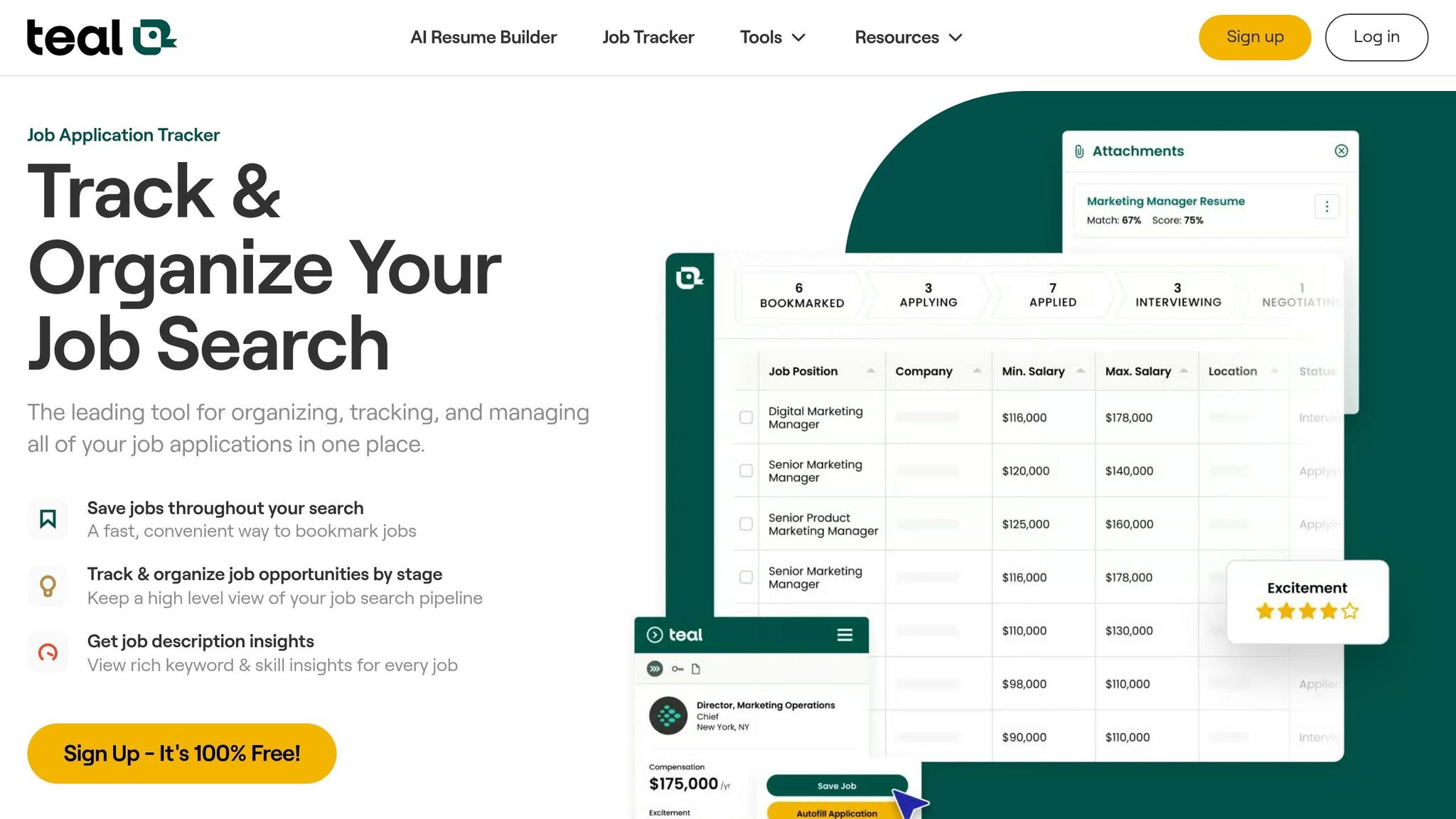
I think Teal is useful if your main problem is staying organized.
It helps with:
- Job application tracking
- Resume version control
- Job search tools and workflow management
But it won’t fix weak positioning on its own. If your bullets are flat, your title is off, or your fit is weak, better tracking won’t solve that. At that point, I’d look at either a job search coach or a human-led service.
LazyApply vs scale.jobs
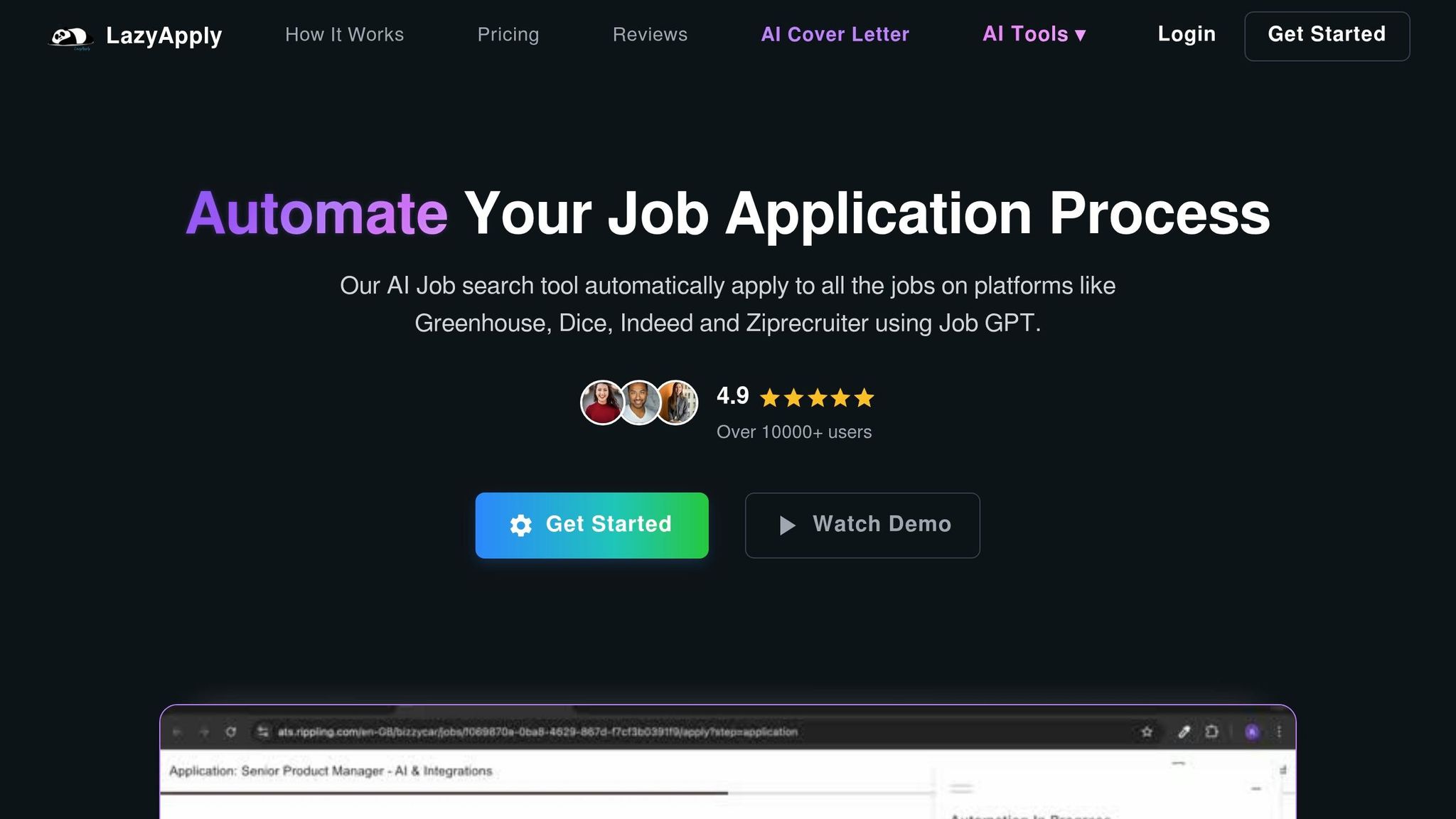
This is mostly a choice between automated application tools and manual review.
LazyApply can save time. But if the resume is weak, more volume just means more silent rejections. This highlights the real problem with automated job applications when quality is sacrificed for quantity.
I would only use automation if:
- My resume already fits the role well
- I’m applying to broad, lower-risk roles
- I’m okay with less control per application
I’d lean toward scale.jobs if I were applying to mid-career or senior roles where one mismatch can end the review fast.
Is LoopCV worth it?
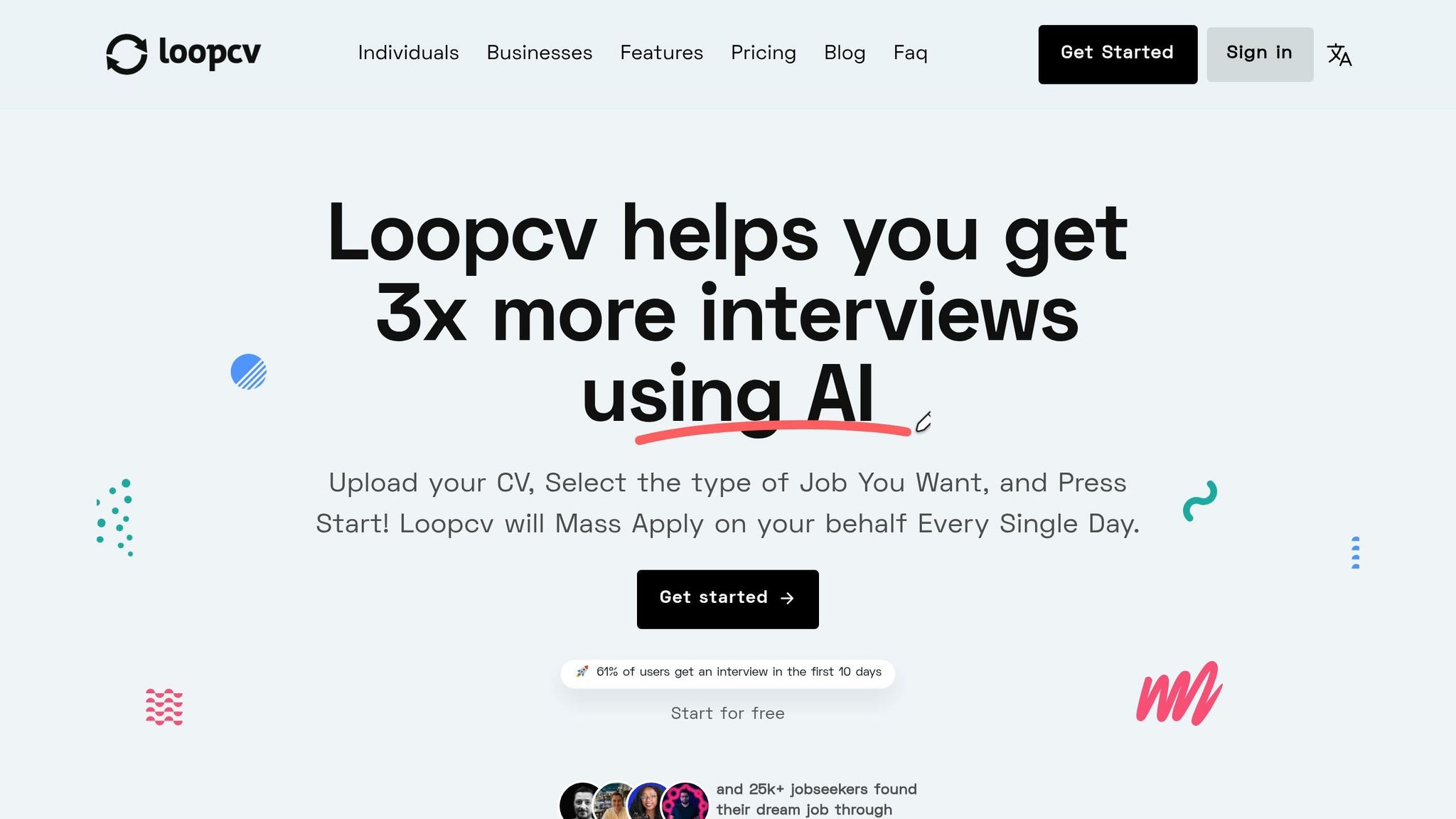
LoopCV can help with volume, but volume is not the same as fit.
If I were targeting niche or senior roles, I would care more about:
- Fit check before submission
- Tailored resume version
- Cover letter alignment
- Proof of submission
That’s where a human-led setup can beat bot-led sending.
A simple ATS score playbook
Step 1: Sort each requirement
Split the job post into two buckets:
- Must-have
- Nice-to-have
Then compare your resume to the must-have list first.
Step 2: Audit your title match
Ask:
- Does my current or recent title look close enough?
- If not, do my bullets prove the same level of work?
- Is my strongest match too old?
If your best-fit work is from years ago, your current role may be sending the wrong signal.
Step 3: Check parser basics
Use an ATS-friendly layout:
- One column
- Standard headings
- No text boxes
- No tables unless needed
- Clear date format like Aug. 1, 2026
This helps the system read your resume, but parsing alone won’t get interviews.
Step 4: Rewrite for human review
Focus on:
- Results
- Scope
- Ownership
- Numbers
- Business impact
That’s where tools like an ai resume builder or ai cover letter builder can help with first drafts, but I would still edit the final copy by hand.
Step 5: Test process, not just document
If the resume looks strong and reply rates are still low, the issue may be:
- Weak targeting
- Poor application quality
- Bad role selection
- Too much automation
- No second review
That’s when I’d test a human-led resume service instead of doing another round of score chasing.
FAQ
Does a recruiter see my ATS score?
No. Recruiters do not see your Jobscan or Teal score. That number is only for you.
Is 80% a good ATS score?
It can be okay, but it is not enough on its own. A high score can still miss a hard requirement or a level match.
What ATS score should I aim for?
I would not chase a fixed number. I would aim to cover all must-haves, match the role title as closely as I can, and make the first page easy to scan.
Why am I getting no interviews with a high score?
The usual reasons are:
- Missing knockout requirement
- Weak title match
- Flat bullets
- Old relevant experience
- Too much auto-apply volume
- Poor targeting
Are auto-apply tools worth it?
Sometimes. If your resume already fits the roles well, they can help with volume. If not, they can make the same problem hit more applications.
When should I switch tools?
I’d switch when the bottleneck changes:
- Use scanners for diagnosis
- Use trackers for organization
- Use automation for broad volume
- Use human help when fit and submission quality matter more than count
Final takeaway
I see ATS score as a starting check, not a finish line.
If your score is high but your reply rate is low, stop tuning for the number alone. Check how recruiters filter resumes, fix page-one signals, improve resume bullets, and be more careful with where and how you apply. If needed, get help from a virtual assistant for job seekers instead of sending another batch of the same resume.
That shift is often what moves the needle, not going from 80% to 84%.
What an ATS score actually measures on a real application
An ATS score is a tool-specific match estimate for one job description. It is not a grade for your resume as a whole. It shows how closely your resume lines up with a single role based on things like how ATS systems read your resume based on things like keyword overlap, skills coverage, job-title match, standard sections, and formatting that the system can read. Recruiters do not see that score.
If you're trying to Apply for jobs, this matters more than most people think. A score can look good and still miss the point if your resume doesn't fit the actual role.
Keyword match, skills coverage, and must-have gaps are a separate problem from keyword overlap
Keyword overlap and must-have coverage are two different things.
A resume might match 80% of the language in a job description and still miss one required item, like a license, certification, or work authorization. That missing piece can hurt far more than a few absent nice-to-have terms. But in a blended ATS score, both issues may show up as only a small dip.
The better way to check fit is simple:
- Mark each requirement in the job description as must-have or nice-to-have
- Compare your resume to the must-have list first
- Check whether any required item is missing before you care about the percentage
That’s why the next question is not “What score did I get?” It’s: “Am I missing any must-have requirement?”
This is also where a job application service or job search coach can help. They don’t just look for repeated words. They look for deal-breakers.
Job title, seniority, and recent experience often decide whether 80% is enough
Title and level mismatches often explain why a resume with a good score still falls flat.
Titles matter because they signal scope fast. If your resume says Project Coordinator and the role is Program Manager, that gap can hint at a level mismatch even when your bullets show program-level work. A recruiter may read the title first and make a snap call.
Recency matters too. If your best-fit experience is from 2019, but your current role uses very different language, some systems may weigh the recent role more heavily. In plain terms: old relevance can lose to current context.
So if the title signal is off, fix the role match before you send the application again. If title and seniority don’t line up, the score may still look strong while the application gets screened out.
This is one reason many job seekers use a job search virtual assistant or virtual assistant for job seekers. A second set of eyes can catch title mismatch fast.
Formatting affects parsing, but clean parsing alone does not create interviews
Formatting affects how well the ATS reads your resume. It does not, by itself, make you interview-worthy.
Two-column layouts, tables, and text boxes can drag down a score because the parser may scramble content or skip sections. A standard single-column layout with plain headings like Work Experience and Education gives the system a better shot at mapping your information into searchable fields.
That part is worth fixing. But clean parsing is only step one.
A resume can parse perfectly and still fail once a recruiter scans it. Why? Because parsing checks whether the data is readable by software. It does not prove that your resume shows results, ownership, or business impact.
Think of it this way: parsing gets you through the door; your content has to carry the rest. If you're using an ai resume builder, make sure the output sounds like you and shows clear fit, not just clean structure.
| Score Signal | What It Measures | What It Misses |
|---|---|---|
| Keyword match | Term overlap with the job description | Whether required qualifications are actually present |
| Skills coverage | Breadth of listed skills | Depth, recency, and proof of use |
| Job-title alignment | How closely your title matches the target role | Scope, seniority, and ownership signals |
| Standard section coverage | Standard headings and field mapping | Quality of content within those sections |
| Formatting readability | Parse rate and data accuracy | Business impact and recruiter-readable clarity |
Why an 80% ATS Score Still Fails to Get Interviews
An 80% ATS score can look solid on paper and still lead to silence. That gap matters. It tells you whether you should keep tweaking a score tool or get help with the part that happens after the scan, like a job application service or a Virtual Assistant for Job Applications.
A High Score Can Still Hide One Missing Knockout Requirement
A product marketing resume can score 92% and still get filtered out if it never shows B2B SaaS pricing experience. The same thing happens with missing certifications, work authorization, or a years-of-experience requirement. Those are not small misses. They can act like a locked door.
Workday, Greenhouse, and similar systems often use pass/fail filters for must-have requirements before a recruiter even gives the resume a quick skim. So yes, your resume may match the wording well and still fail the first screen.
That’s the catch: a high score doesn’t beat a candidate whose background fits the role more closely.
Resumes Can Score Well on Jobscan or Teal and Still Look Weak to Recruiters
Jobscan and Teal are useful for overlap. They are less useful for showing seniority, impact, and career growth. That’s where many resumes fall apart.
For example:
"built weekly Tableau dashboards tracking a $2.4M pipeline, cutting reporting time by 35%"
That line does more than mention Tableau. It shows ownership, scope, and outcome. A recruiter can see what changed because of the work.
Now compare that with a resume full of task-based bullets. If it reads like someone followed instructions instead of drove results, the score won’t save it. The parser may pass it along, but the callback comes after human review.
If that’s the weak point, the better move may not be another scanner. It may be support from a job search coach or a virtual assistant for job seekers who can help turn a flat resume into one that passes ATS and gets seen by humans.
Auto-Apply Volume From LazyApply or LoopCV Makes a Weak Resume Fail Faster
Sending the same weak resume to 500 jobs instead of 50 doesn’t fix the problem. It just spreads the problem around faster.
If the resume has a title mismatch, weak proof, or a seniority gap, auto-apply tools like LazyApply or LoopCV scale the same issue across more applications. That’s not a job search strategy. It’s speed without correction.
This is where people often confuse diagnosis with execution. Score tools and auto-apply tools can help with volume or spotting gaps. But if you want better results when you Apply for jobs, you may need hands-on help through a job search platform that looks at fit, targeting, and application quality, not just output.
Jobscan vs Teal vs LazyApply vs LoopCV vs scale.jobs: which one is worth switching to
These tools do different jobs in the hiring process. That’s why picking the wrong one can leave a gap in your workflow. In some cases, it can even help you send weak applications at a faster pace.
If your ATS score is already in good shape, the issue usually isn’t diagnosis anymore. The question becomes simpler: do you need a scanner, an automation tool, or a human team that can help you Apply for jobs with more care? That makes this a workflow call, not a score-chasing exercise.
If score is no longer the blocker, the next step is figuring out whether you need resume scanning, auto-apply speed, or human-managed submission through a job application service.
Jobscan and Teal are good for DIY ATS work, but stop short of human-managed application submission
Jobscan helps you compare your resume against a job description and spot keyword gaps. Teal is better for organizing your search, tracking where you applied, and testing resume versions over time. Both work best when you’re still fixing mechanical resume issues.
But there’s a limit. Once the basics are in place, small keyword gains matter less than sharper role fit and stronger page-one bullets. That’s where many job seekers stall out. They keep tuning the document while the actual application process stays weak.
Why scale.jobs wins here:
- Human assistants review and tailor each application before submission. Jobscan and Teal can point out gaps, but you still have to do the fixing.
- ATS-focused documents are prepared for each posting, not built from keyword hints alone.
- Proof-of-work screenshots and WhatsApp updates show what was submitted and when. A score dashboard can’t do that.
Who should choose scale.jobs instead of Jobscan or Teal: If your score is already around 80% or higher and callbacks are still rare, scale.jobs moves from diagnosis to execution. Human assistants handle tailored resumes, cover letters, portal submissions, and live WhatsApp updates with submission proof. For job seekers who want a virtual assistant for job seekers, that shift can matter more than another round of keyword edits.
When diagnosis stops helping, volume becomes the next tradeoff.
LazyApply and LoopCV save time with automation, but scale.jobs is stronger when customization matters
LazyApply and LoopCV are built for speed. If your goal is to send a high number of applications fast, they can cut down the time spent on form-filling and repeat tasks. That sounds great on paper. But speed has a cost.
The main tradeoff is customization. If your resume still has weak positioning around seniority, impact, or ownership, automation just spreads that weakness across more roles. Auto-apply tools do not fix title mismatches, seniority gaps, or missing must-have requirements. They move faster, but they don’t stop to think.
That’s the big split between automation and human review. One is built for volume. The other is built for judgment.
Why scale.jobs wins here:
- A dedicated human assistant checks fit before each submission. Automation tools skip that step.
- A one-time flat fee replaces recurring automation subscriptions with no per-application cap.
- WhatsApp support and time-stamped submission proof give you visibility that bot-led tools usually don’t.
Who should choose scale.jobs instead of LazyApply or LoopCV: Mid-to-senior professionals, or anyone aiming at roles where one missing requirement or seniority mismatch can block review. scale.jobs adds human oversight before submission, which matters more than volume when the role is competitive. If you’re comparing tools for a Job search virtual assistant, this is where scale.jobs starts to stand apart.
Here’s how the options compare directly:
| Feature | Jobscan / Teal | LazyApply / LoopCV | scale.jobs |
|---|---|---|---|
| Human involvement | None; user-led | None; bot-led | High; dedicated human assistant |
| Resume customization depth | Keyword gap checks | Low; same resume across many postings | Strategic tailoring per posting |
| ATS handling | Keyword match diagnostics | Auto-form filling; broad volume | ATS-optimized docs with human review |
| Application execution method | Manual; you apply | Auto-apply | Done-for-you across any portal |
| Transparency and proof of work | Score dashboards | Limited per-submission visibility | Screenshots + WhatsApp updates |
| Pricing model | Recurring plan | Recurring automation plan | One-time flat fee |
Decision Summary: when to switch to scale.jobs if your score is good but response rate is low
Use Jobscan for early diagnostics. Use Teal to stay organized and test resume versions. Use LazyApply or LoopCV if your top goal is speed and your resume already fits the roles you want.
Switch to scale.jobs if:
- Your ATS score is consistently 80%+ but you’ve sent 20+ applications with zero callbacks
- You’re targeting senior or niche roles where one missing requirement or title mismatch can block review
- You want submission proof, not just a dashboard number
This is often the point where a job search coach or a done-for-you workflow starts to make more sense than another software layer. And if you’re weighing options across the best job boards, company portals, and niche listings, human execution can help keep quality from slipping as volume goes up.
Use the tool that matches the bottleneck, then fix the application itself.
How to improve your results beyond the score without wasting more application cycles
Use ATS tools for diagnosis, then fix recruiter-facing gaps before applying again
If Jobscan or Teal already gets you close to 80%, stop chasing the score and start fixing the resume people will read.
Use those tools to spot missing required terms, then revise the resume for the recruiter - not just the software. When you review missing keywords, compare them against the Required Qualifications section, not the full job post. A term missing from that list can knock you out quietly. No score bump fixes that. So if you're trying to Apply for jobs, that required-qualifications section should be your first audit point.
Recruiters usually skim the top third of page 1 first. That means your header, summary, and most recent role need to match the job’s level and focus right away. If they don’t, the rest of the resume may not get much attention. Adjust your title where it’s accurate, and rewrite your summary so it leads with a result instead of a label. For example:
"Cut checkout latency 40%."
That lands harder than a generic opener and gives the reader a reason to keep going. This is where a good ai resume builder can help with structure, but the final pass still needs to sound like you.
Then fix the bullets. Drop duty-based phrasing like “Responsible for managing deployments” and switch to results with proof, such as “Migrated 40+ microservices to AWS, reducing downtime by 22%.” Use U.S. number formatting all the way through: 15%, $120,000, 3 years.
That change moves your resume from keyword match to proof. And proof is what gets callbacks.
If you're still not sure where the weak spots are, this is where a job search coach or a Virtual Assistant for Job Applications can help catch issues before you send the next round.
scale.jobs Free Trial: first 5 job applications at no cost
If those fixes still don’t change reply rates, test the process itself.
scale.jobs gives you the first 5 job applications at no cost. That includes human review, ATS-tuned documents, and WhatsApp updates with submission screenshots. It’s a simple way to compare human-managed execution against your current setup before paying for a plan.
For job seekers stuck between “my resume looks fine” and “I’m still hearing nothing,” this can be a clean test. Instead of guessing whether the problem is your resume, your workflow, or your submissions, you get a side-by-side check from a job application service. It can also help if you're juggling full time jobs and don’t have hours to spend reworking every application by hand.